1. How to use Bulk processing with new agent control board?
Learning Objectives After completing this unit, you’ll be able to:
- Describe what is Bulk processing?
- Comfortably use the Agent control board.
- Server Configuration in Agent
Introduction
A job runs to process batches that use API Dynamic Switch where incoming data goes automatically to be processed as synchronous, batch or bulk. All processed batches are managed on the bulk control board. What is Bulk Processing? Bulk Processing uses for running attachment as batch too. It has more ability than synchronous, batch and running with huge records at high speed. The Records have more than 5000, so user uses with bulk processing. It can contain many records in an attachment, and the user can set the time interval in bulk processing scheduler of SKYVVA or Agent Scheduler to run anytime that you want. However, there are two options of bulk processing which is including SKYVVA bulk and SFDC bulk.

What is Agent Control Board? The new agent control board is a component which can connect different application system. Besides the component connect that we build on salesforce already. But some protocol we cannot build on salesforce which technically not possible. That’s why we build a new component called “Any Connect” which is based on apache camel is open source around the world. Server configuration in Agent To be able to access to Agent Control Board, there are things you need to know. You have to configure the server in Agent by doing that it allows you to set up the Agent credential for SKYVVA Agent Control Board.
- Navigate to AgentUI and enter Server Configuration
- Fill in Username => Password => Port Application => Click Save
To configure the Agent Control Board You have to configure this step in order to connect to AgentUI. To configure this, there are steps you must follow: Create Remote Site Setting To create Remote Site Setting you can follow the steps below:
- Navigate Setup => Type Remote Site Setting in Quick Find => click Remote Site Settings
- Click on the New Remote Site Setting button
- Fill in Remote Site Name => Remote Site URL ( Public IP+ “:”Forward Port) => click Save
Pre-requisite
- We should create integration. Please this tutorial to create integration-> What is an integration and how to create it?
- Next step is to create the interface. Please this tutorial to create interface-> What is an interface and how to create it?
Below Screen showing the Integration and Interface
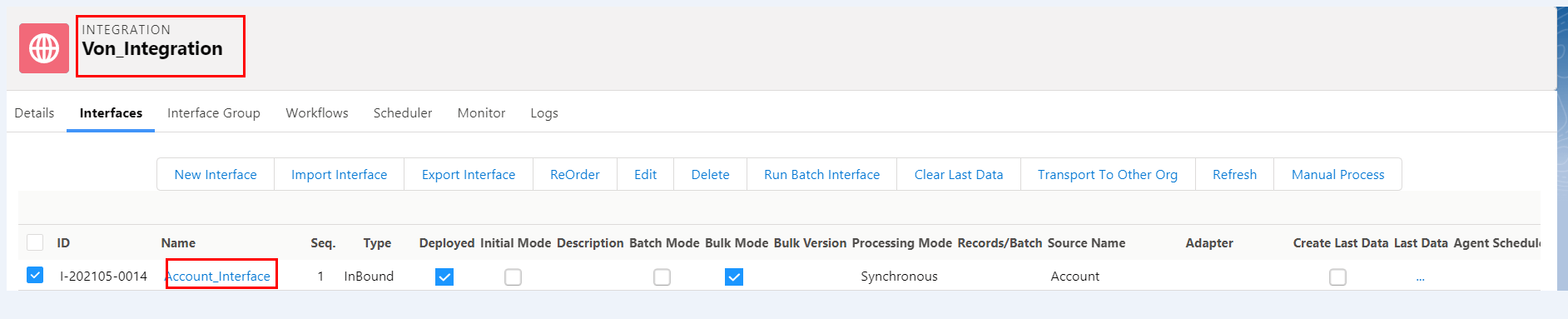
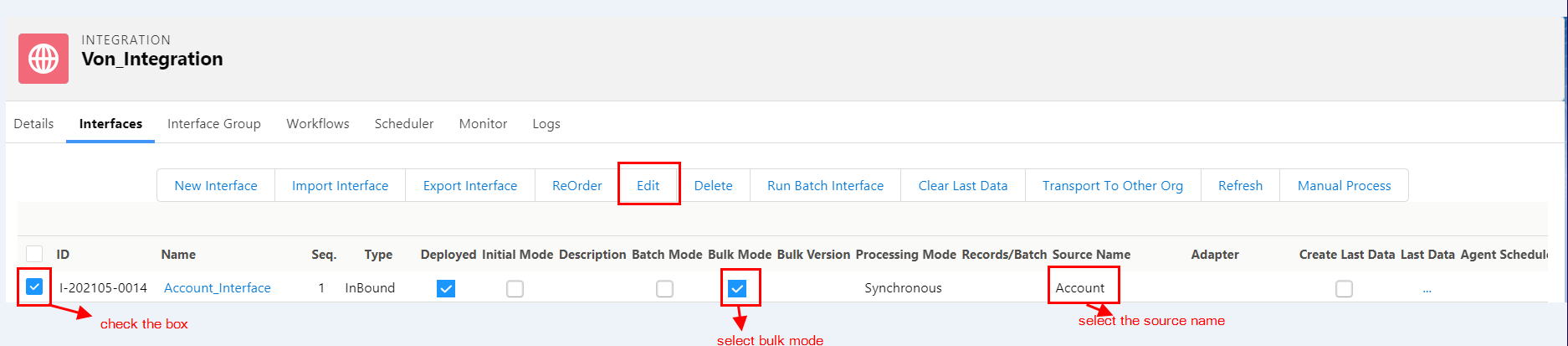
Now Select the New Agent Control Board as shown in below Screen

Now configure the New Agent Board as shown in below Screen

Fill the Mandatory Details

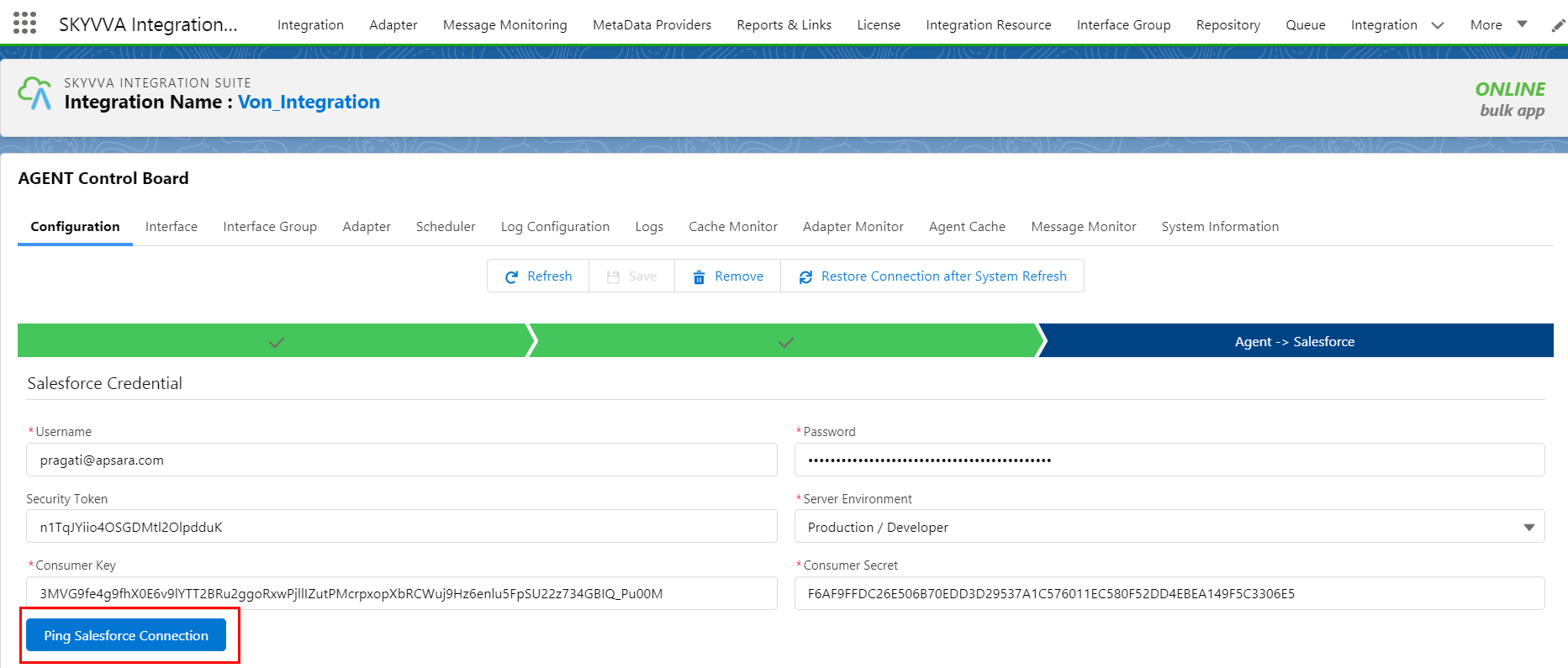
In the above picture our Salesforce Connection is successful.