1. How to use File Adapter (FileZilla Client & Server) with Agent Control Board for Producer?
Introduction
Agent File adapter for produce uses for writing a file from salesforce to file. Agent file adapter for Producer means outbound Agent File Adapter. To use the Agent File adapter for Producer, we need to configure the Agent Control Board, and we need to create an Agent File Adapter. In this chapter, we will learn how to use the Agent File adapter for the producer, and we will know how to do outbound with CSV, Excel file type.
Pre-require
Firstly, you need to have some required step before you can use the Agent File adapter:
- Create Metadata Provider, Istructure Repository
- Configure a New Agent control board
- To checking to catch a New Agent control board
Configuration
- Create Metadata Provider, Istructure Repository and Create Flat Message

- Go to the Integration Detail page
- Click on the new agent control board
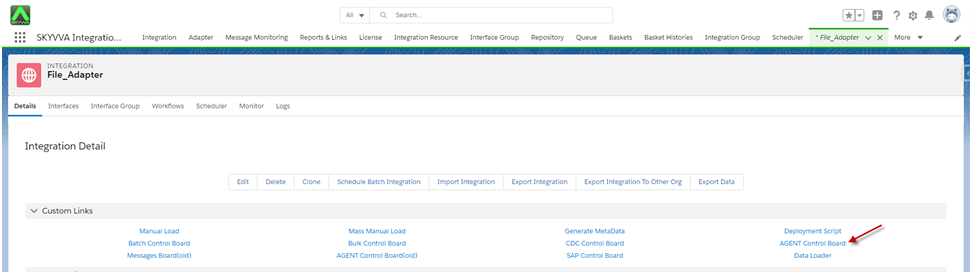
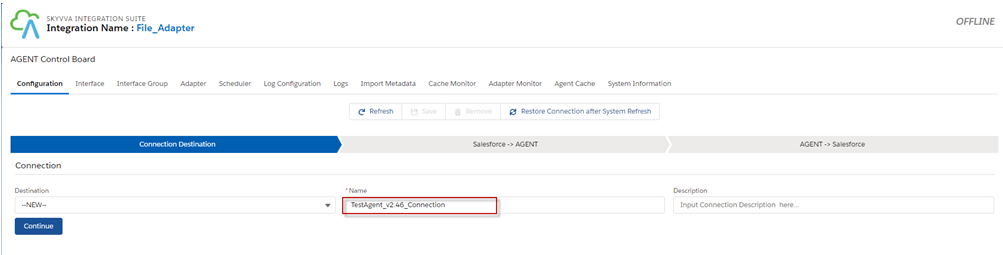
- Now we need to create a connection destination. For that, we can give any name to the destination. As shown below.
- Fill all the required fields in Salesforce -> Agent
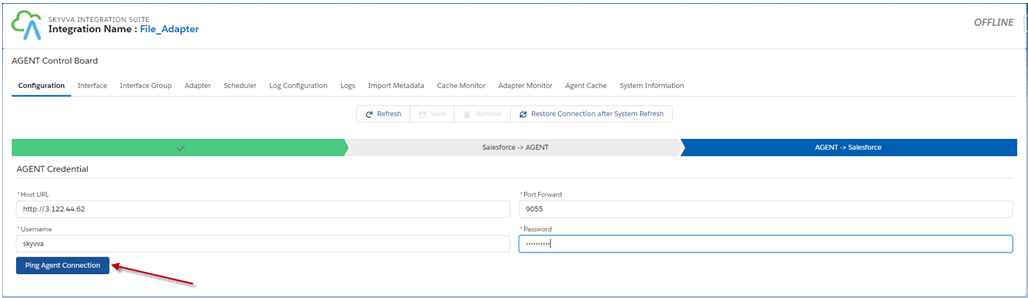
- Click on the Ping Agent connection
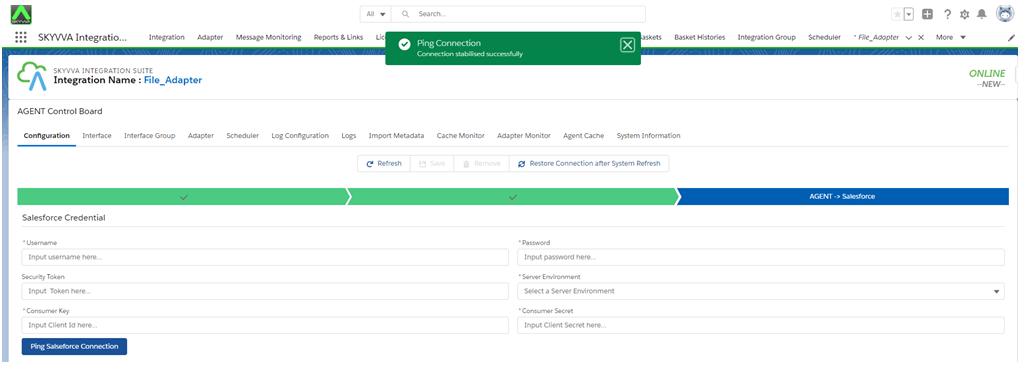
- Fill all the required fields in Agent -> Salesforce and click on the Ping Salesforce Connection
- Save
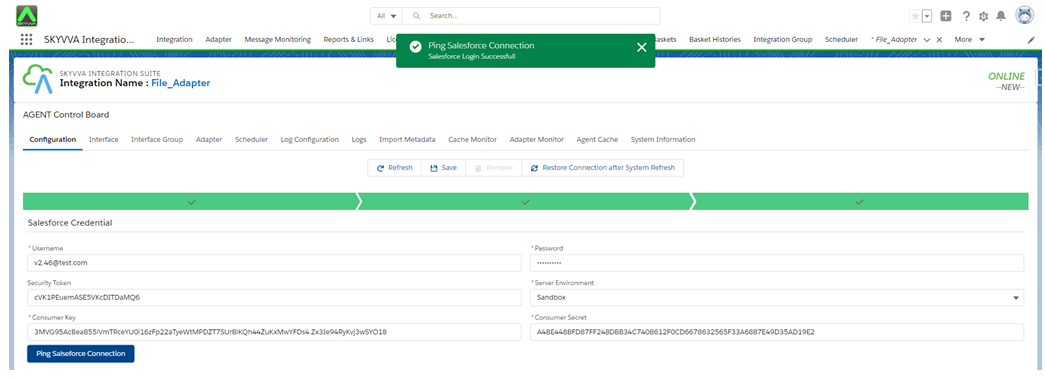
Case 1
Create Outbound Agent File Adapter for Excel format and Protocol: FTP
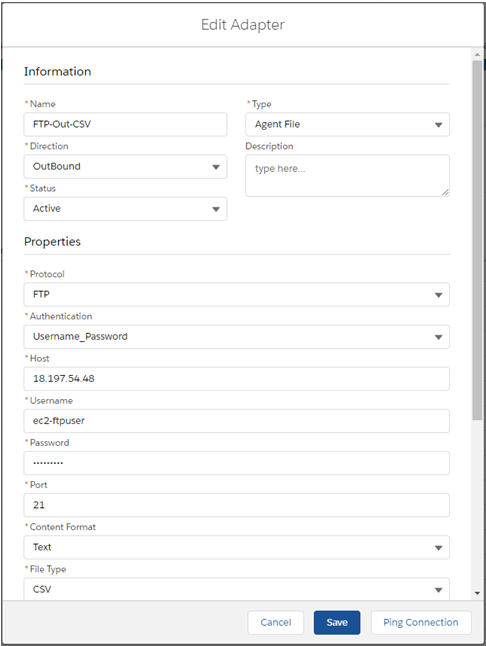
- Create Outbound Agent File Adapter for excel format
Fill all required field
- Name: any Name
- Type: Agent File
- Direction: Outbound
- Protocol: FTP
- Host: Public IP Address
- Username: FTP Username
- Password: FTP password
- Port: FTPs Server Port
- File Type: CSV
- Folder: File_Adapter
- File Name: Account.csv
- File Size: 5(MB)
- File Handling Mode: Append
- Connection Destination: your destination name
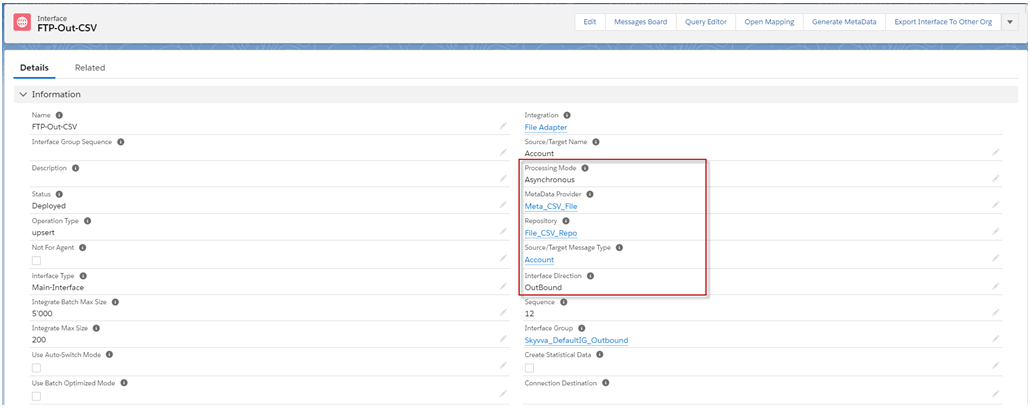
- Create an Outbound interface, add Metadata Provider, Istructure Repository, and Message type to the interface page as shown below.
- Add Outbound Adapter

- Mapping
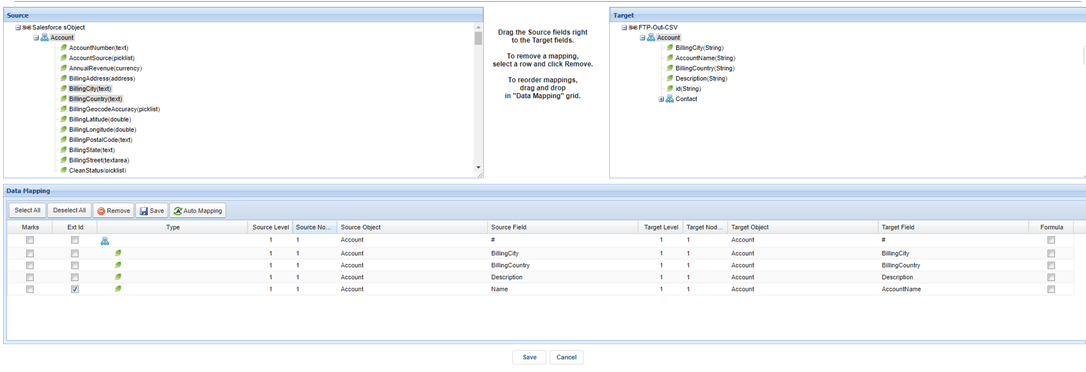
- Callout
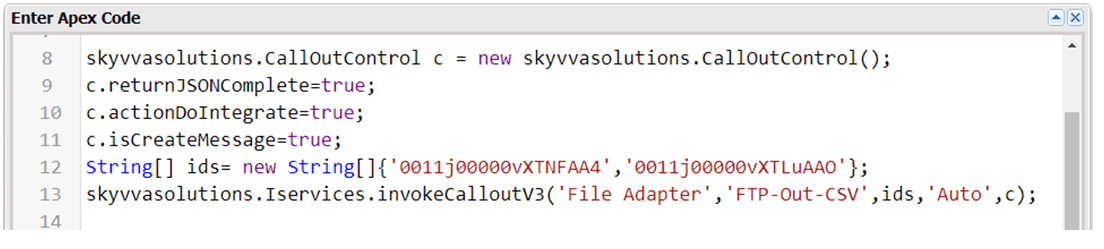
- Message Monitor

CSV:
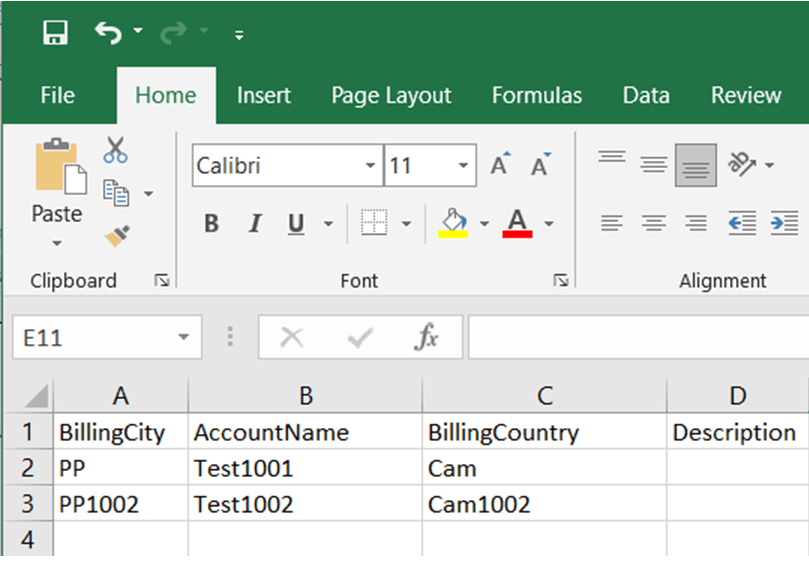
Case 2
Create Outbound Agent File Adapter for CSV format and Protocol: SFTP
- Create Outbound Agent File Adapter for CSV format
Fill all required field
- Name: any Name
- Type: Agent File
- Direction: Outbound
- Protocol: SFTP
- Host: Public IP Address
- Username: SFTP Username
- Password: SFTP password
- Port: SFTP Server Port
- File Type: CSV
- Folder: C: File_Adapter
- File Name: Account.csv
- File Size: 5(MB)
- File Handling Mode: Append
- Connection Destination: your destination name
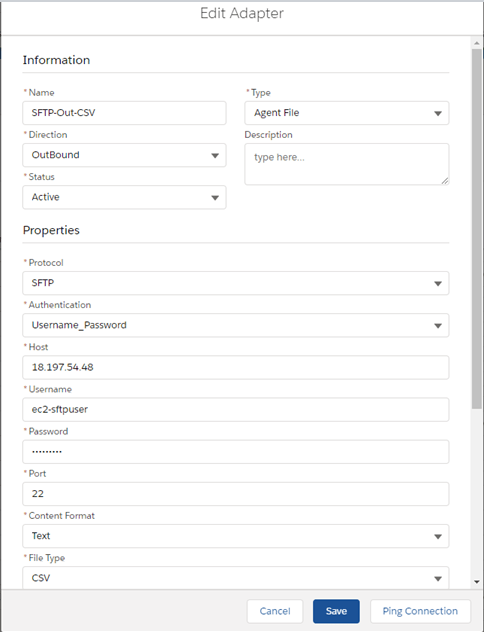
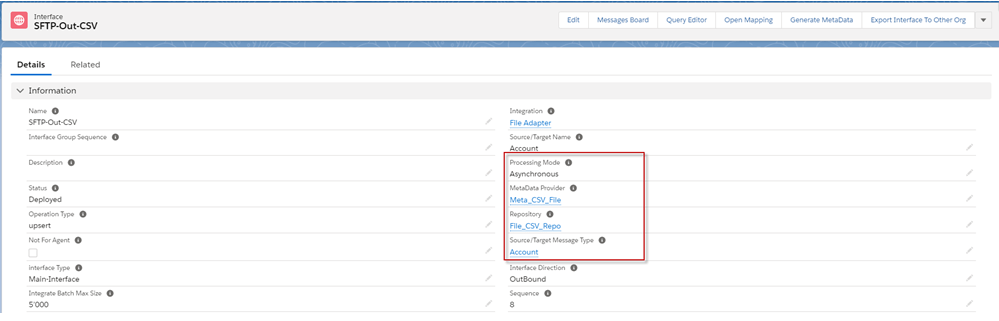
- Create an outbound interface, add Metadata Provider, Istructure Repository, and Message type to the interface page as shown below
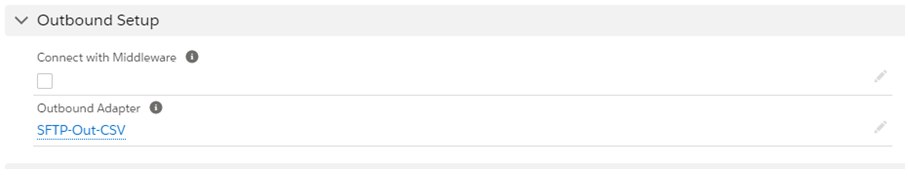
- Add Outbound adapter
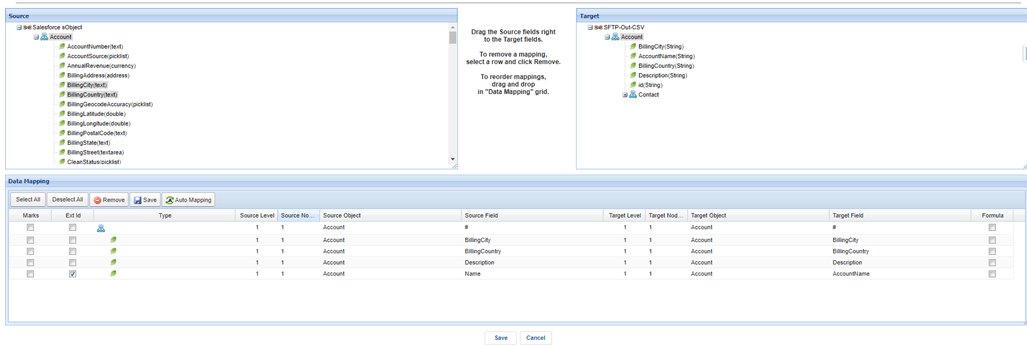
- Mapping
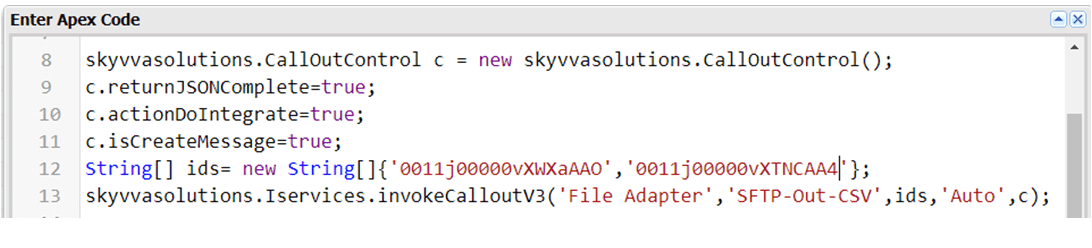
- Callout:
- Message Monitor

CSV:
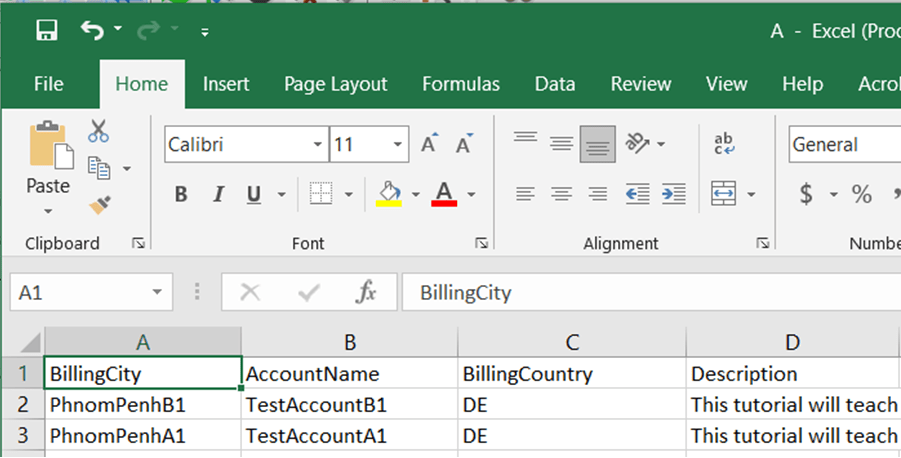
- Here is the result of CSV
Case 3
Create Inbound Agent File Adapter for JSON format and Protocol: FTP
- Create Inbound Agent File Adapter for excel format
Fill all required field
- Name: any Name
- Type: Agent File
- Direction: Inbound
- Protocol: FTP
- Host: Public IP Address
- Username: FTP Username
- Password: FTP password
- Port: FTP Server Port(21)
- File Type: JSON
- Folder: Sreymay/Inbound/Json
- File Name: Final_json5.json
- What to do with the file after Processing?: Delete File
- Connection Destination: your destination name
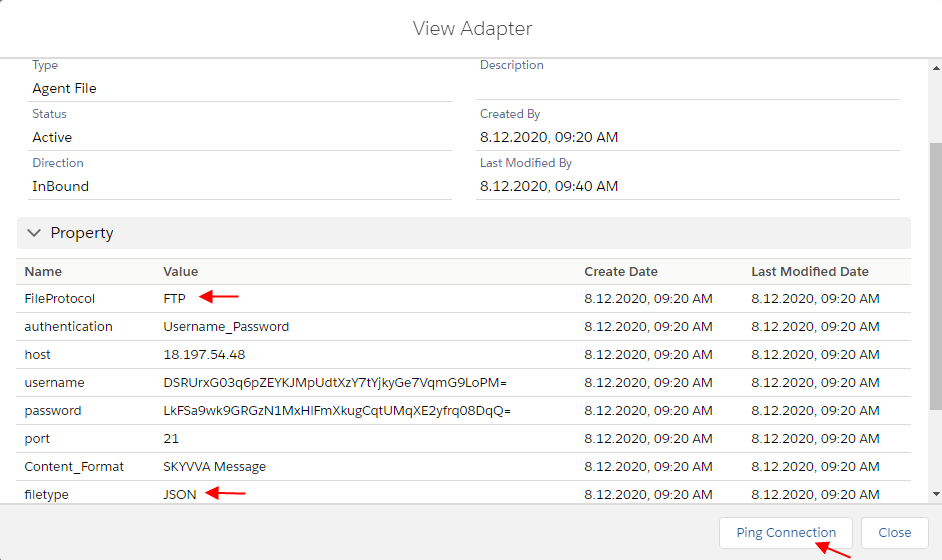
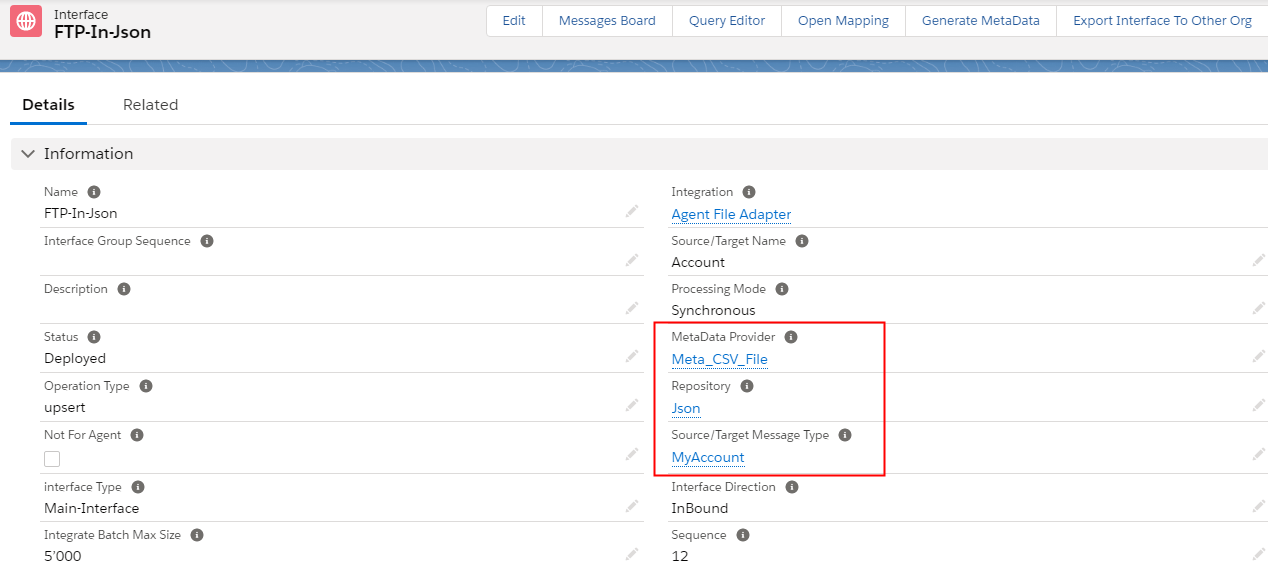
- Create an inbound interface, add Metadata Provider, Istructure Repository, and Message type to the interface page as shown below
- Add inbound Adapter

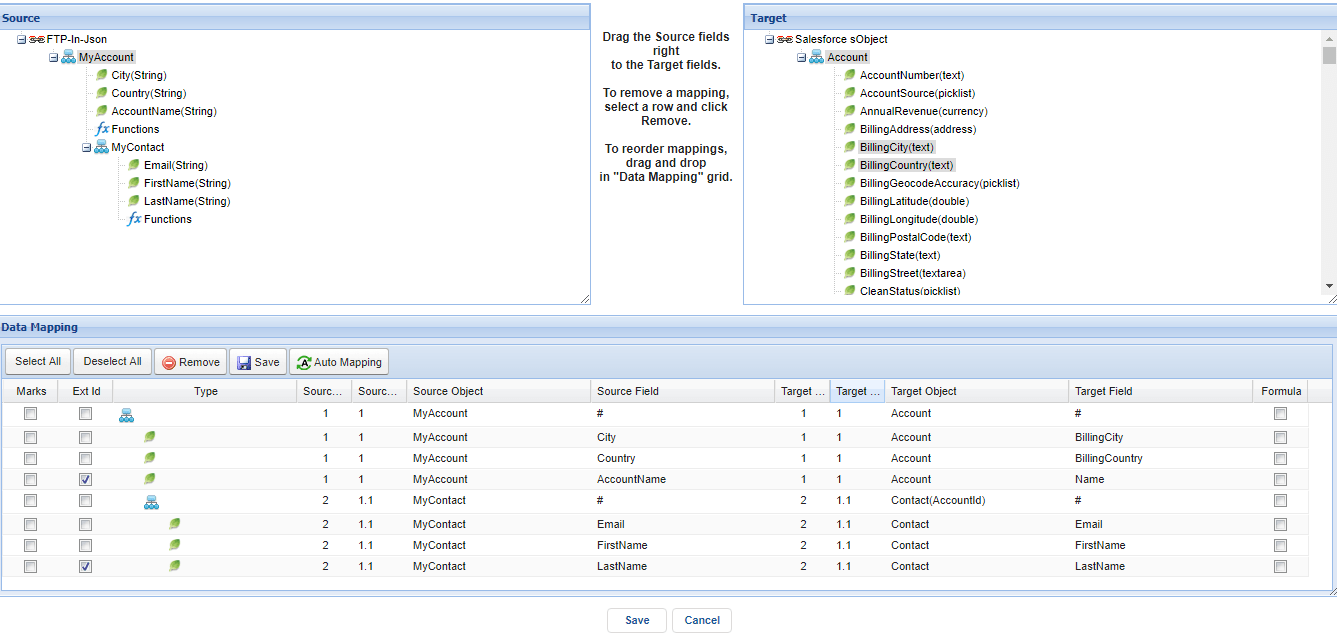
- Mapping
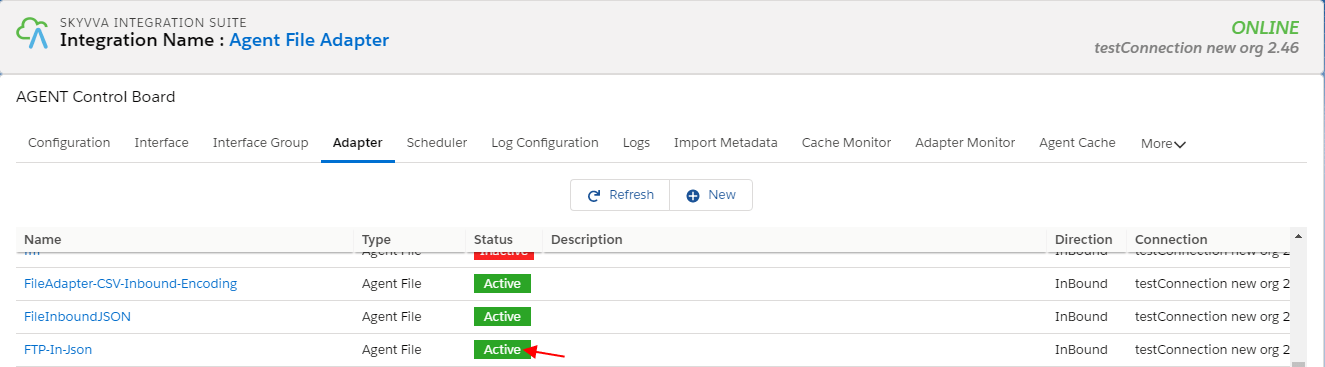
- Start the adapter route by clicking the start route button on Adapter Detail Tab on Agent Control Board
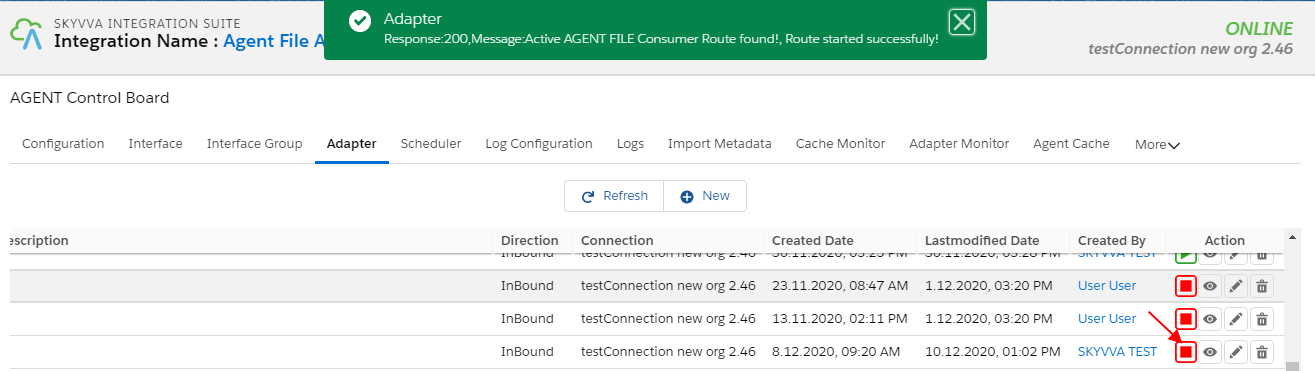
You will get a success message when the route started successfully.
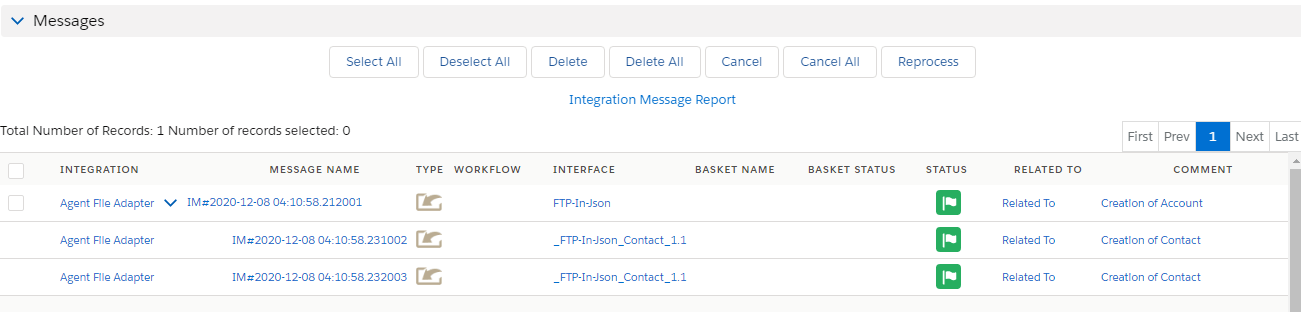
- Here is a result of JSON in Message Monitor