1. How to use File Adapter with Agent Control Board (old) ?
This tutorial explains what is File Adapter, why do we need it. It explains how do we use it with the Agent control Board (old).
Introduction
File adapter uses to integrate data from file to SFDC and from Salesforce to file. The File type that Agent support is CSV, XML, and Excel that can be integrated with their content. You can integrate file attachment into the attachment object.
- CONTENT: use for integrating content in the file like CSV, Excel, and XML.
- FILE: use for integrating file attachment into Attachment Object.
Prerequisite
Create an adapter, User has to follow steps before it would eg. Creating Integration and Interface. To create a File Adapter, there are some steps that must be followed :
Creating of File Adapter
Inbound Case1
- Create an Integration
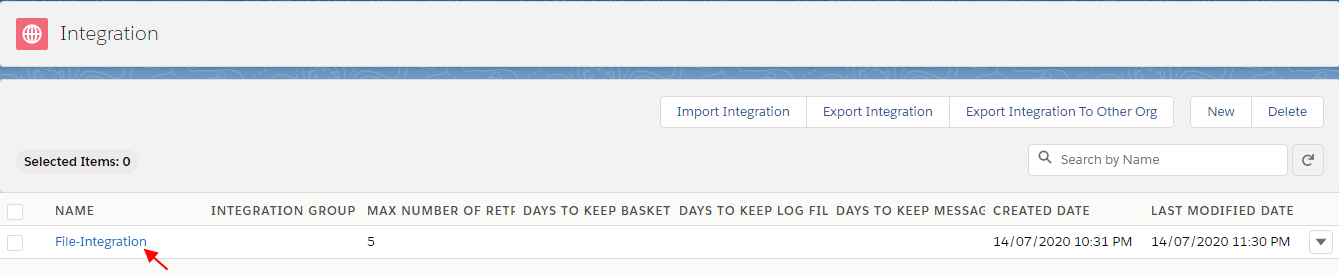
- Create an Inbound Interface
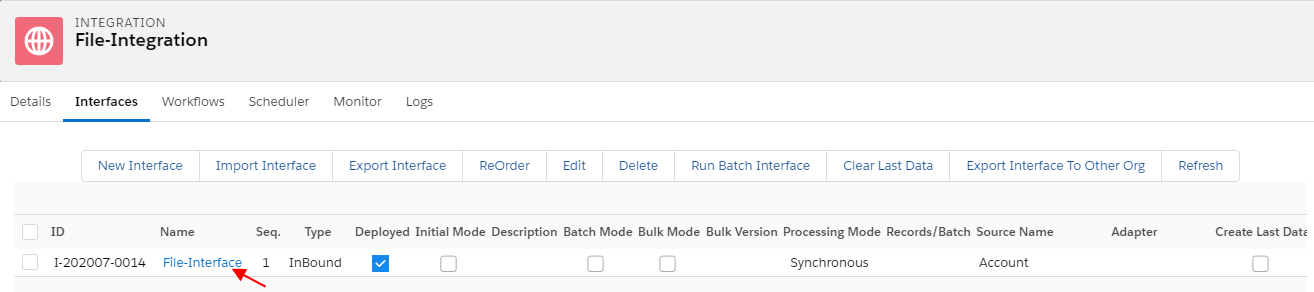
Now go to Salesforce Click on Adapter Inbound Tab
- Create Inbound Adapter Type File
- Click on Ping Connection
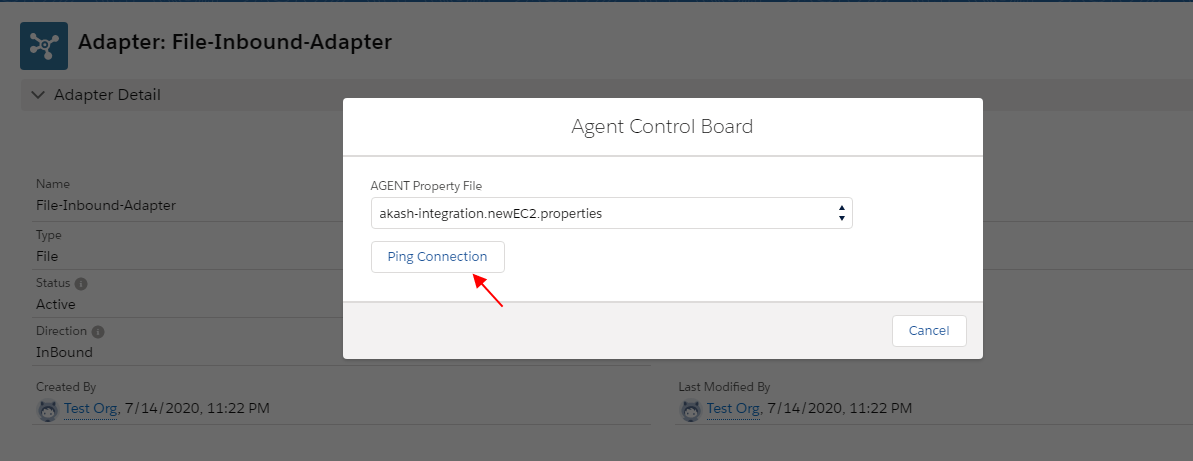
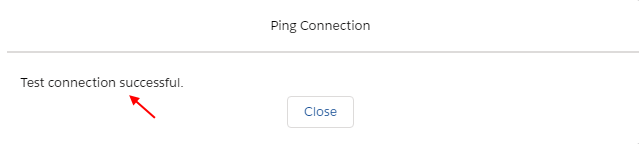
Adapter property made a connection successfully with Agent and File Adapter
- file_upload_mode —CONTENT
- filetype —XML
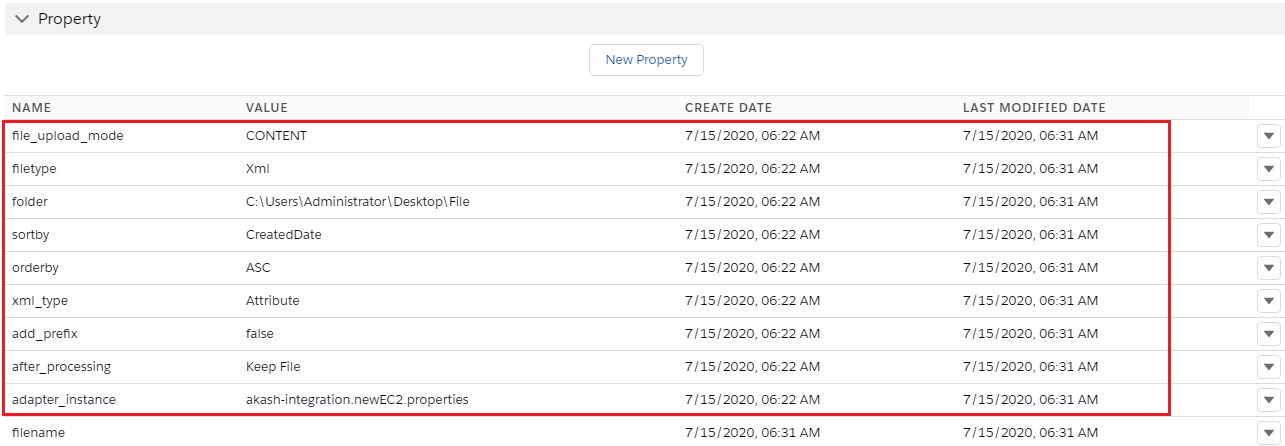
Now the user has to go to the Interface Detail page
- Scroll down to Inbound Setup Section
- Select File-Adapter-Inbound user just created

- Click on Open Mapping Button

- Map the target fields according to Account, Contact, Case to the Salesforce source sObject
- Select Ext Id
- Save
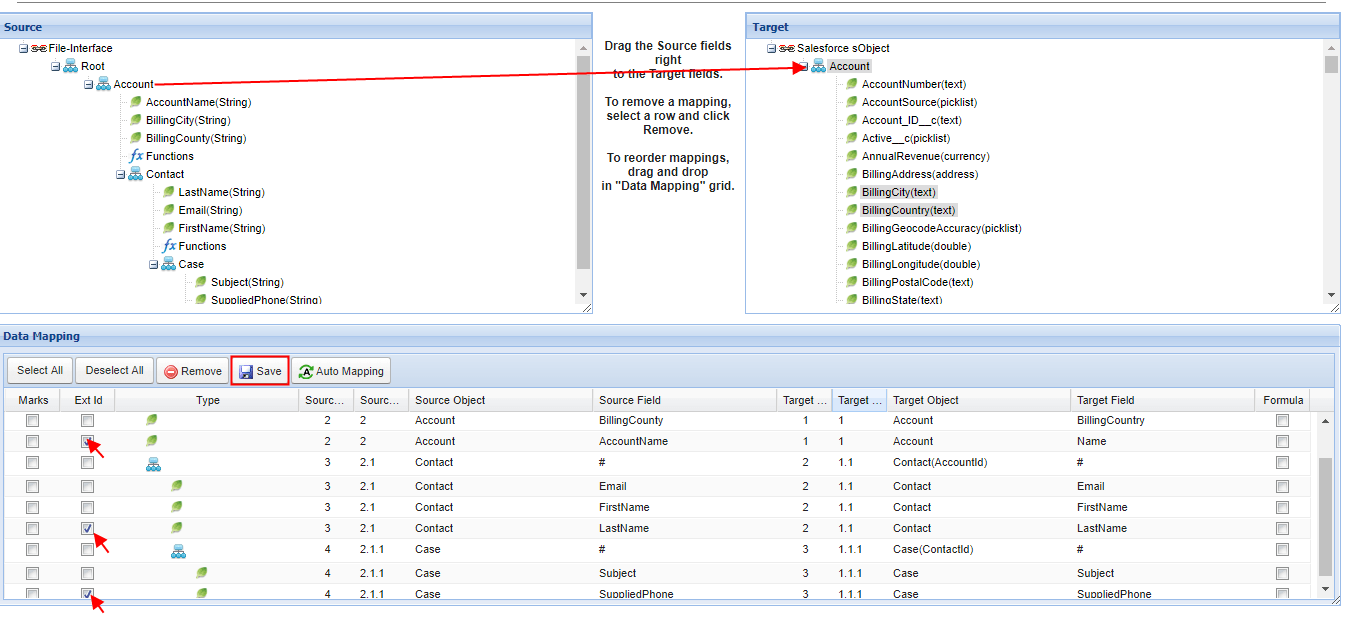
Now go to the Agent and Select your Integration which you just created
- Select your Interface
- Click on Edit Interface Button

Now see Interface Source Definition
- Test Source connection
- Click on Test Query Button
- Records are fetching
- Save

Click on Agent Control Board (old) Tab - How to use the Agent Control Board?
Since the user now completely understand; How to use the Agent Control Board, by hitting the upper link, now we understand the Architect of the Agent Control Board now follows below on Salesforce org.
- Click on the Integration tab
- Select your Integration and Interface
- Scroll down to the Process button and click it
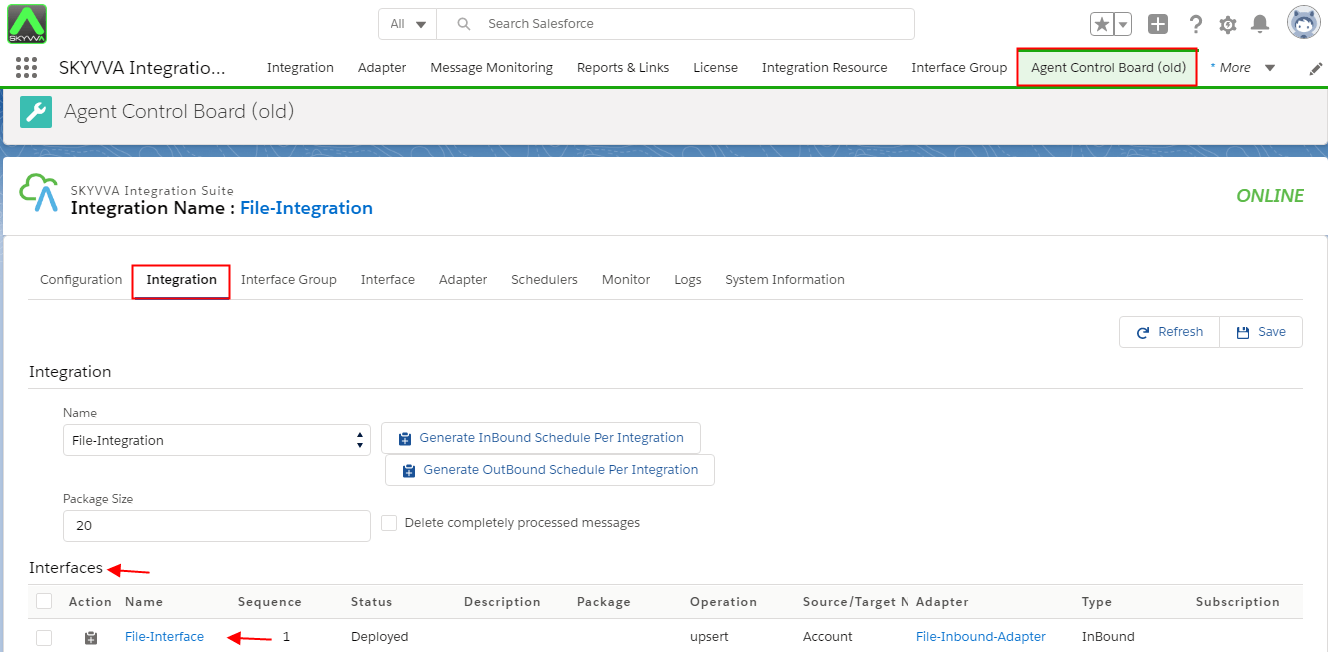
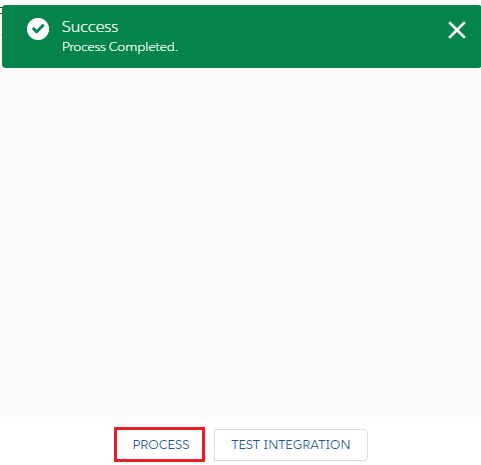
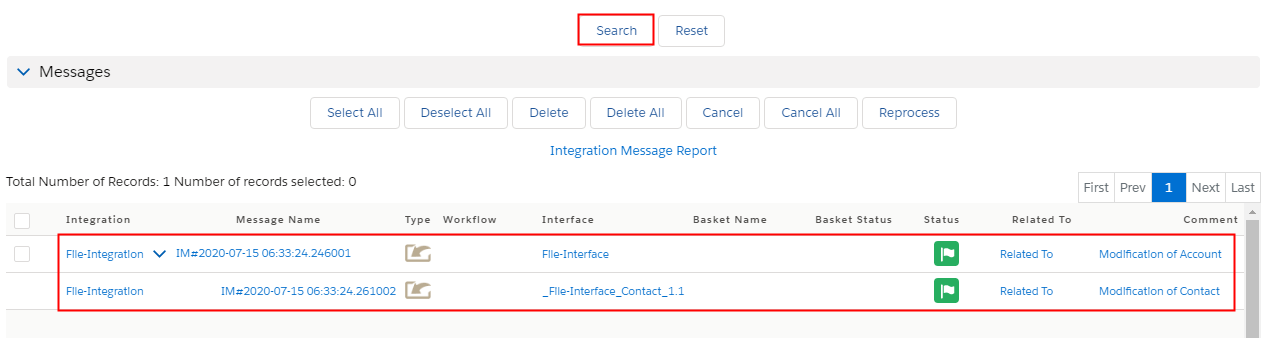
- Now click on Monitor Tab

- Scroll down to Messageboard
- Click on the search button
- Account created successfully
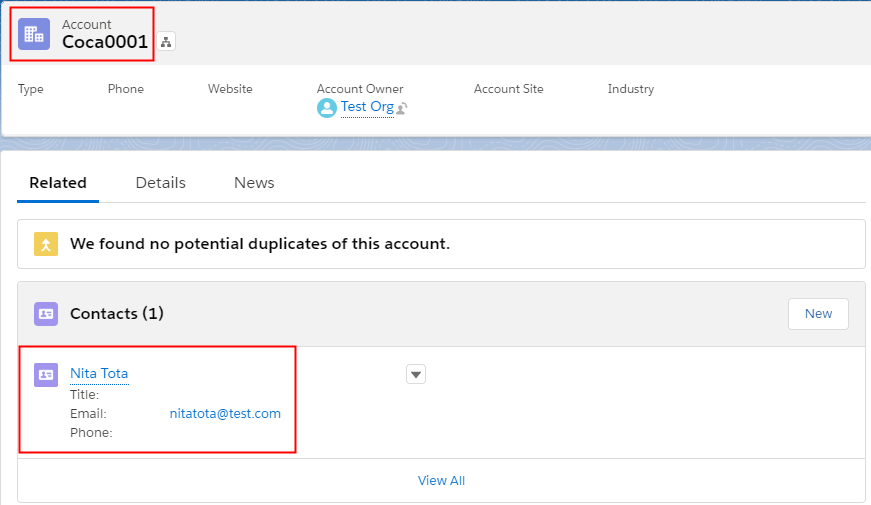
Click on the related list your record upserted successfully Outbound Case2
- Create an Outbound Interface
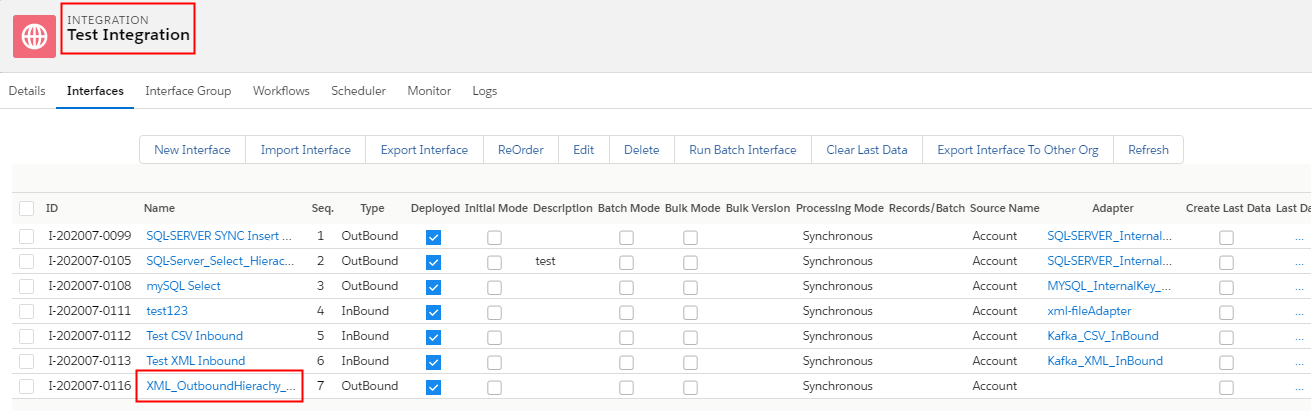
Now go to Salesforce Click on Adapter Outbound Tab
- Create Outbound Adapter Type File
- Click on Ping Connection
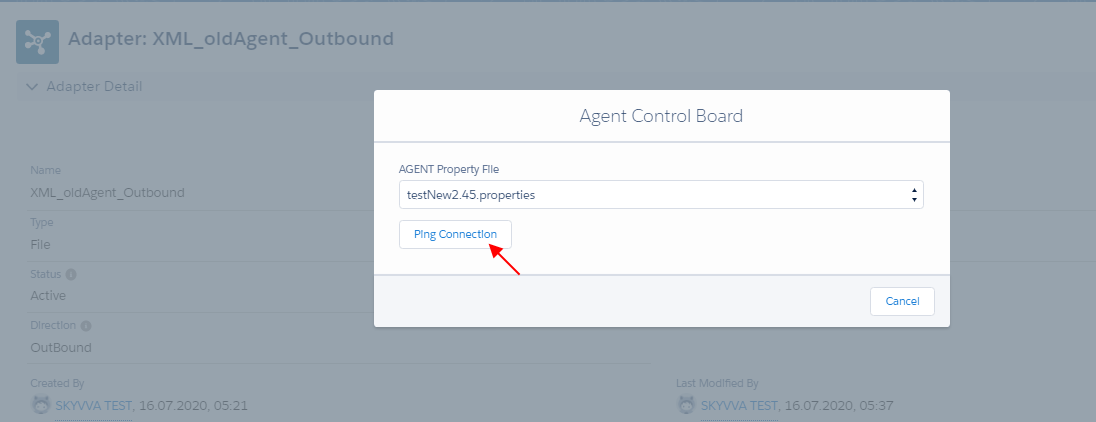
- Adapter property made a connection successfully with Agent and File Adapter
- file_upload_mode —CONTENT
- filetype —XML
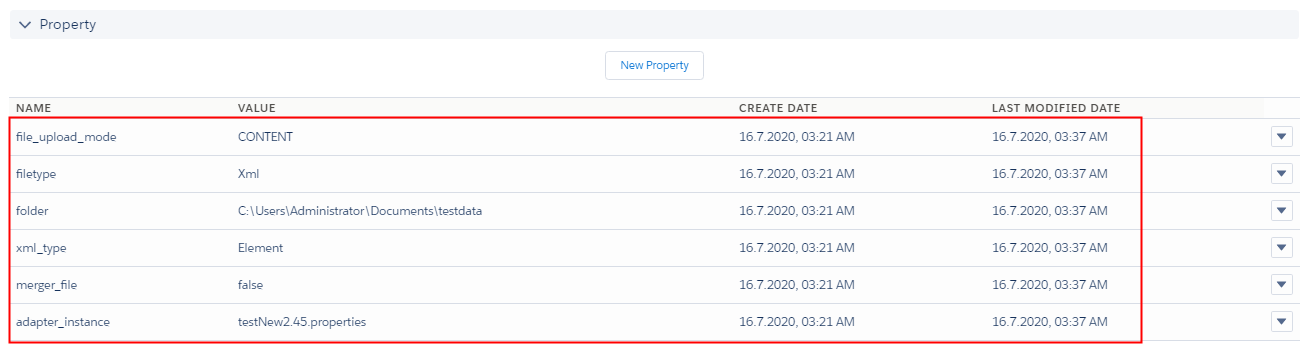
Now the user has to go to the Interface Detail page
- Scroll down to Outbound Setup Section
- Select File-Adapter-Outbound user just created

- Click on Mapping Button
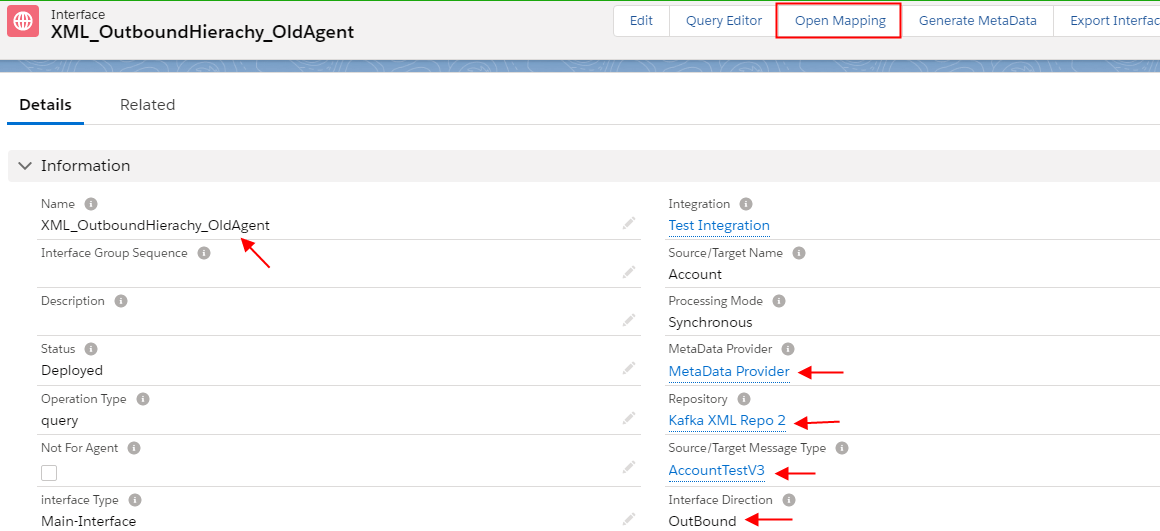
- Map the target fields according to Account, Contact, Case to the Salesforce source sObject
- Save
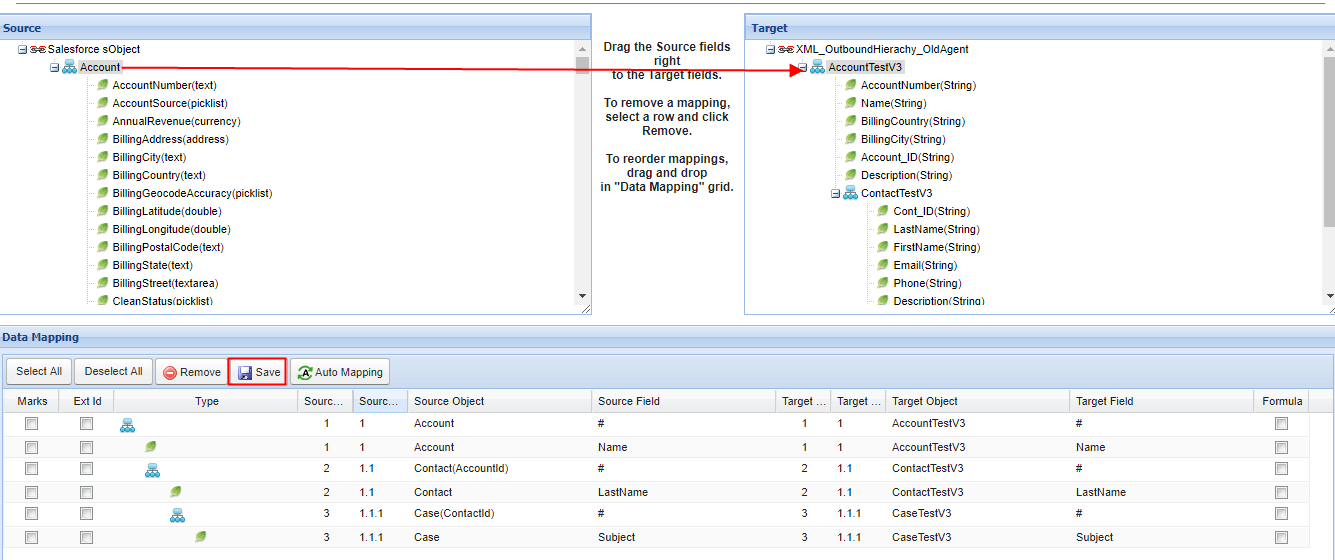
Now go to the Agent and Select your Integration which you just created
- Select your Interface
- Click on Edit Interface Button
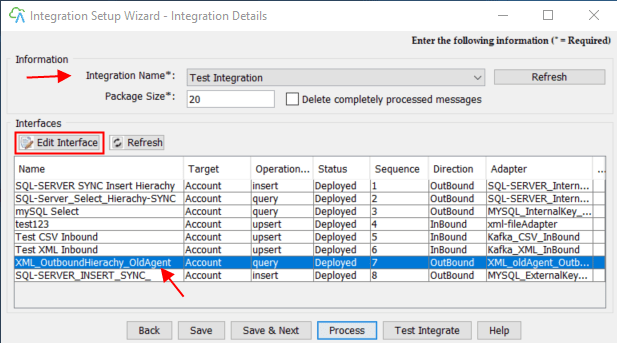
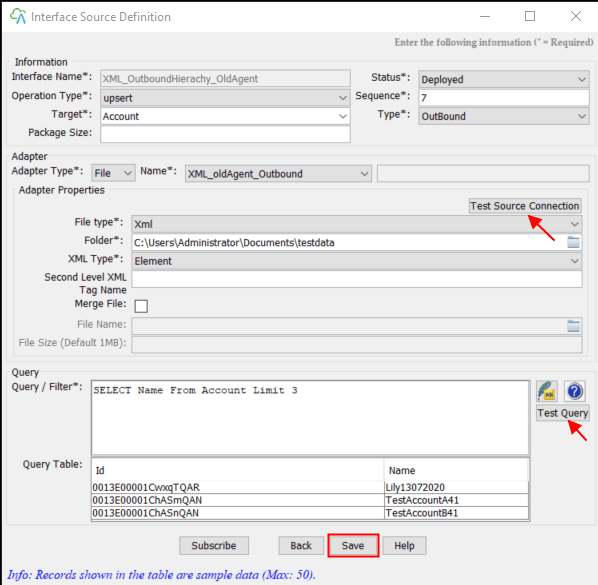
Now see Interface Source Definition
- Test Source connection with File
- Write Query in Query/Filter section
- Click on Test Query button
- Records are fetching from Salesforce Org in Query table successfully
- Save
Click on Agent Control Board (old) Tab - How to use the Agent Control Board (old ) ?
Since the user now completely understand; How to use the Agent Control Board, by hitting the upper link, now we understand the Architect of the Agent Control Board now follows below on Salesforce org.
- Click on the Integration tab

- Select your Integration and Interface
- Scroll down to Process button and click it
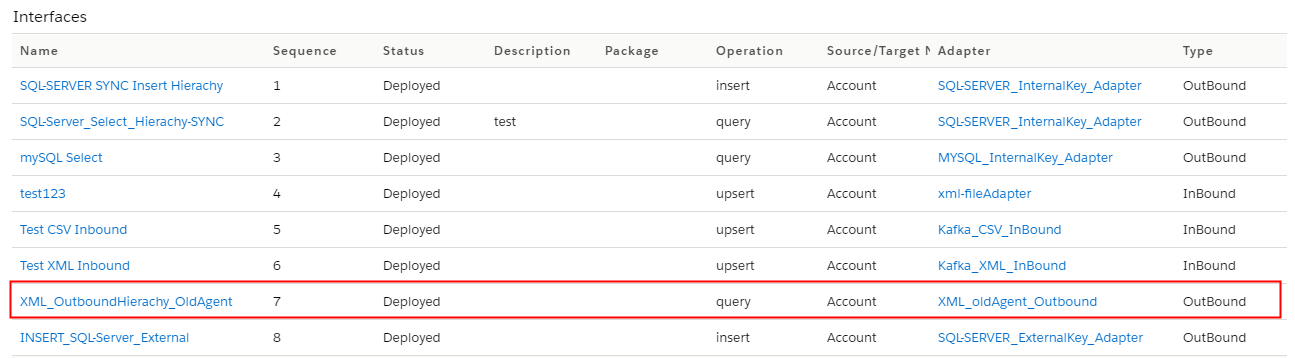
- Now click on Monitor Tab

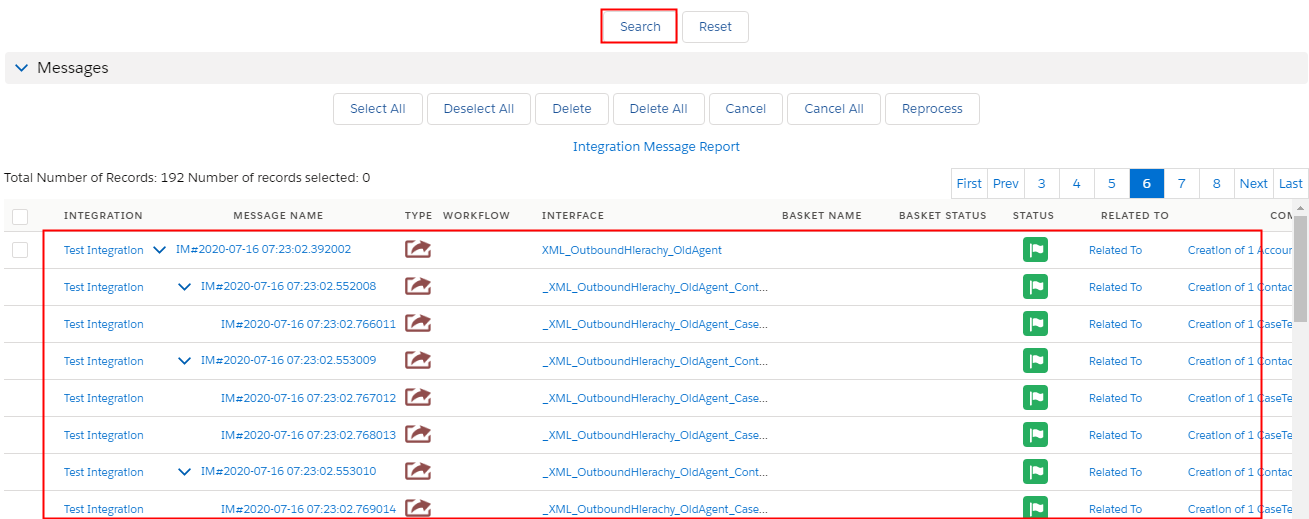
- Scroll down to Messageboard
- Click on the search button
- Account created successfully
Now Go back to your PC Folder testdata
- Right-click on Folder

Export XML to your PC folder successfully From Salesforce