1. How to use Interface group in Agent Control Board (old)?
Introduction
This tutorial explains the interface group in Agent, what interface group, and how to create it. It describes how to create and using it.
What is the Interface group?
An interface group is a unit to group logical interfaces together. For example, you can group interfaces that are related to each other e.g. Account and Contact to one interface group. The interface group is the object user define at configuration time.
How to create an interface group?
Inside the interface group, we have a sequence number, Interface execution base on the sequence number is only useful for interface group and execute the interface in the order of the interface group. Before creating an interface group, there are some properties you must know:
- Interface Group Name: It’s the name of the interface group. The name will
be used as a part of the queue name.
- Integration: This is integration. You create an interface group which
belong to an integration.
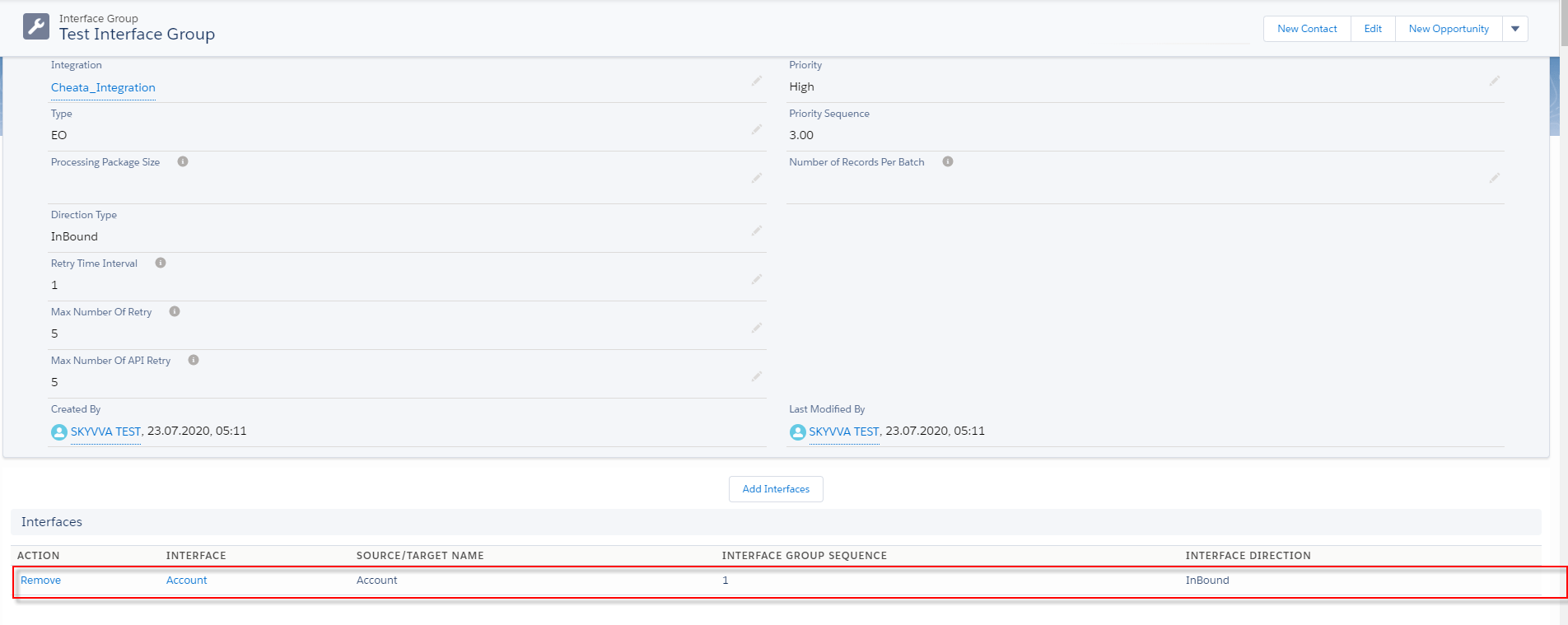
- Processing interface group has two type EO and EOIO :
EO: we don't care about the sequence. Then the interface can be overtaken each other at the processing level. It’s working only V3.
- EOIO: we have to follow the interface sequence and stop the processing when one interface failed. This means that one interface failed can block all other interfaces.
- Package Size: the package size is taken from the individual interface.
This means that the package size on the interface has higher priority as the package size on the interface group .if in the interface, there is no package size then use the package size from the group.
- Last/Next Run Date: After processing the scheduler, we also can see the last/next run date.
- Last data processing: we can see the last data processing as on interface.
Configuration
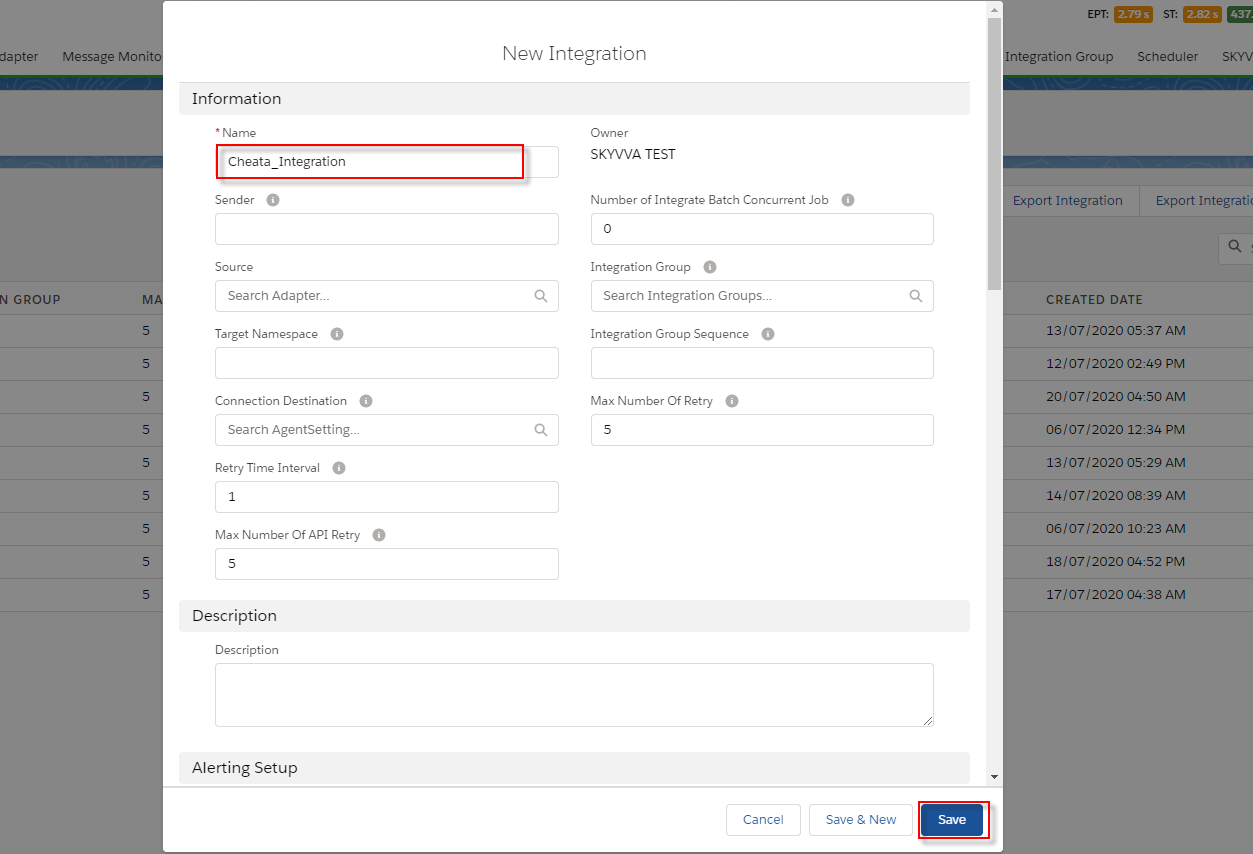
- Create Integration
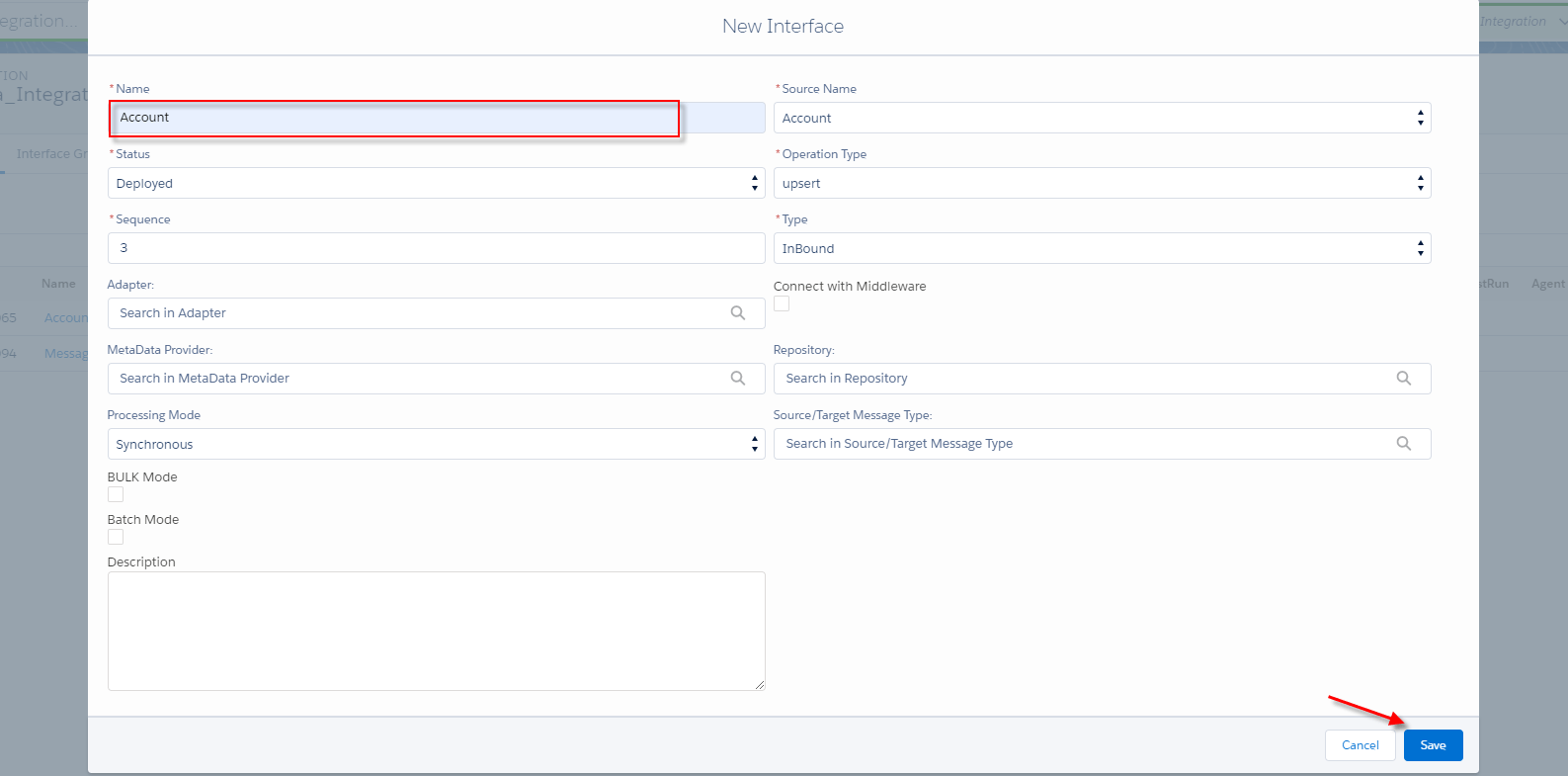
- Create an interface
- Status: Deployed
- Operation: Upsert
- Type: Inbound
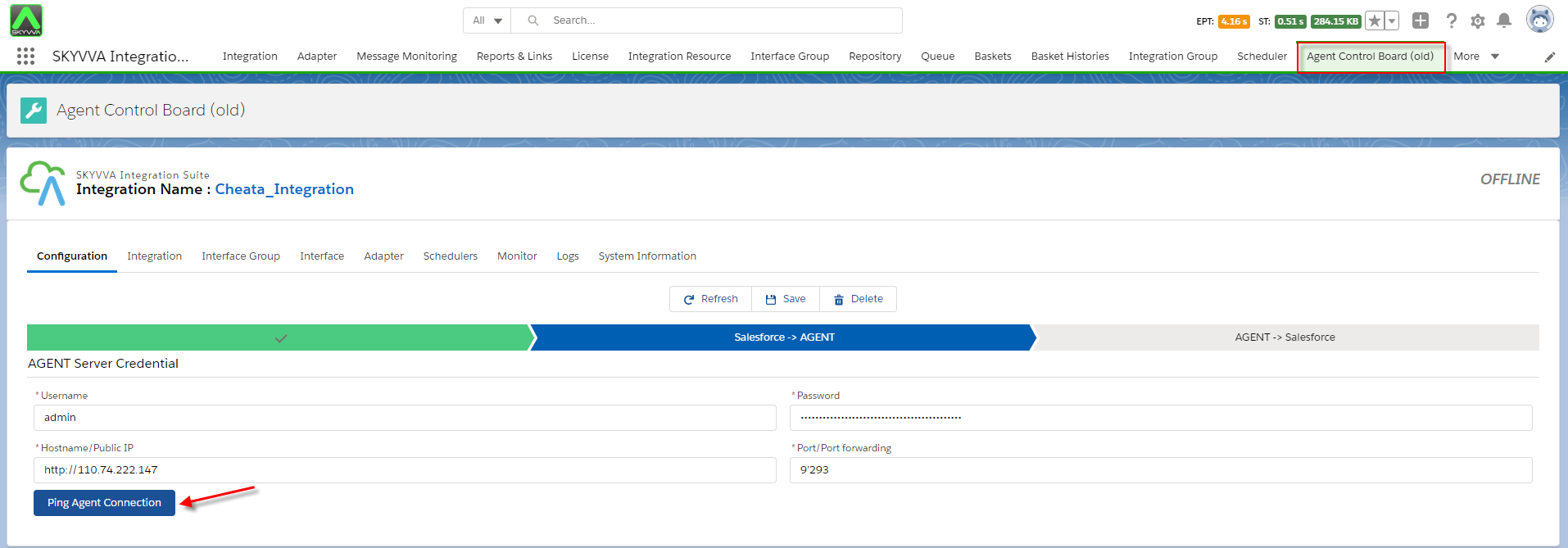
- Agent Control Board (Old)
- Go to Integration Tab and choose the Agent Control board (old).

- Choose properties name
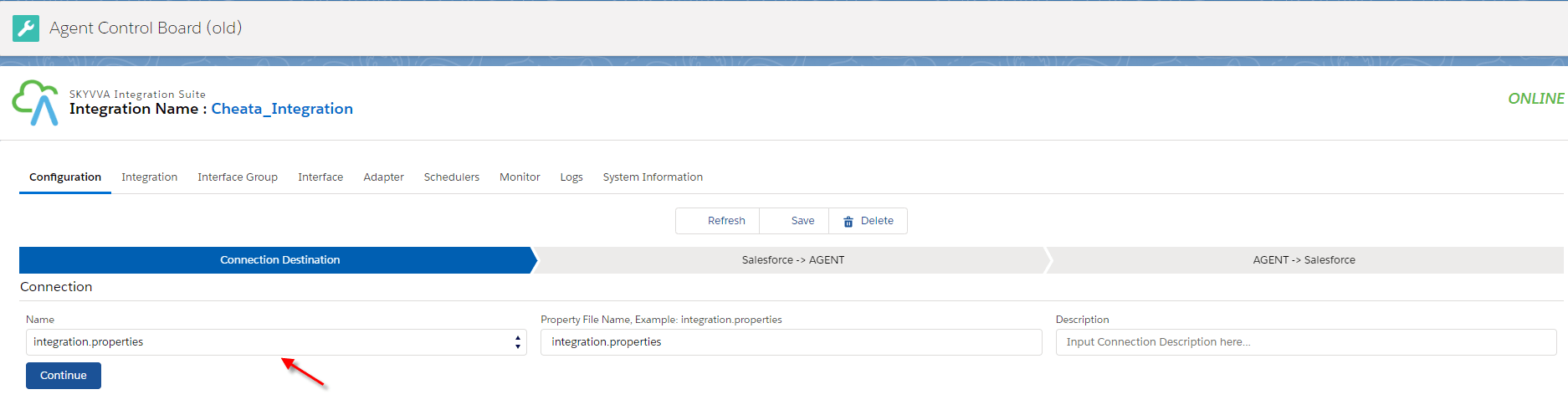
- Configuration connection salesforce to the Agent control board.
- Create Interface group
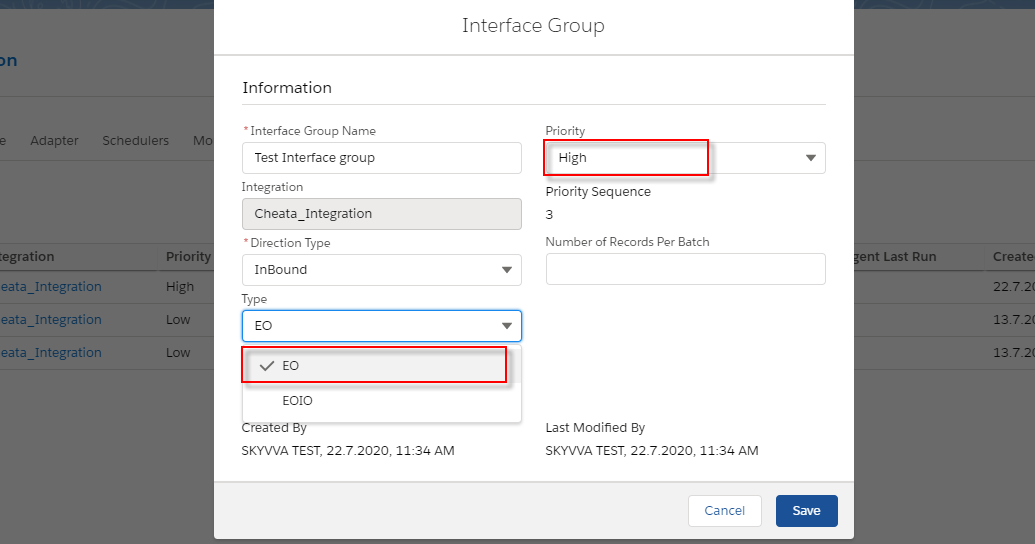
- Click on the ‘ New button‘ to create a new one.

- Fill the field as shown in screenshots
- Enter Interface group
- Enter Integration
- Choose Direction Type
- Choose a type for the interface group
- Choose priority
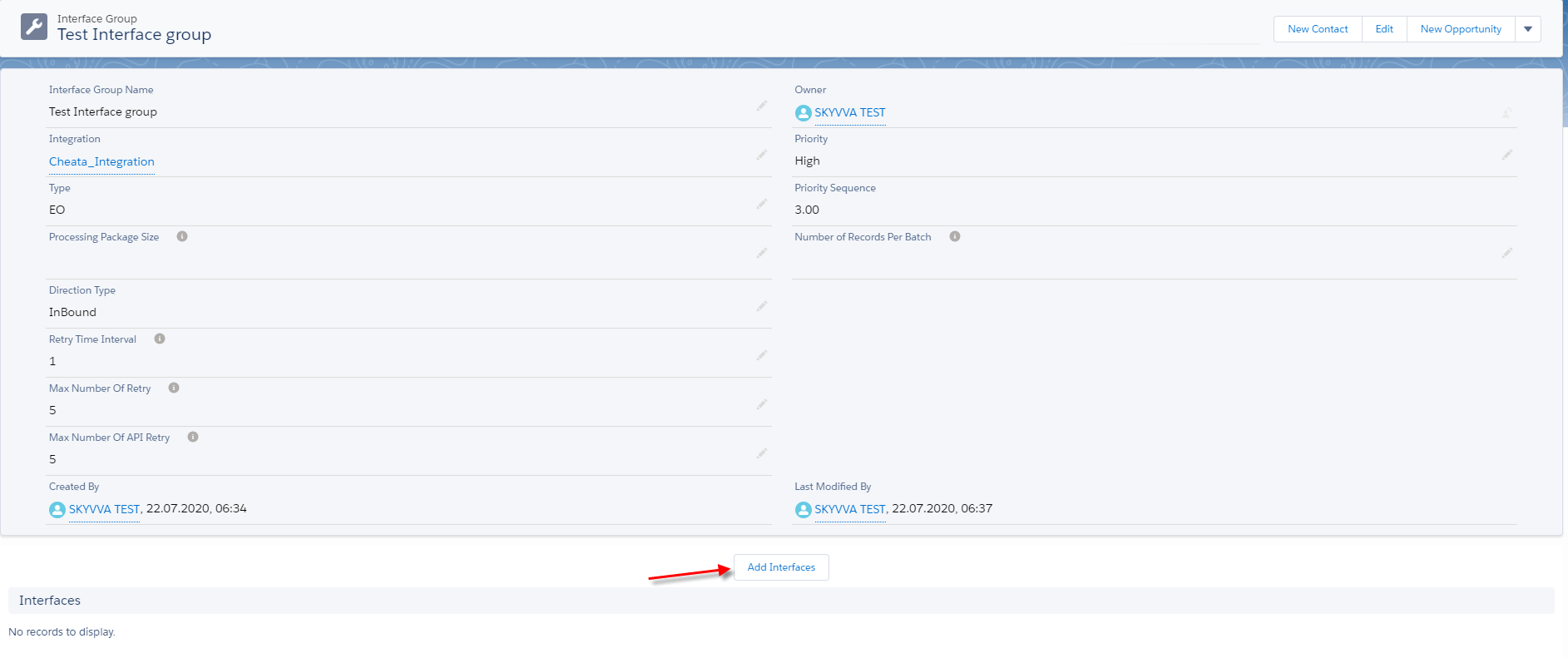
- Add interface
- Click on Add interface Button.
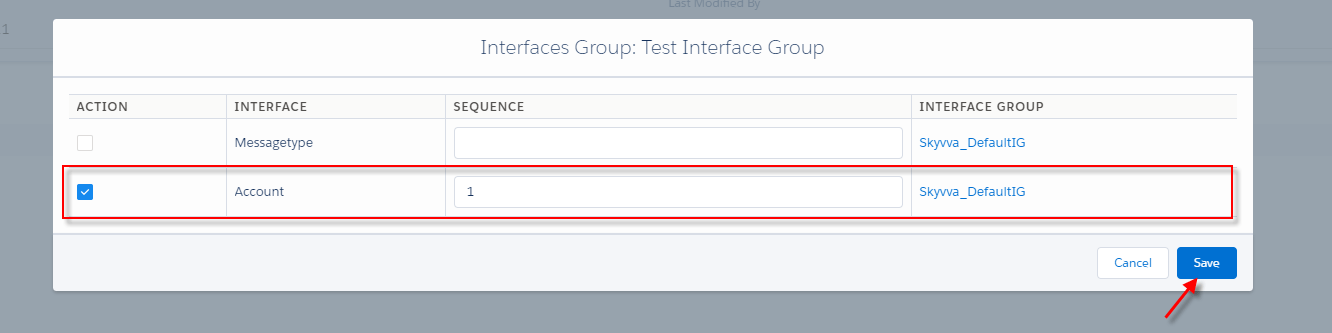
- Choose the interface that you want to add to the new interface group.
- Check result
- Here is the result of creating an interface group.