1. How to use push topic?
Streaming API is a feature used in Agents for real-time data change scenarios. When there is a new record inserted or a record updated on the Salesforce side, it automatically changes the data on the client-side. Use Streaming API to receive notifications for changes to Salesforce data that match a SOQL query you define.
Notification For Operation:
- Create → Uncheck this parameter if you want to change the default behavior. The default behavior is set to true which means that you will get a notification in case the record is created.
- Delete → Uncheck this parameter if you want to change the default behavior. The default behavior is set to true which means that you will get a notification in case the record is deleted.
- Undelete → Uncheck this parameter if you want to change the default behavior. The default behavior is set to true which means that you will get a notification in case the record is undeleted.
- Update → Uncheck this parameter if you want to change the default behavior. The default behavior is set to true which means that you will get a notification in case the record is updated.
- Soft Deleted → Just deletes sObject from the salesforce database but Agent is not deleted record from the local database.
- Hard Deleted → Just deletes sObject from the salesforce database and the Agent will delete records from the local database too.
Replay Option: This option indicates how the client, subscribed to the PushTopic, read the missing data in case it is online again after a failure. For detailed information: – Salesforce Basic Streaming API Modules Pre-requisite:
- Create Integration.
- Create metadata provider -> Create Istructure Repository -> Create msg type.
- Create an Adapter with a new agent control board. Here we are using an agent file adapter with Linux.

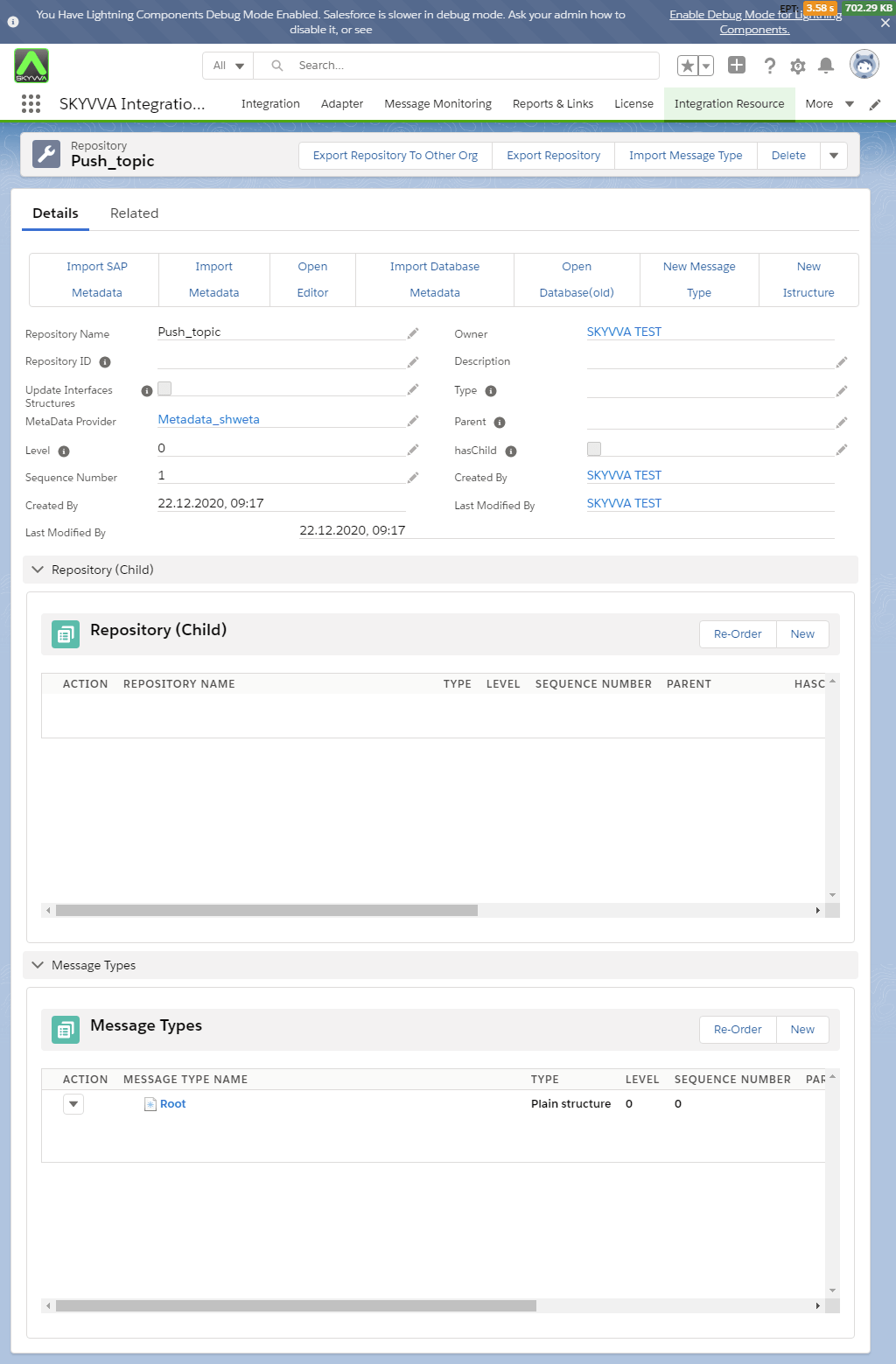
Steps: Here we are elaborating each step with a screenshot. Step1: We have to create a Message Type for Istructure.
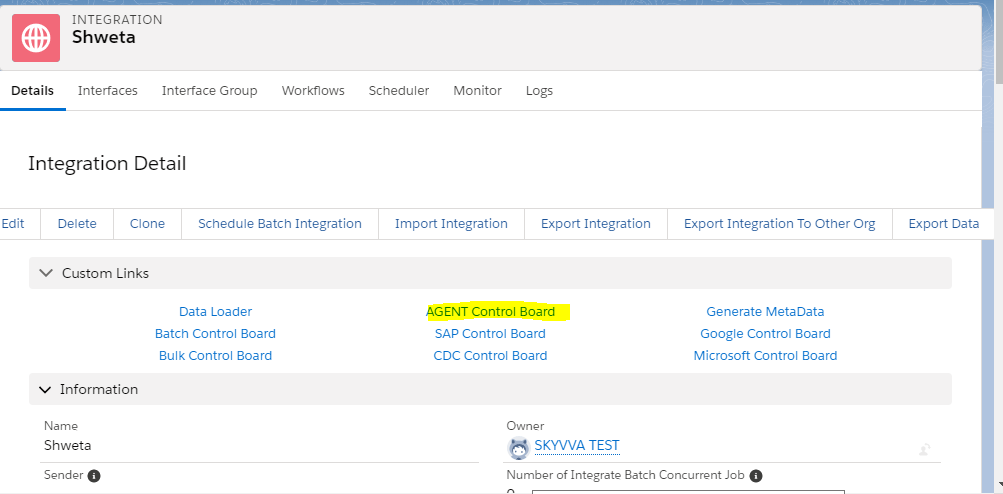
Step2: Create Integration. And navigate to New agent control board through a custom link.
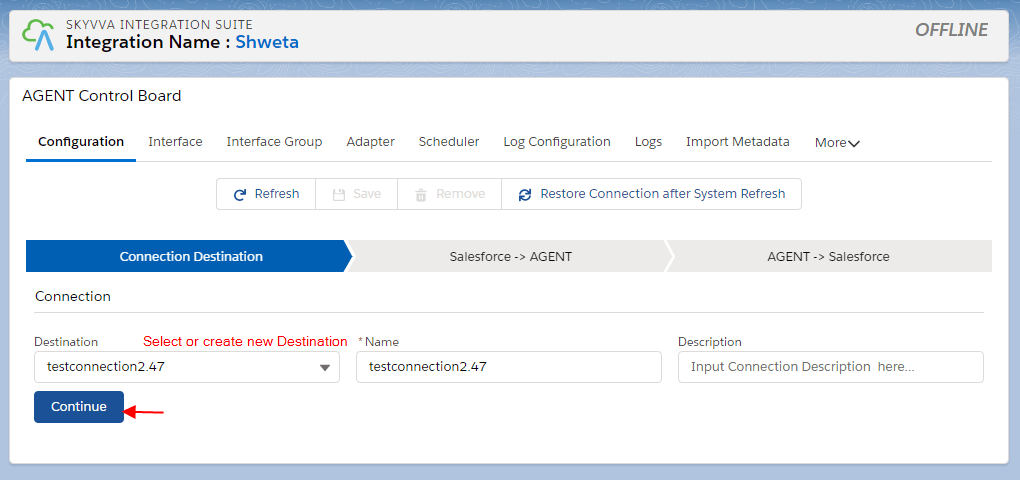
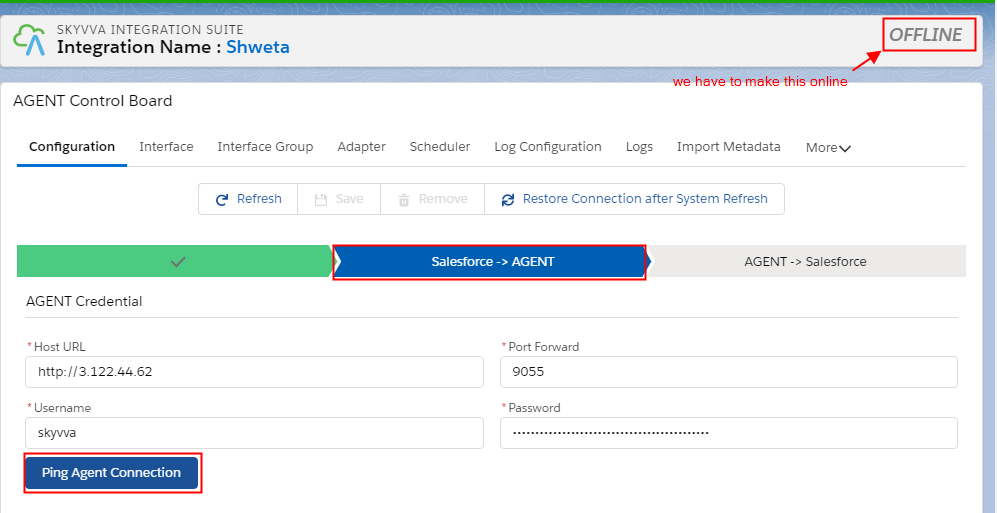
Once the Agent control board is open. We have to configure the agent with config details.
Click on ping agent connection button.
Step3: Create an Adapter. Here we are using an Agent file adapter. You can refer to this tutorial to create a file adapter: How to create a file adapter.
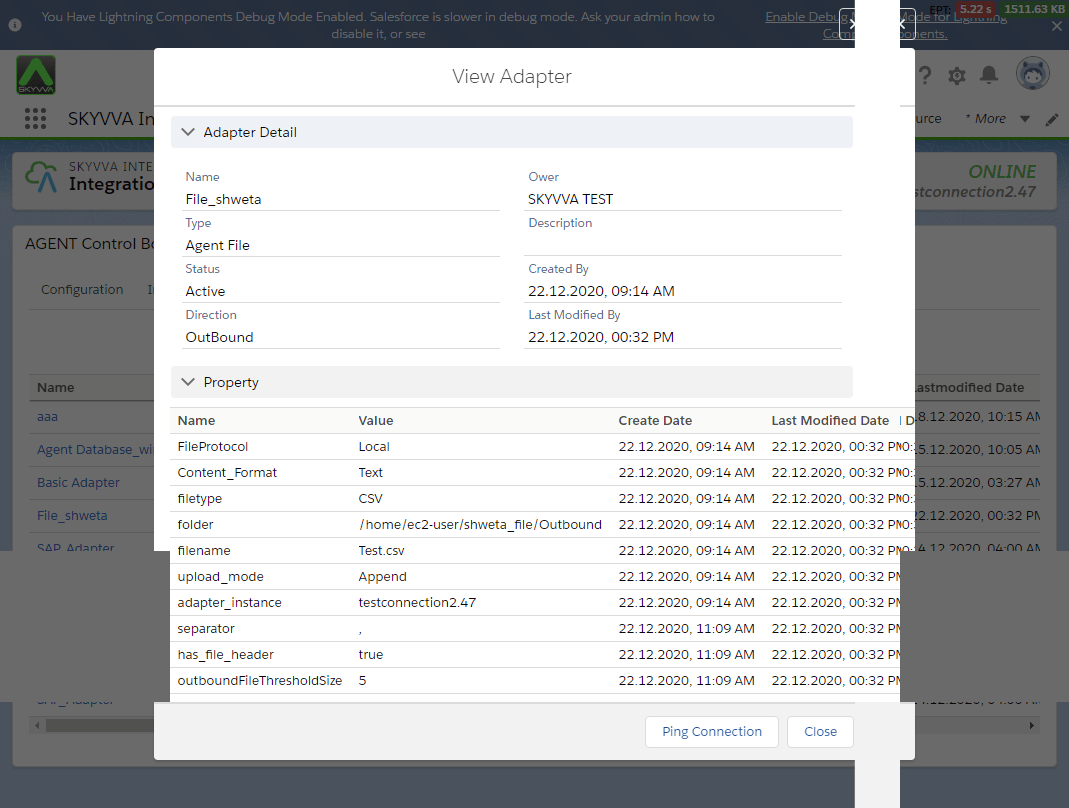
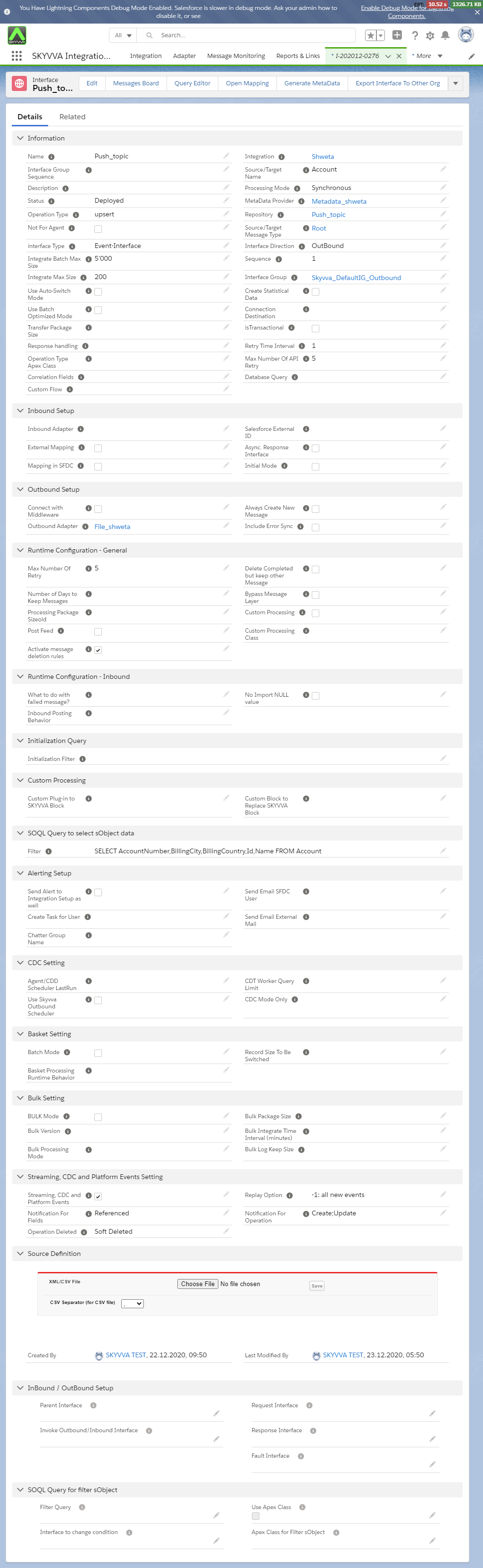
Step4: Go to Integration -> Interface Tab -> Click on New Interface button. We have to create Outbound Interface where:
- Interface type="Event-Interface.
- source name has SObject e.g. Account.
- Streaming CDC and Platform Events="true” (Checkbox)
- Query: While selecting SOQL query Id is a mandatory field for push topic.
Note: When we select SOQL query Id field is mandatory.
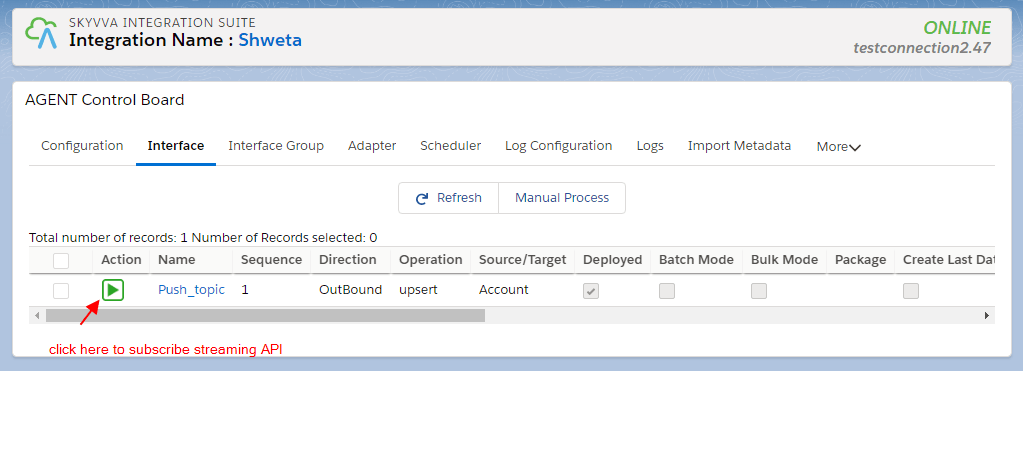
- Step 5: Go to New agent control board -> Interface tab
On the Interface tab, there is a streaming button on the interface list. click start Streaming Api (make sure you can connect to the agent)
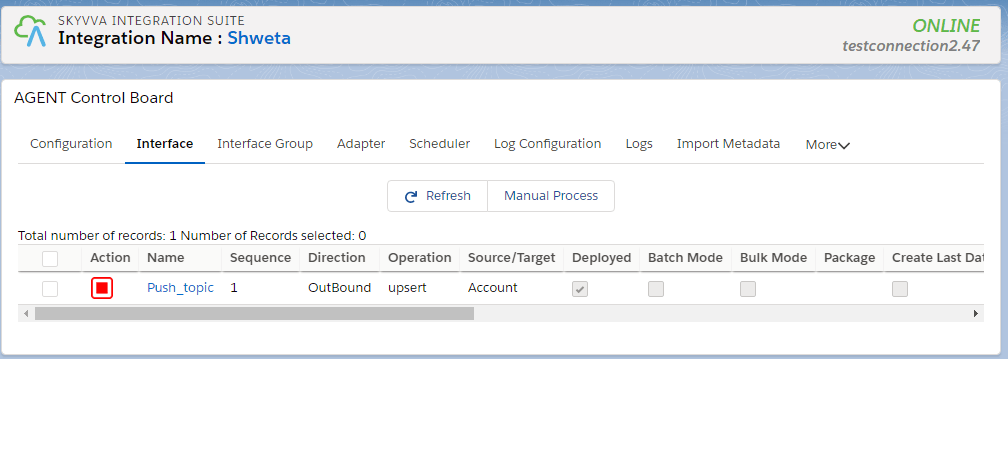
Step 6: Change a Salesforce record and you will see the record is pushed to your external system. You can check the message monitoring to see the result.

In your external system, you get a file.
