16.4 How to use real SFDC bulk mode for SAP PI
Learning Objectives:- This unit describes:-
- Describe the data import feature.
- Comfortably use How to import hierarchical data with XML and CSV format
Introduction:- SKYVVA provides different processing modes and uses API Dynamic Switch where incoming data goes automatically to be processed as synchronous, batch or bulk. What is Bulk? SKYVVA Bulk Interface Processing is an interface uses for running bulk attachments. When you have a huge amount of data I,e data >= 5000records, then we should use bulk processing to process the interface.
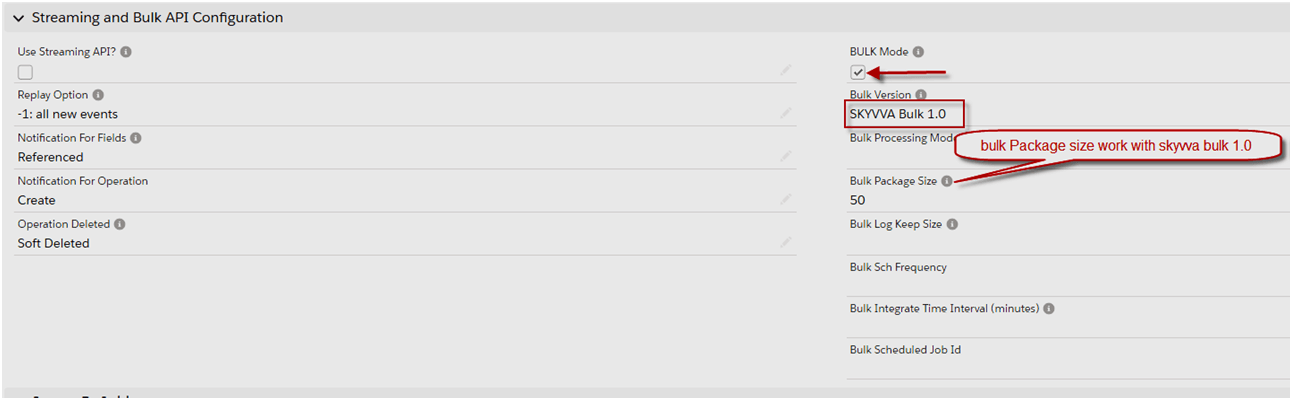
- When we check the flag Bulk Mode=True the checkbox of Don't Persist Message will change to true automatically
- All data called with Bulk Mode=true and Bulk Version= SFDC Bulk API 2.0
- SFDC Bulk API 1.0 these data will push directly into the Salesforce database.
We should know some terms:-
- BULK Mode: We have to set this flag to run our interface in bulk mode using salesforce bulk API.
- SKYVVA Bulk: SKYVVA Bulk is slow but very powerful, it allows you to do business mapping using our mapping tool and formula. Likewise, you can use the SKYVVA workflow to validate the data before posting. You can use SKYVVA Bulk mode (SKYVVA Bulk 1.0) with both Bulk-processing modes, which is Parallel and Serial. The default value is Serial.
- SFDC Bulk: We support SFDC pure bulk mode in version 2.0 that is very fast but cannot use the SKYVVA mapping tool to do business data mapping. On the other hand, SFDC Bulk requires the data has to be mapped already on the sender side and doing the additional mapping to enrich the business logic is not possible using SKYVVA mapping. Version 2.0, you can only use with Serial mode processing.
- Bulk Version: SKYVVA support SFDC pure bulk mode in version 2.0 then we have our own SKYVVA bulk mode. This uses Skyvva workflow and mapping and thus it is more powerful but slower than pure bulk API technique from salesforce.
- Bulk Processing Mode: These fields indicate two modes which are support with bulk version 1.0 and bulk version 2.0 only parallel mode is supported. So the value depends here on the selection of field bulk version. For example, When we want to use "serial" we should select bulk 1.0.
- Parallel: When you select this processing mode, it will run parallel.
- Serial: When you select this mode, it will not run at the same time.
- Bulk Package Size: This parameter determines how many records are split into Bulk data size. If your Message contains 10.000 records and the value for this parameter is 1000 so you will get 10 bulk data set in Salesforce.
- Bulk Monitor Keep Size: The number of bulk execute logs to be kept.
- Bulk Sch Frequency: This is the schedule time-frequency for bulk scheduler on
- Bulk Integrate Time Interval (minute): The interval (minutes) used for integrating bulk job scheduler. For example, if its value is 10, then the integrate bulk scheduler will be run every 10 minutes.
Pre-requisite:- Step1: We have to create an integration. Please refer to our tutorial to create integration.

Step2: We have to create an interface.
How to use "Real SFDC bulk mode for SAP PI?"
To generate a WSDL file for some Interfaces, we have to follow the given steps:- Step 3: We have to go to our created interface detail page. We can post data from SAP or Skyvva Agent into Skyvva/Salesforce with bulk mode: Bulk Version: -SKYVVA Bulk 1.0-SFDC Bulk API 1.0
-SFDC Bulk API 2.0
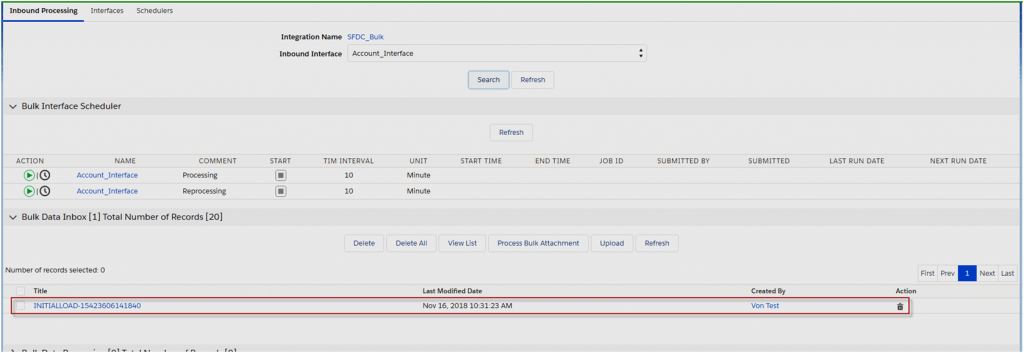
We can use the bulk version = None or SKYVVA Bulk 1.0 the data will be posted into the bulk control board.
Step 2: We can see the result on the bulk control board after post data with Agent.
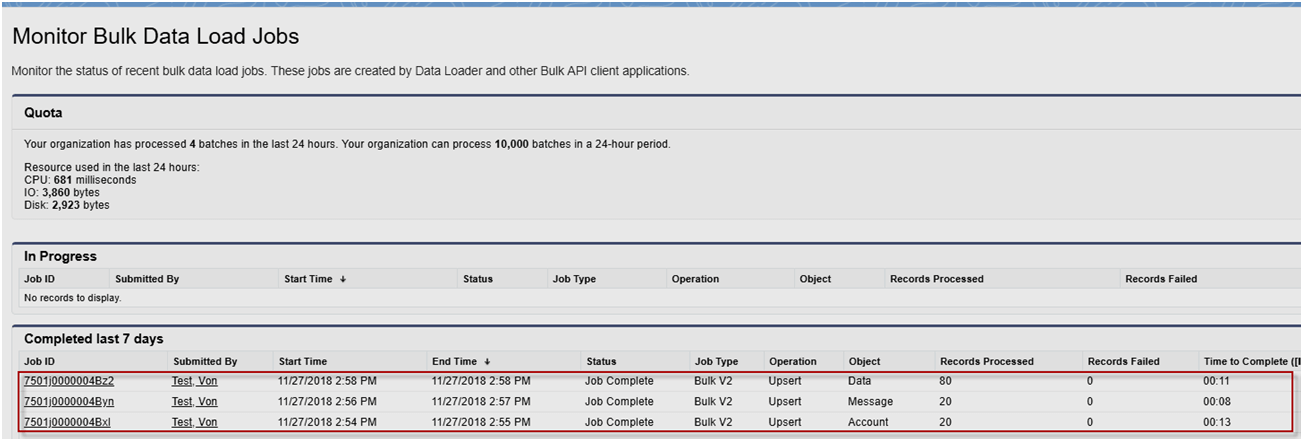
We can use the bulk version = SFDC Bulk API 1.0 the data will be posted into Salesforce database directly the SFDC Bulk API 1.0 is processed base on Bulk Processing Mode = Parallel and Serial. Default value is parallel.

With this case when user posts data from Agent successfully the user can see of transaction data processing in Bulk Data Load Jobs Note: SFDC Bulk API 1.0 process data with sObject Job Type= Bulk V1, For Data and Message object process with Job Type=Bulk V2 please see screenshot below

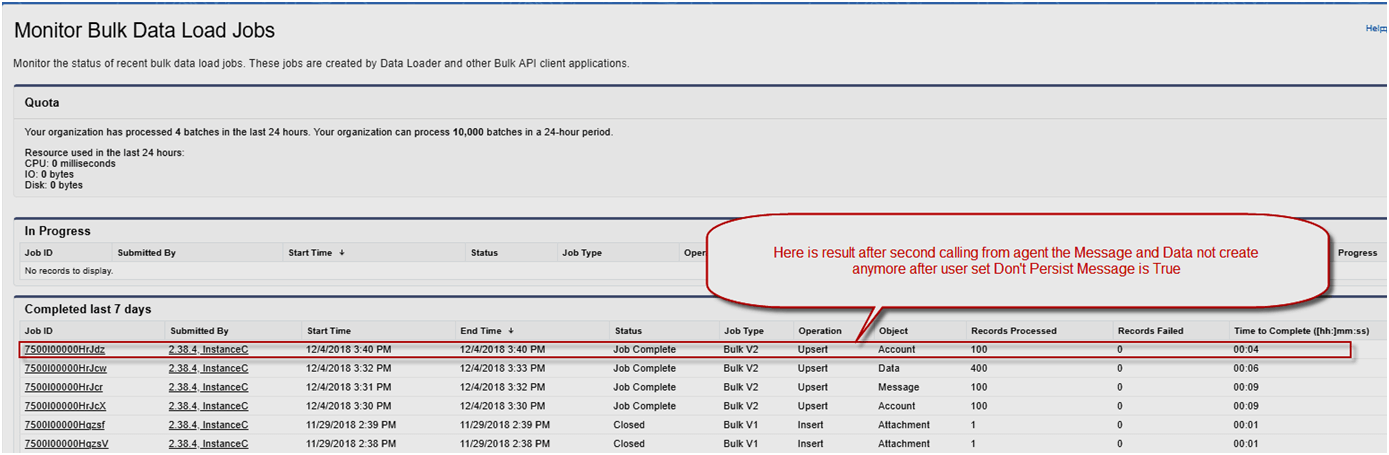
We can use bulk version = SFDC Bulk API 2.0 the data will be posted into Salesforce database directly the SFDC Bulk API 2.0 works with Bulk Processing Mode = Parallel only (no work with Serial) Please see the screen below after posted data from Agent
Message Monitoring All data call from Agent or other systems to the salesforce via SFDC Bulk API 1.0 and SFDC Bulk API 2.0 Always create the messages Pending, Failed, Completed,…….. Don’t Create Message Completed Because of the SFDC Bulk API feature can work with big data so we check the flag Don’t Created Message Completed = true mean that not allow all completed messages or Idatacreate into database
Note: Operation Upsert
- We need only one external id field for operation upsert
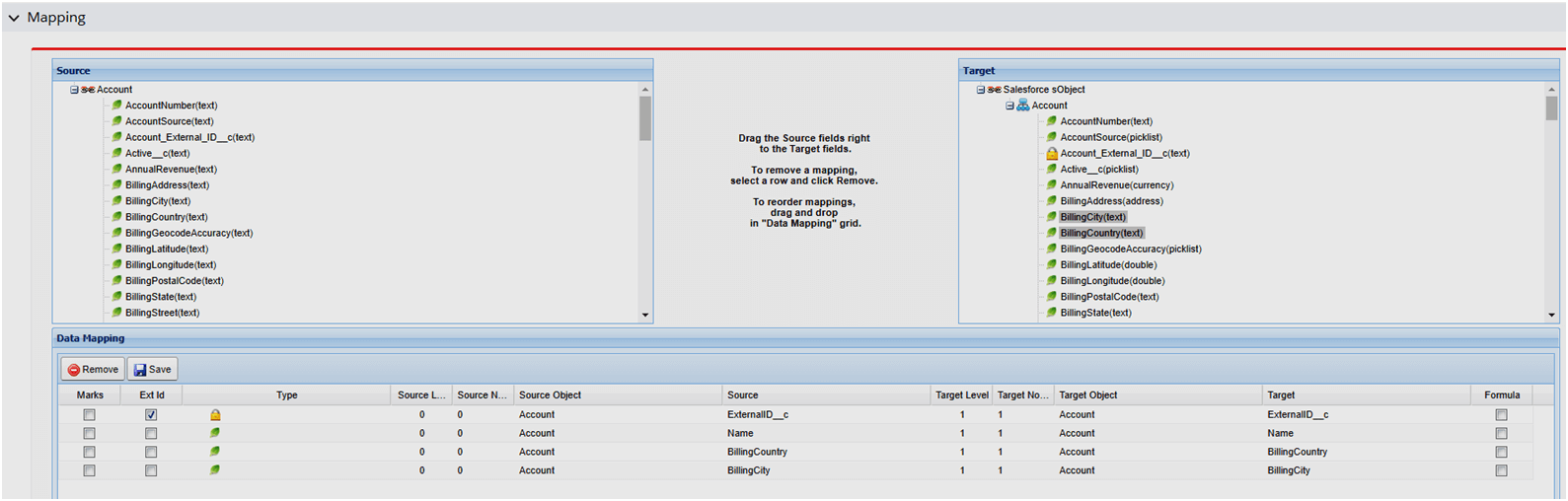
- External Mapping: external ID get from the interface
- Not External Mapping: external ID get from skyvva mapping
Process:- Store batch data in agent folder, root folder = interfaced ID
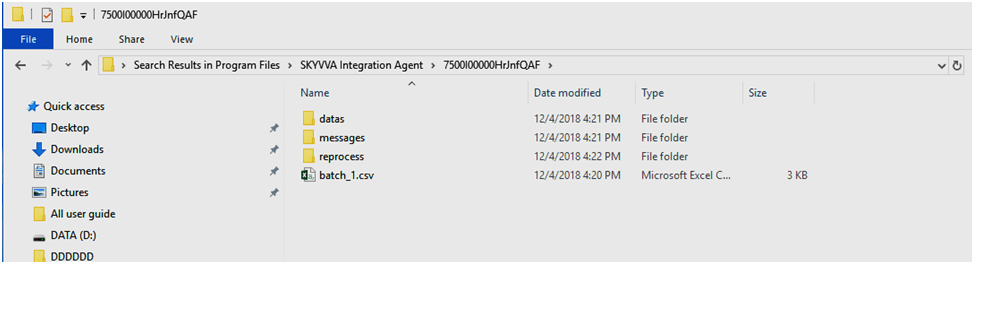
The batch will auto-delete when the job is completed.