How to use skyvvasolutions__Processing__e for raise the Publish Event with postman?
Introduction
This tutorial explains how the 'skyvvasolutions__Processing__e' object assists customers in raising public events to execute inbound and outbound interfaces. This feature eliminates the need for customers to create custom events or event triggers. Instead, they can raise the 'SKYVVA Event' to process inbound and outbound data. The 'SKYVVA Event' allows customers to trigger data events for executing inbound interfaces and notify events for executing outbound interfaces.
Pre-requisite:-
Allow License for user Automated Process:
- Go to Setup
- Find Custom Settings
- New
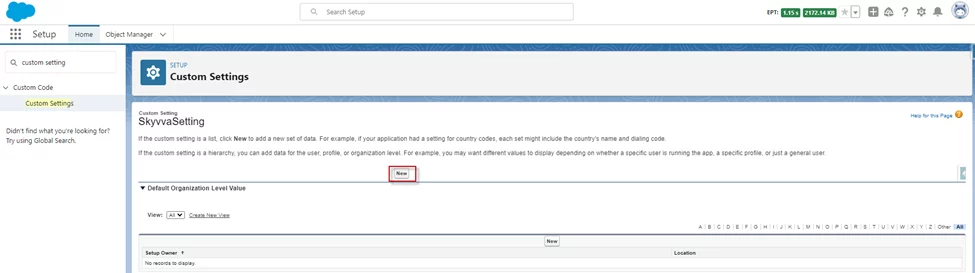
- Input license value
- Save
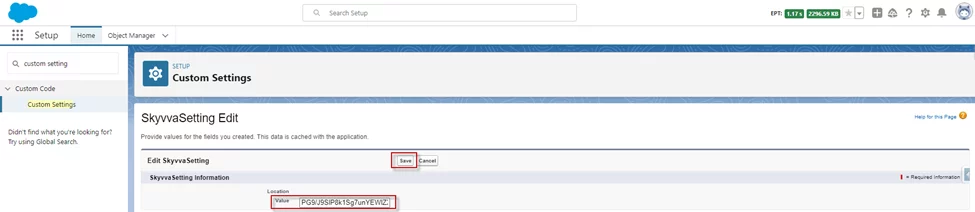
Inbound Interface:
The 'SKYVVA Event' allows customers to trigger the execution of inbound interfaces. By sending a data event using the 'skyvvasolutions__Processing__e' object, the system processes the inbound data and performs the necessary actions based on the interface configuration.
Required step:
- Create an Integration -> Create an Interface Inbound
- Do Mapping
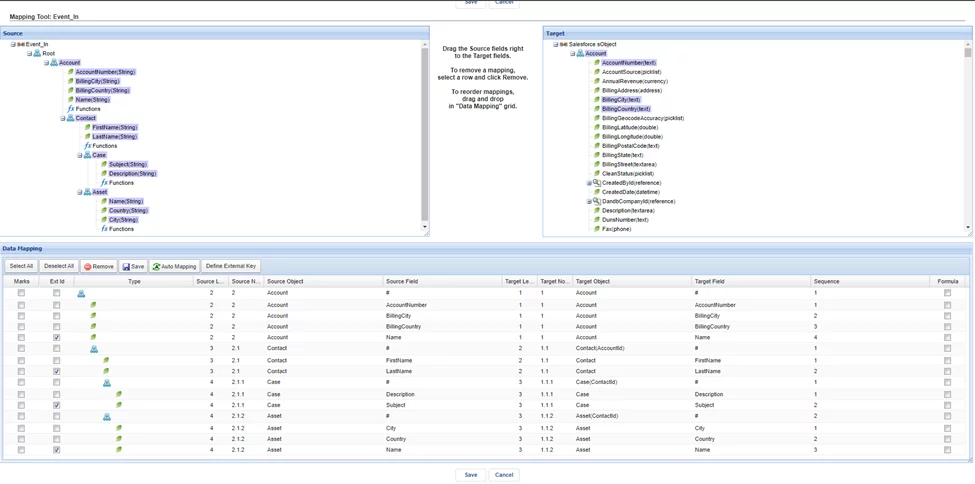
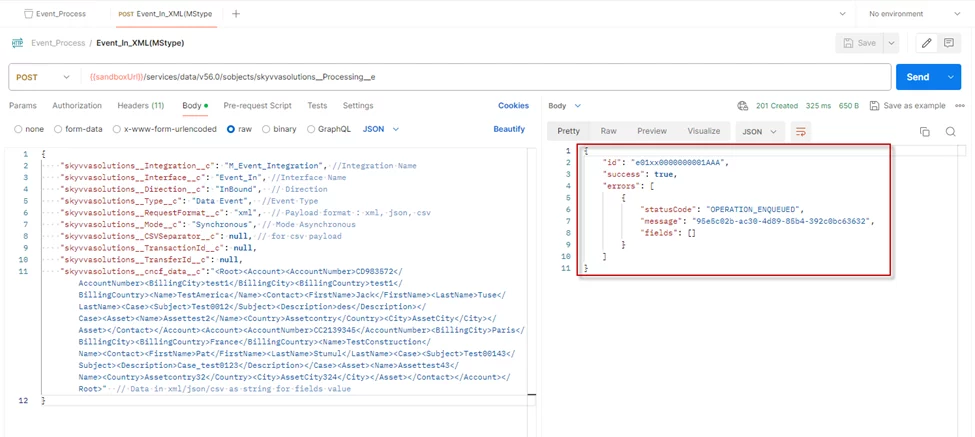
- Using Postman to raise the Publish Data Event to execute the inbound interface with the rest api
**URL: **{{instanceUrl}}/services/data/v56.0/sobjects/skyvvasolutions__Processing__e **Method: **POST **Body:** { "skyvvasolutions__Integration__c": "M_Event_Integration", //Integration Name "skyvvasolutions__Interface__c": "Event_In", //Interface Name "skyvvasolutions__Direction__c": "InBound", // Direction "skyvvasolutions__Type__c": "Data Event", //Event Type "skyvvasolutions__RequestFormat__c": "xml", // Payload format: xml, json, csv "skyvvasolutions__Mode__c": "Synchronous", // Mode Asynchronous "skyvvasolutions__CSVSeparator__c": null, // for csv payload "skyvvasolutions__TransactionId__c": null, "skyvvasolutions__TransferId__c": null, "skyvvasolutions__cncf_data__c": {{XmlDataString}} // Data in xml/json/csv as string for fields value }
- Response
- Message Monitoring
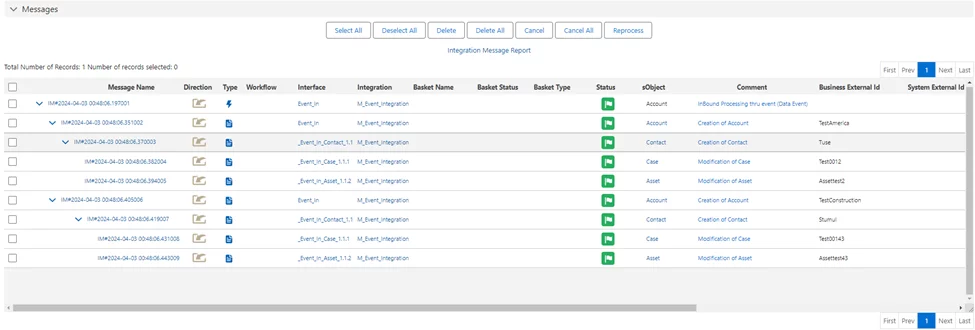
- The records will be updated by the user Automated Process
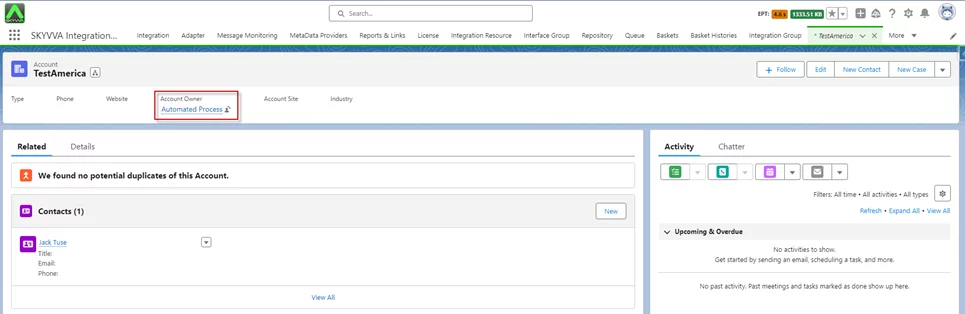
[su_box title="Result:" box_color="#2a8af0" title_color="#000000"]When clicking send from the postman, it will send event data to execute the inbound interface for processing inbound by user Automated Process.[/su_box]
Outbound Interface:
In addition to executing inbound interfaces, the 'SKYVVA Event' can also notify events for executing outbound interfaces. Customers can leverage the 'skyvvasolutions__Processing__e' object to trigger the necessary actions for outbound interface execution.
Required step:
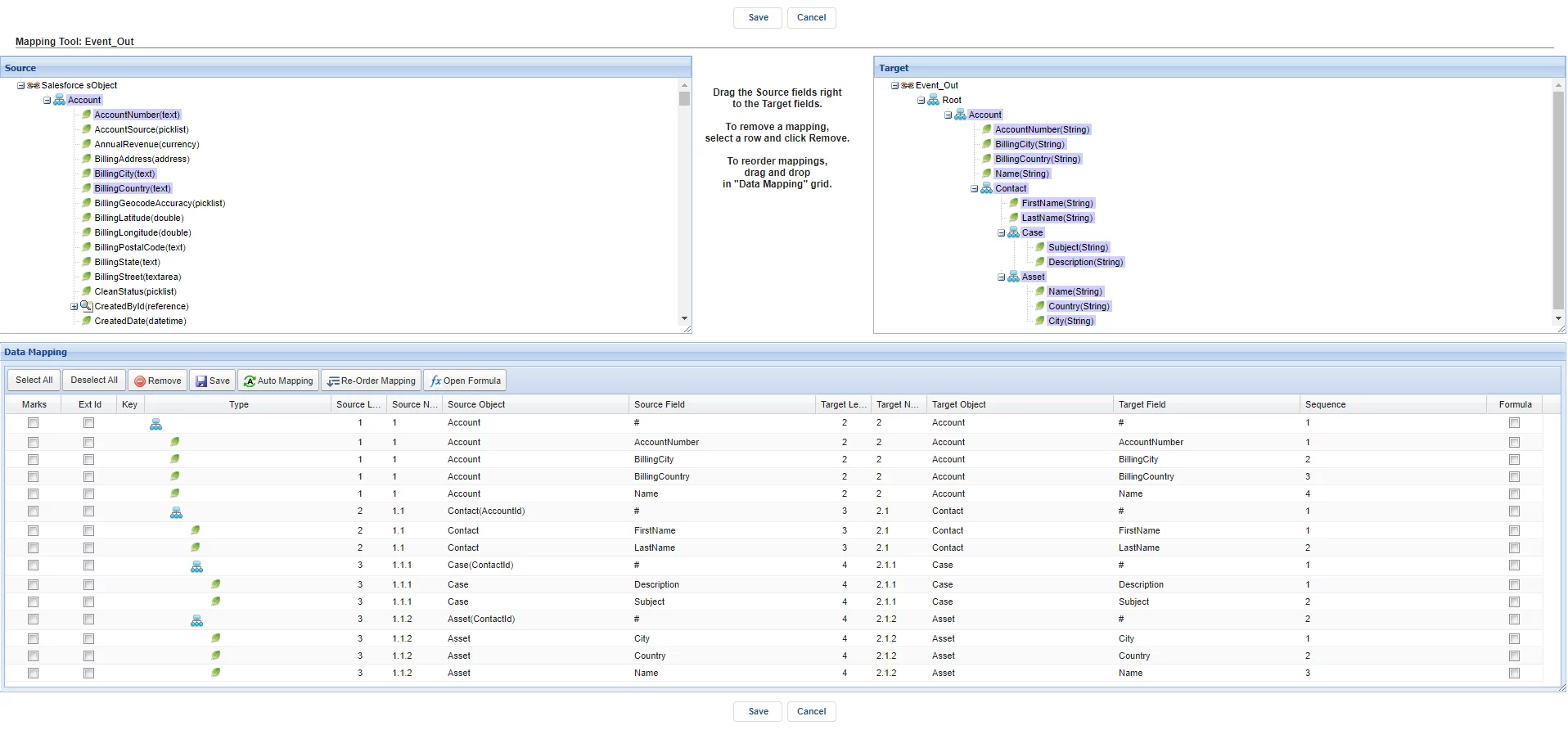
- Create an Integration -> Create an Interface Outbound
- Do Mapping
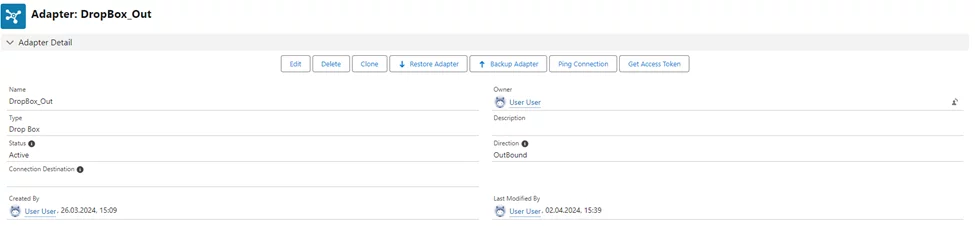
- Create an Adapter e.g. Dropbox
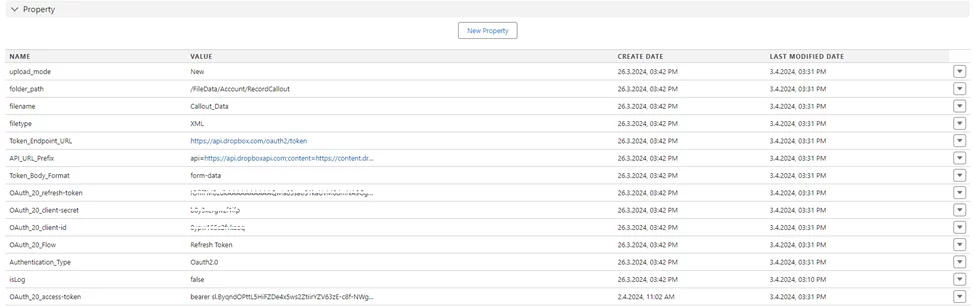
- Link adapter with Interface Outbound
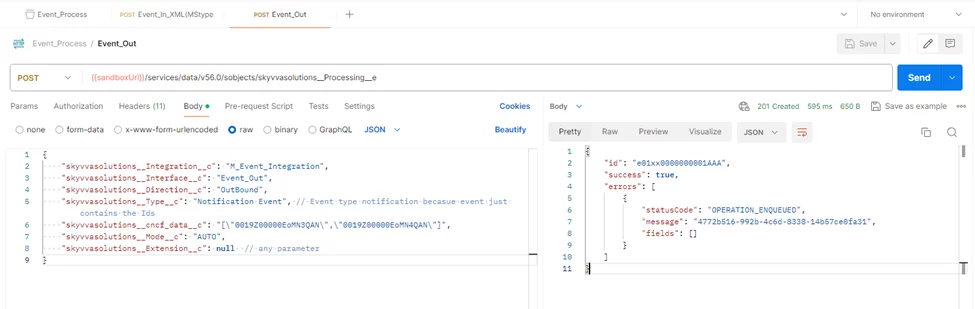
- Using Postman to raise the Publish Notification Event to execute the outbound interface with the rest api
**URL: **{{instanceUrl}}/services/data/v56.0/sobjects/skyvvasolutions__Processing__e **Method: **POST **Body:** { "skyvvasolutions__Integration__c": "M_Event_Integration", // Integration Name "skyvvasolutions__Interface__c": "Event_Out", // Interface Name "skyvvasolutions__Direction__c": "Outbound", // Direction "skyvvasolutions__Type__c": "Notification Event", // Event type notification because event just contains the Ids "skyvvasolutions__cncf_data__c": "[\"0019K00000JueO4QAJ\", \"0019K00000JueO5QAJ\"]", // Record ids "skyvvasolutions__Mode__c": "AUTO", "skyvvasolutions__Extension__c": null // any parameter }
- Response
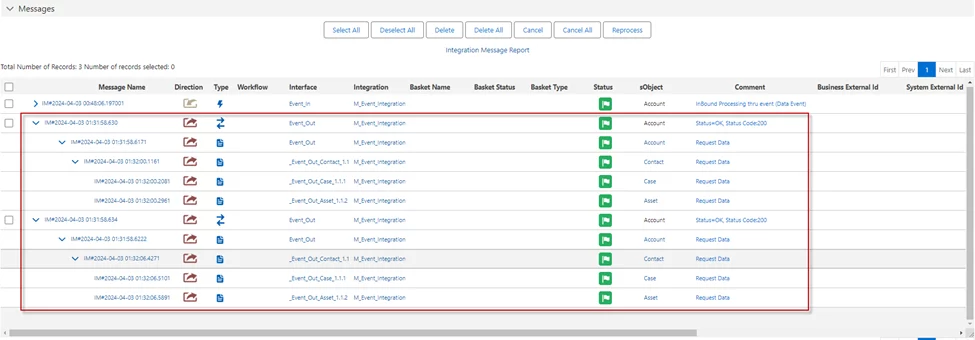
- Message Monitoring
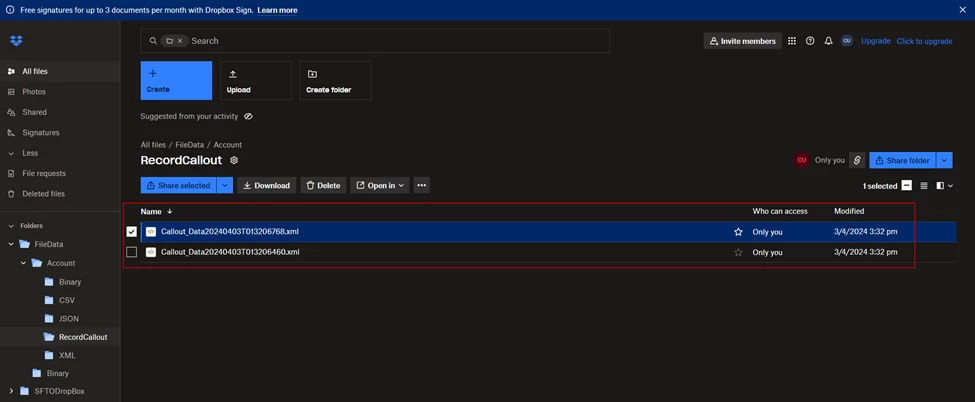
- Payload in Dropbox
- Formatted XML
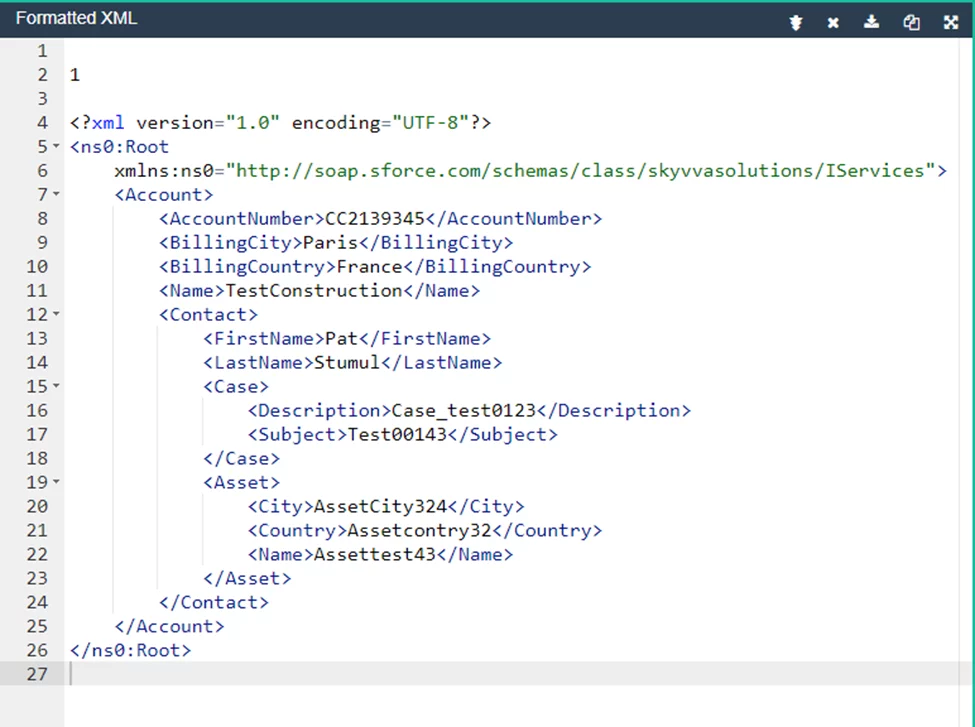
[su_box title="Result:" box_color="#2a8af0" title_color="#000000"]When clicking send on the postman, it will send a notification event to execute the outbound interface for callout records by user Automated Process. [/su_box]
Summary
This tutorial details how the 'skyvvasolutions__Processing__e' object helps customers raise public events for executing inbound and outbound interfaces, eliminating the need for custom events or triggers. By raising the 'SKYVVA Event,' customers can efficiently process inbound data and notify outbound data events using the Skyvva Integration application.