1. How to use streaming api with Agent?
This tutorial explains what streaming API is and why do we need it. It describes how to use it.
What is Streaming API?
Streaming API is a feature used in Agents for real-time data change scenarios. When there is a new record inserted or a record updated on the Salesforce side, it automatically changes the data on the client-side. Use Streaming API to receive notifications for changes to Salesforce data that match a SOQL query you define.
The configuration of Streaming API in SFDC
To enable the interface for Streaming API feature, go to outbound interface detail on Salesforce, in the Streaming and Bulk Configuration section. Check the Use Streaming API checkbox.
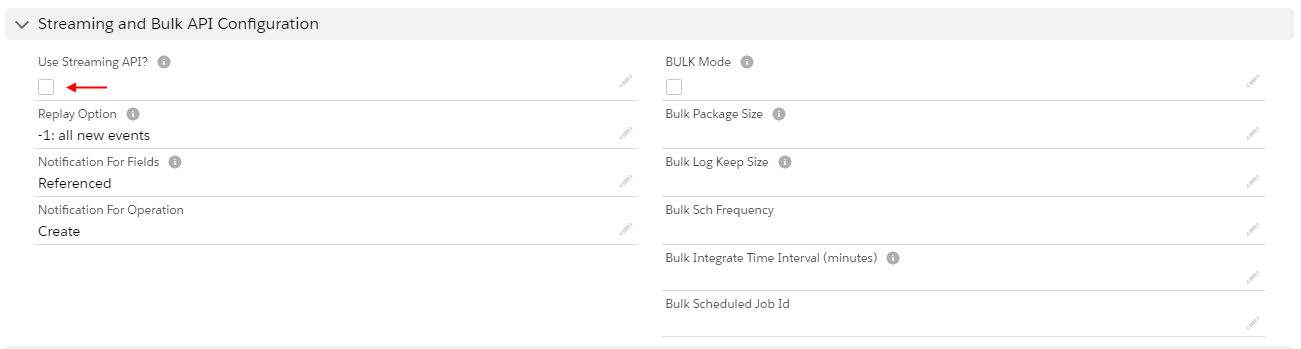
Before configuring Streaming API, there are some rules you must know:
- Use Streaming API → Enable streaming feature, so Agent will be able to subscribe to this interface.
- Notification for fields → To change which fields trigger notifications. For example, the default is 'Referenced' which means that the fields in the SELECT and WHERE clauses are evaluated. Notifications are generated for the evaluated records only if they match the criteria specified in the WHERE clause.set this parameter to one of these values. The default is 'Referenced'.
Notification For Operation:
- Create → Uncheck this parameter if you want to change the default behavior. The default behavior is set to true which means that you will get a notification in case the record is created.
- Delete → Uncheck this parameter if you want to change the default behavior. The default behavior is set to true which means that you will get a notification in case the record is deleted.
- Undelete → Uncheck this parameter if you want to change the default behavior. The default behavior is set to true which means that you will get a notification in case the record is undeleted.
- Update → Uncheck this parameter if you want to change the default behavior. The default behavior is set to true which means that you will get a notification in case the record is updated.
- Soft Deleted → Just deletes sObject from the salesforce database but Agent is not deleted record from the local database.
- Hard Deleted → Just deletes sObject from the salesforce database and the Agent will delete records from the local database too.
Replay Option: This option indicates how the client, subscribed to the PushTopic, read the missing data in case it is online again after a failure. For detail information: – [Salesforce Basic Streaming API Modules](https://trailhead.salesforce.com/en/modules/api_basics/units/api_basics_streaming )
Streaming API rule:
The following are examples of supported SOQL statements:
- Custom Object
- Standard objects (may include custom fields): Account, Campaign, Case, Contact, Lead, Opportunity, and Task.
The following SOQL statements are not supported queries:
- Queries without an Id in the selected fields list
- Semi-joins and anti-joins
- Aggregate queries (queries that use AVG, MAX, MIN, and SUM) COUNT, LIMIT, ORDER BY, GROUP BY, NOT, OFFSET, TYPEOF)
For detail information about soql rule: – Salesforce Unsupported PushTopic Queries
Subscribe to Agent
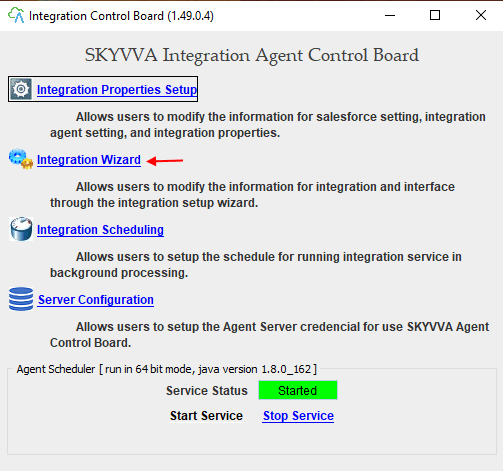
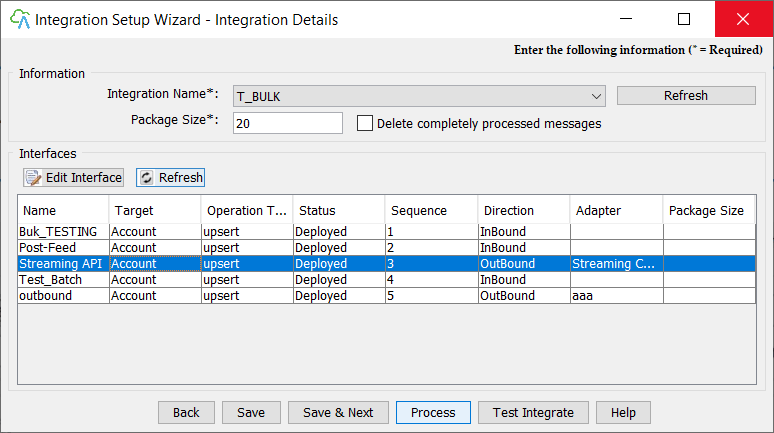
To be able to subscribe to Agent please run SKYVVA Integration Agent > Integration Wizard.
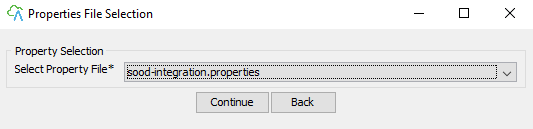
Choose your property file
Go to interface detail by double click any interface in the interface list.
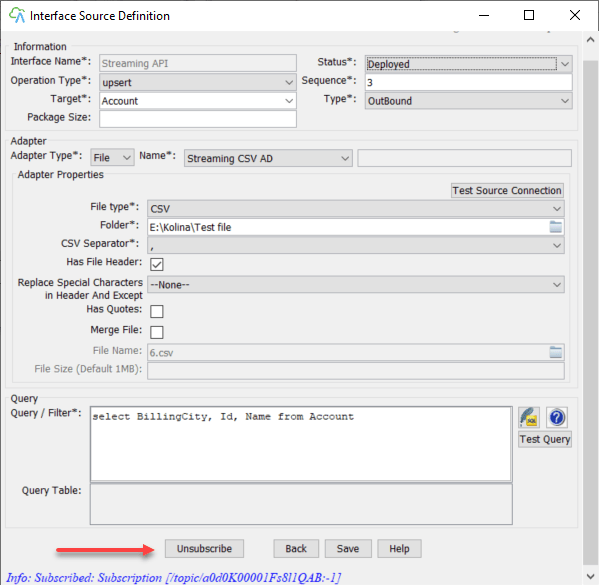
In the interface detail screen, there is a Subscribe button for interface type outbound only. When the Subscribe is clicked, if there is no error it will automatically integrate data. Click again to unsubscribe.
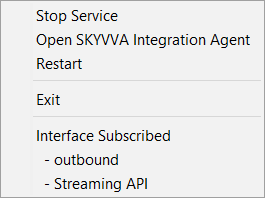
The bottom corner of the screen, there is a small SKYVVA Integration Agent icon. Right-click on it to see the outbound interface that subscribes to Streaming Channel. Click on the Interface name to unsubscribe. There is also an option for Star/Stop Agent Service and open Agent Windows. If there is no Interface Subscribe, it means that there is no interface subscribed to Streaming Channel.