1. How to use the Agent on a local PC with a public IP-Address?
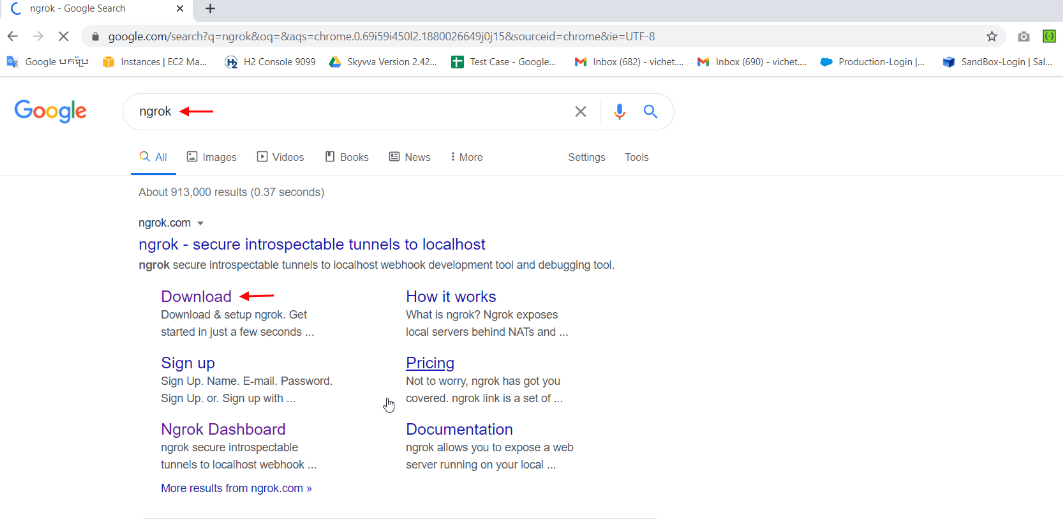
Write ngrok on Google search
Expose a local webserver to the internet
ngrok allows you to expose a web server running on your local machine to the internet. Just tell ngrok what port your web server is listening on.
- Click on Download
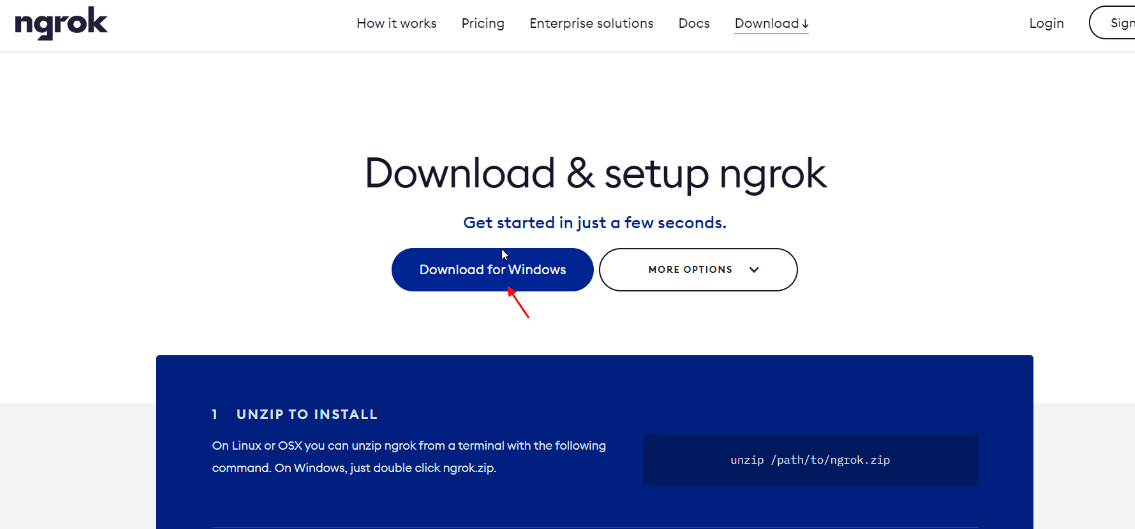
- Select button Download for Windows
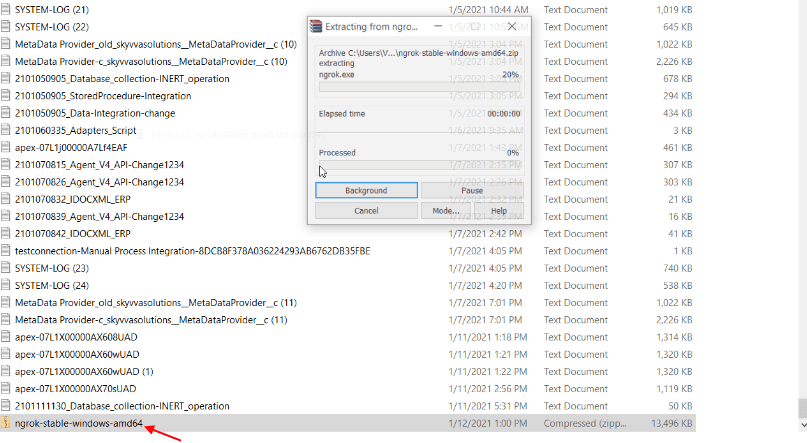
- Click on the downloaded zip file to extract
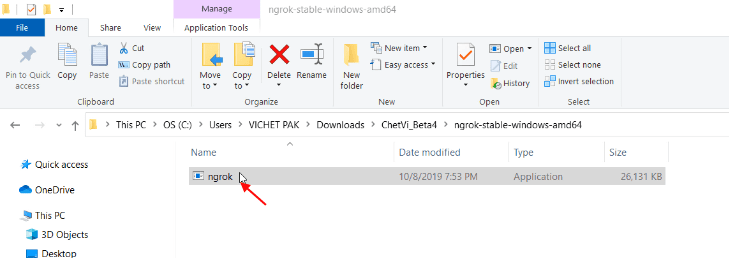
- Now click on ngrok Application
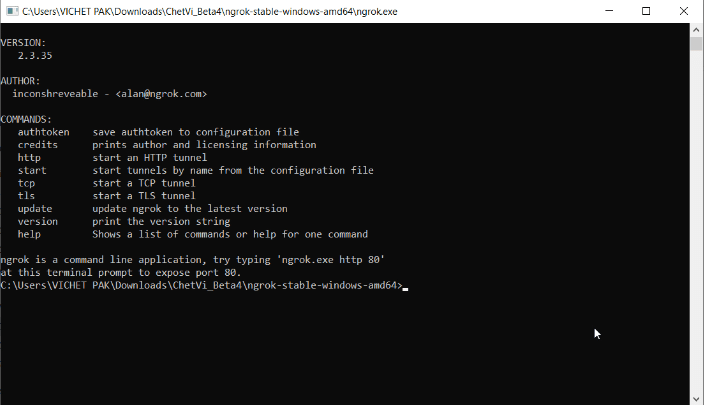
- This screen shows Version, Author, Commands
- Go to ngrok website and sign in with your account to take the authtoken
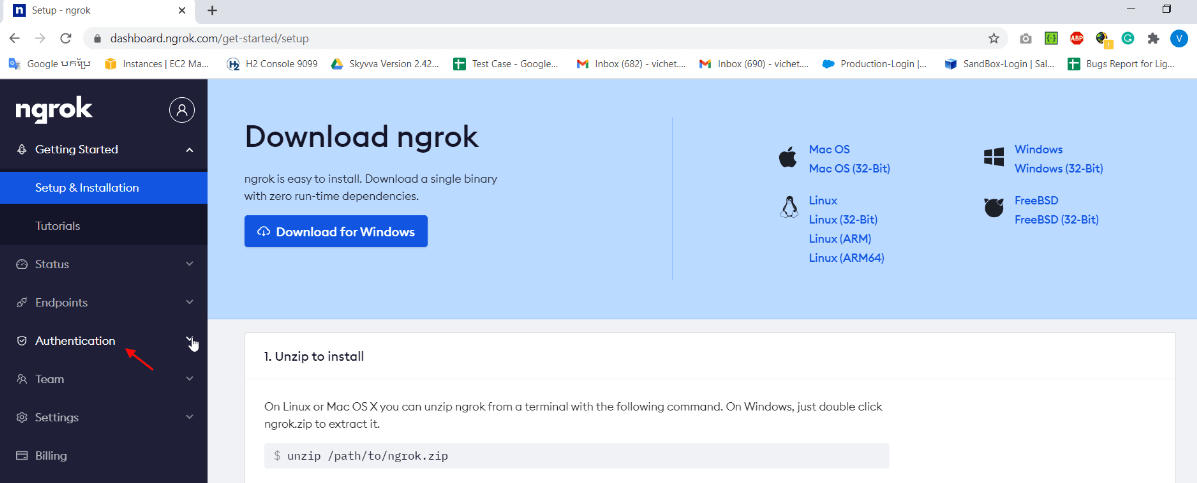
- Scroll down to Authentication
- Click on dropdown
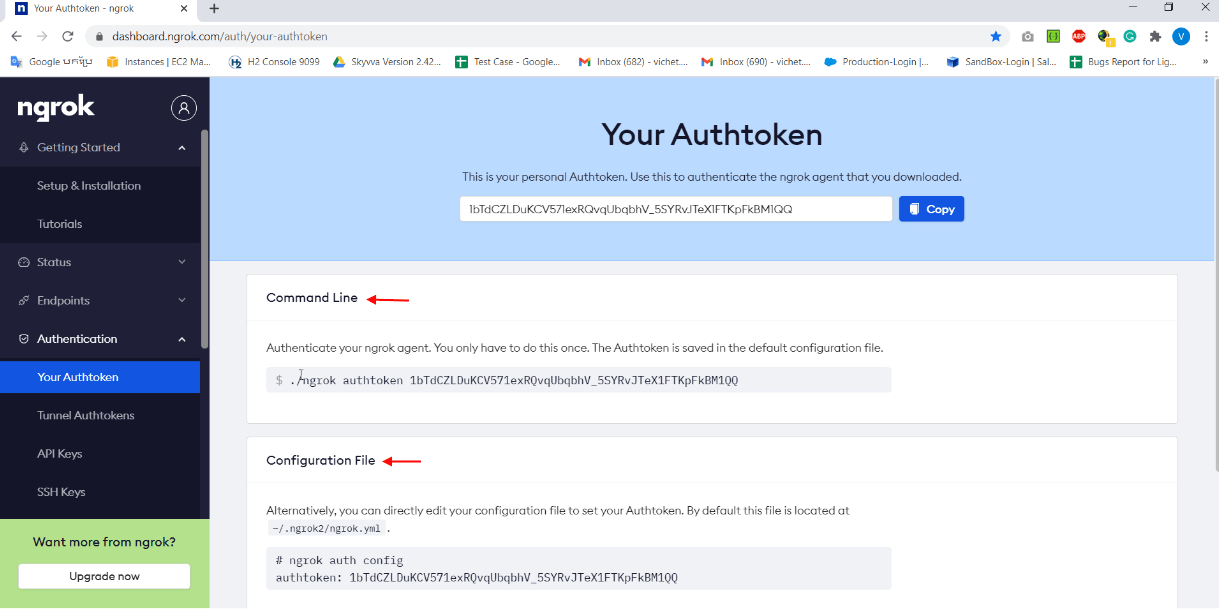
- Scroll down to Your Authtoken
[su_box title="Note" box_color="#2a8af0" title_color="#000000"]
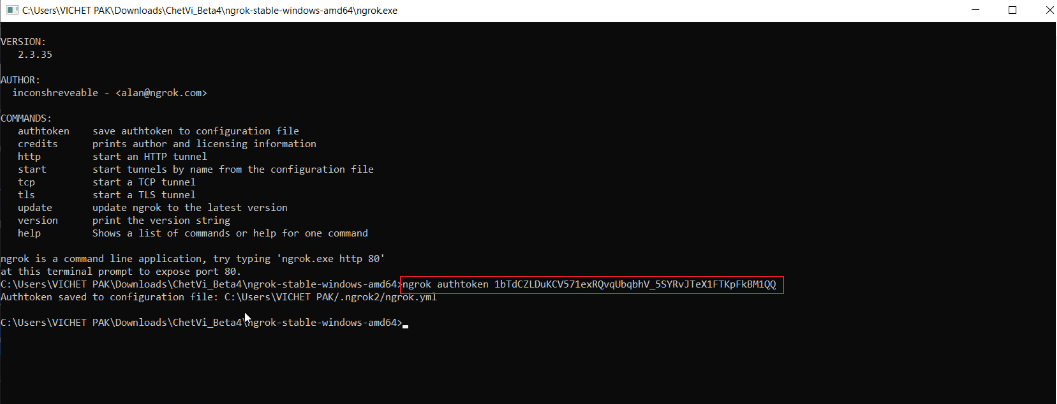
- Command Line: Authenticate your nagrok agent. A user only has to do this once. The Authtoken is saved in the default configuration file.
- Configuration File: Alternatively, the user can directly edit your configuration file to set your Authtoken. By default, this file is located at -/.ngrok2/ngrok.yml
[/su_box]

- Copy Command-Line and paste on the screen
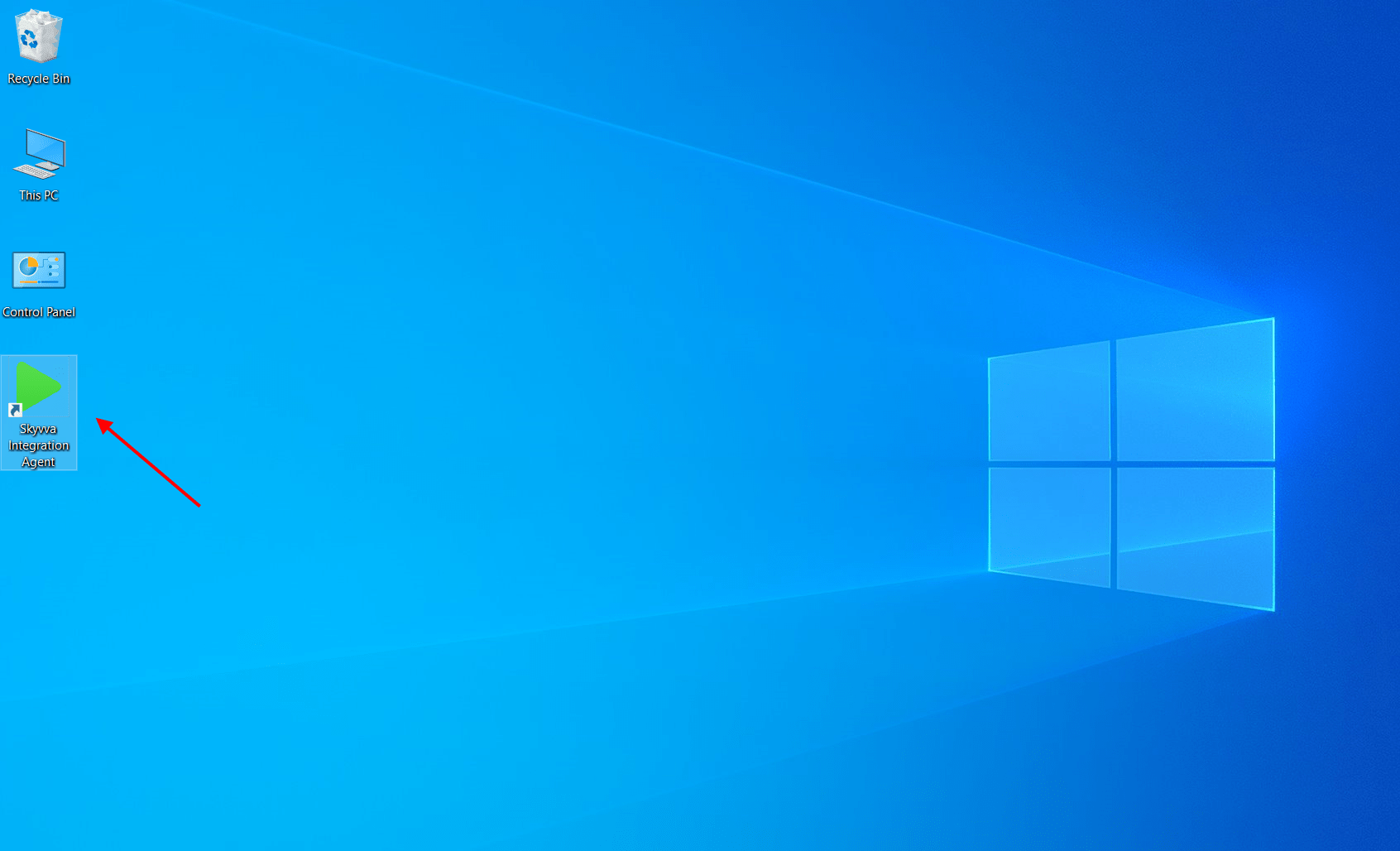
- After installing the Agent file, we will see the icon display on the Windows desktop. The service of Agent is the automatic start, the user no need to start it manually.
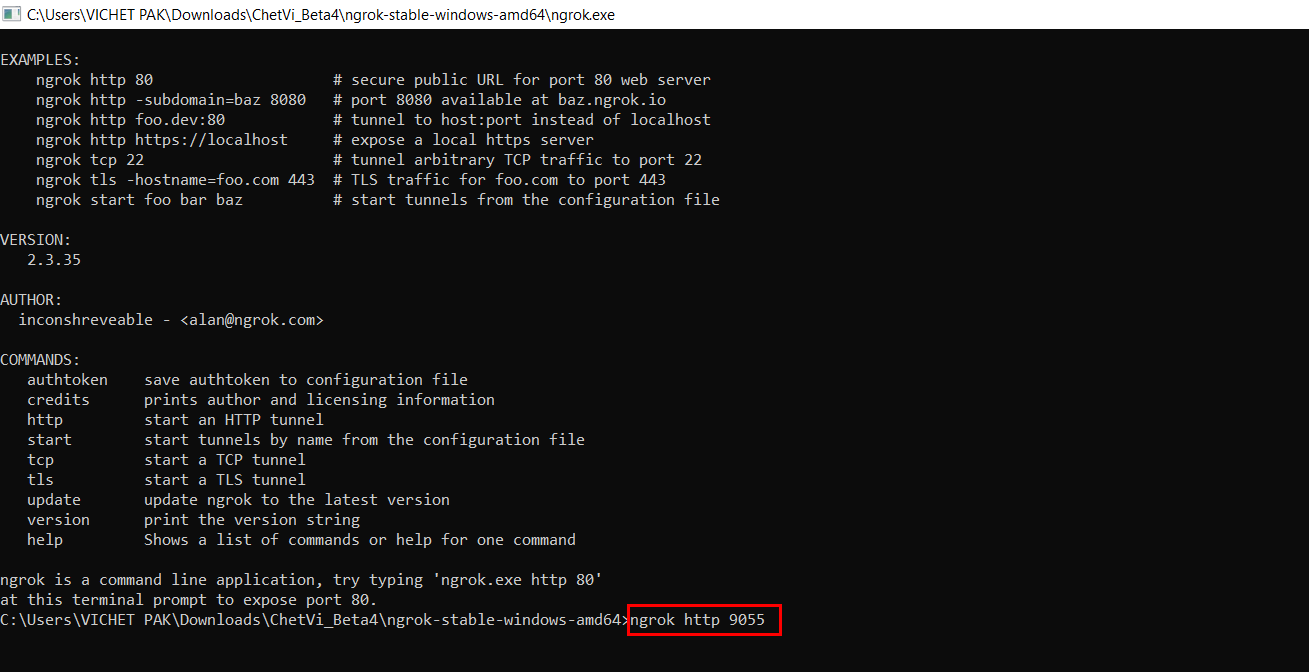
- Now write command ngrok http 9055 on-screen. 9055 is the default port of Agent
- See session status is online now
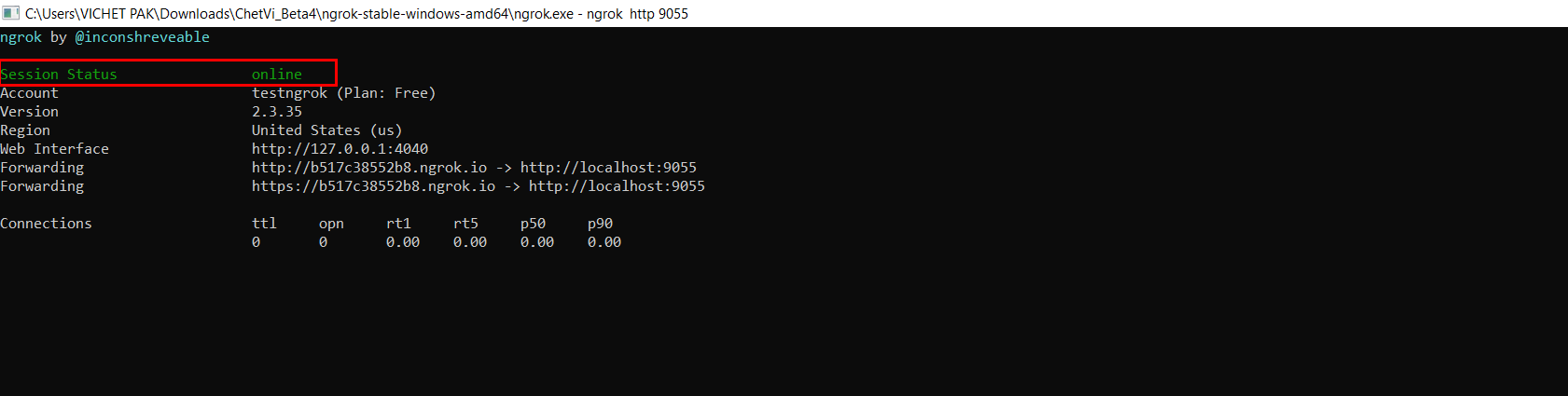
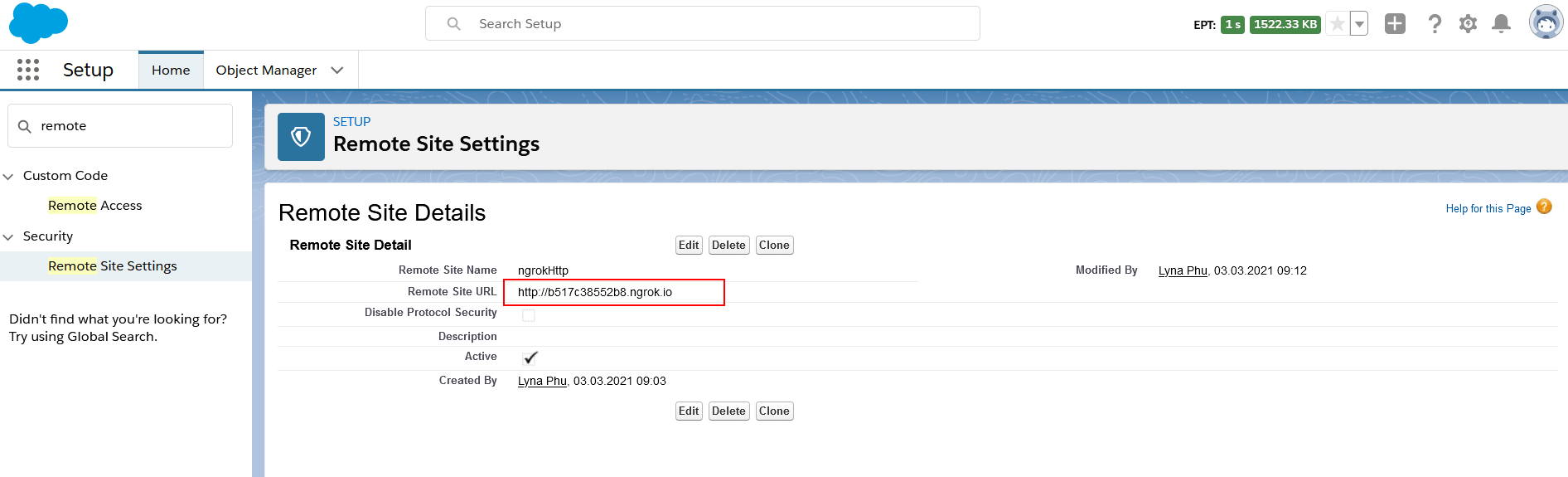
After ngrok generate the URL address then we need to add it into Salesforce remote site Note: ngrok free version is not provided a permanent address, it will expire session at any time or expire when the user closes the ngrok screen
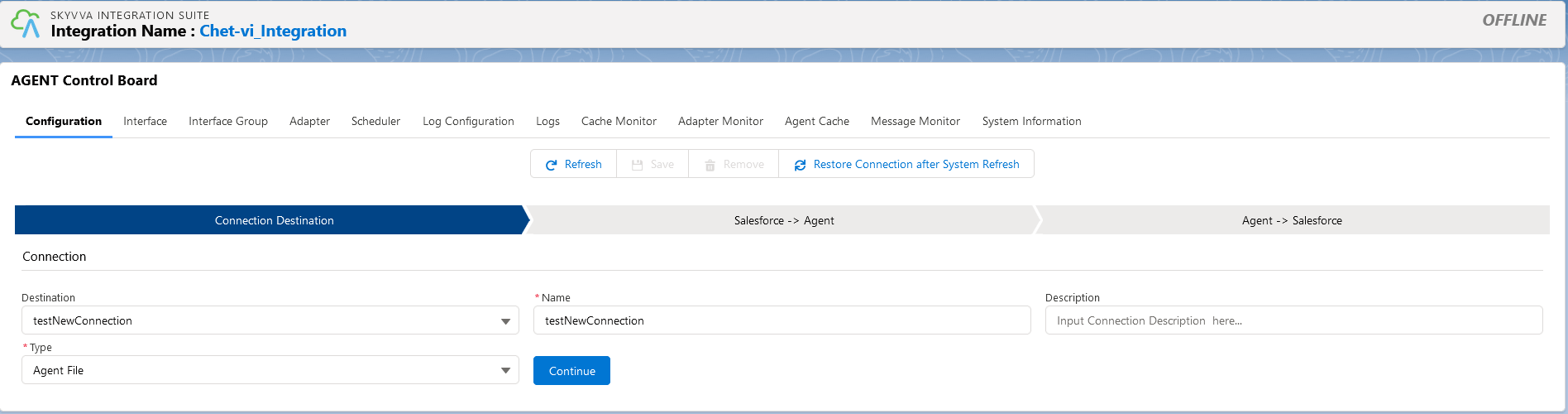
Go to Agent Control Board, Now the user has to make an online connection First, provide the credential to Connection Destination
- Destination→New
- Name→testNewConnection
- Description→ optional
- Type →any type, for example, Agent File. If we want to process data with File, so the Type is “Agent File”. We need to create a connection type depends on the working target.
- Click on the Continue button
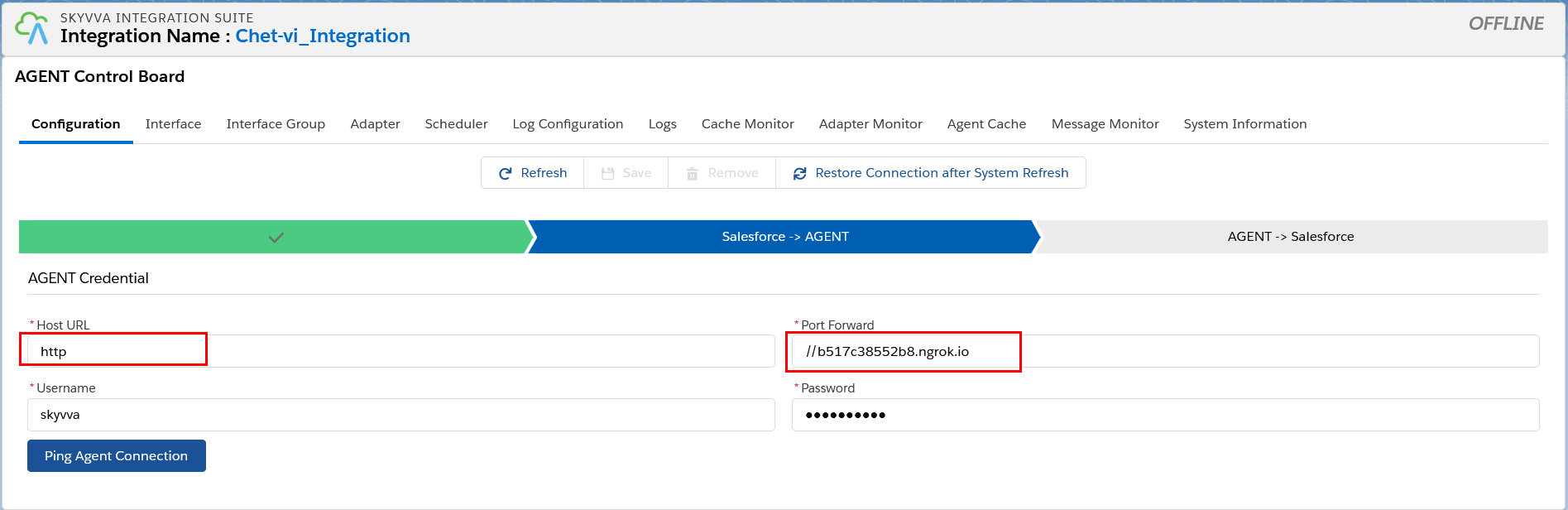
Second, provide the credential of Agent for ping connection from Salesforce to AGENT
- Host URL→ http
- Port Forward→ //b517c38552b8.ngrok.io(this address is random)
- Username→skyvva
- Password→skyvva@12!
- Click on the Ping Agent Connection button
Third, provide the credential of Salesforce for ping connection from AGENT to Salesforce
- Username→ username of your org
- Password→ password of your org
- Security Token→optional, but if the org has been generated the Security Token we need to put it
- Server Environment→Sandbox
- Consumer Key and Consumer Secret user get from the connected app from the Salesforce side
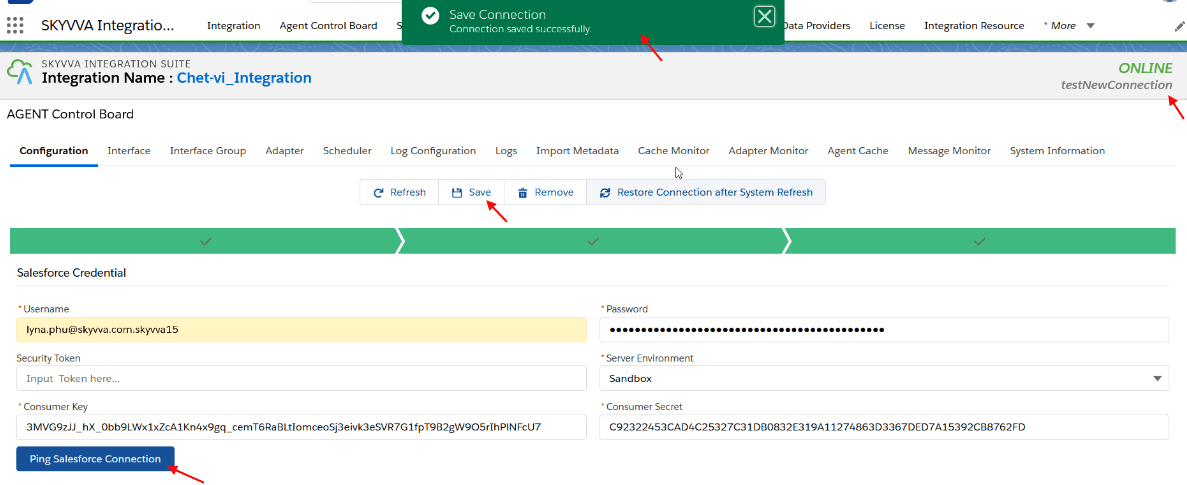
- Click on the Ping Salesforce Connection button
Great now user creates a connection between Salesforce and Agent through ngrok localhost Summary This tutorial guides us on how to create a connection between the Agent on a local PC with a public IP-Address by using ngrok easiest local tunnel solution.