How to use the API InvokecalloutV3() using mode based on the Interface Setting?
Introduction:
You know already that you can use invokeCalloutV3() of the outbound interface execution in the developer console, so you will set the mode parameter on the invokeCalloutV3() script. Now we have provided a new option to set the mode based on the interface setting.
How many mode parameters are set on the interface setting?
There are four modes to set on the interface setting as follows below:
- If the interface checks Use_Auto_Switch_Mode__c, it will do AUTO mode.
- If the interface checks Batch_Mode__c, it will do BATCH mode.
- If the interface sets Interface_Mode__c equals Synchronous, it will do SYNC mode.
- If the interface set Interface_Mode__c equals Asynchronous, it will do QUEUEABLE mode.
Pre-Requisite:-
- Create Integration.
- Create an Adapter e.g Rest adapter.
- Create a Message type with a template e.g Rest Template.
- Create Outbound Interface.
- InvokeCalloutV3() method.
The Configuring of Invoke callout using mode set on the interface setting:
1: Invoke callout using Auto Switch Mode
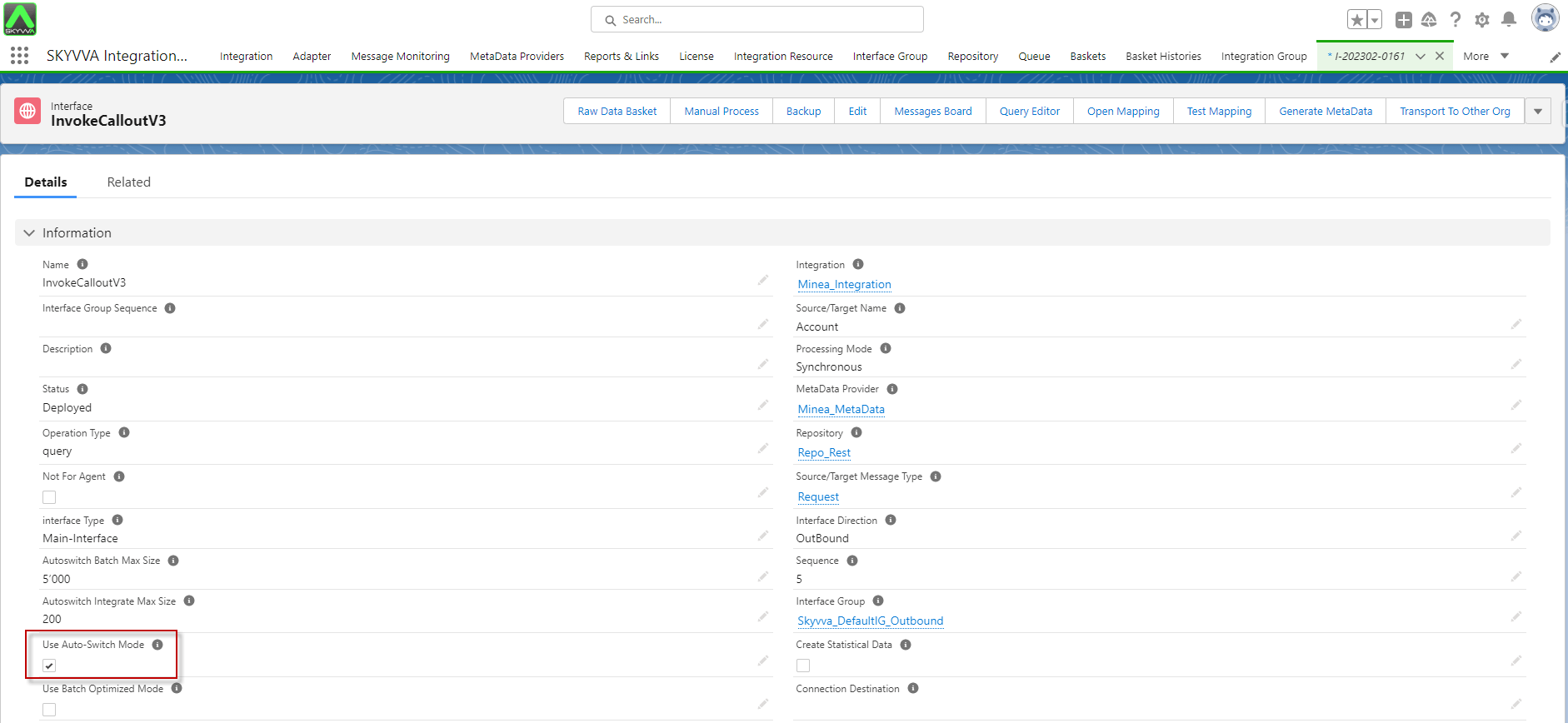
- *Go to interface -> tick on Use Auto-Switch Mode -> Save* button.
- Navigate to the Developer Console -> Select the Debug -> Open Execute Anonymous Window -> Enter script Code -> Then Execute Apex code.
String[] ids = new String[]{}; for(Account a: [select id from account]) ids.add(a.Id); IServices.invokeCalloutV3('Integration_Name','Interface_Name',ids, new CallOutControl());
Example:
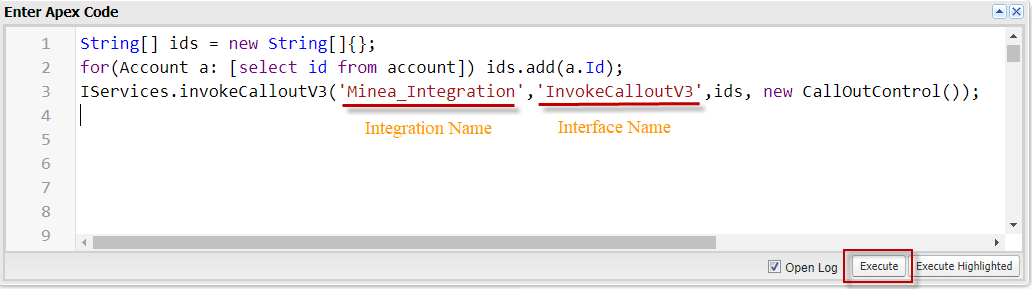
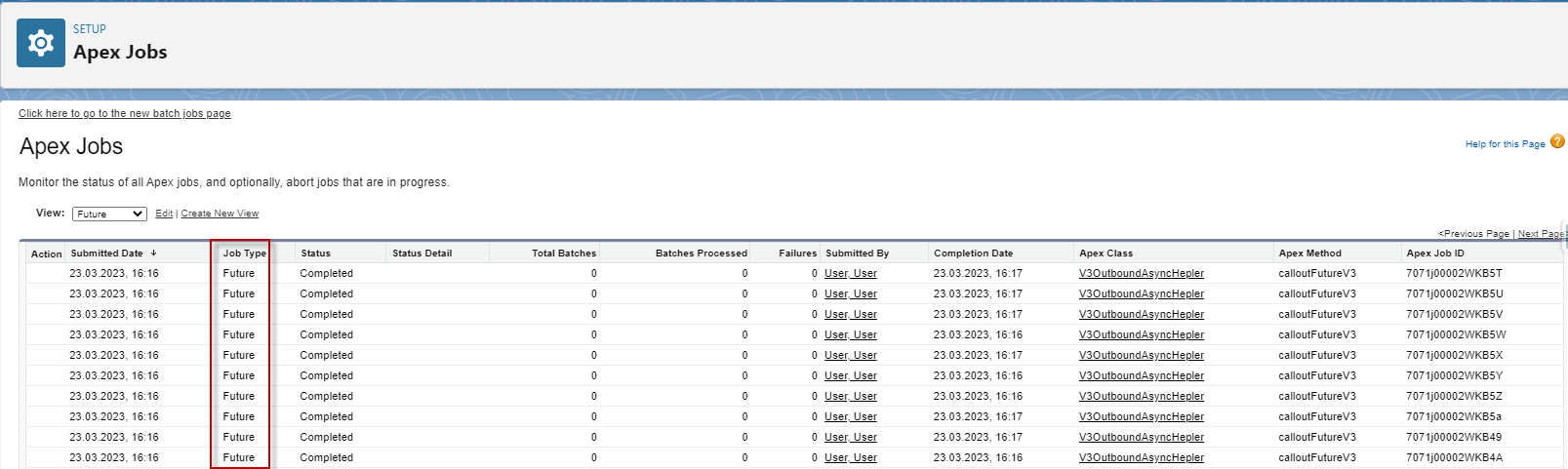
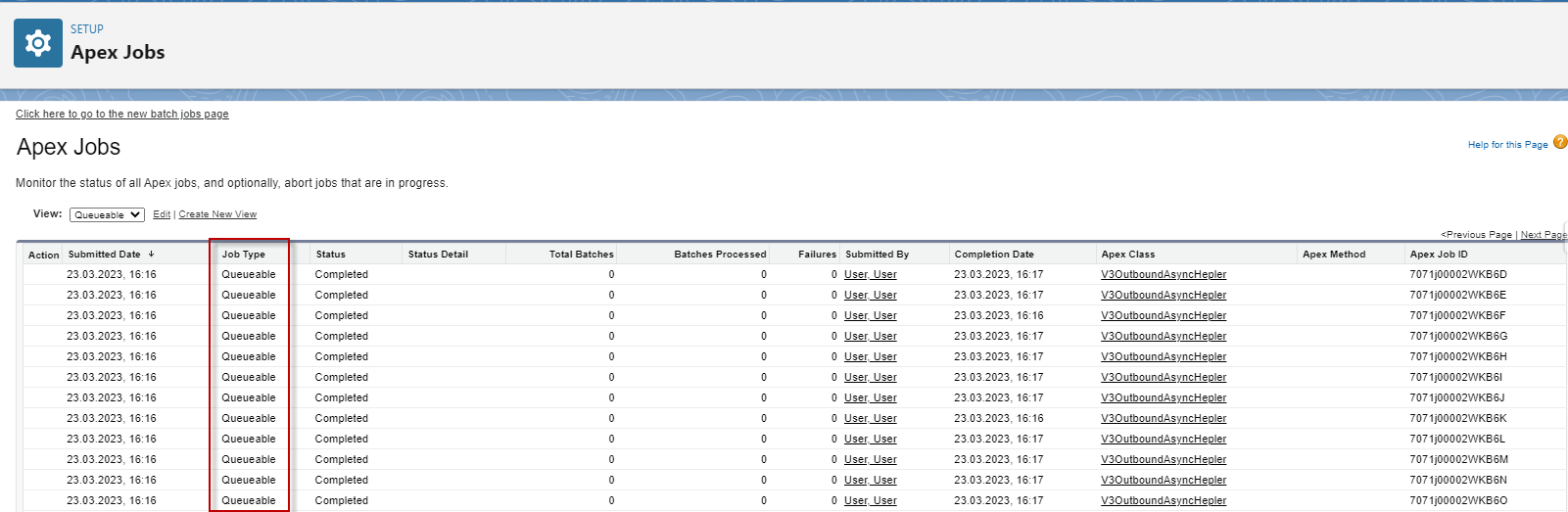
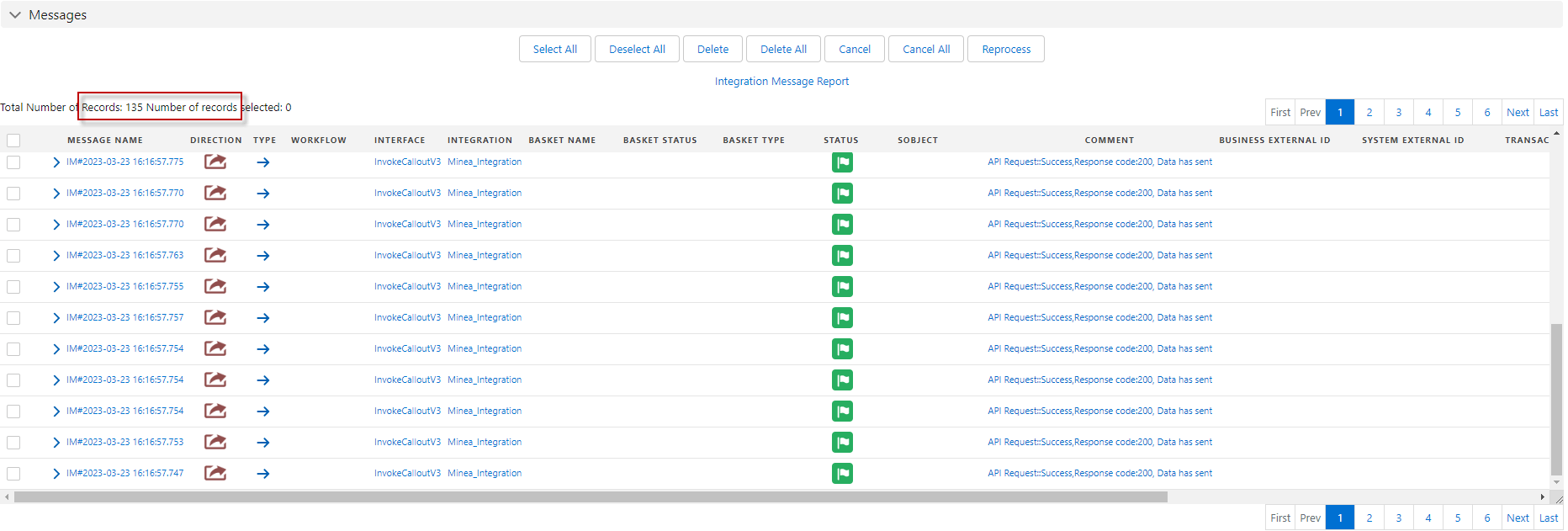
After you have executed the Apex Code, The auto mode will do three types of jobs based on your records and setting the package. It will check all records to the processing Job Type with Future, Queueable, and Batch Apex. For example, we call out 135 records and a record per job (not a set the transfer package size). Therefore Future and Queueable will do 50 jobs for each, and the remaining will do Batch Apex.
- Here is the result of Future. The 50 records will do with 50 Future jobs.
- Here is the result of Queueable. The other 50 records will do with 50 Queueable jobs.
- The remaining 35 records will process with Batch Apex

- Message Monitoring
2: Invoke callout using Batch Mode
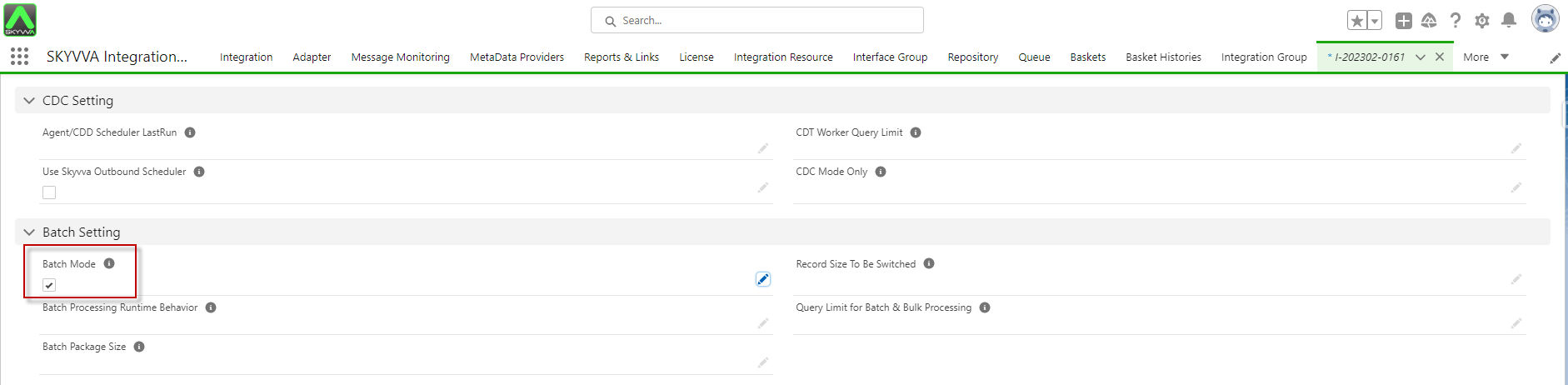
- *Go to interface -> then scroll down to see Batch Setting -> tick on Batch Mode -> Save *button.
- Navigate to the Developer Console -> Select the Debug -> Open Execute Anonymous Window -> Enter script Code -> Then Execute Apex code.
String[] ids = new String[]{}; for(Account a: [select id from account]) ids.add(a.Id); IServices.invokeCalloutV3('Integration_Name','Interface_Name',ids, new CallOutControl());
Example:
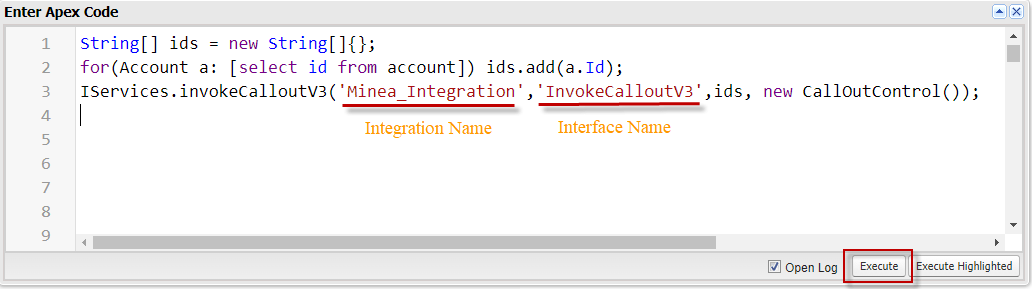
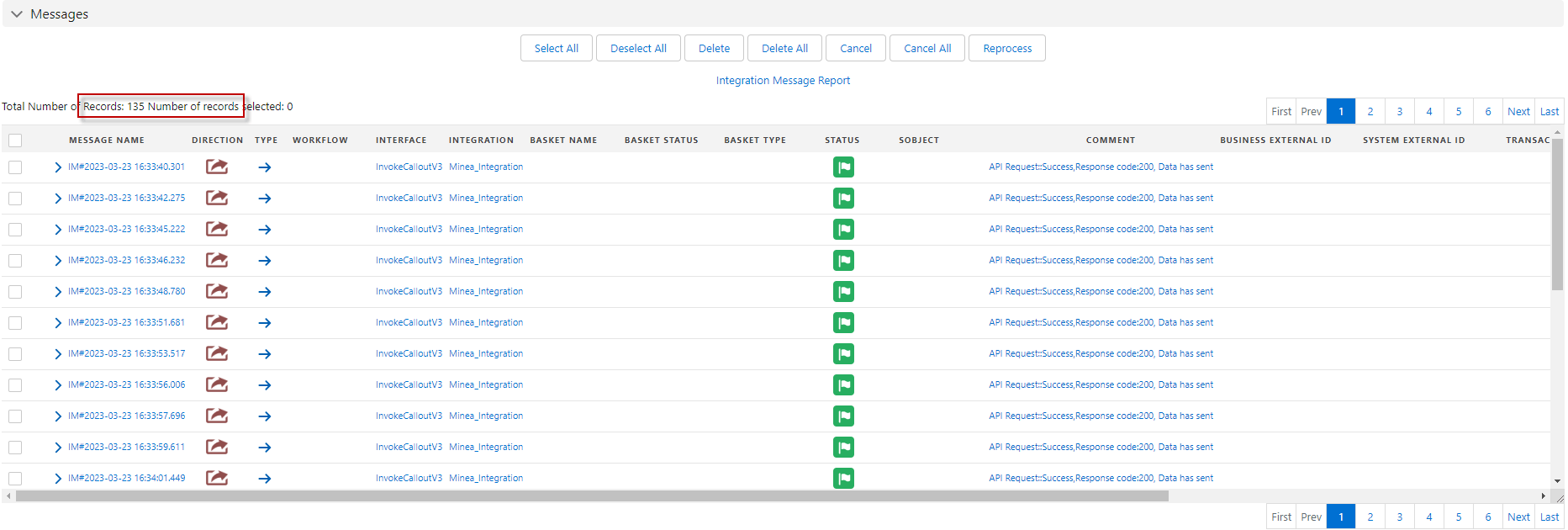
- After Executing Apex Code, it will check all records in the Account to the processing Job Type with Batch Apex. We are callout with 135 Account records, so the total batches will be 135 cause a record per batch.

- Message Monitoring
3: Invoke callout using Asynchronous Mode
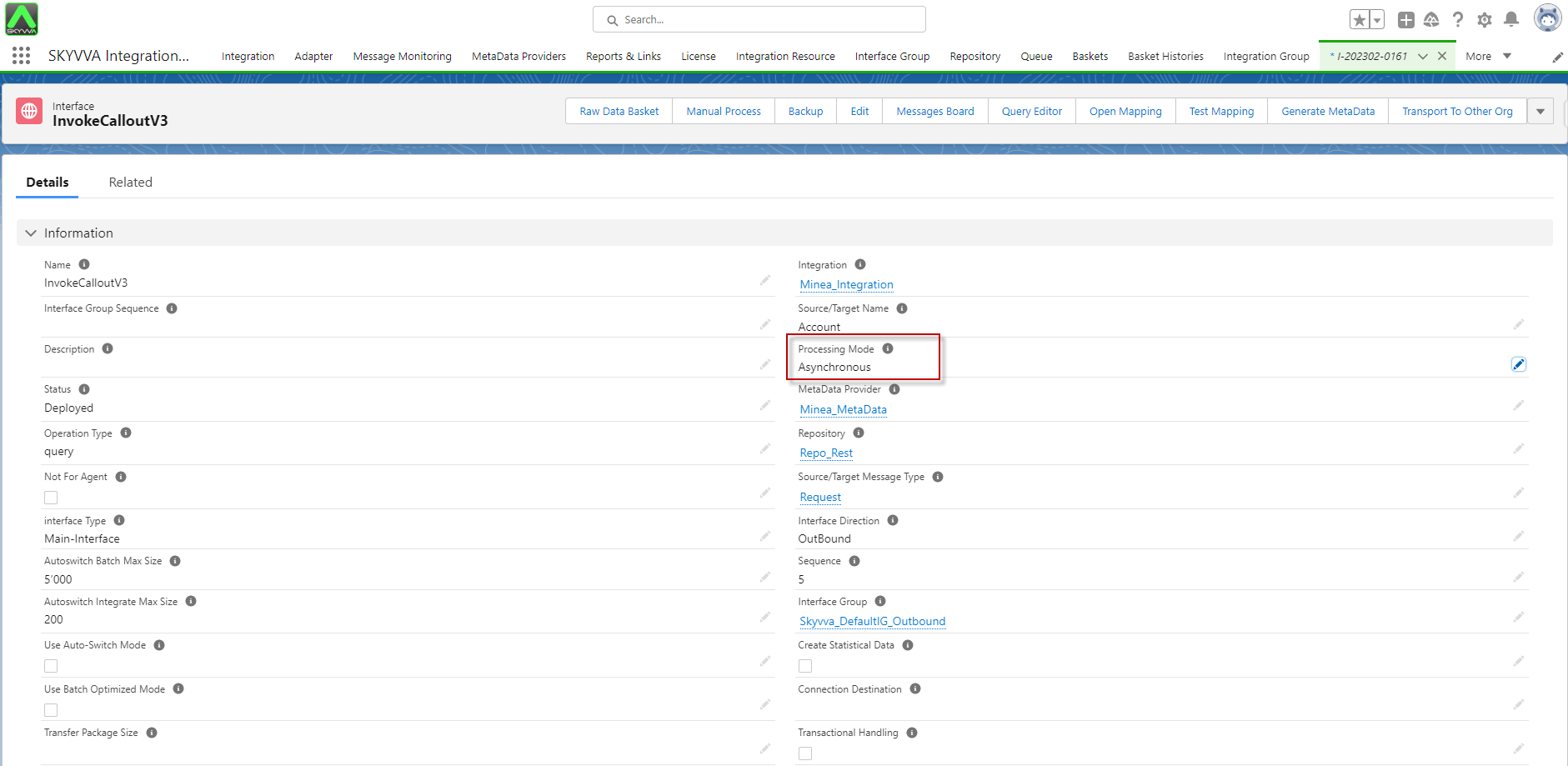
- Go to interface -> Processing Mode: Asynchronous -> Leave the Transfer Package Size blank -> Save button.
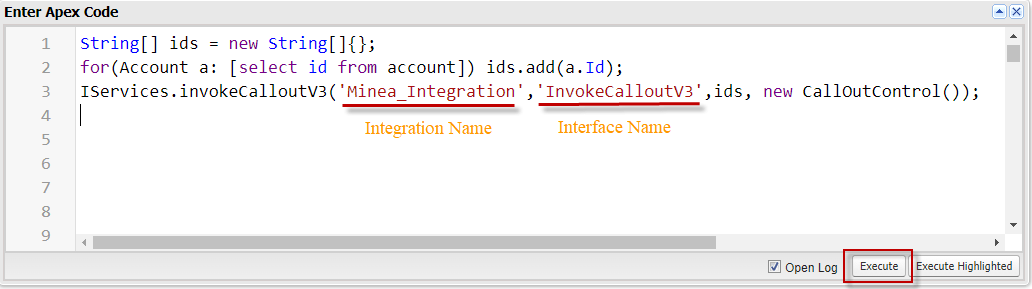
- Navigate to the Developer Console -> Select the Debug -> Open Execute Anonymous Window -> Enter script Code -> Then Execute Apex code.
String[] ids = new String[]{}; for(Account a: [select id from account]) ids.add(a.Id); IServices.invokeCalloutV3('Integration_Name','Interface_Name',ids, new CallOutControl());
Example:
- After Executing Apex Code, it will check all records in the Account to the processing Job Type with Queueable records.
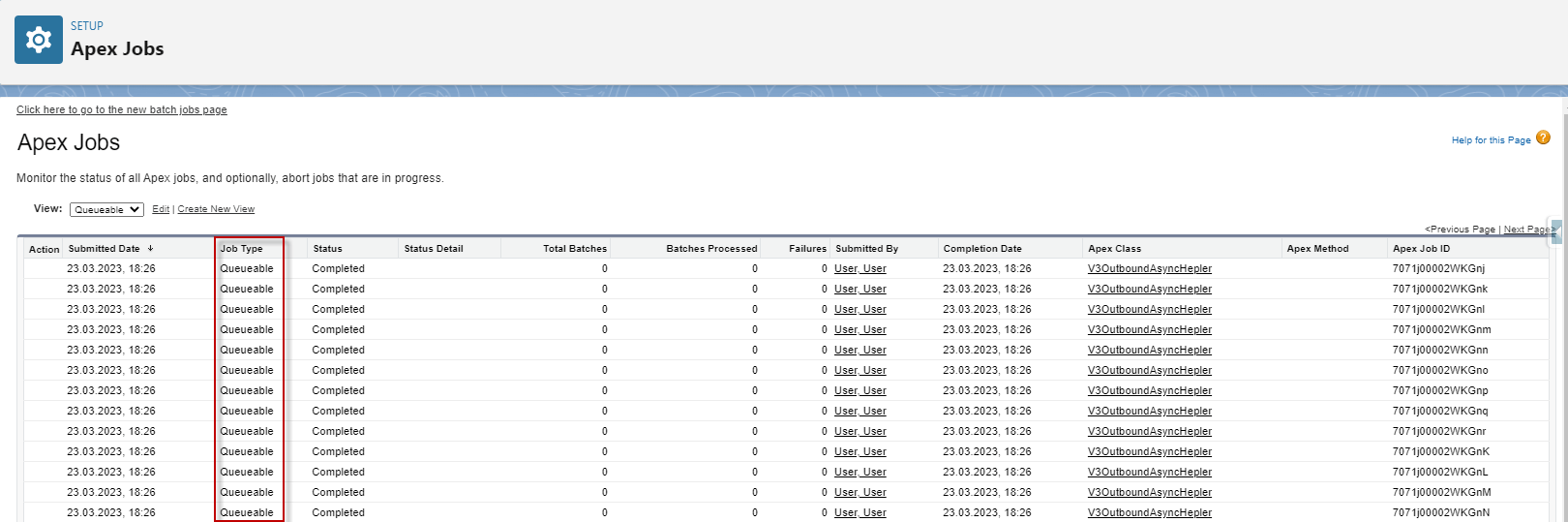
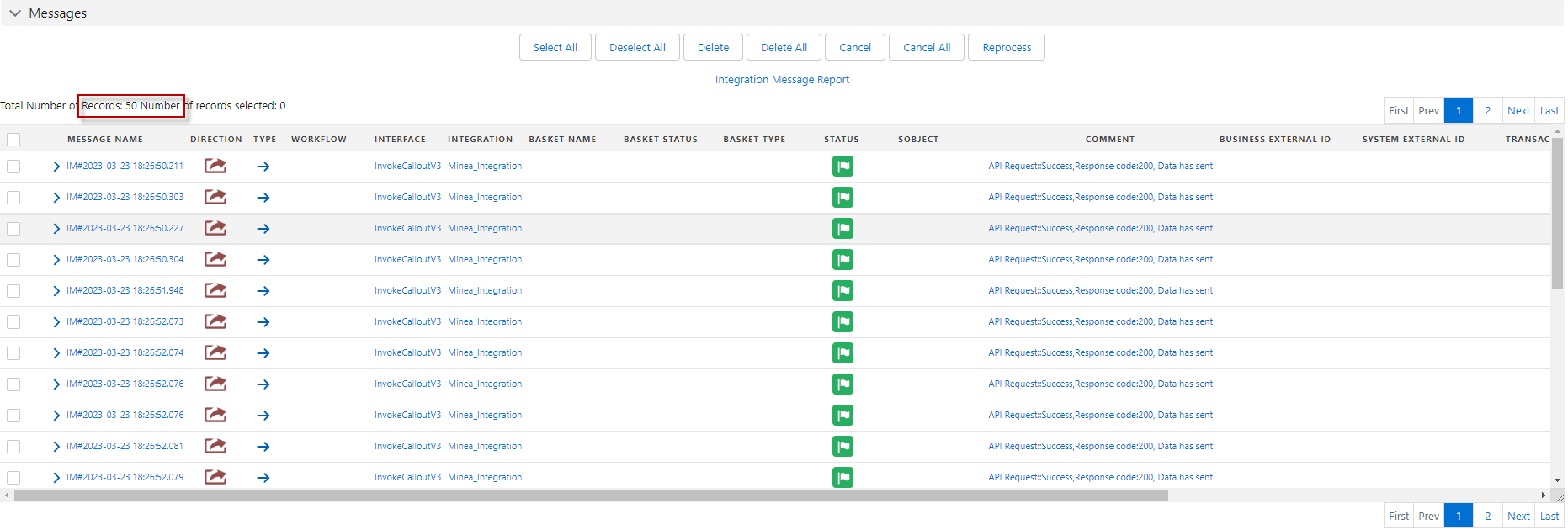
[su_box title="Note" box_color="#2a8af0" title_color="#000000"]If the Transfer Package Size is blank means a record per callout. We are callout without a set Package Size, so the processing will callout a record per job. Queueable has 50 jobs limited. If your callout is more than the job limit, the message will be new status.[/su_box]
- Message Monitoring
4: Invoke callout using Synchronous Mode
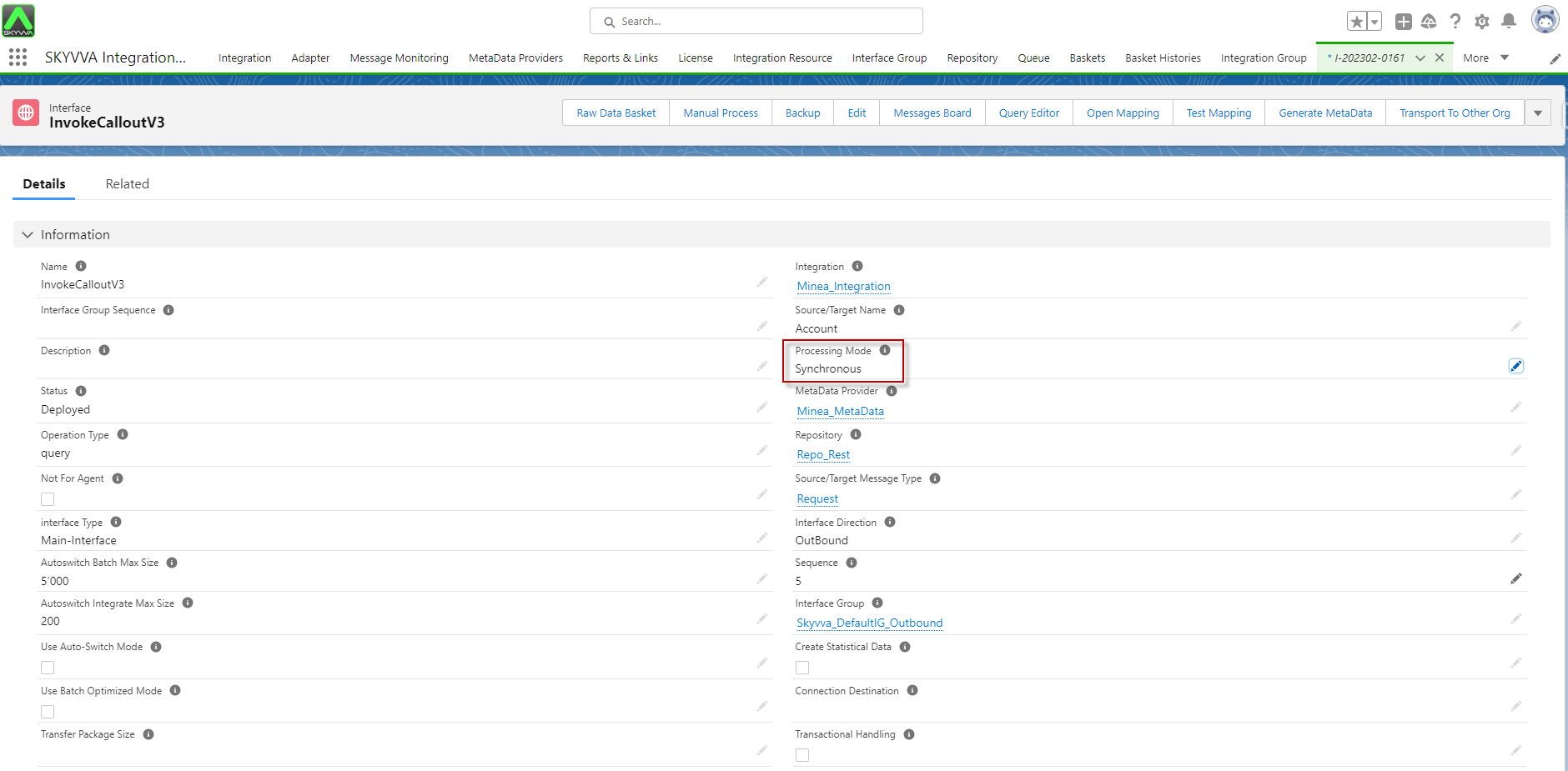
- Go to interface -> Processing Mode: Synchronous -> Leave Transfer Package Size blank -> Save button.
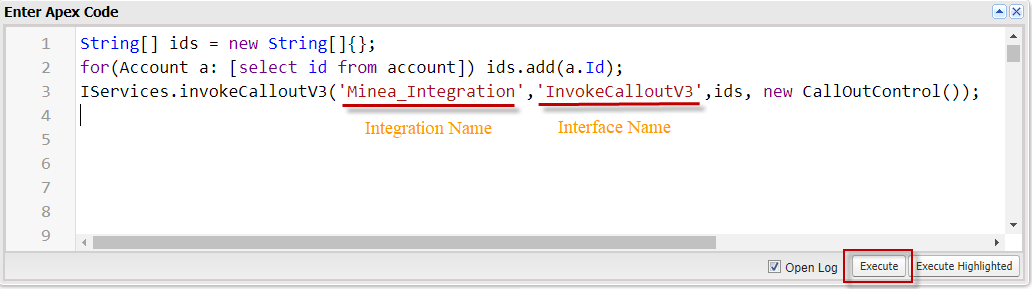
- Navigate to the Developer Console -> Select the Debug -> Open Execute Anonymous Window -> Enter script Code -> Then Execute Apex code.
String[] ids = new String[]{}; for(Account a: [select id from account]) ids.add(a.Id); IServices.invokeCalloutV3('Integration_Name','Interface_Name',ids, new CallOutControl());
Example:
- Message Monitoring
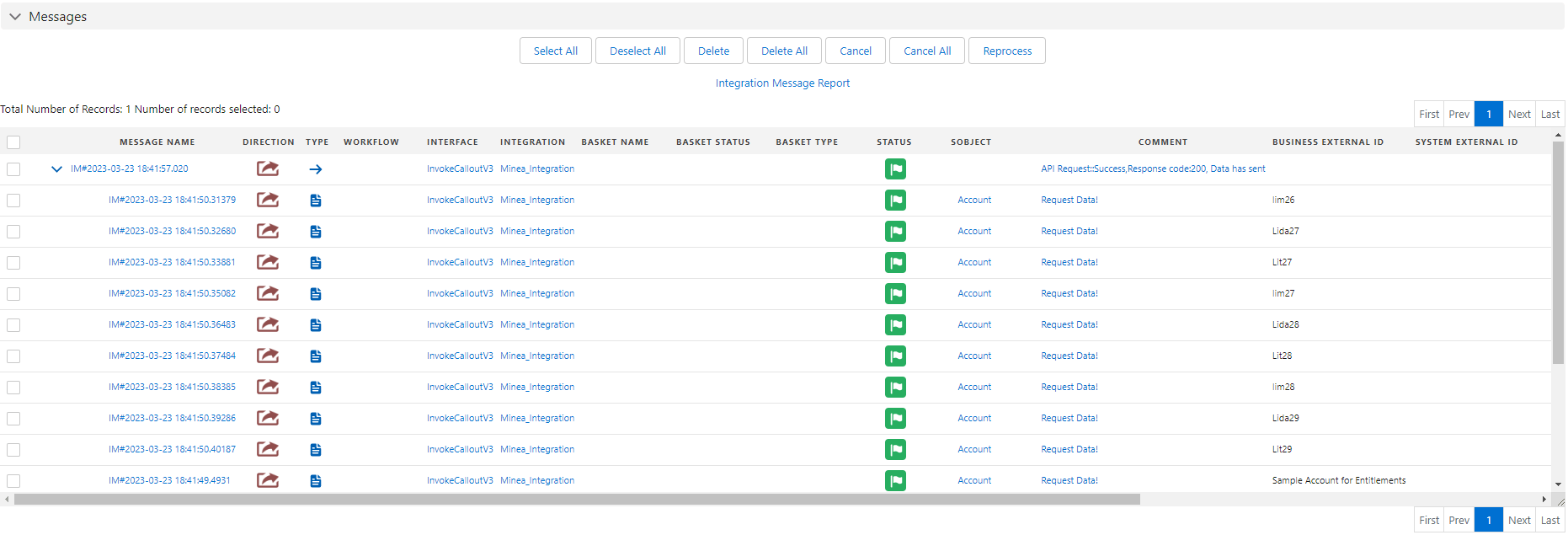
Result: After you executed, it will call out all recode from an account and create a messaging API that has a business message for all records.
[su_box title="Note" box_color="#2a8af0" title_color="#000000"]If you use mode 'SYNC' means processing in real-time, it doesn’t show processing in the Apex Jobs.[/su_box]