1. How to use the CDD and CDT with the different scheduler per integration, per interface group and per interface?
Learning Objective :- This unit Describes:-
- What is CDC?
- How to use the CDD and CDT with the different scheduler?
1. What is Change Data Control (CDC)?
With CDC we provide an ability to record all data changes you create on any business object. It will be automatically push to your external system at any time you scheduled. In comparison to the streaming API, you can overcome the limit of sending changes record by record. Here we can bulk and collect changes to be callout in packages meaning that you leverage the best usage of your Salesforce resources. Don't disturb your online business user while operation hours. Use CDC Scheduler to schedule data changes to be send out at a time. CDC is made up of two components, the CDD and the CDT. CDC is stand for Change Data Detection and CDT is stand for Change Data Transfer. These two components has different functionality. CDD is a scheduler which is running to call batch Apex in order to collect data change and save all those data into Change Pointer Object. CDT is another scheduler which is running to collect the records from the Change Pointer Object and sent to the external System such as SAP … etc. The Schedule will executes callout as parallel of future, queueable, batch based on priority, integration resource and interface group type (EO/EOIO).
2. How to use the CDD and CDT with the different scheduler?
We can use the CDD and CDT with the different schedulers per integration, per interface group and per interface. The process is given below:-
- Pre-requiste:-
- The Configuration of CDC. We can check the link to learn about configuration.
(#article/how-to-use-cdc-control-board)
1. Run CDD Per Integration Scheduler:- (As shown in the picture given below)
- Open Integration Details Tap -> CDC Control board Tap->Scheduler. Then start the scheduler on an outbound section and set the time as you prefer.
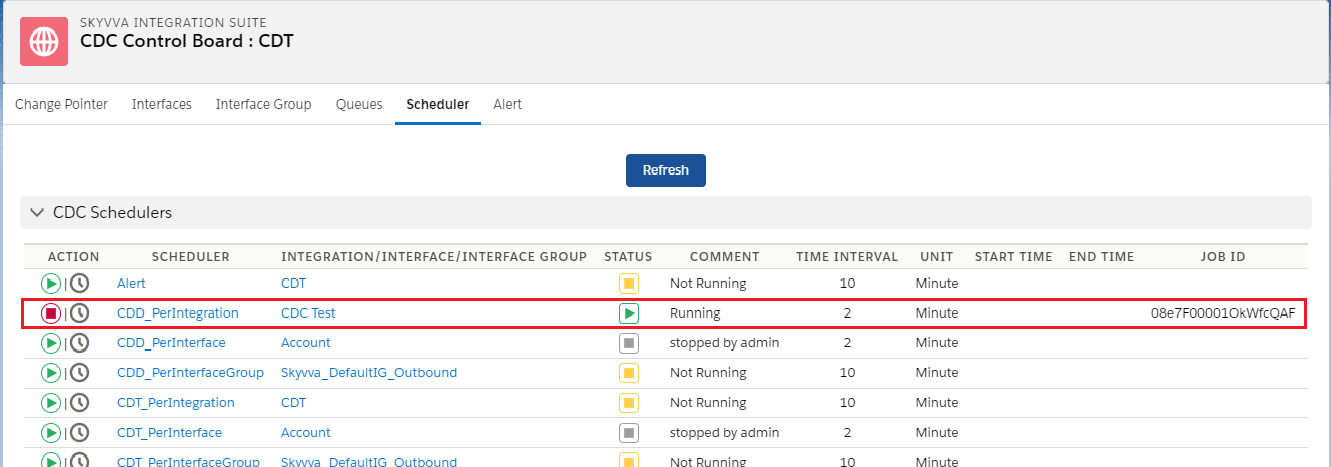
- We can check the result in change pointer for that we have to click Integration Details Tap -> CDC Control board Tap ->Change Pointer -> Integration name -> Interface Name -> Status -> Search
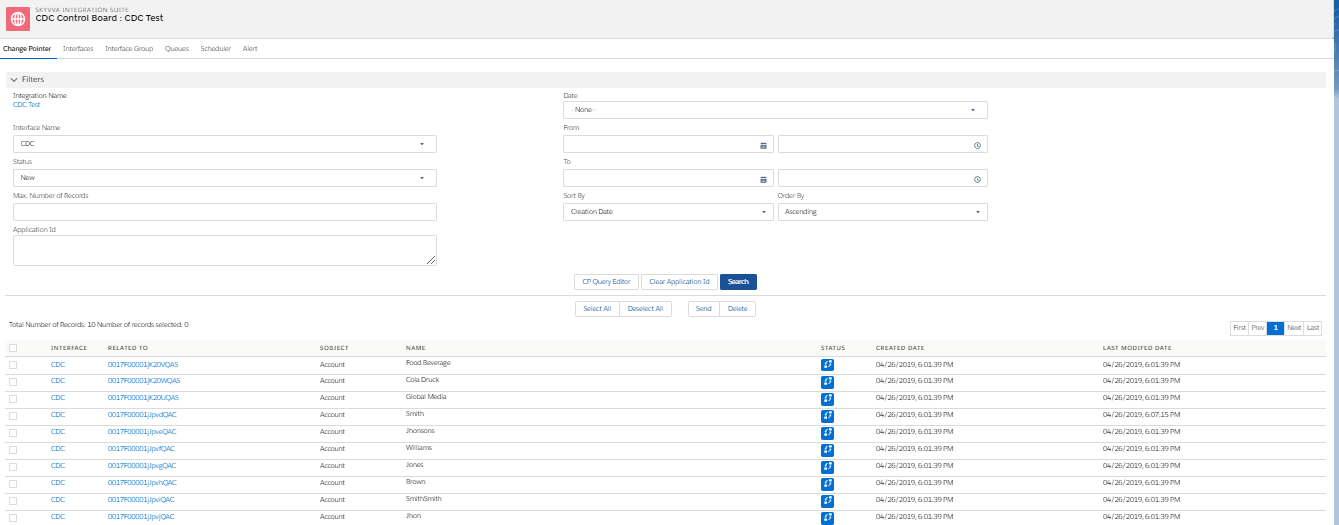
* NOTE:-
- Same way we can check for CDD Per Interface Scheduler and for CDD Per Interface Group Scheduler.
- In the pictures given below you can find CDD Per Interface and CDD per Interface Group scheduler.
- CDD Per Interface:-
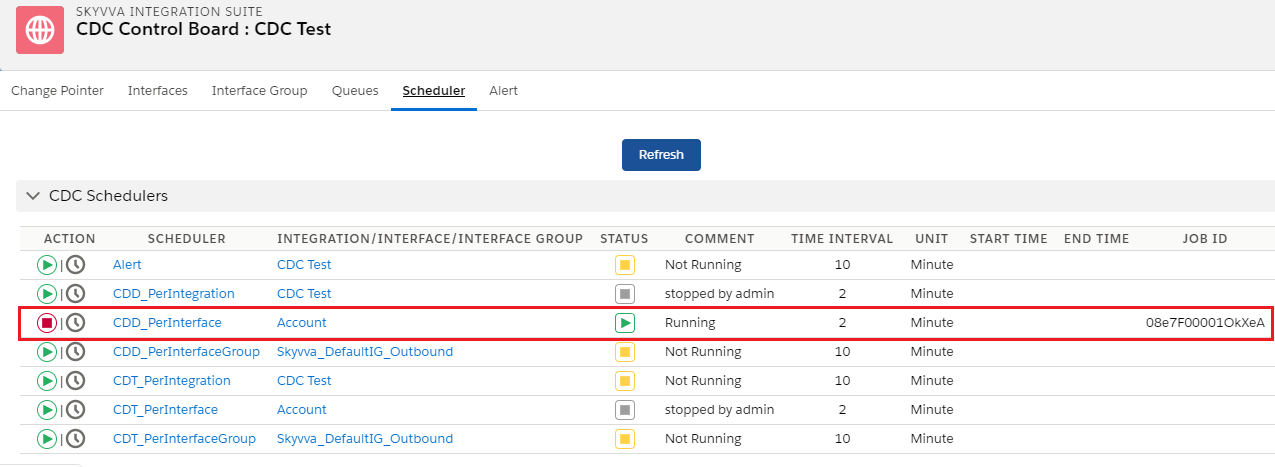
- CDD Per Interface Group:-
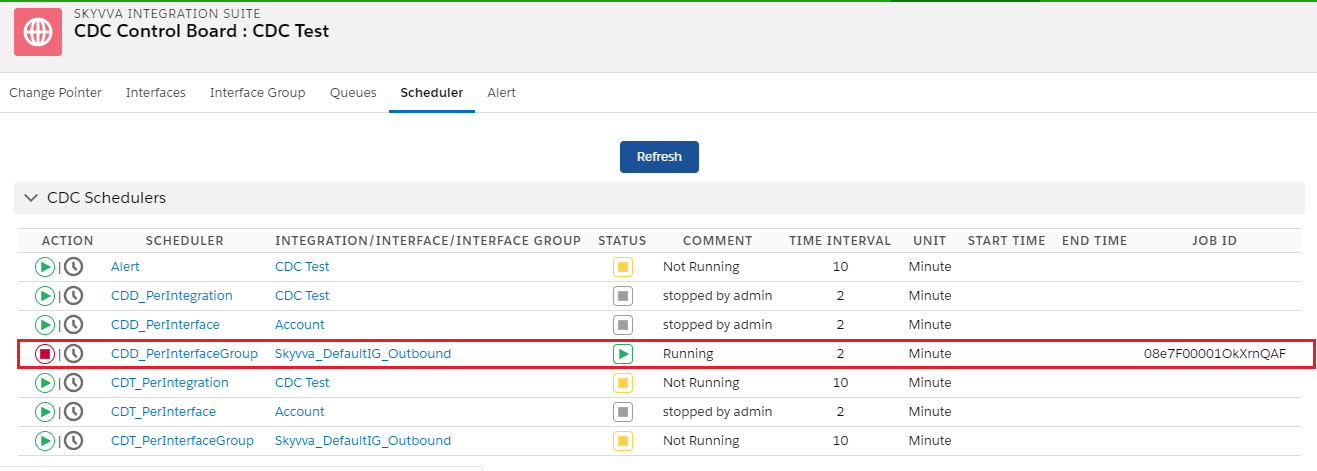
2. Run CDT Per Interface Scheduler:- (As shown in the picture given below)
- Enter Integration Details Tab ->CDC Control board Tap -> Scheduler Tab -> Start the Schedule -> Then start the scheduler on an outbound section and set the time as you prefer.
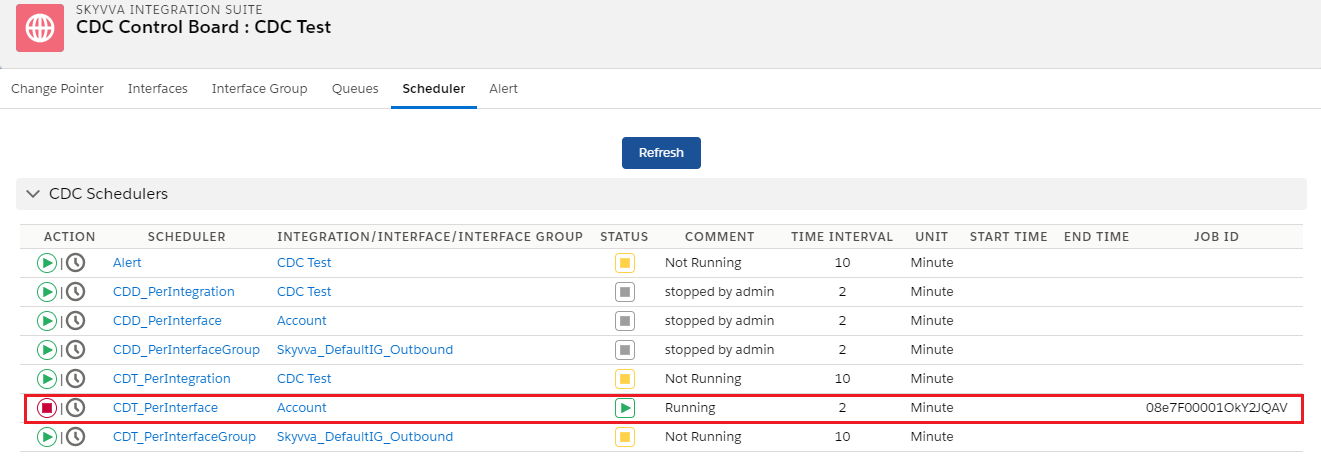
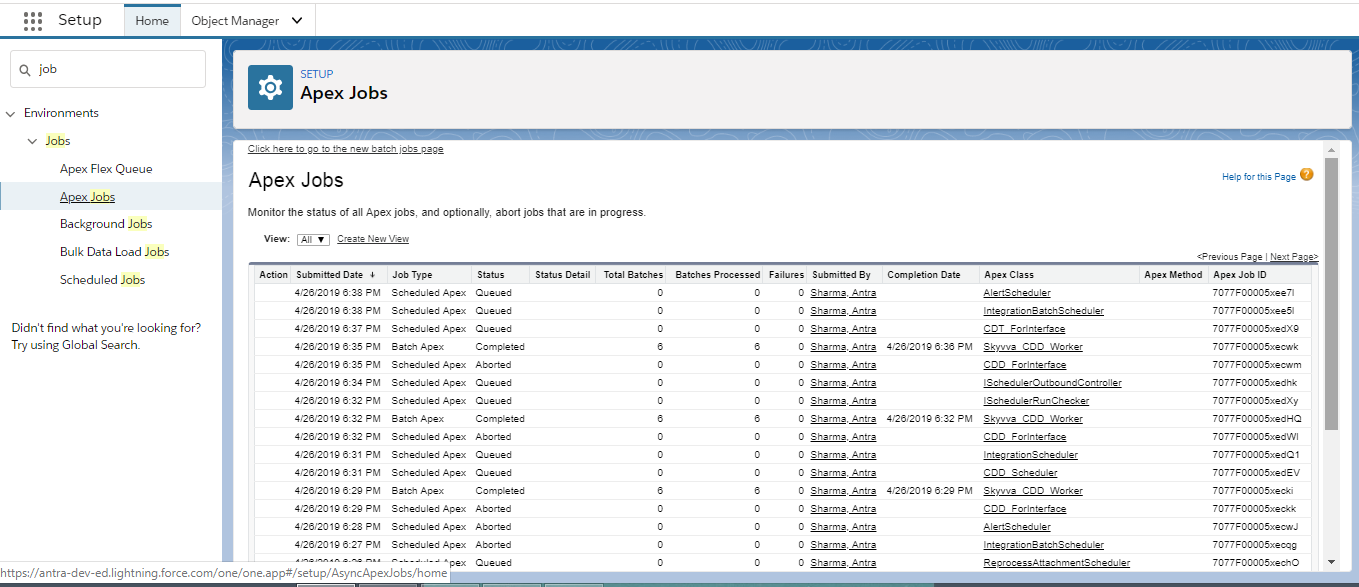
- The following screenshots shows how to monitor CDT:
Clicks on Setup -> Jobs -> Apex Jobs Enter Apex Jobs Monitoring to see CDT workers:
- Future/Queueable process
- Worker (Batch) Process
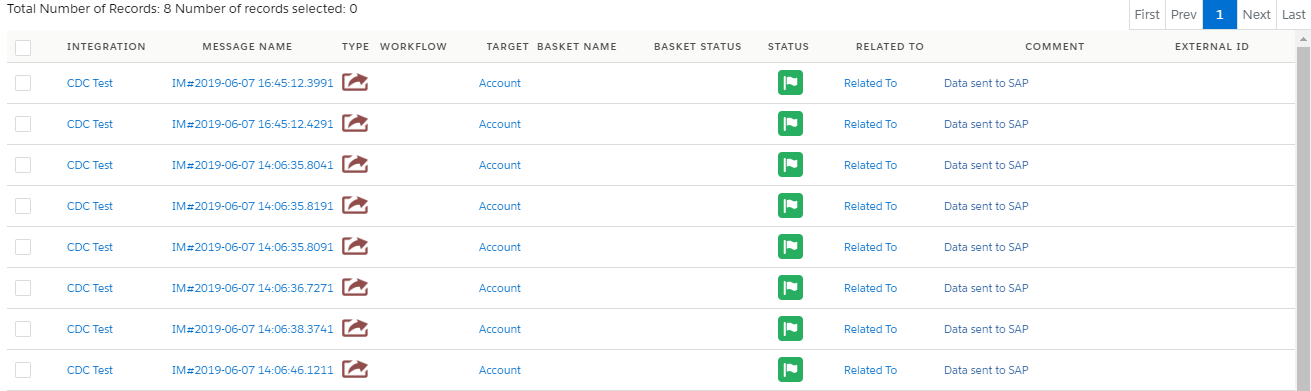
As a Result: Checks Message Monitoring Board:-
* NOTE:-
- Same way we can check for CDT Per Integration Scheduler and for CDT Per Interface Group Scheduler.