1. Interface Group
Interface Group
Interface group is a unit to group logical interfaces together. For example you can group interfaces which is related to each other e.g. Account and Contact to one interface group. There are two kind of interface group:
- Business related logical group
- Technical group
An example of an business related logical group is when you put the interface account and contact to one group e.g. the group "Account_Contact". This group is business related because the contact can only be posted after the account has been posted. In this example there is an order of business process. To keep this order you can define the group "Account_Contact" and set the property to "EOIO" meaning Exactly Once In Order. In this way the skyvva runtime ensure that the account will be posted before contact interface. The technical group is for example to increase the performance for the posting of data. Imagine that you have five interfaces which do not related in a business way to each other. Those 5 interfaces are quite small e.g. small amount data will be send to Salesforce. In this example you will waste resource and time when you create five interface group for each interface and post the interface separately. The best way is to put these five interface into the same group and set the property of this group as "EO" meaning Exactly Once. This mean that the processing of those five interface in the group is not important. An overtaken can be happened and will not harm the business. By putting them together the scheduler will process much more data in one run than if the scheduler process them separately.
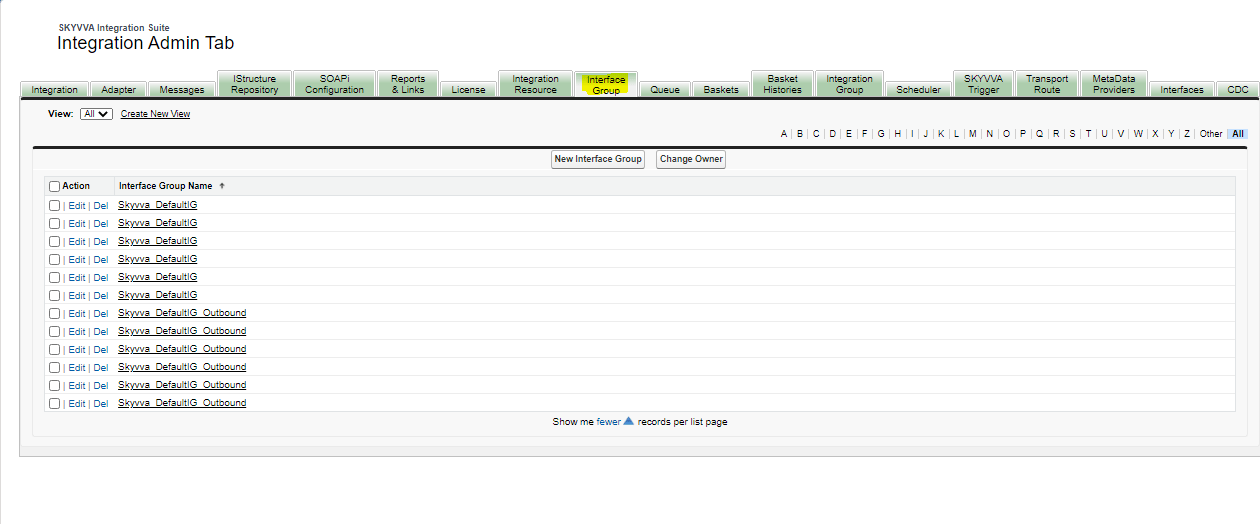
Here are some example of interface group Note that interface group has a 1:1 relationship to a queue. After you have created an interface group you will have a queue corresponding to this interface group. The queue will be there at runtime e.g. after a message is send for this interface group into Salesforce. The interface group describe the smallest unit for the queue processing e.g. the element of the queue are data of the interface group.
Parameter/Fields:
Before creating an interface group, there is some property you must know:
Fields
Description
Interface Group Name It is the name of an interface group.
Integration The interface group, which you created, belongs to this integration. Remember that only one interface group belongs to an integration.
Type This is a type of interface group. The value of the group can be (EO, EOIO).
Package Size This is the number of records to bundle together and pass to a batch worker because of the optimization.
Priority This property will allow you to define what priority you want to set your interface group to process faster. There are 3 types of Priorities such as High, Medium, and Low.
Number of Records Per Batch This property indicating the number of records to be processed per execute () used for basket processing batch.
[su_box title="Note" box_color="#2a8af0" title_color="#000000"]
- EO: Exactly Once
- EOIO: Exactly Once in Order