License Key for the Automated Process User
Overview
Salesforce uses a special system user called Automated Process to execute background operations such as Platform Events, Scheduled Jobs, Flows, and asynchronous Apex processes.
Unlike standard Salesforce users, the Automated Process user is managed by Salesforce and cannot be modified. Therefore, the license key cannot be stored in the User.CIM_LICENCE_KEY__c field.
To support integrations running under the Automated Process user, SKYVVA allows the license key to be configured in the SkyvvaSetting Custom Setting.
When to Use This Configuration
Configure the license key in SkyvvaSetting if your integration is executed by the Automated Process user.
Examples include:
- Platform Event processing
- Scheduled Jobs
- Queueable Apex
- Batch Apex
- Flow or Process Builder running as the Automated Process user
- Other Salesforce background processes
Prerequisites
- Salesforce System Administrator permissions
- A valid SKYVVA License Key
Configuration Steps (Salesforce Lightning)
- Log in to Salesforce as a System Administrator.
- Click the Setup (⚙️) icon and select Setup.
- In the Quick Find box, search for Custom Settings.
- Open Custom Settings.

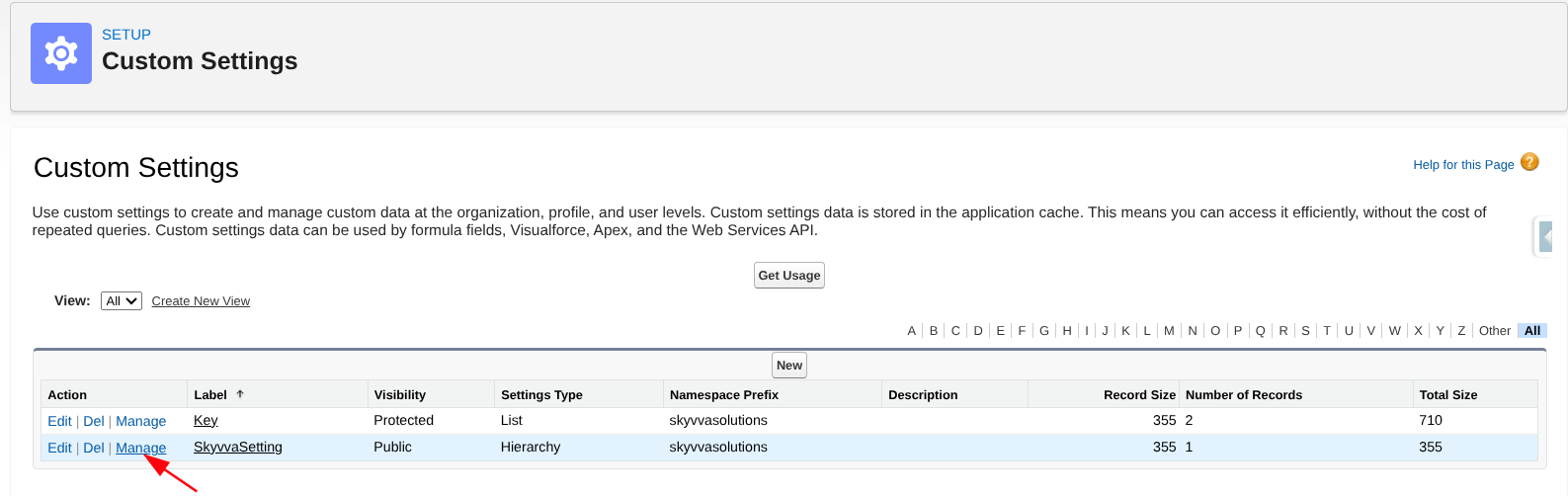
- Locate SkyvvaSetting and click Manage.
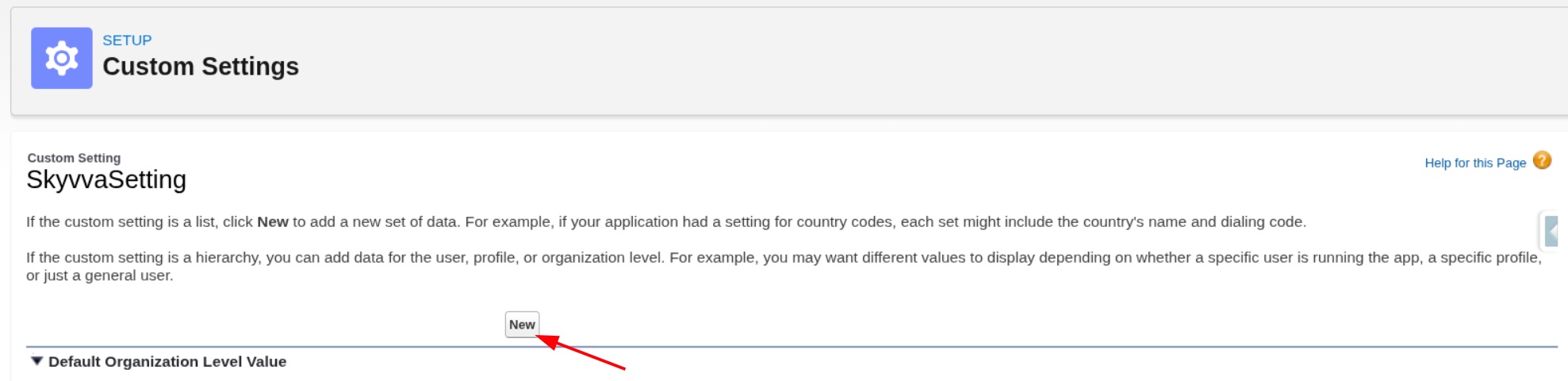
- Click New.
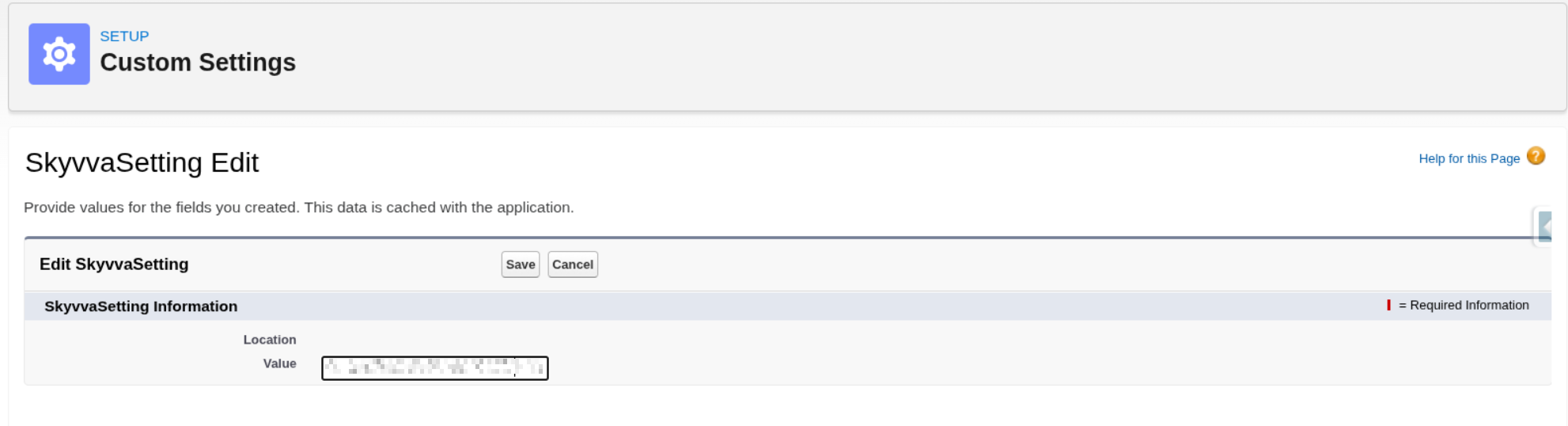
- Enter the following information:
| Field | Value |
|---|---|
| Value | Enter your valid SKYVVA License Key |
- Click Save.
How It Works
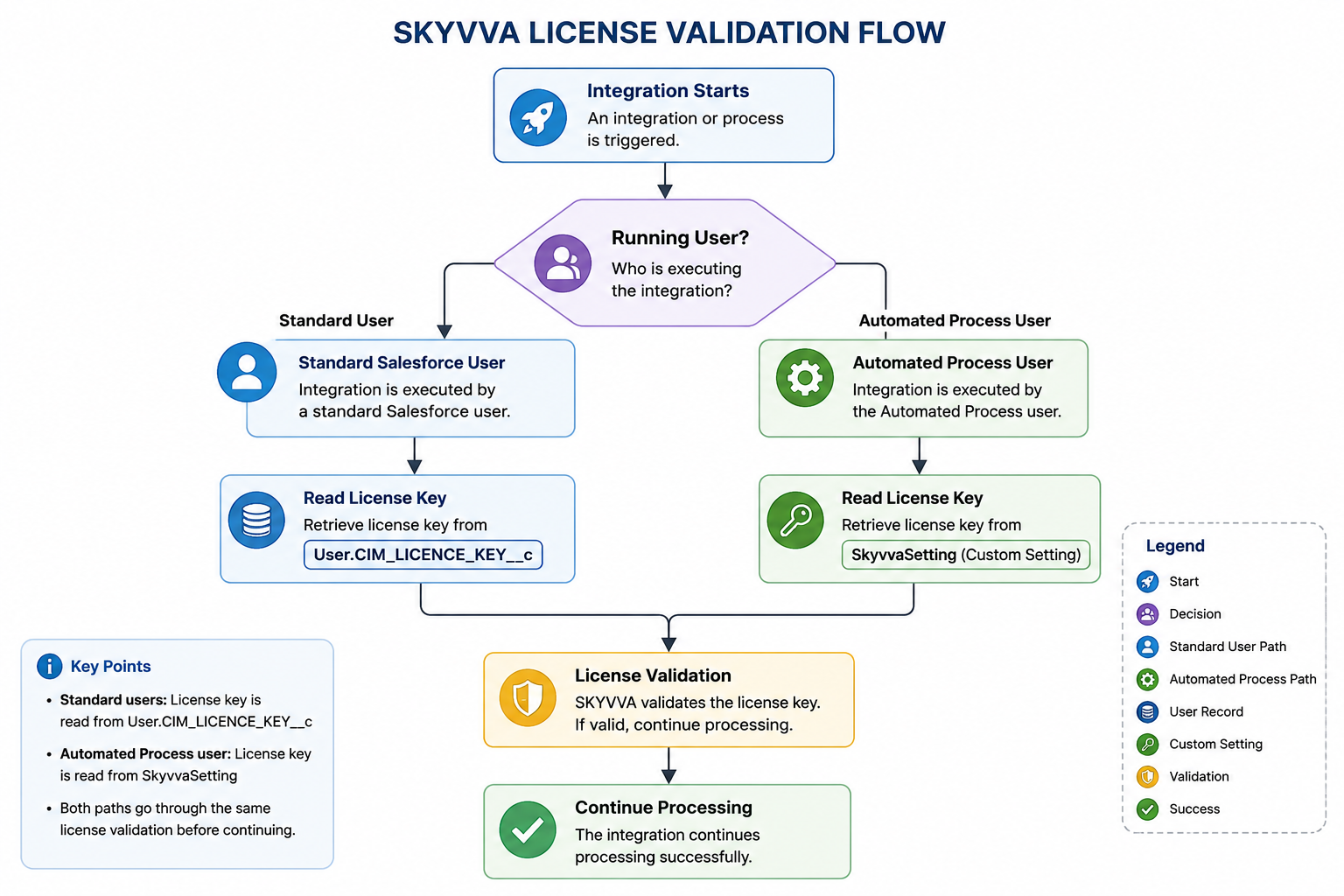
When an integration is executed by a standard Salesforce user, SKYVVA reads the license key from the user's CIM_LICENCE_KEY__c field.
When the integration is executed by the Automated Process user, SKYVVA cannot access a license key from the user record because the user is managed by Salesforce. In this case, SKYVVA automatically reads the license key from the SkyvvaSetting Custom Setting.
Notes
- This configuration is only required for integrations that run under the Automated Process user.
- Standard Salesforce users should continue using the license key stored in their user record.
- Ensure that the configured license key is valid and has not expired.
Example Scenario
A Platform Event triggers a SKYVVA interface.
- Salesforce executes the Platform Event as the Automated Process user.
- SKYVVA attempts to validate the license.
- Since the Automated Process user cannot store a license key, SKYVVA retrieves the license key from SkyvvaSetting.
- The interface continues processing successfully.
Note: This configuration serves as a fallback mechanism for Salesforce system users whose user records cannot be modified. It ensures that integrations executed by the Automated Process user can be licensed and processed successfully.