1. Outbound Attachment SF to Agent (FTP)

Introduction
An agent can transact data below 6MB per transaction. Now Agent can export attachment for 1000 object’s records filtered. A Local File on Agent can be used as a target in SKYVVA. It must reside on the machine where the Agent is installed. Any file type can be used. Commonly-used types for local files are text (.txt), CSV (.csv), XML (.xml), and PDF (.pdf).
Prerequisite
Before a user can use a Local File target, the user must have enabled Local File Location on your SKYVVA Agent. See Enabling Local File Location for details. Creating a Local File Target Users can choose to create a new local file target on their own, or within an existing operation. For more information on how sources and targets work within operations, see Creating an Operation. The user has to follow the guide carefully it’s so interesting and having a lot of tricks Agent – SF: FTP Integration
- FTP Server Configuration
As a test, we use an FTP server application, named FileZilla Server and its client tool. In this server, we configure the user and group as below :

- Create a user named “Akash” and a shared folder ”C\Users\Akash\Desktop\New folder” which contains the data files in XML, CSV, Excel formats
- Give full permissions to the folder as shown above
[su_box title="Note" box_color="#2a8af0" title_color="#000000"]Always think of file/folder access permissions on the FTP server when doing integration between SF and FTP, and vice versa.[/su_box] Please disable the SSL login.
- FTP data integration:
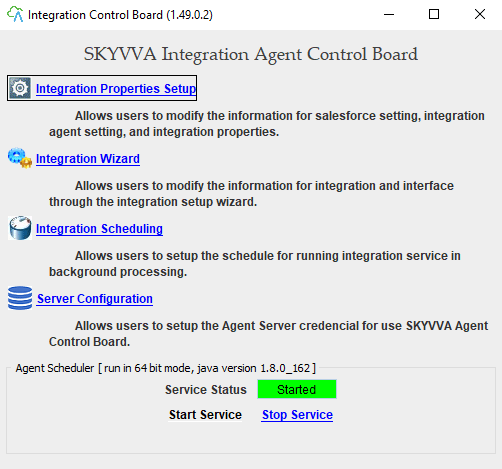
Properties for FTP adapter are URL, Username, Password, File Type, Folder, Filename, and CSV Separator (for CSV file type). Run Integration Agent UI

Create a New Integration (for SF-Agent integration) as follows:
- Either click the Integration Wizard link on the above figure or
- Integration Properties Setup link as shown in the below figure:

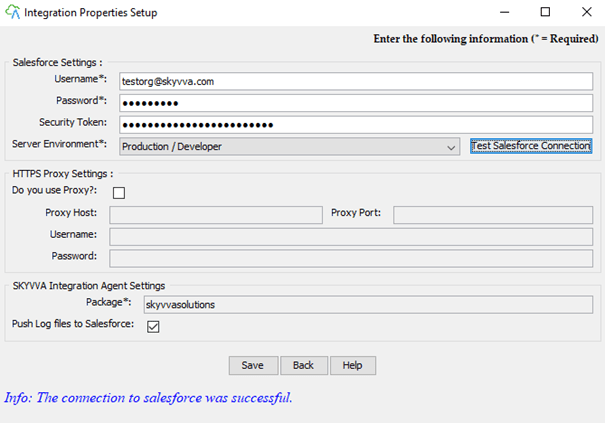
- Supply your Salesforce organization info and environment and click “Test Salesforce Connection” for Testing.
Go to Salesforce Org.
- Create integration and interface (Inbound)

- Go to Interface Detail Page
- Scroll down to SOQL Query for filter sObject section
- Write a simple Query
- Save

- Click on Account Object and pick one record e.g FTP_Account
- Copy ID
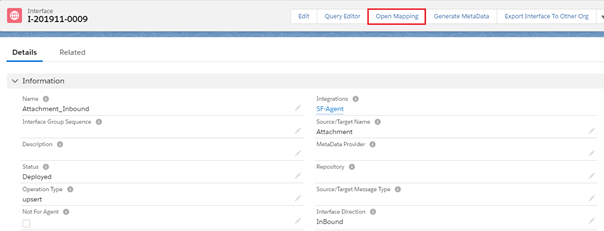
Go back to your Interface Details page which the user already created
- Click on Open Mapping button
- Do mapping
- ParentID is a custom text field which user have to crate which is uniqueID

- Enable Check box and double click

- Paste ID of selected Account Record in Formula and Expression
- Save
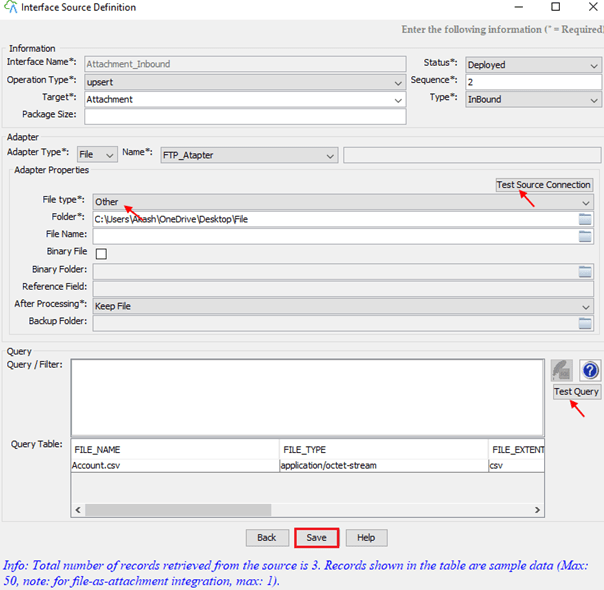
Go to Agent
- Select your Integration Name
- Select your Interface

- Select File Type Other
- Click on Test Source Connection button
- Click on the Test Query button
- User can easily see all records in Query Table
- Save
- Select your Interface and click on the process button
- A dialogue message is pop up that says Process Completed
- OK
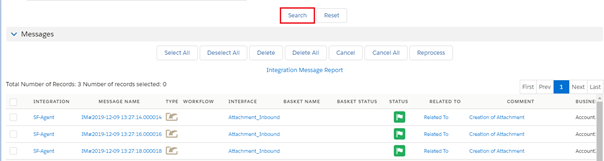
Go to Message Monitoring Tab in your Salesforce Org.
- Click on MessageMonitoring Tab
- Choose your Integration Name
- Select your Interface
- Click on the OK button

- Click on the Search button
- Great Creation of Attachment successfully
Go to your Account Record see Notes & Attachments uploaded successfully

How to use Outbound Attachment SF to Agent (FTP) Case1: Export attachments by integrating through Agent
- Create integration and interface (outbound) – Attachment_SF-Agent
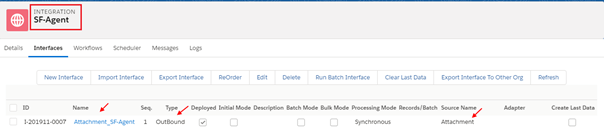
- Go to Interface Detail Page
- Scroll down to SOQL Query for filter sObject section

- Write a simple Query
- Click on the Open Mapping Button

- Select Name as Ext Id
- Do mapping
- Save
We need to find an integration for SF-Agent by clicking on Integration Name
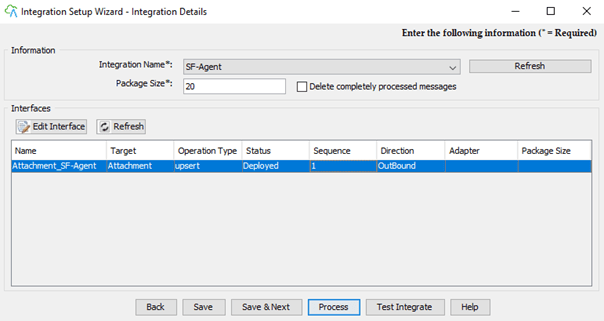
- Fill in the integration name, adapter name as you wish to name.
Adapter property :
- URL: the URL to your FTP server – here we use localhost(192.168.0.102) ( our FTP server is FileZilla installed in the current agent machine)
- Username: Username to log in to FTP server
- Password: Password to login to FTP server
- File Type: Types of files to be queried the data for the integration process. There are three types: CSV, XML, and Excel (2010 format)
- Folder: the path to get the file/files.
- In our above FileZilla configuration, we already added a shared folder named which has the path of “C\Users\Akash”. And the value of the property Folder is “Other”. Therefore the full path to get the file/files is “C\Users\Akash\Desktop\New folder
- File Name: (Optional) a file name for the agent to query data from.
[su_box title="Note" box_color="#2a8af0" title_color="#000000"]When the filename is not specified, the agent will go to the folder and lookup for all files with the type.[/su_box] Ex. In the screenshot, we don’t specify the file name, so that the agent will go to folder “C\Users\Akash\FTP test with Other” to query data from all files (Account.csv) with the file type of Other.
- CSV Separator: Value separator for another file type.
- Click “Test Source Connection” to test the connection to the specified FTP server
- Click “Save & Next” to save the Integration and its Adapter and Properties and to create a New Interface and fill in all necessary info as shown in the below figure:
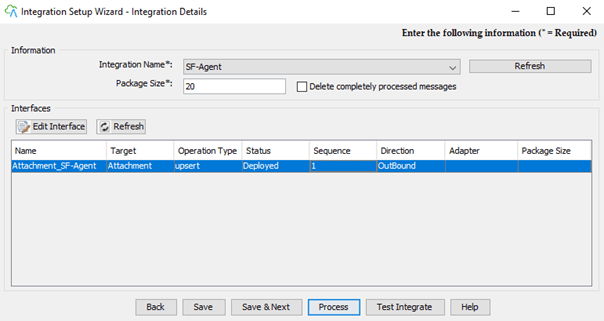
- Fill in the integration name, adapter name as you wish to name.
- Adapter property: (same as FTP-SF section)
Unlike, the file name property is not used in SF-FTP Integration
- Click “Test Source Connection” to test the connection to the specified FTP server
Click “Save & Next” to save the Integration and its Adapter and Properties and to create a New Interface and fill in all necessary info as shown in the below figure

[su_box title="Note" box_color="#2a8af0" title_color="#000000"]For SF-FTP Integration, the "Target" field is equal to a target filename of storing data that is queried from SF.[/su_box] On Query section:
- Input the Salesforce SOQL statement or you can click the button Query Editor to open a Query Editor
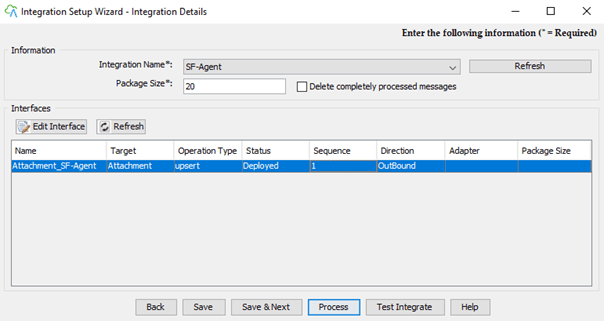
- Save

- Select your Interface
- Click on the Process button

- Process Completed
- OK
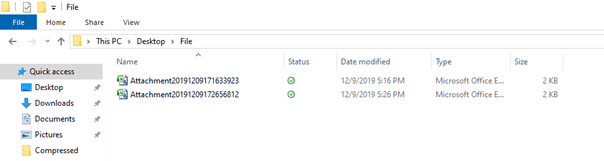
Go to the Local File folder in PC
- Outbound data store in a File folder successfully
Case2: Export salesforce files by integrating through Agent
- Create integration and interface (outbound) – ContentVersion_SF-Agent

- Go to Interface Detail Page
- Scroll down to SOQL Query for filter sObject section

- Write a simple Query
- Click on the Open Mapping Button

- Map fields PathOnClient & VersionData
- Select Ext Id as PathOnClient
- Save
We need to find an integration for SF-Agent by clicking on Integration Name
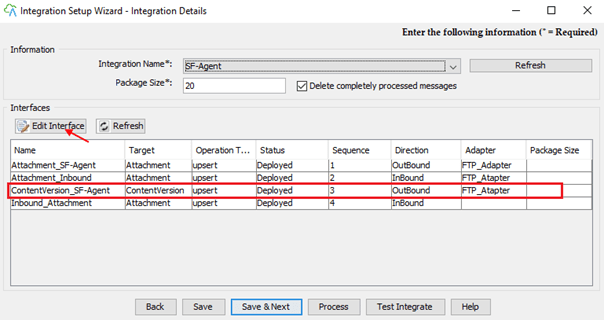
- Select your Interface
- Click on Edit Interface
- Test your connection
- Click on Test Query
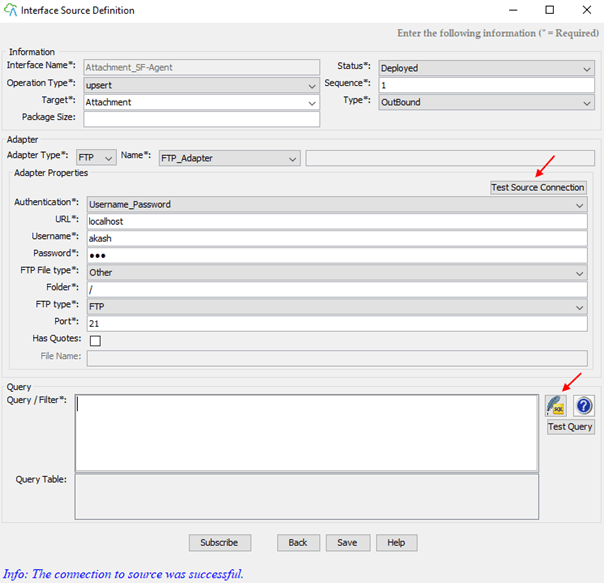

[su_box title="Note" box_color="#2a8af0" title_color="#000000"]Only Manually uploaded files are showed in Query Table For ContentVersion SObject[/su_box]

- Save

- Select your Interface
- Click on the Process button
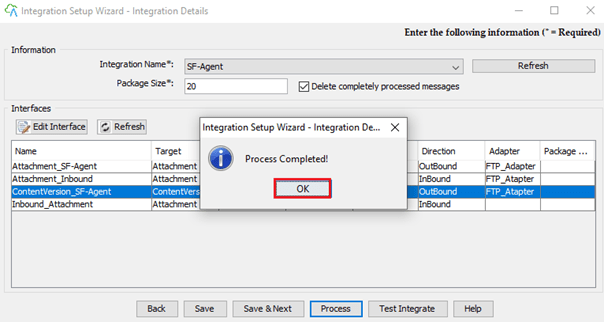
- Congratulations Process Completed Click OK
Go to the Local File folder in PC
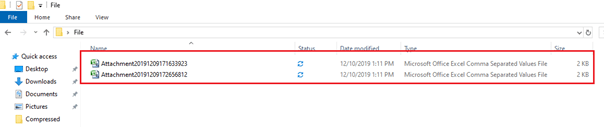
- The outbound data store in a File folder successfully