SAP Business Bydesign Adapter Operation Post.
Introduction
The purpose of this document tutorial is to demonstrate how to establish a connection between Salesforce and SAP Business ByDesign using the SKyvva adapter. The tutorial will focus on utilizing the 'post' operation of the SAP Business ByDesign adapter to Create Material from Salesforce to SAP Business ByDesign.
How to using Sap Business Bydesign adapter with operation POST?
Pre-required
- Create Integration
- Create Connection Destination in Sap bydesign.
- Create Metadata and Repository
- Generate Message Type of Material
- Create Request and Response Interface and linked with message Type
- Create Sap Business Bydesign adapter and Linked with request Interface.
Step 1 : Create Integration
- Here’s Integration
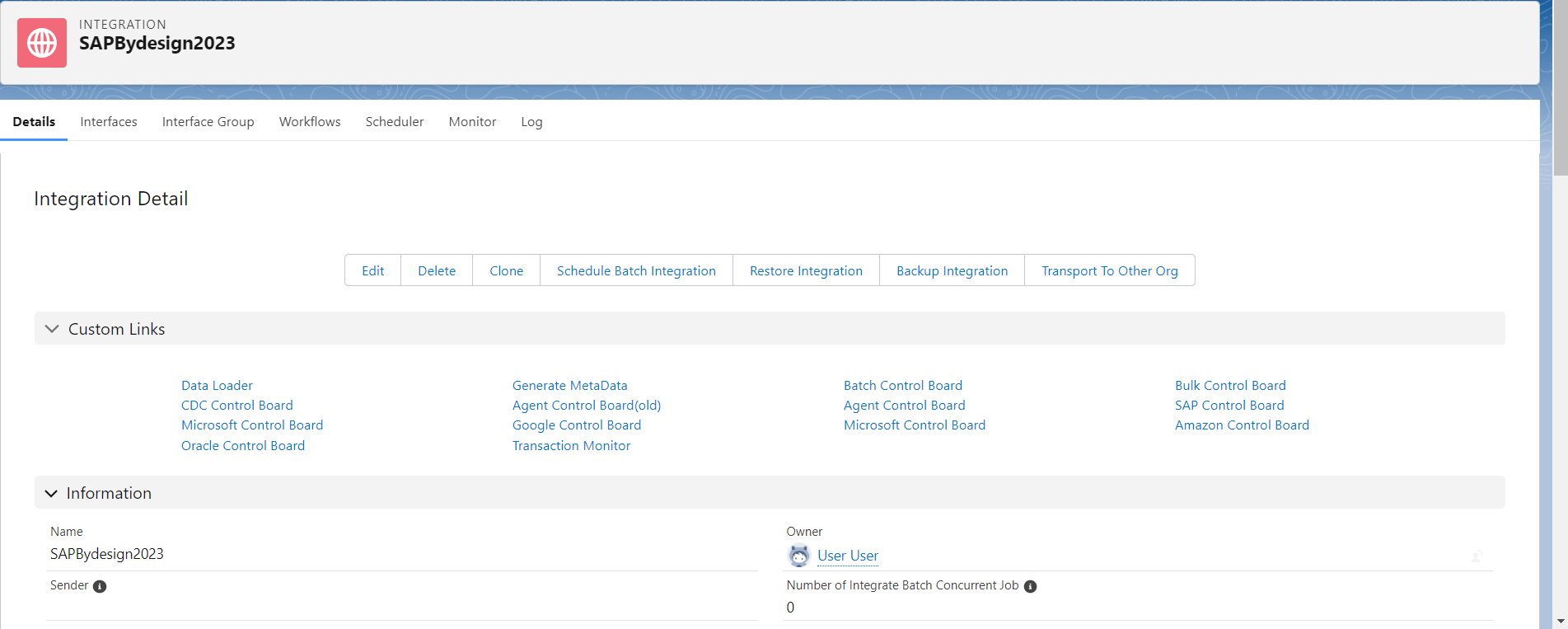
Step2: Create Connection Destination of SAP Business Bydesign.
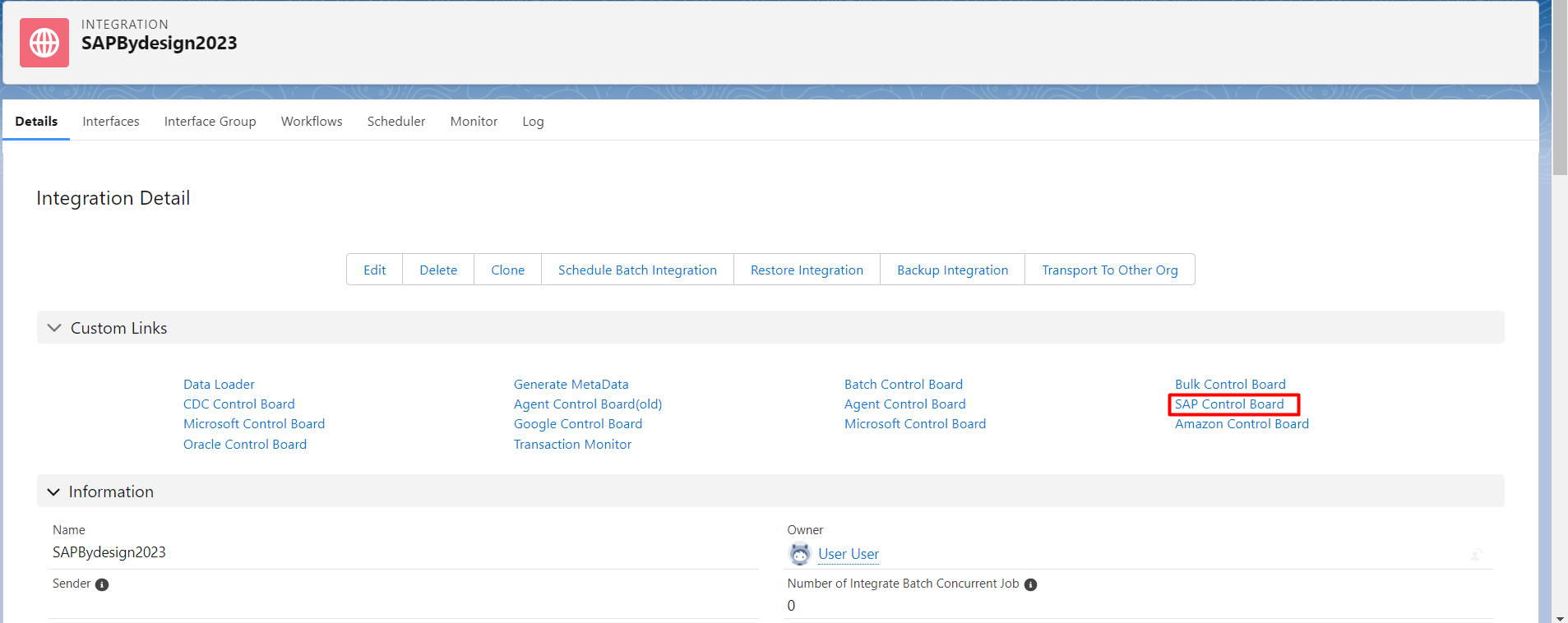
- Go to Integration detail-> Click Sap Control board.
- Destination: New, fill name, choose type: Sap Business ByDesign and click continue button.
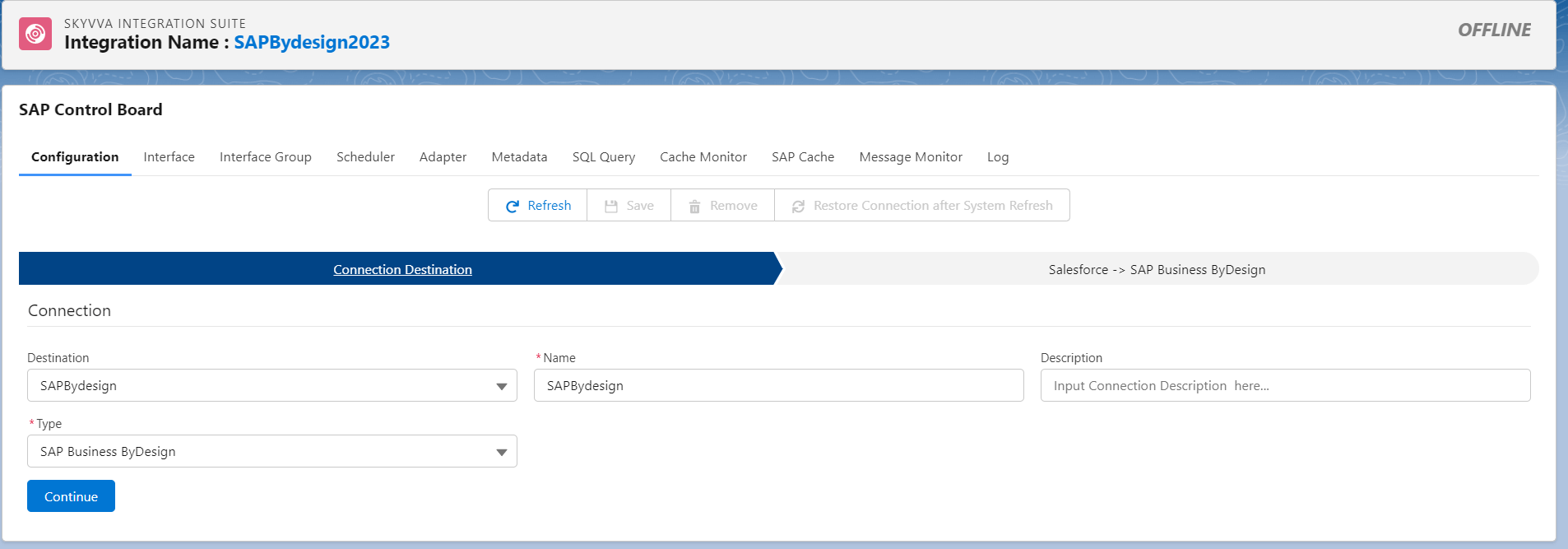
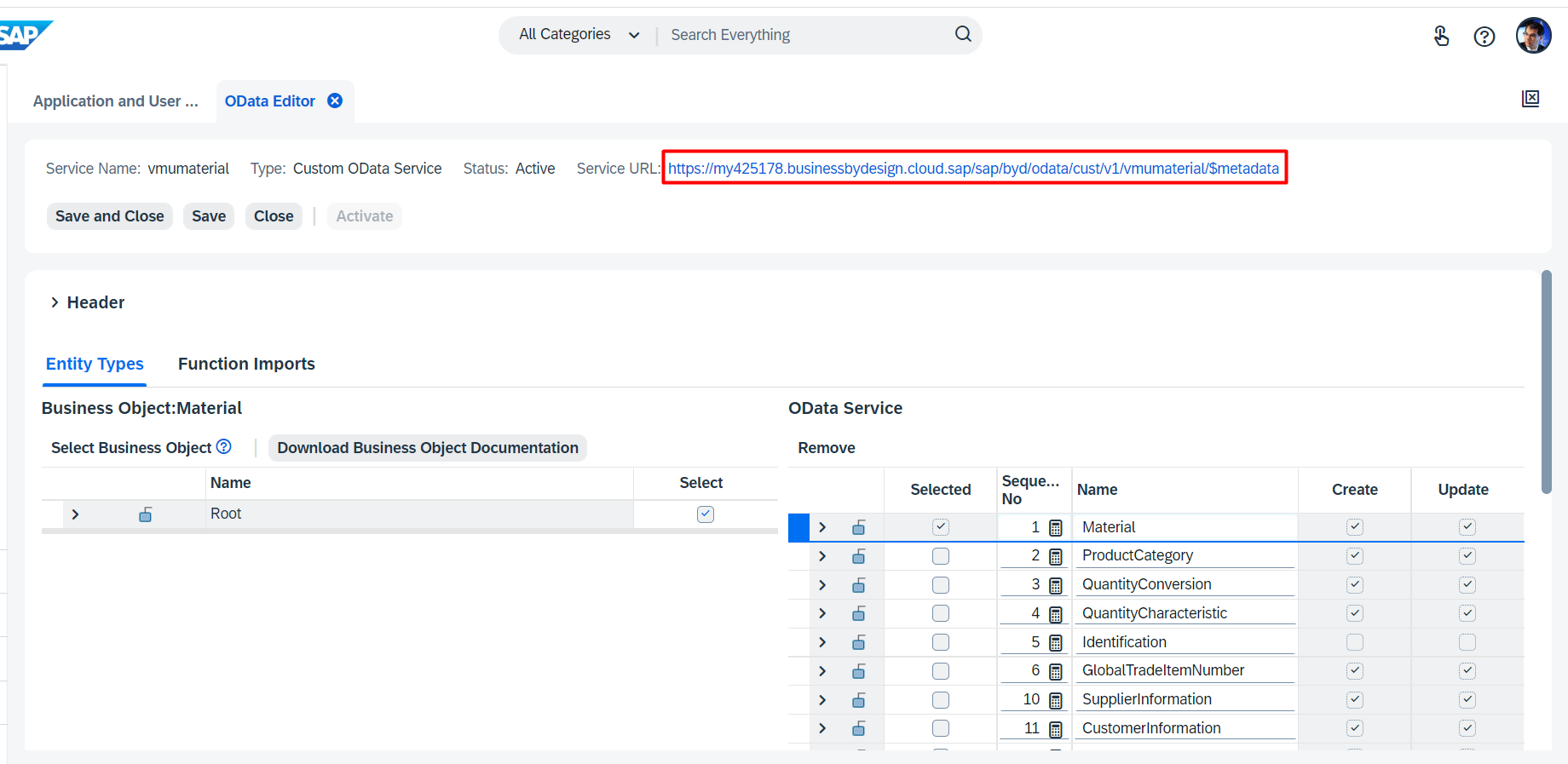
To click the continue button, we need to know the Service URL of SAP Business Bydesign.
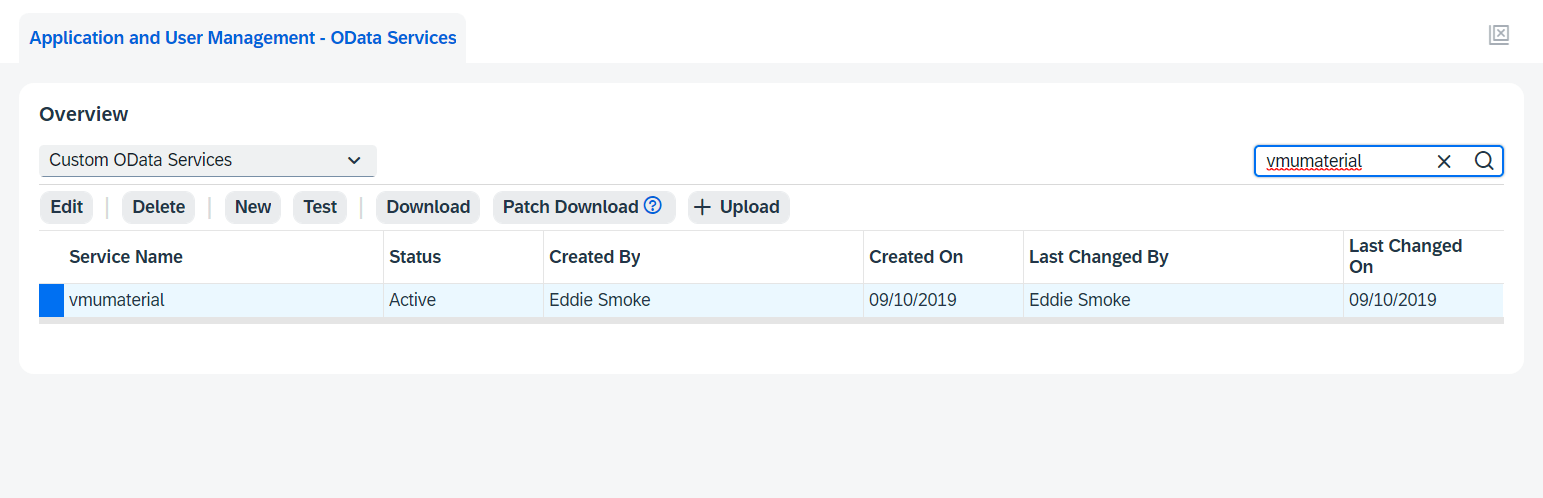
- Here’s the OData in sap business bydesign
- Here’s the service URL odata in sap bydesign.
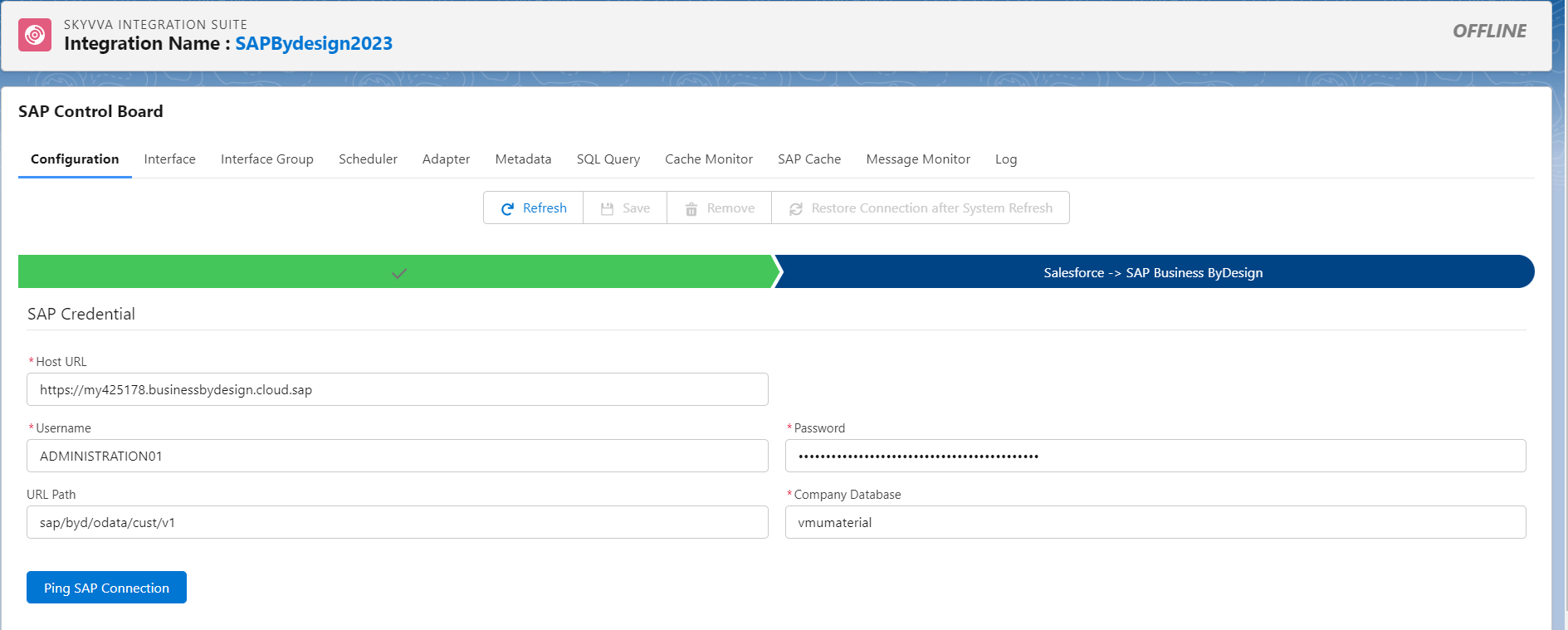
- Fill Host URL which is the OData API of sap business bydeisgn, fill Username and password which have permission to access the service that to get API OData fill your path of the sap API of By design see the example below.
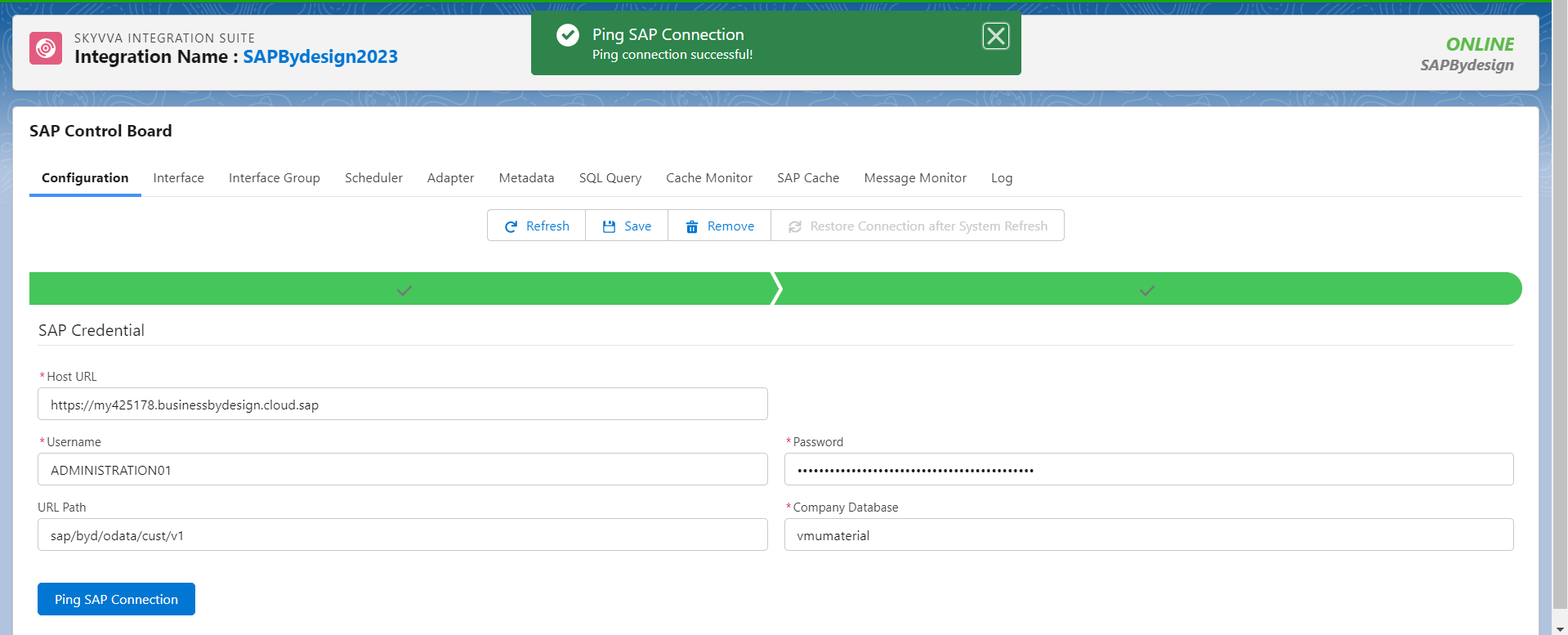
- Click Ping SAP Connection to make sure that the SAP Credential is correct.
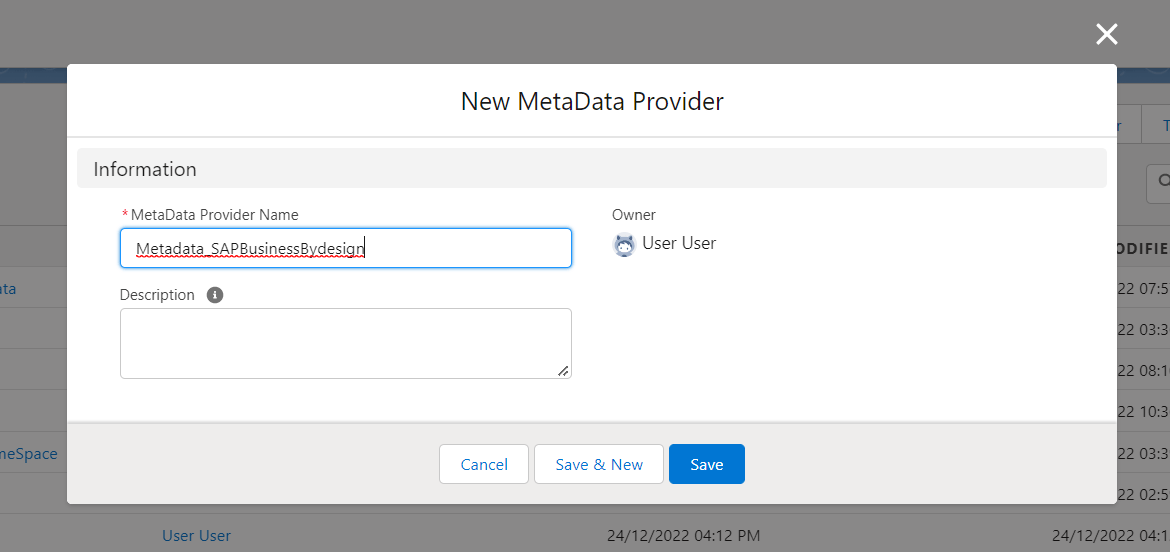
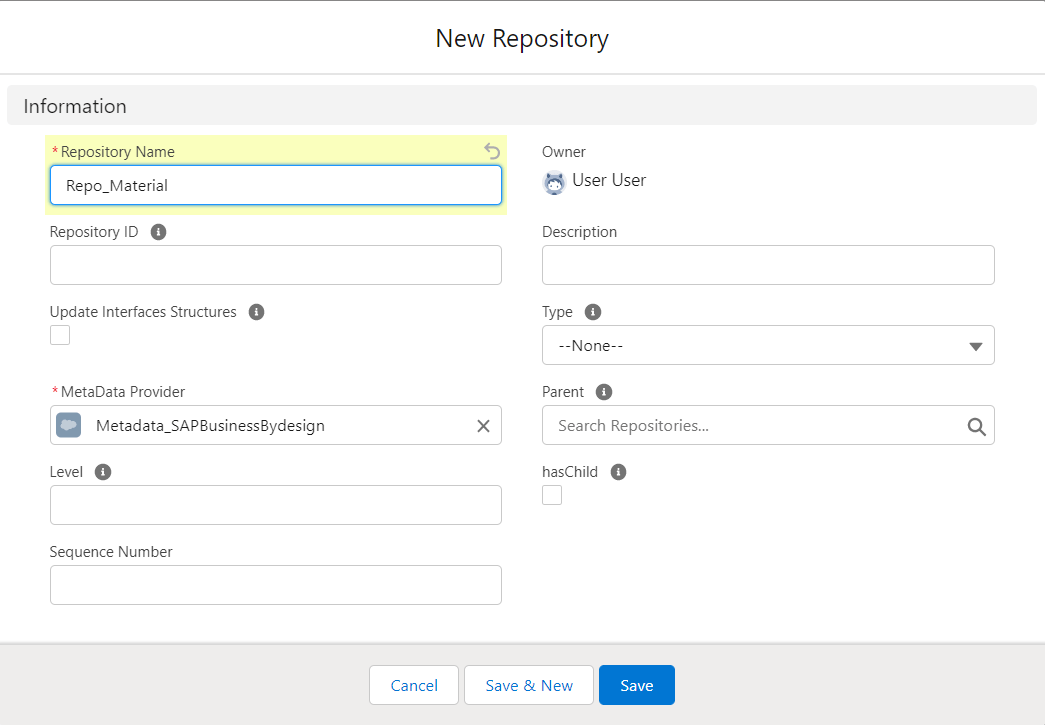
Step3: Create Metadata and Repository
- Here’s the Metadata.
- Here’s the Repository
Step4 : Generate Material Message Type.
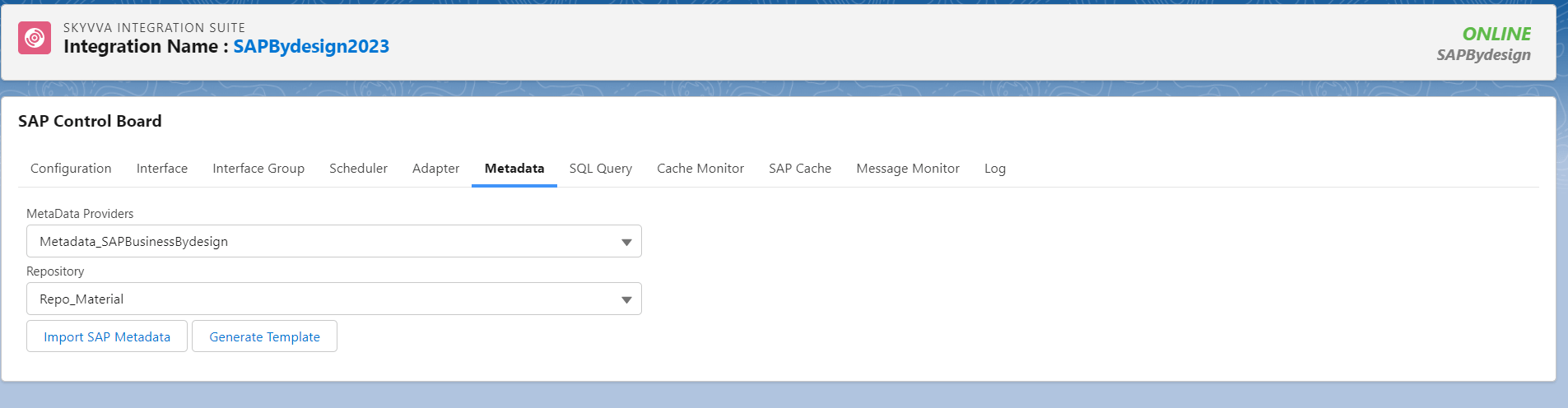
- Go to SAP control board -> Ping connection SAP Business Bydesign -> click Metadata. Choose the Metadata and Repository which created in step3 and click Import Sap Metadata button.
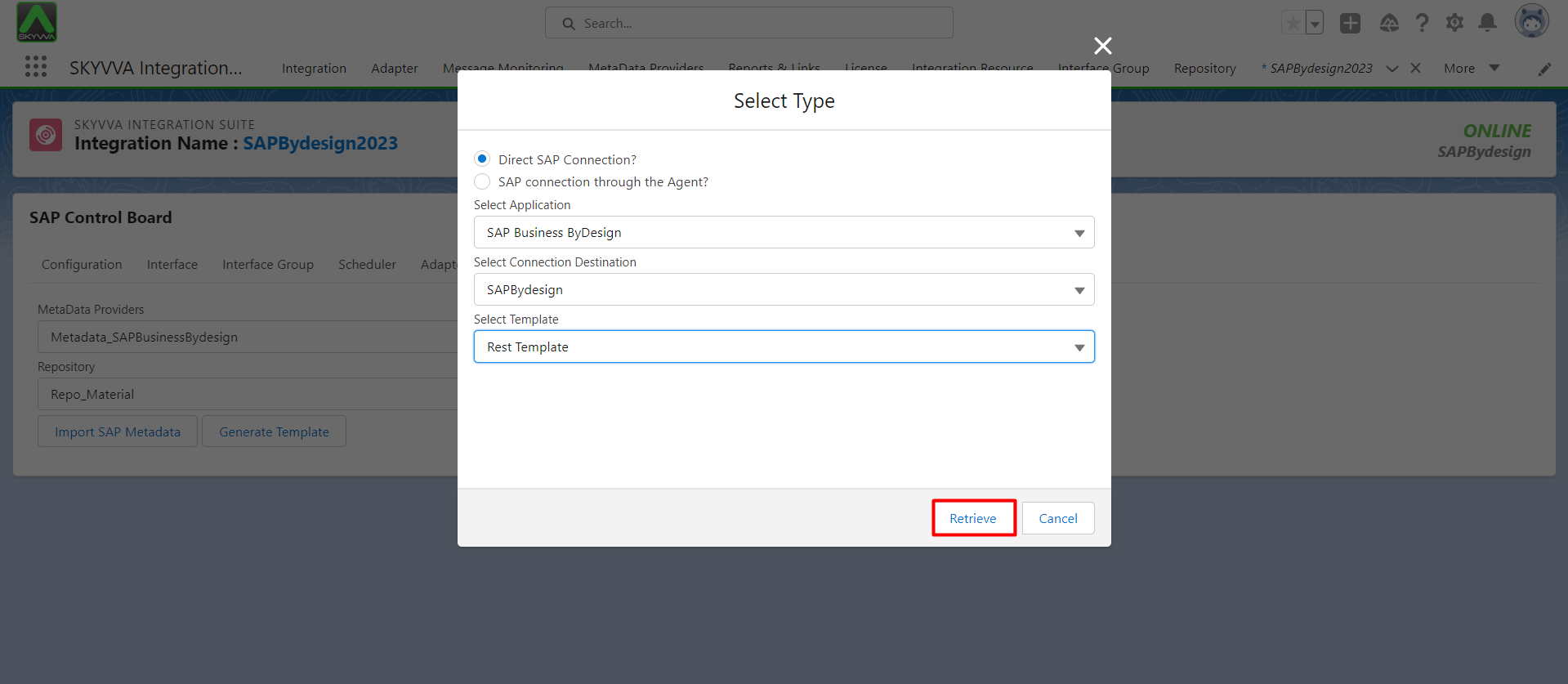
- Select the Application: SAP Business ByDesign, Select the connection Destination , Select Type Rest Template and click retrive button.
- Find the Entity that we want to do, in this case We choose Material Collection for Create, Update, Get and Delete. Then click Generate Message Type.
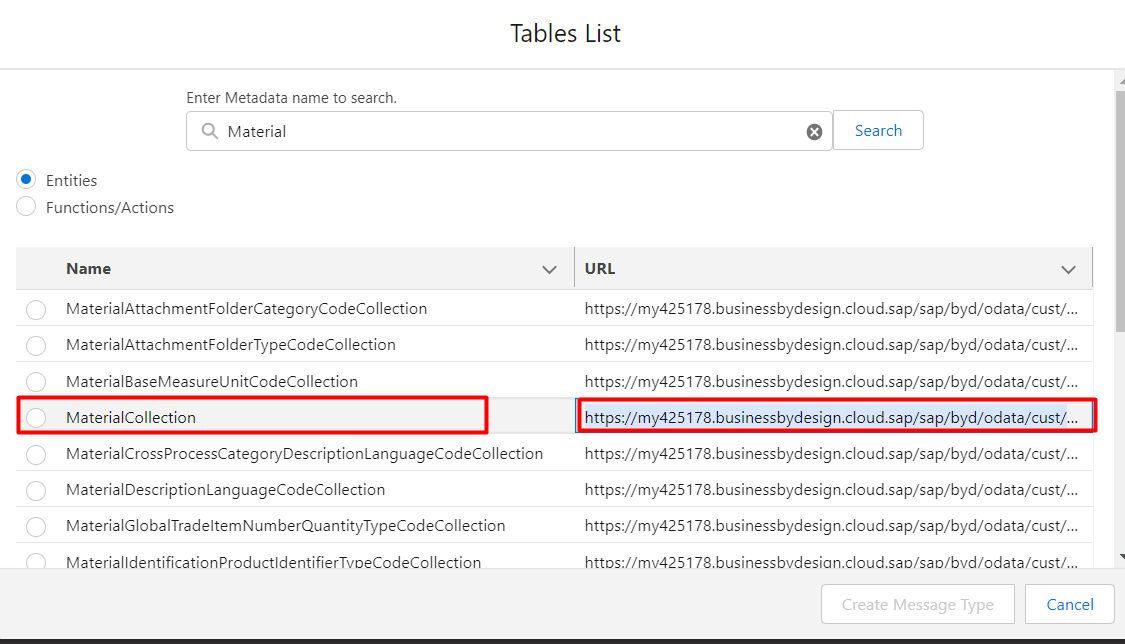
- Here’s the message type that we generate.
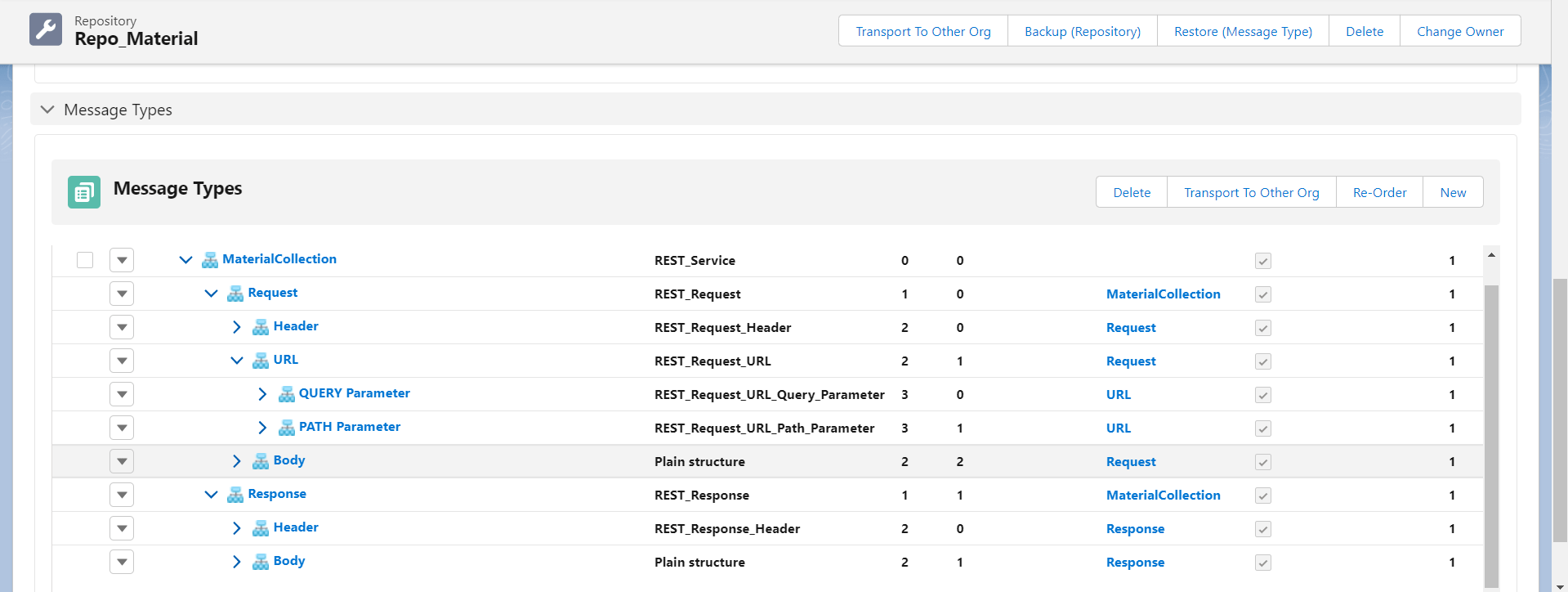
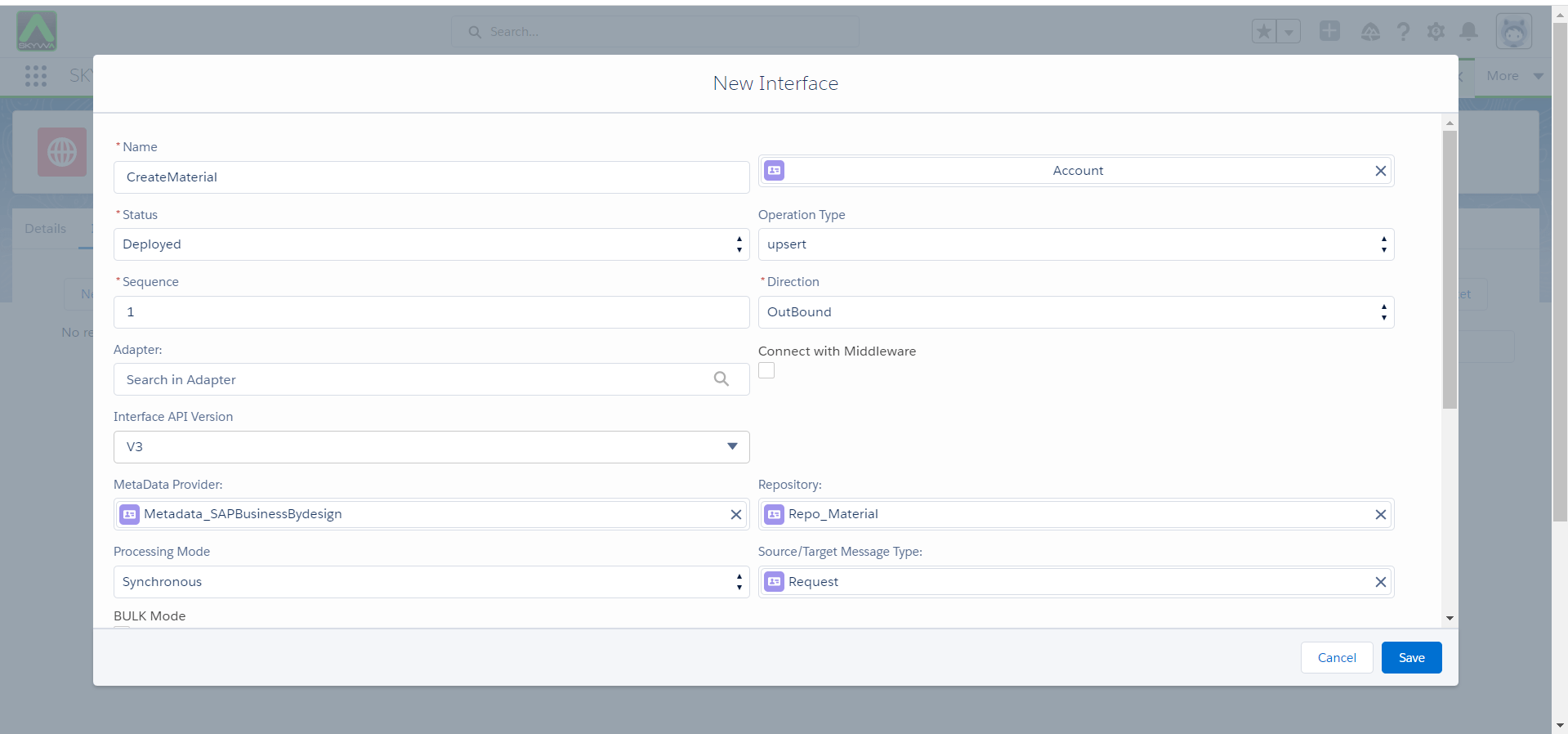
Step 5: Create Request and Response Interface and linked with message Type
- Here’s the Request Interface.
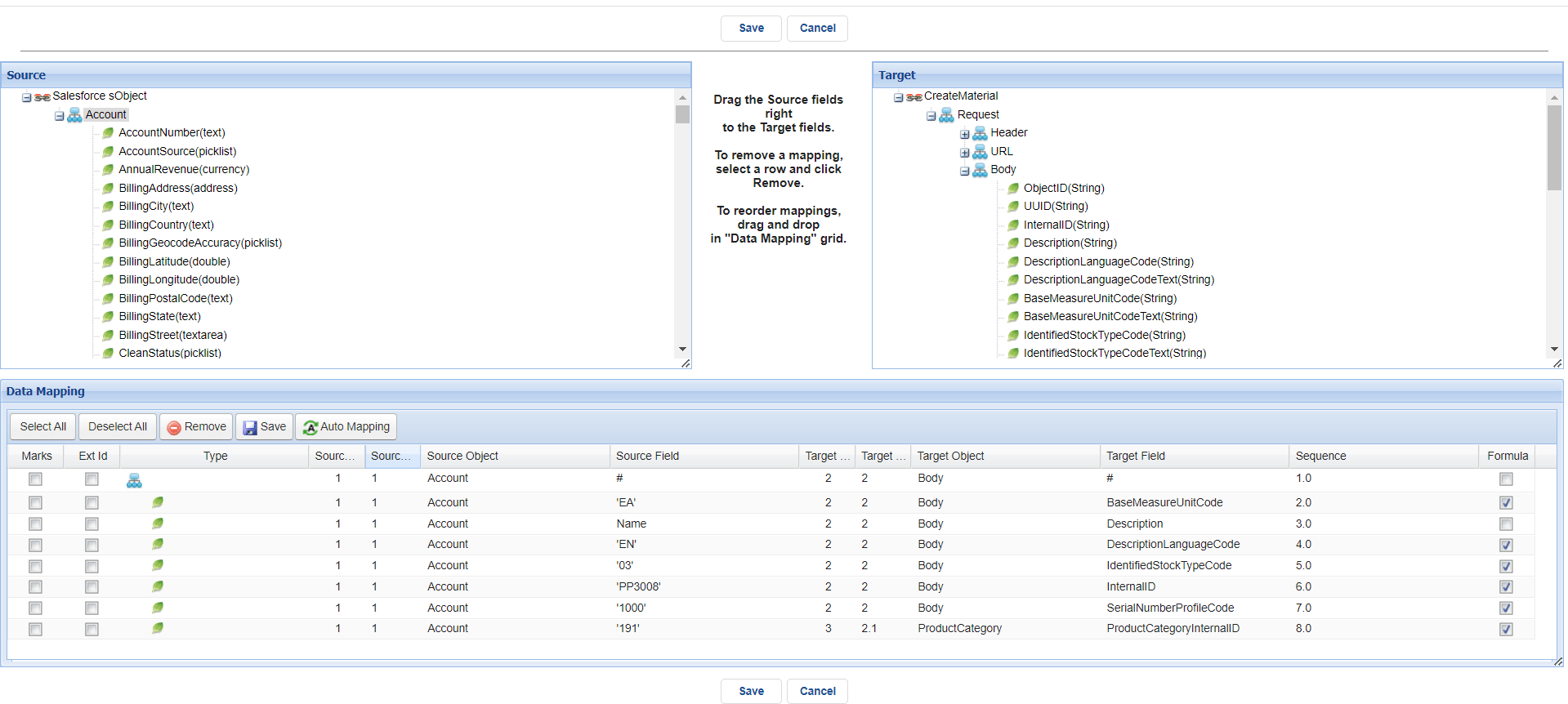
- Do mapping
Note: In material the required fill is InternalID must be start with PP, and ProductCategoryInternall ID must be exist in system.
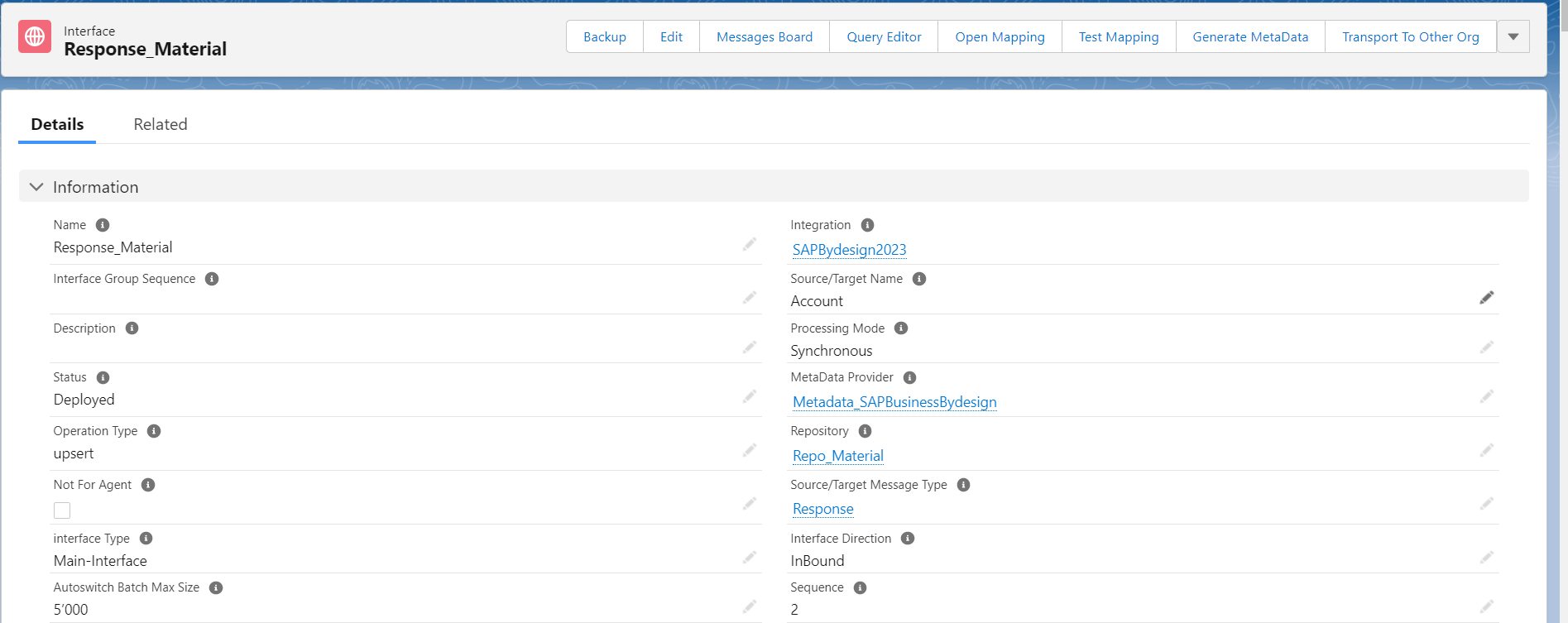
- Create Response Interface.
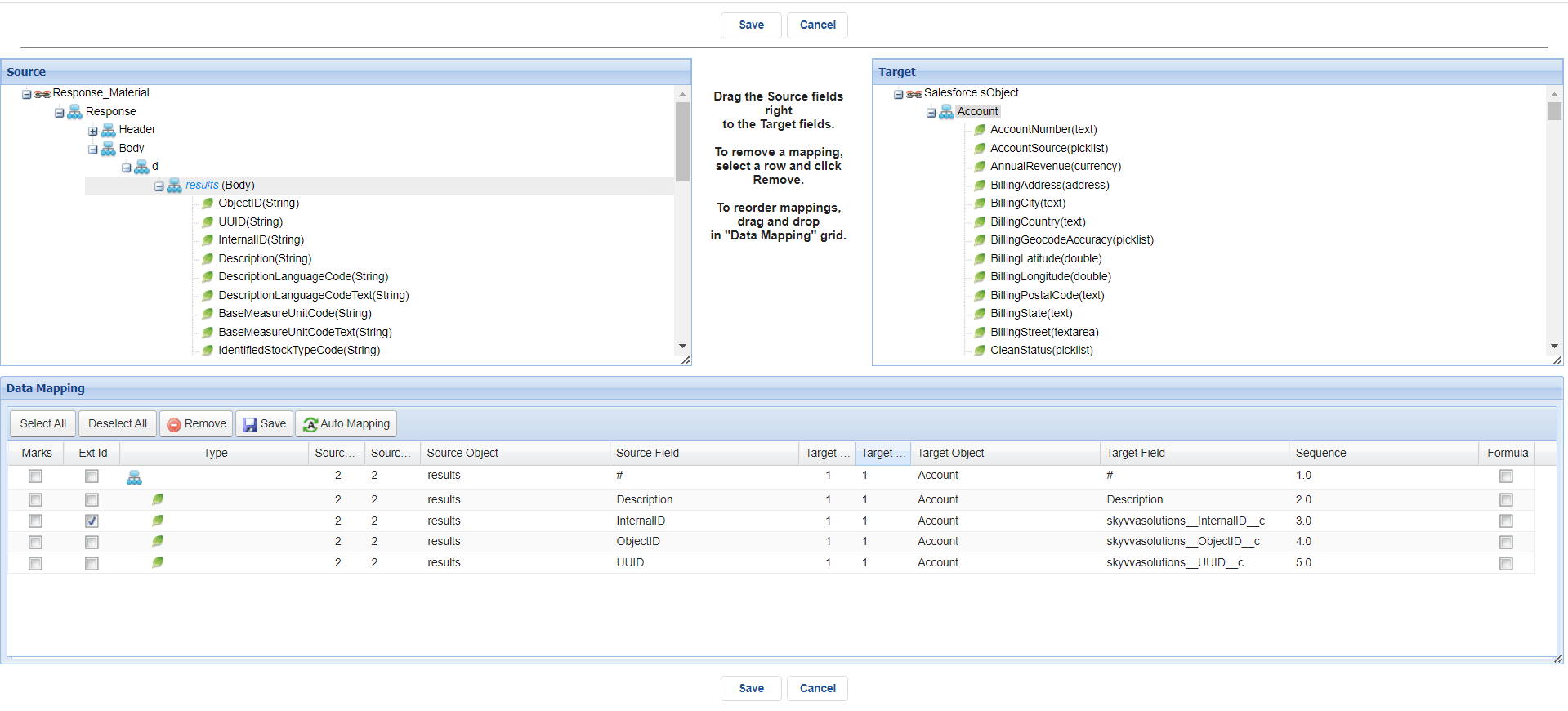
- Do mapping
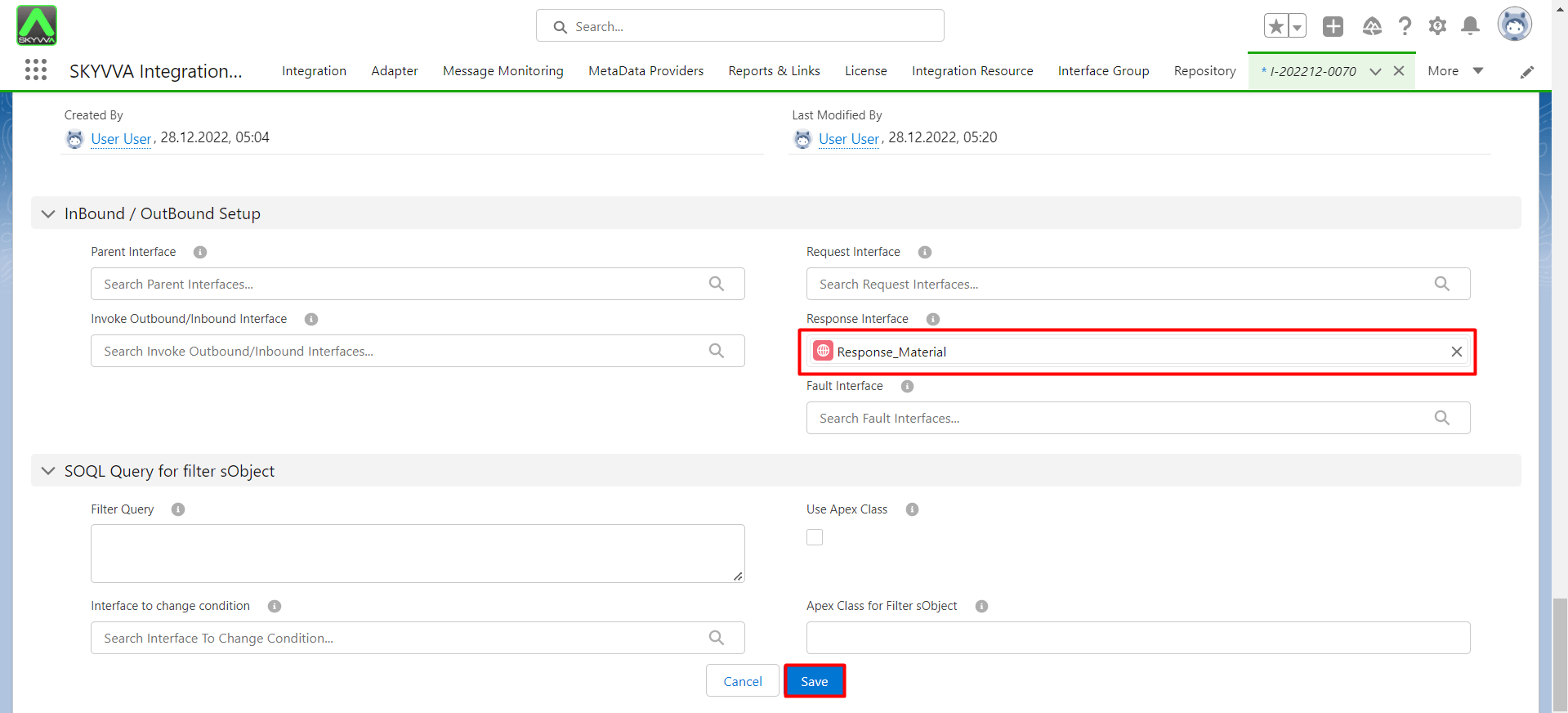
Linked the Response with Interface.
- Go to Request Interface.
Step 6: Create SAP Business By design using operation POST.
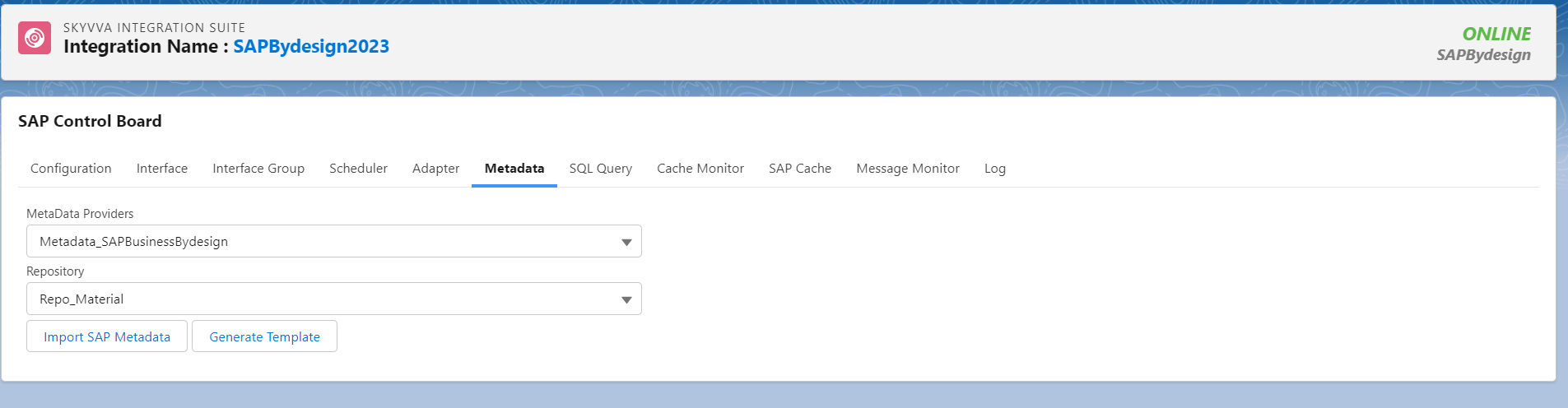
- Go to sap control board click adapter
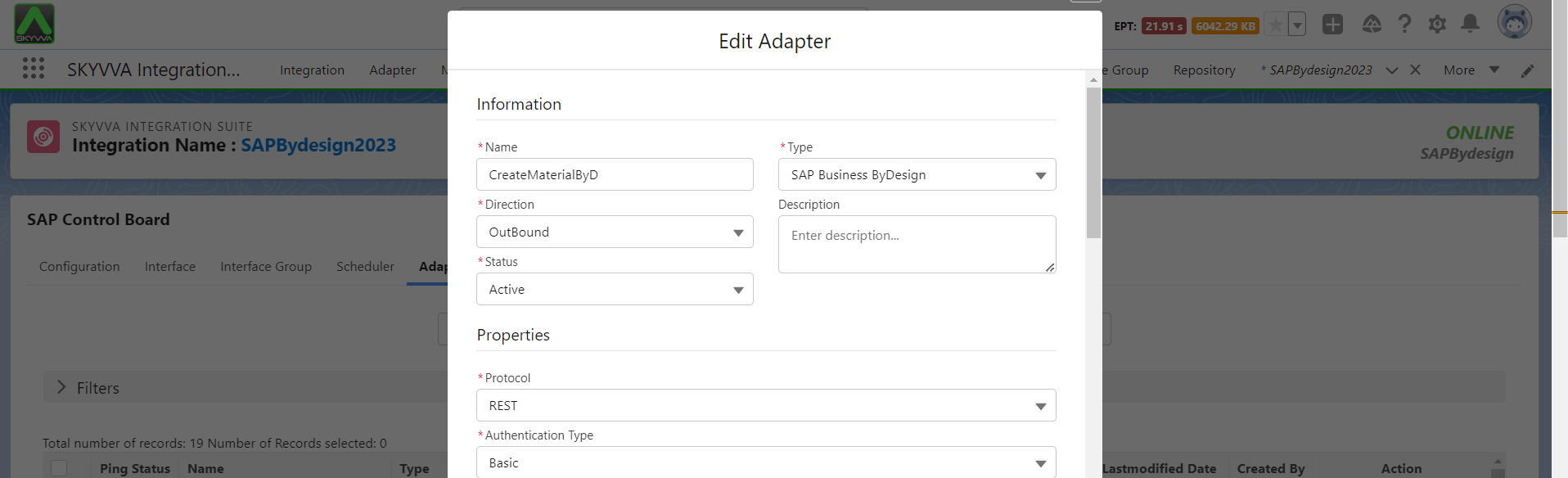
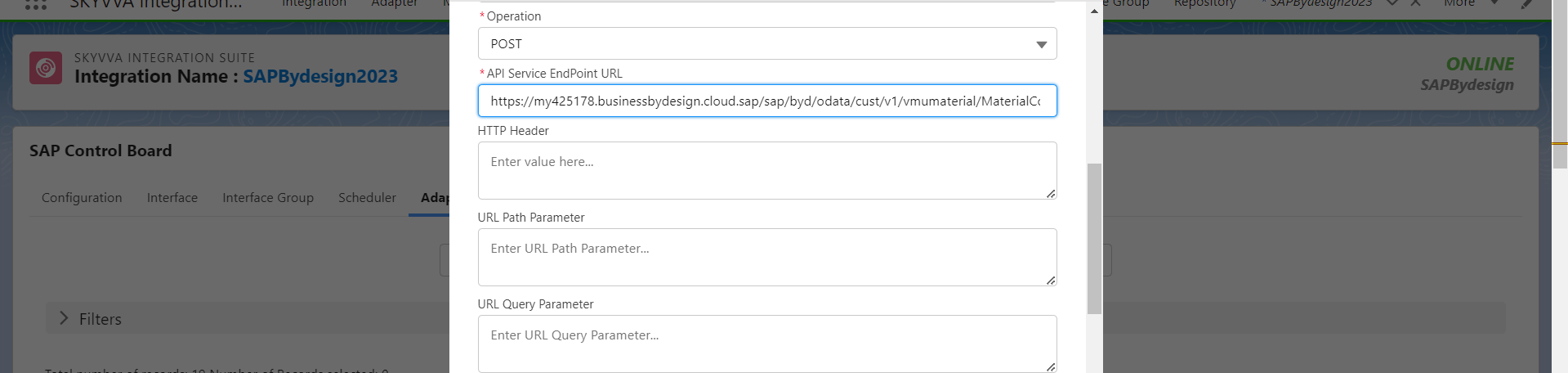
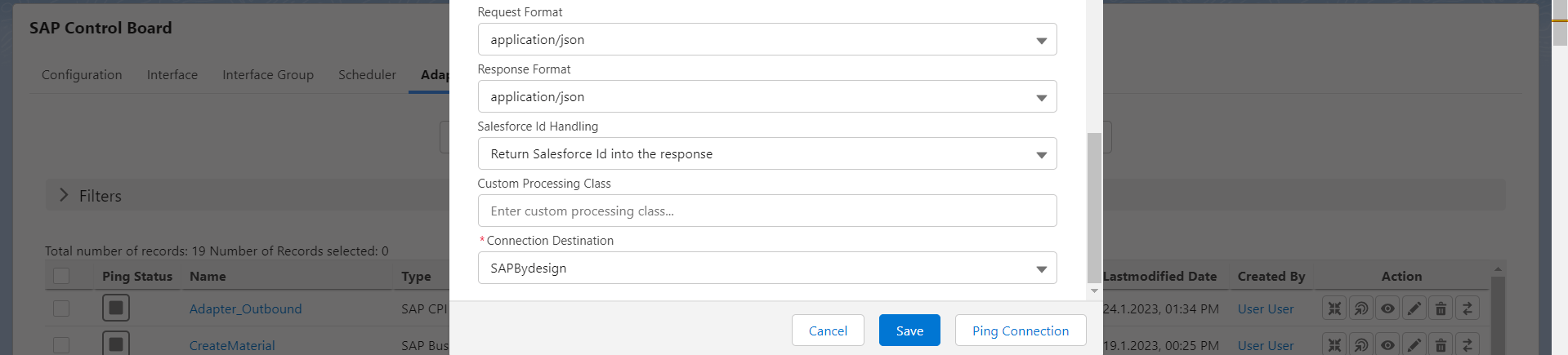
- Click New button and fill the required fill such as Name, Type: SAP Business By Design, Direction: Outbound, Status: Active, Protocol: Rest, Authentication Type: Basic, Operation: Post, API Service Endpoint URL : The URL OData material , Request format : application/json, response format: application/json and put the connection destination.
- Here’s the example
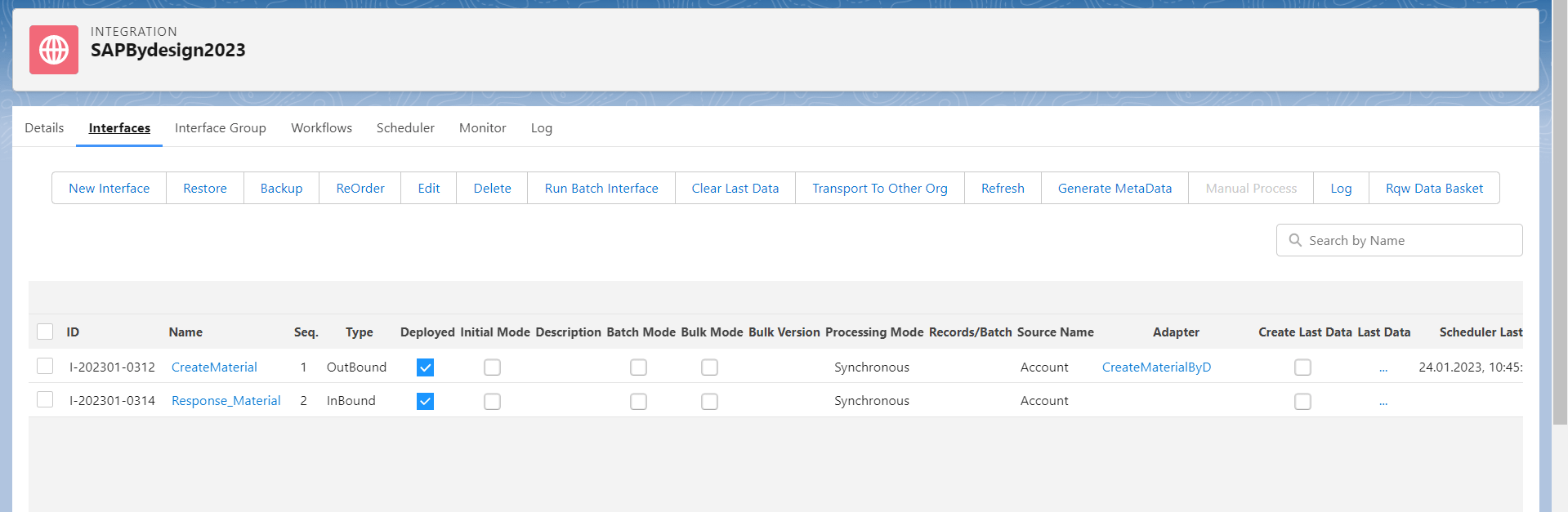
Linked the adapter with request Interface.
- Here’s the example
Callout the data by manually.
- Go to integration, Click Interface tap, select request Interface and click manually processing see the picture below.
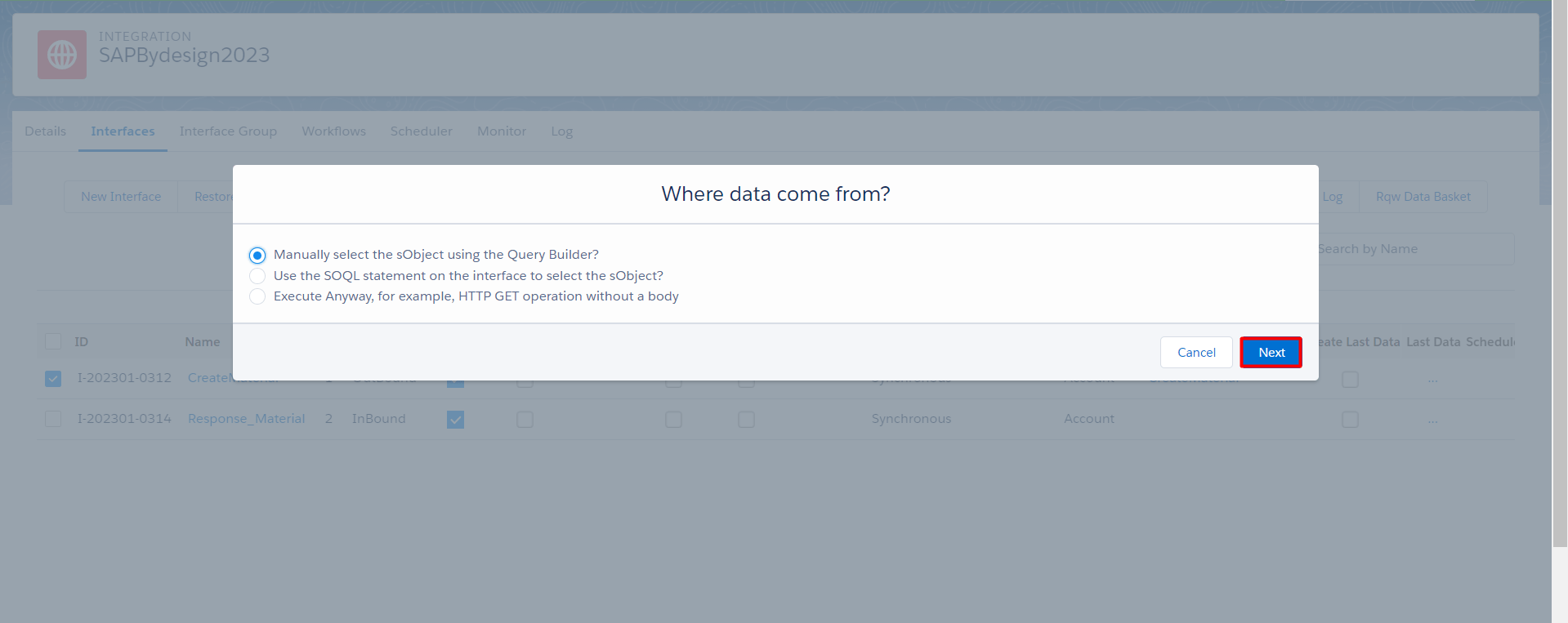
- Select Account and click Execute SOQL
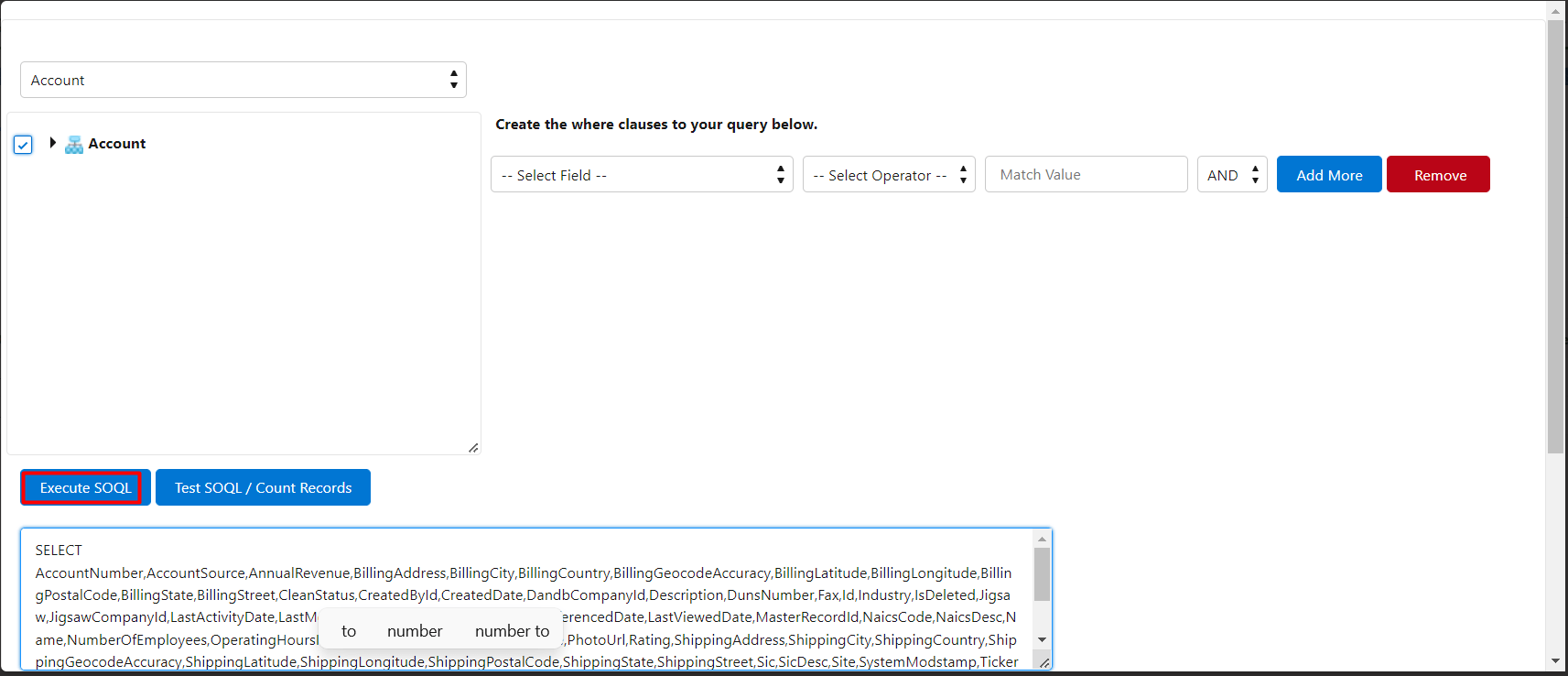
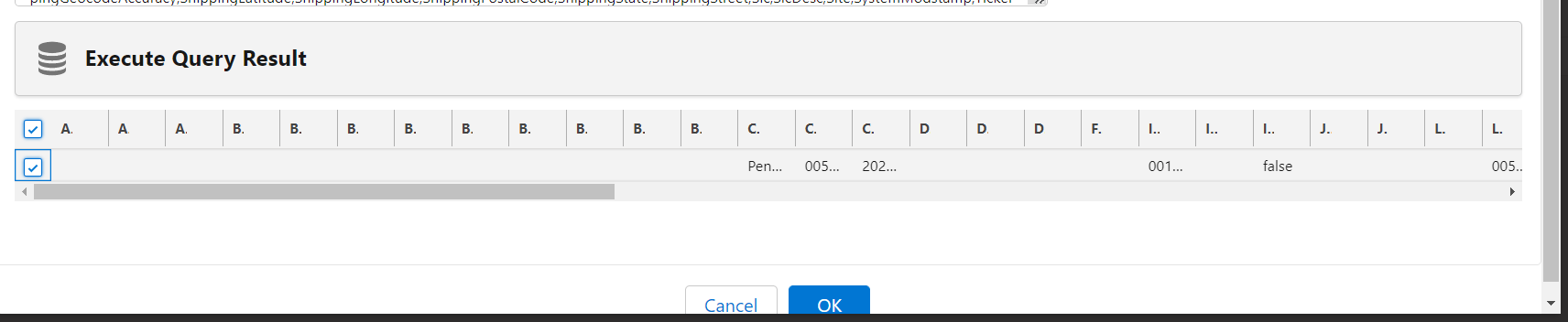
- Select the Account that we want to send and click OK.
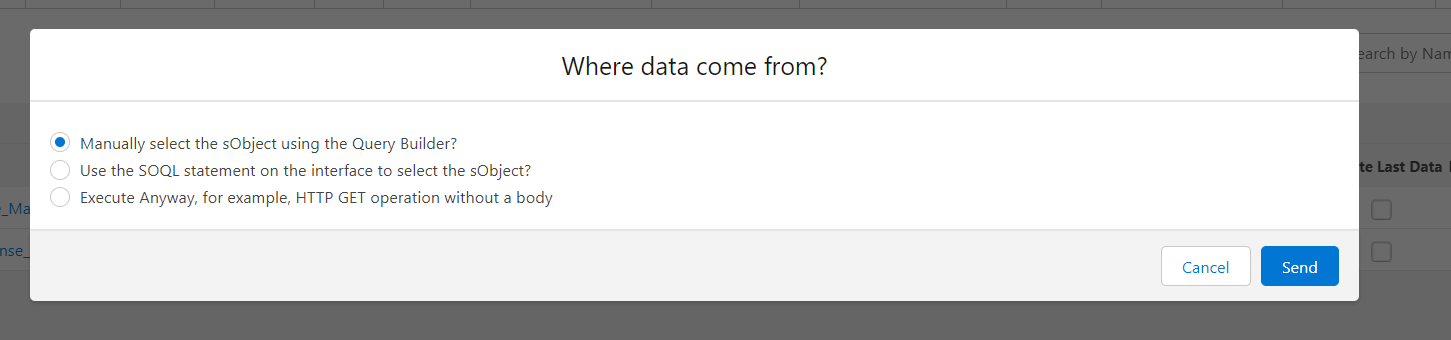
- Click Send
- Go to monitor to see the result.
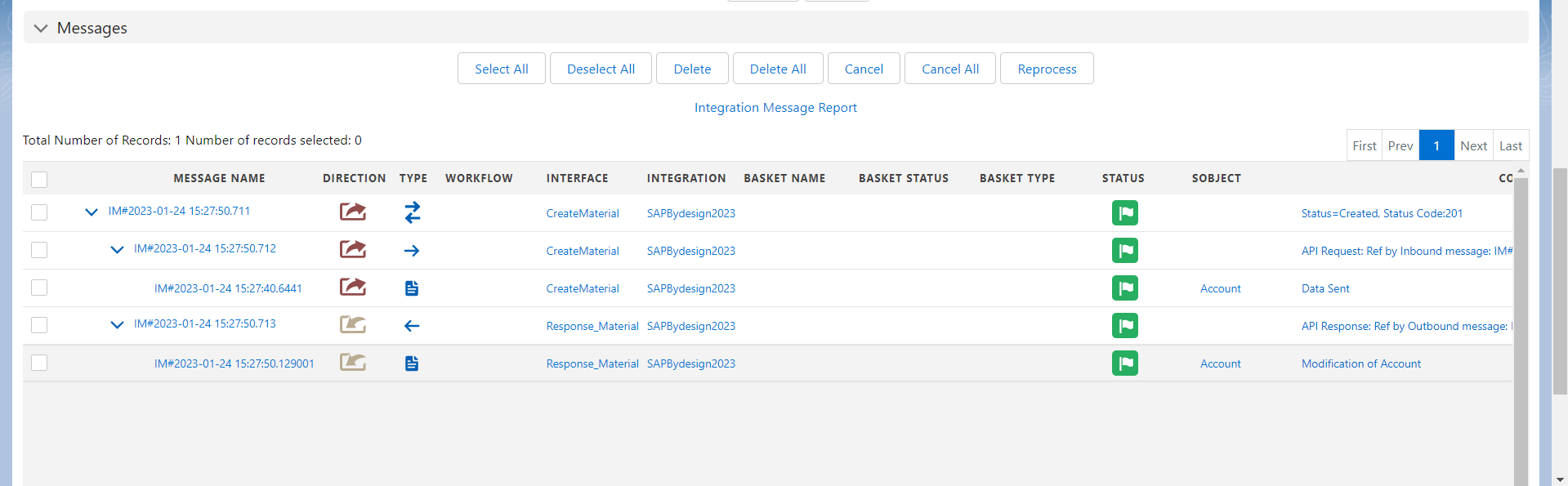
- Here’s the Account after response