10. SFDC2SAPPI Adapter
SFDC2SAPPI Adapter
SFCDC2SAPPI adaper is used for outbound processing. By delivering a comprehensive data integration that takes advantage of the best of SAP and SFDC worlds, we used SFDC2SAPPI adapter to integration salesforce and SAP. It saved us a lot of effort, so we could spend more time in fine tuning the functions of the interfaces
Fields Purpose
Name Name field is mandatory field to create SFDC2SAPPI adapter. Identification of adapter we can give meaningful name to adapter
Type Which type of adapter we need to create. For example, Soap adapter, Rest Adapter, SFDC2SAPPI adapter.
Status Status of adapter. For example adapter is still under Inactive or ready for Run. If still on development value should set to "Inactive". If ready for run It need to set "Active".
Connection Destination This field use to store connection for sync object to other system.
We provided lots of functions on adapter page.
Button Name Description
[su_button url="#" style="flat" size="6"]Export adapter[/su_button] Use this button to export adapter to the local computer.
[su_button url="#" style="flat" size="6"]Import Adpter[/su_button] Use this button to Import adapter from the local computer.
[su_button url="#" style="flat" size="6"]Ping Connection[/su_button] Use this button to test the connection of adapter.
[su_button url="#" style="flat" size="6"]Edit[/su_button] Use this button to edit existing Adapter
[su_button url="#" style="flat" size="6"]Delete[/su_button] Use this button to Delete existing Adapter
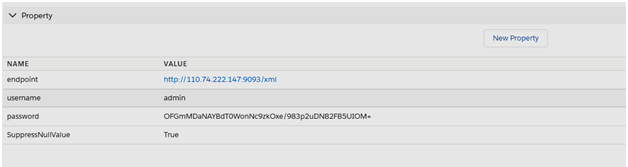
Properties parameter:
Fields Purpose
endpoint To enter URL value of endpoint.
username Username of your adapter
password security password of properties
suppressNullvalue when the empty xml tag causes an issue on the SAP-PI receiver side then suppressNullValue parameter is used.
We provided lots of functions on adapter page. How to create SFDC2SAPPI adapter? Follow the given steps to create adapter:
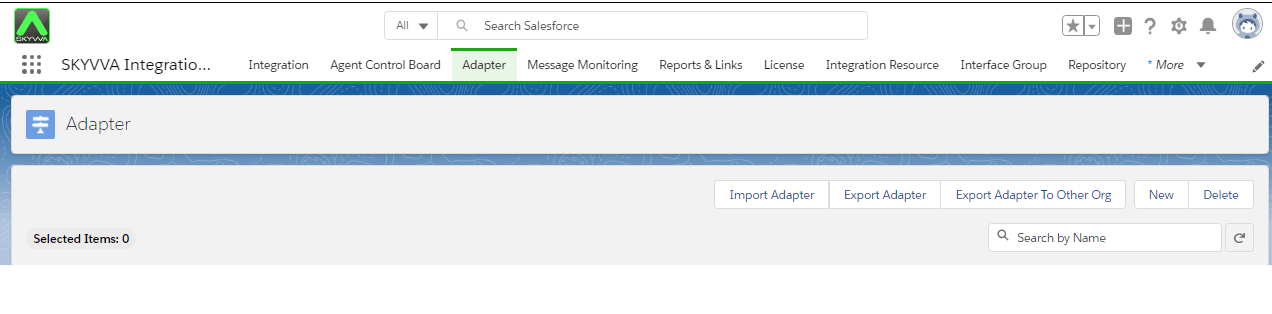
- Go to Adapter tab as shown below.
- In the Adapter page, Click on New to create an adapter.
- Fill all the fields correctly. Where you have to mention Name, Type and all property values of your adapter.
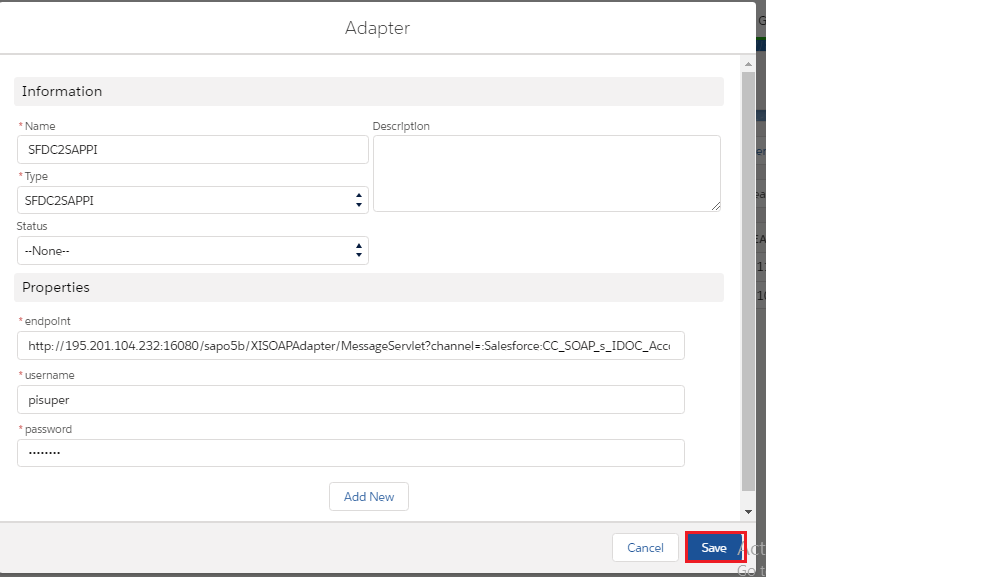
- Click on Save button to save adapter.
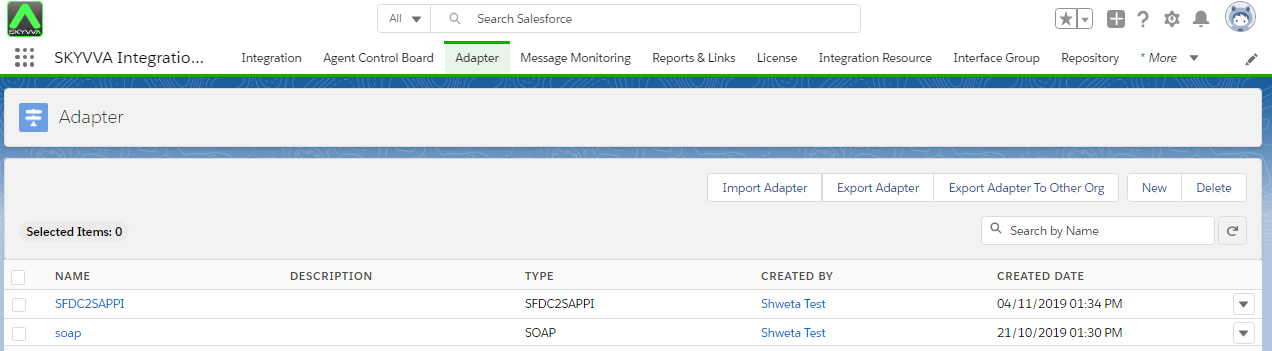
How to use SFDC2SAPPI adapter to send data from Salesforce to SAP? Here we describes how to create an outbound interface with SAP PI/PO using SFDC2SAPPI Adapter. There are different processing modes in Skyvva and each processing mode are works differently. We can use SFDC2SAPPI adapter with two modes:
- Synchronous
Synchronous mode is called when integrate then create real time message along with posting each objects. You can use this mode when you want to integrate a small amount of data.
- Asynchronous
Asynchronous, when integrate is called then create messages and process asynchronous (future). However, as an end-user you should not use this method since the processing might be not in order and inaccurate in posting data.
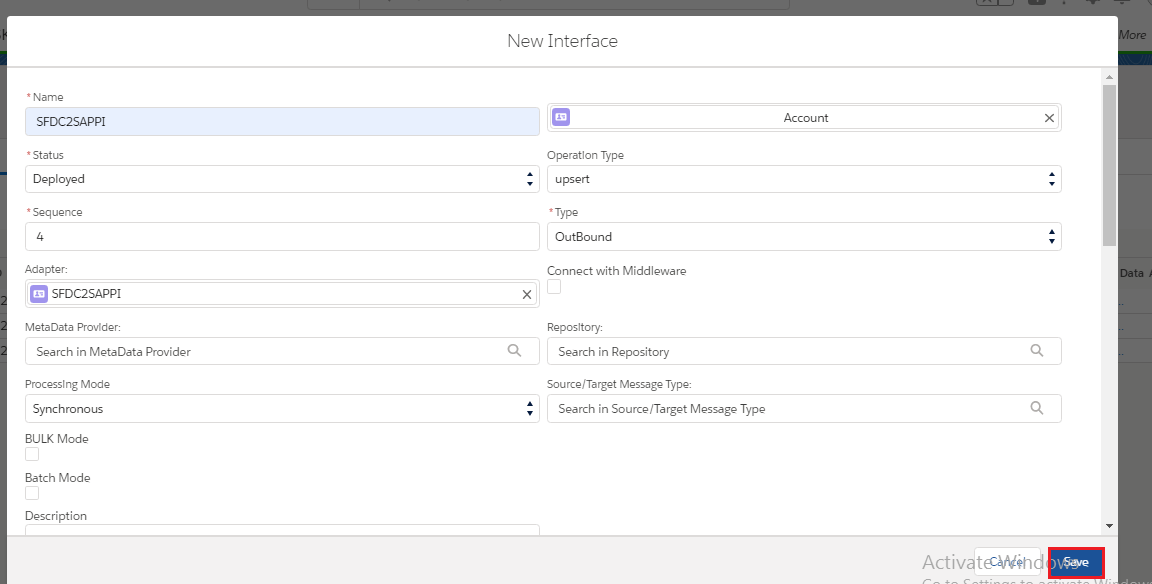
Create outbound Interface with Synchronous processing mode.We have to create Integration. Then Create outbound Interface where processing mode is Synchronous.
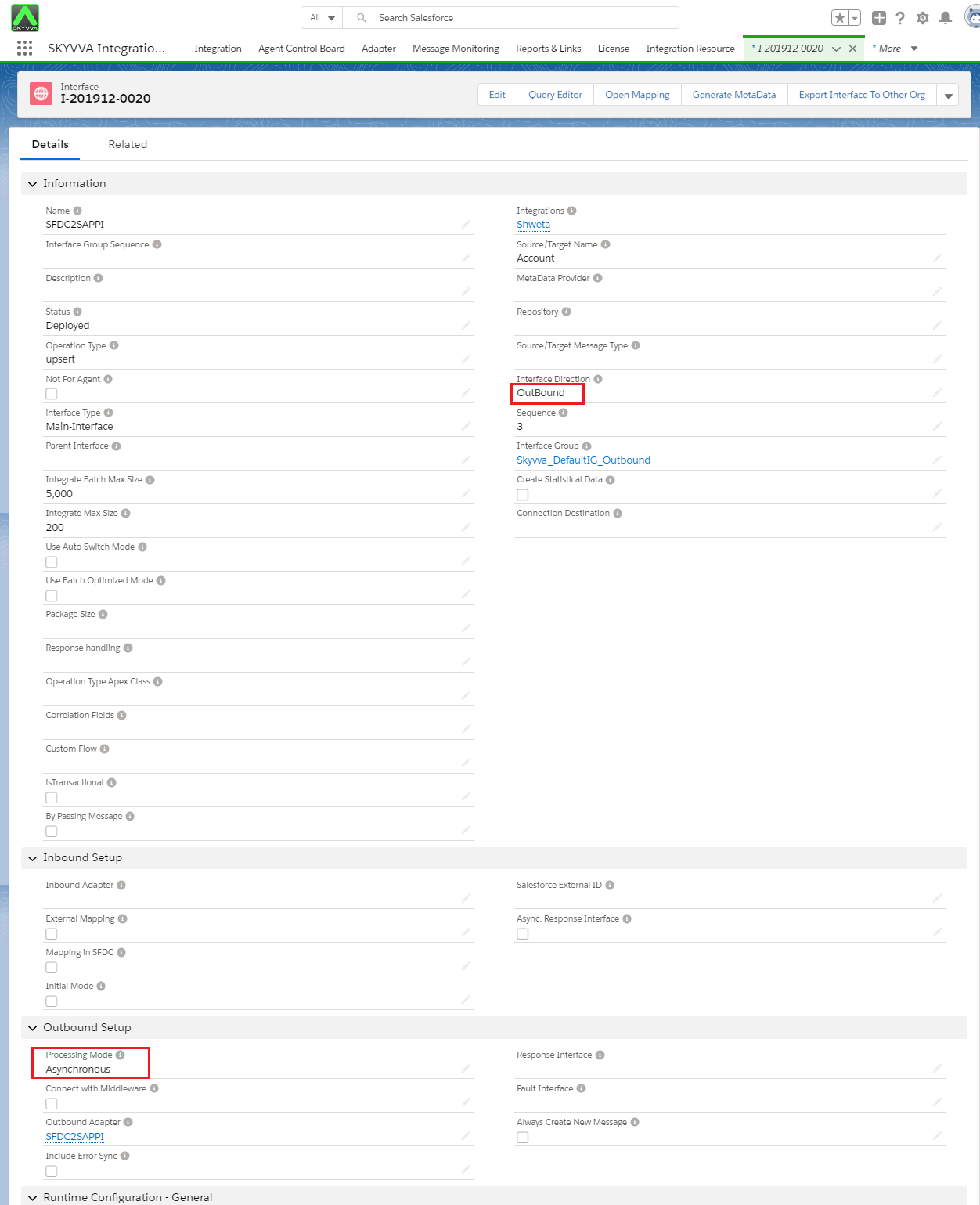
Create outbound Interface with Asynchronous processing mode.We have to create Integration. Then Create outbound Interface where processing mode is Synchronous.
We can call out data using apex code:[aux_code language="javascript" theme="tomorrow" title="" extra_classes=""]skyvvasolutions.CallOutControl c=new skyvvasolutions.CallOutControl(); c.returnXml=true; c.returnListRecord=true; c.isCreateMessage=true; c.actionDoIntegrate=true; String[] ids=new String[]{'0016F00003Vr7MHQAZ'}; skyvvasolutions.CallOutResponse r=skyvvasolutions.Iservices.invokeCallout2('Shweta','SFDC2SAPPI',ids,'ASYNC', c); [/aux_code]
How to add suppressNullvalue?
suppressNullvalue an adapter property. We create suppressNullValue property for adapter SFDC2SAPPI. It will not allow the field value empty to create into XML after called out It means that XML should contains the value only. The empty xml tag causes an issue on the SAP-PI receiver side so that they use the parameter.'suppressNullValue' To add add suppressNullvalue parameter follow the given steps:
- Go to Adapter tab as shown below.
- In the Adapter page, Click on New to create an adapter.
- Fill all the fields correctly. Where you have to mention Name, Type and all property values of your adapter.
- Click on Add new button in property section.
- We can set SuppressNullvaule parametertrue as true or false. True means not to send empty field e.g. field with null value. And False means opposite.
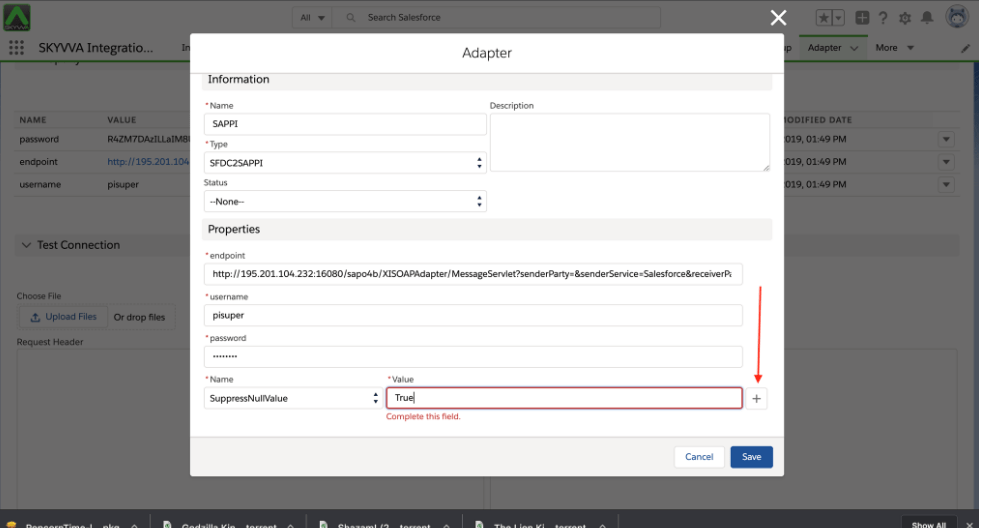
We can set SuppressNullvaule parameter value as:
- If SuppressNullValue is equals to false the adapter will export data field null value as well to PO/PI
- If SuppressNullValue is equals to True the adapter will export data field have value only to PO/PI
The object and field to which manually need to add SuppressNullValue and the api name it should have: [aux_code language="javascript" theme="tomorrow" title="" extra_classes=""] sObject: Property__c field: Name__c (picklist) then add that value [/aux_code] You map the field which have no value it still show when you set the SuppressNullvaule to False.
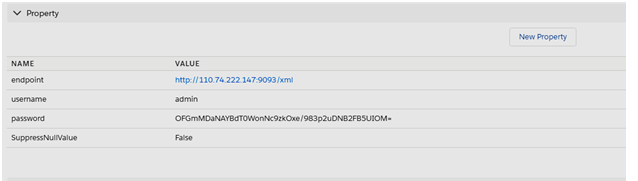
some fields are map but It won’t be query that field which choose SuppressNULLValue to True.