3. Warning
Ensure Halting of All Outbound Schedulers Before Upgrading to New Agent Version 3.06.03 and Skyvva Version 2.51.8 for Non-Open Firewall Mode
In light of our enhancements in outbound processing on the Agent side aimed at minimizing event usage, it is crucial to halt all outbound schedulers before upgrading Skyvva (from version 2.51.7 or earlier to 2.51.8 or later) and the Agent Version (from 3.05.7 or earlier to 3.06.03 or later) in non-open firewall mode exclusively.
Note: Skyvva Version 2.51.8 or earlier must be used with Agent Version 3.06.03 or later in non-open firewall mode with outbound processing. For Open Firewall Mode, no action is required; simply upgrade it.
Follow the Instructions below to halt all Outbound Agent Schedulers, Reconfigure the Outbound Agent Scheduler settings, and then start them again
- Navigate to the Scheduler Setting in the Agent Control Board and click on 'Stop All Outbound Agent Scheduler

- After completing the upgrade, you must reset the Agent Scheduler settings before starting the scheduler. If you start it without resetting the Agent scheduler, you will encounter the error shown in the screenshot below.

- Please adjust your Agent Scheduler settings and then click the save button.

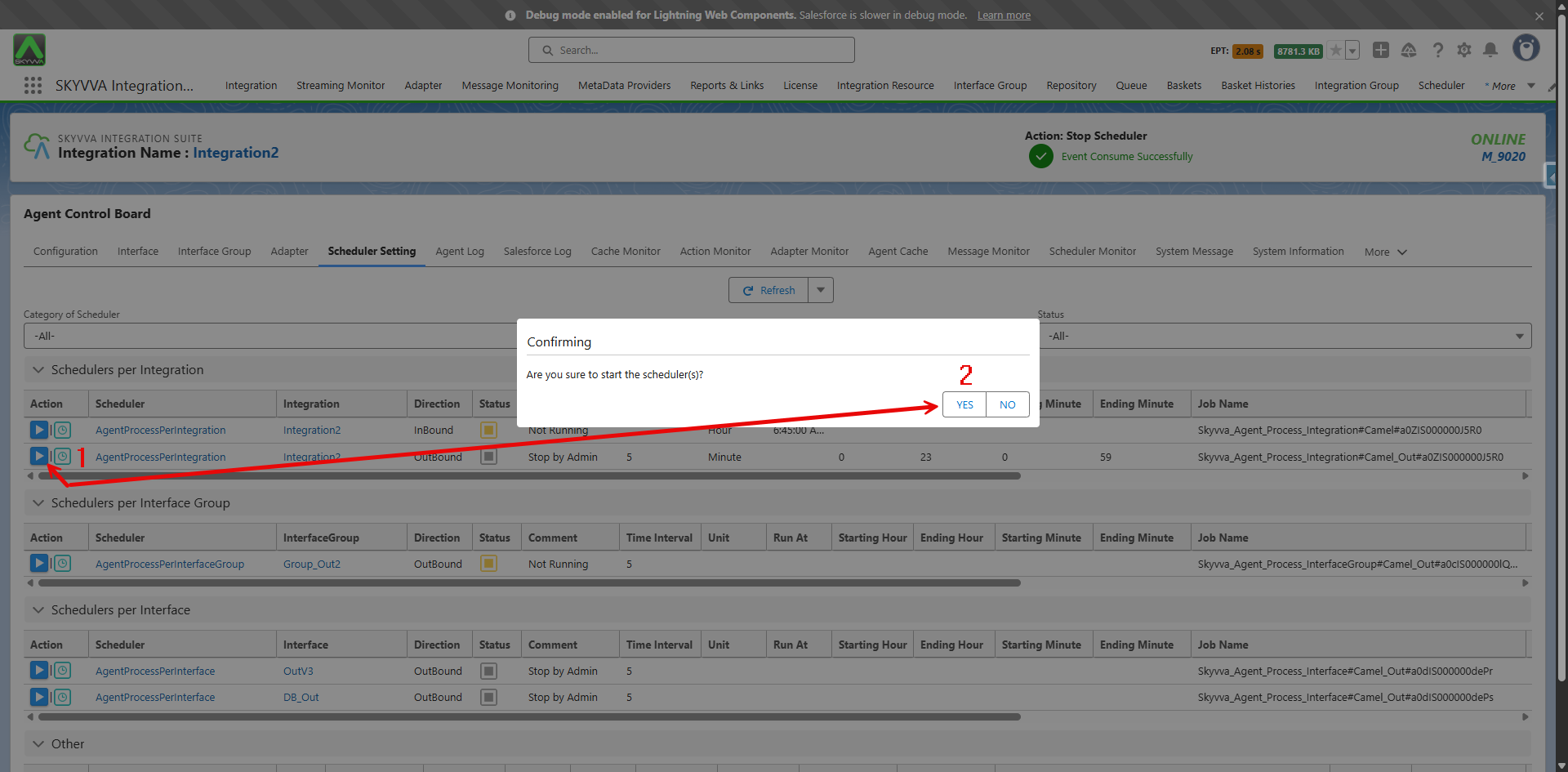
- Click the start scheduler icon, then press the 'Yes' button to confirm to start this scheduler.
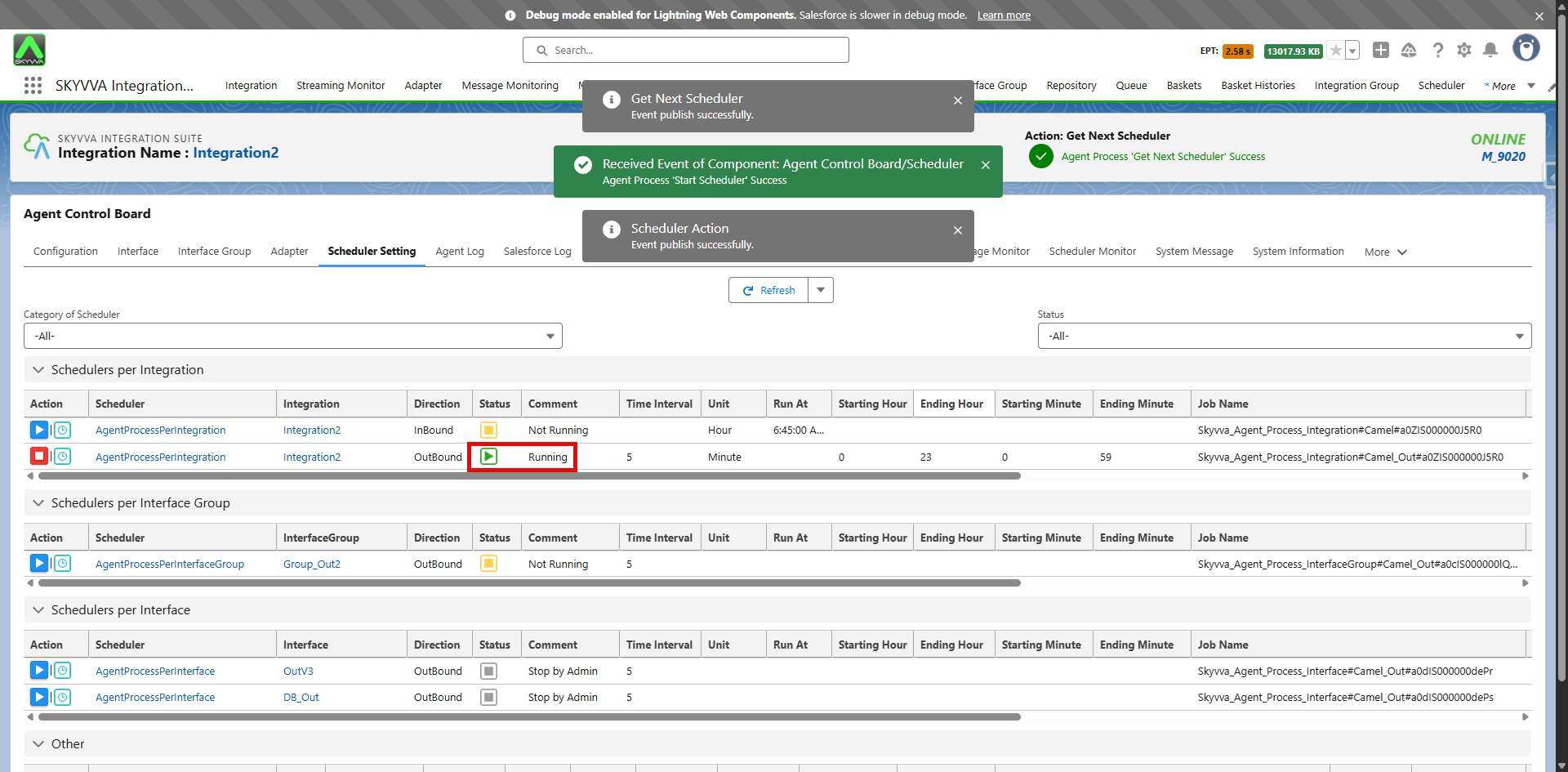
- Finally, the AgentProcessPerIntegration scheduler is now running. Please make sure to reconfigure all the outbound schedulers that you intend to run after the upgrade.
In case you did not stop the Agent Outbound Scheduler before the Upgrade
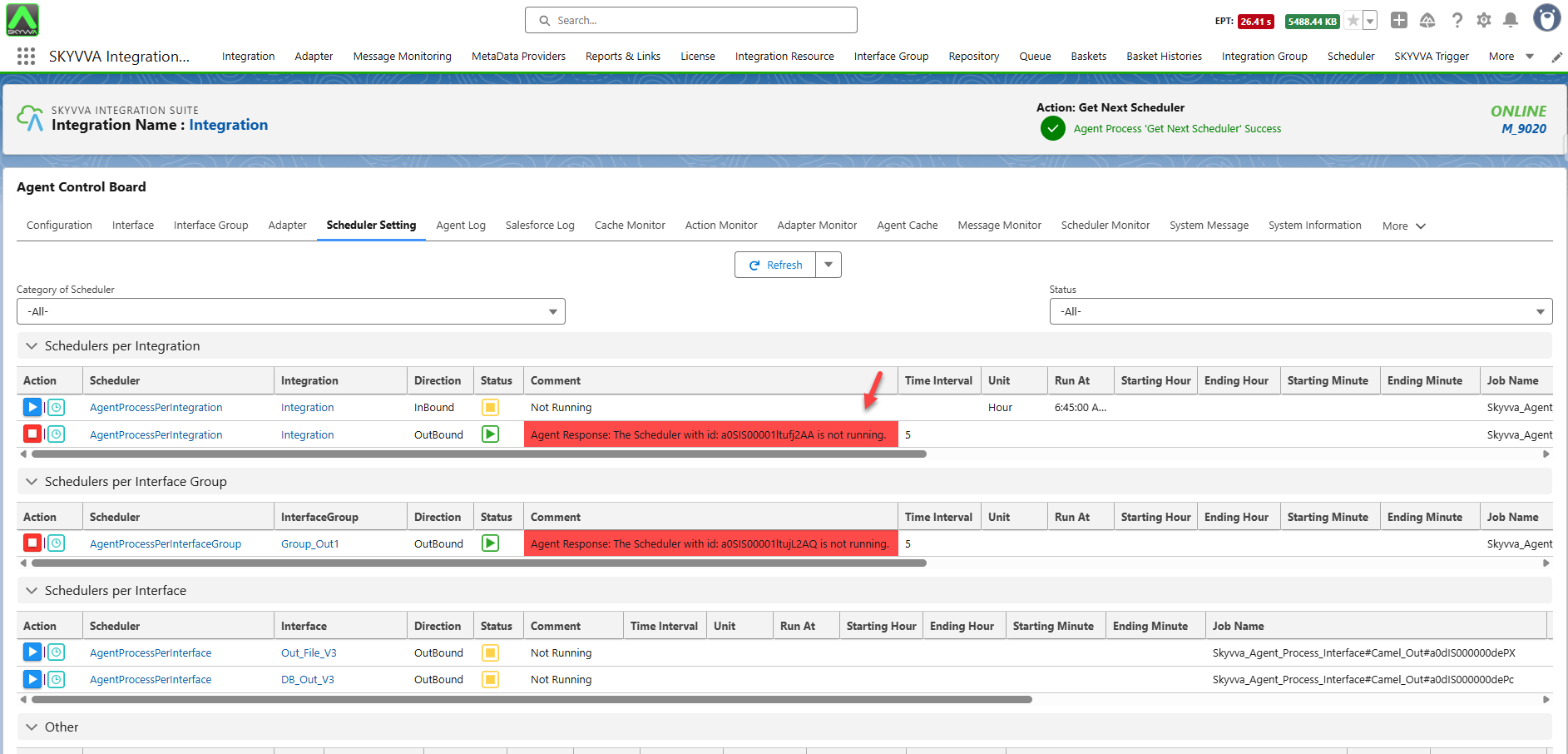
If you did not stop the outbound scheduler processing before the upgrade, the Outbound Processing is still using the old method that consumes significant event resources. Errors like 'Agent Response: The Scheduler with id: xxxxxxxxxxxxxxx is not running.' are appearing in the comments of the Outbound Scheduler, but the processing remains functional on the Salesforce side. This indicates that the processing is not running for the Agent side.
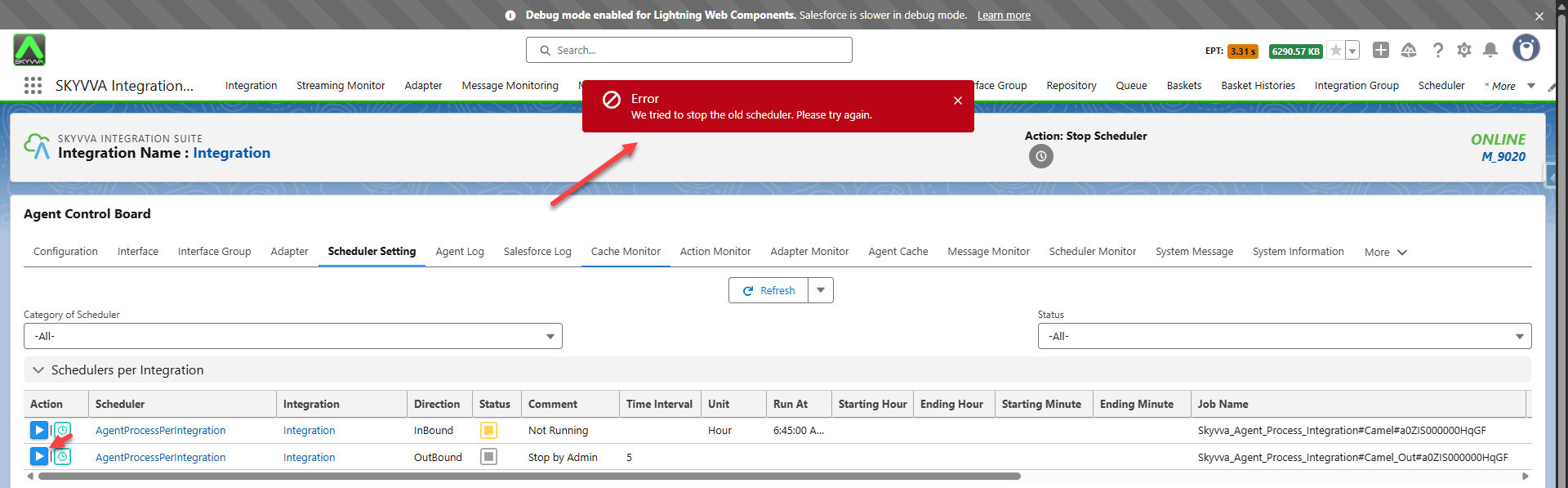
Please stop the scheduler that you intend to run processing on the agent side to reduce event consumption. Although you encountered an error, the scheduler will be stopped as shown in the screenshot below:
After stopping the Agent scheduler, please reconfigure the scheduler settings and start it again. Follow these steps (link not available)) to reconfigure the scheduler setting.