The configuration enables to Use New Data Loader
Introduction
Data loader is a feature that Skyvva provides that users can import payload into salesforces for free. We support some files in CSV, XML, and JSON formats.
In SKYVVA version 2.48 we have redesigned CSV, XML, and JSON formats to use with REST API for import files because it can handle big records faster than User Interface API resources.
How to Use REST API with Data Loader:
- Configure security:
- Content Security Policy Trusted URLs :
Note: We need to Configure for only Import Data using Data Loader.
- From Setup, find Trusted URLs in the Quick Find box, click on it, and then click the "New Trusted URLs" button.
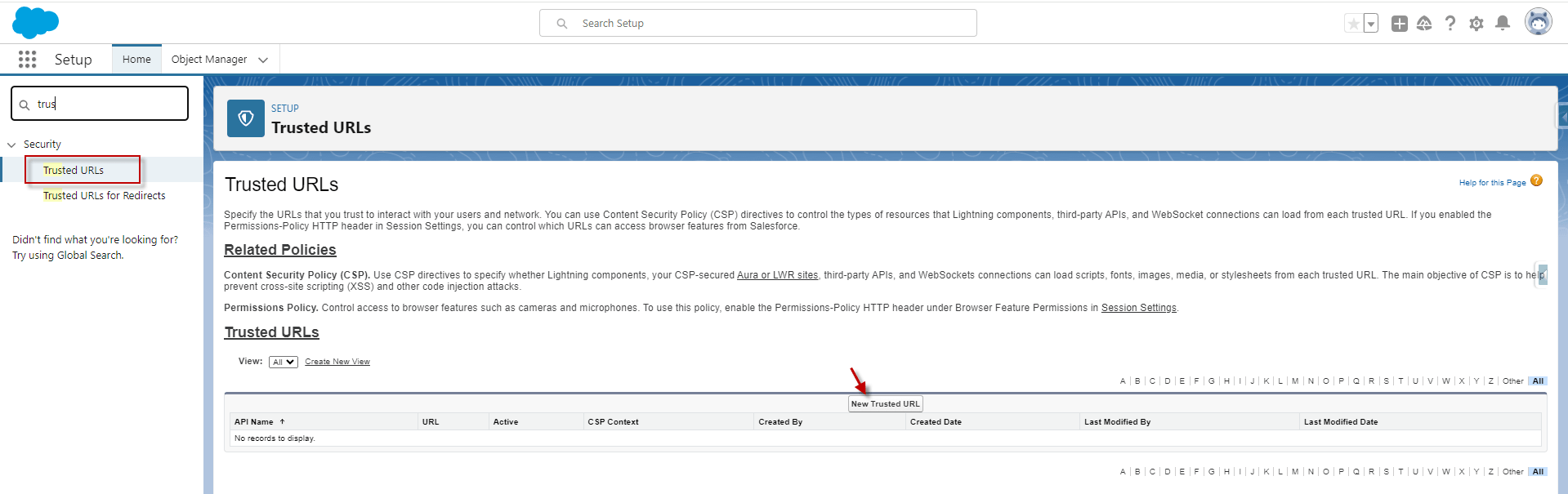
- We need to input Trusted URLs Name and URL from Salesforce Classic and tick Allow Site for connect-src in CSP Directives.

[su_box title="Note" box_color="#2a8af0" title_color="#000000"] Trusted Site URL get from URL Salesforce Classic. Switch Lightning to Salesforce Classic https://business-platform-2725-dev-ed.scratch.my.salesforce.com [/su_box]
- After Save.

- Cross-Origin Resource Sharing (CORS) Policy:
We need to add an Origin URL Pattern into CORS to allow the list to enable web browsers to request a resource from an origin other than their own. For example, using CORS, JavaScript code at https://www.example.com could request a resource from – https://www.salesforce.com
- To access supported Salesforce APIs, Apex REST resources, and more information
– https://help.salesforce.com/s/articleView?language=en_US&type=5&id=sf.extend_code_cors.htm
- From Setup, find CORS in the Quick Find box, select CORS and then click the "New" button in the Allowed Origins List box.
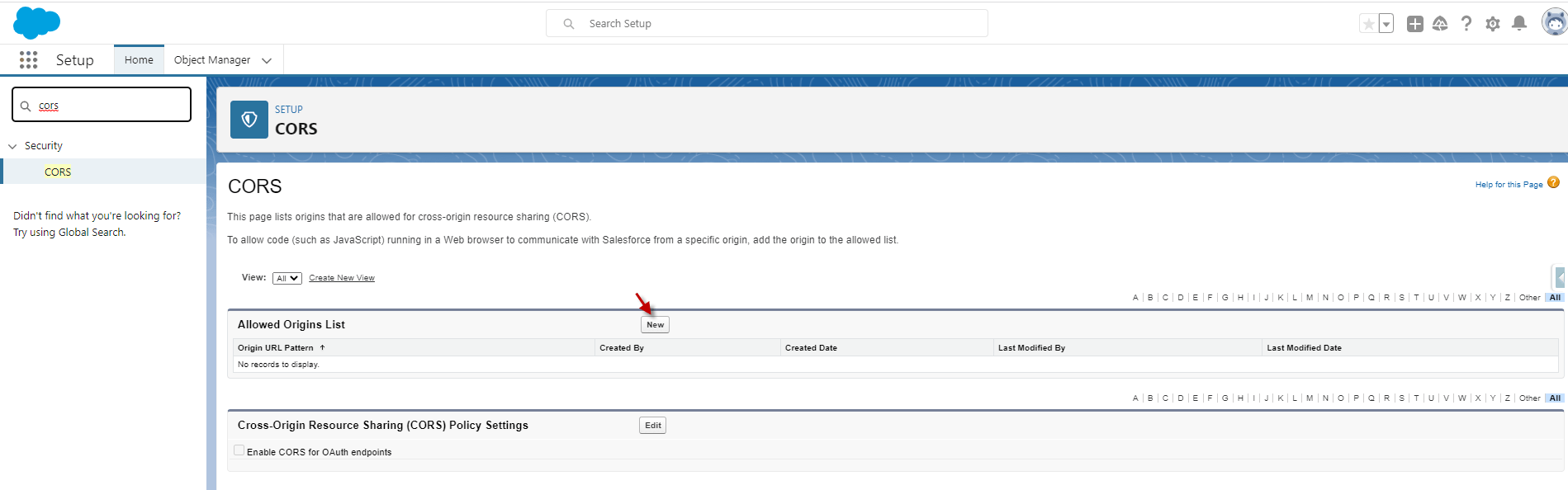
- Enter Origin URL Pattern that gets from Classic Experience instance URL.

- After Save.

Summary
Finally, after the configuration of Trusted URLs and CORS, we can import data hierarchical CSV, XML, and JSON files into the Data Loader.