1. What are the differences between the mapping modes?
Learning Objective: After completing this unit, you’ll be able to:
- Describe all mapping modes and differences between the mapping mode.
- Comfortably use all mapping modes
Introduction:
We have a mapping tool that is a very useful and valuable feature of SKYVVA. It is having three modes of mapping i.e, Internal mapping or Mapping in SFDC, External mapping, Hybrid mapping. In this unit, we are going to learn about all three modes, when and which one needs to use. These three modes have a complete solution regarding mapping and it makes work easier.
What Is Mapping?
- Mapping is one of the most useful and important features of SKYVVA.
- It is basically a data transformation tool.
- It's UI is in graphical form.
- Mapping is a term to map source data fields to their related target data fields. It depends on the key concept. To check the fields in the UI/Front end forms and mapped consistently with the corresponding DB table.
- In order to figure out how the data needs to be formatted or mapped. It must also explain the primary key in the source system.
- We can do mapping in two ways i.e, Inbound and Outbound mapping.
- In Outbound mapping, we have only one mode available which is Internal mapping or Mapping in SFDC.
- In Inbound mapping, we have 3 modes available which are Internal mapping, External mapping, and Hybrid mapping.
Mapping modes
We have two ways of mapping i.e Inbound and Outbound mapping. The two flags are available on the interface to indicate the mapping mode which is External Mapping or Mapping in SFDC.
- In Outbound mapping- We have only one mode available:
- Internal mapping or Mapping in SFDC:
Here we do mapping in skyvva on the SFDC platform and use our mapping tool. We are just mapping the data structure to the external structure. We just send the data to the receiver and if they need any transformation, we can use the formula.
- In Inbound mapping- We have 3 modes available :
- Internal mapping or Mapping in SFDC.
- External mapping. (SAP-PI-SF)
- Hybrid mapping.
So basically, we have 3 mapping modes Internal mapping or Mapping in SFDC, External mapping, and Hybrid mapping.
Internal Mapping Or Mapping in SFDC (Inbound Mapping):
- When a sender sends data to us, they can send us data that Salesforce cannot understand, we need to transform the data into salesforce format this is what we are doing in mapping.
- The field name is not the salesforce field name then we use internal mapping.
- What do we need to do in order to post the data into sObject? So, If we get data for which salesforce doesn't understand the data format then we are transforming the data from the left side to salesforce field names and mostly it is sObject or in case of an event, it is an event object.
- We can also map to an event object then we have an event interface and can publish an event. We can map to sObject or eObject. We are supporting sObject as well as eObject.
- Mapping in SFDC is a default option when we don't check any field it means its behavior will work according to Mapping in SFDC.
For better understanding, below we can check the use case of "Internal Mapping of a complex and hierarchical object for Inbound ".
How to use it?
Pre-Requisite:-
- Create Integration.
- Create Interface.
- Add Metadata Provider.
- Add Repository.
- Add Message Type.
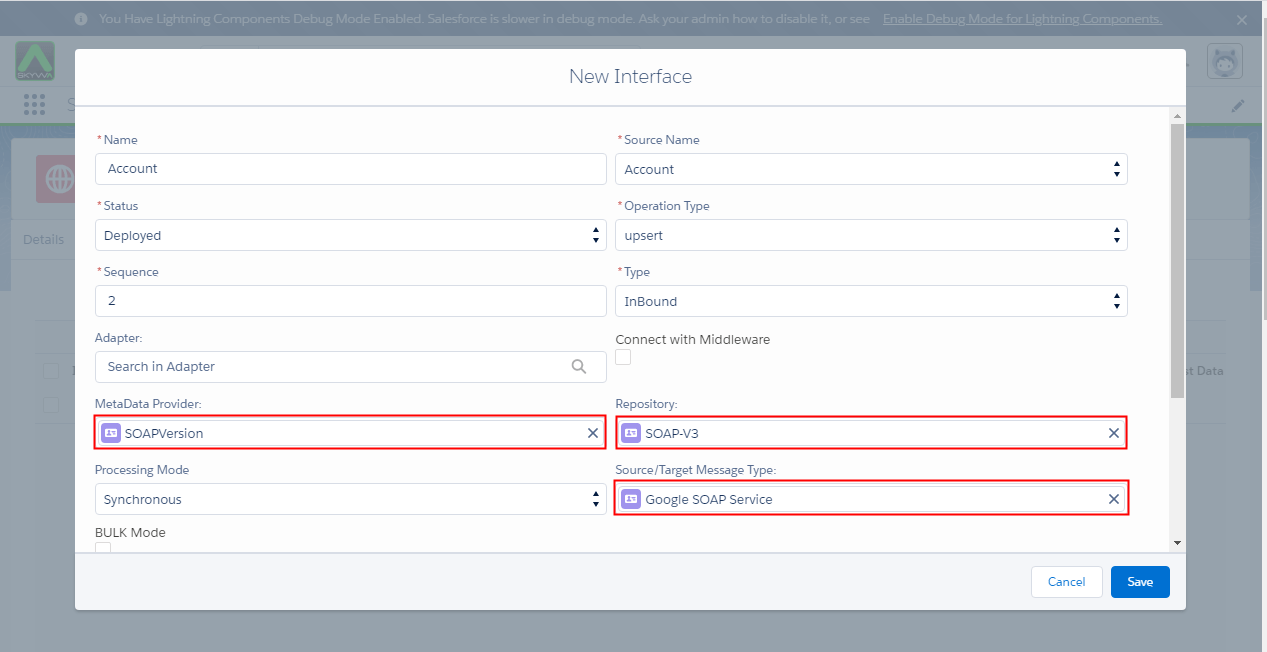
- Enter the Interface detail page, which you had just create, and mapping with the flat field that includes Account and Contact with sObject tree and then make VlookUp account with Contact.
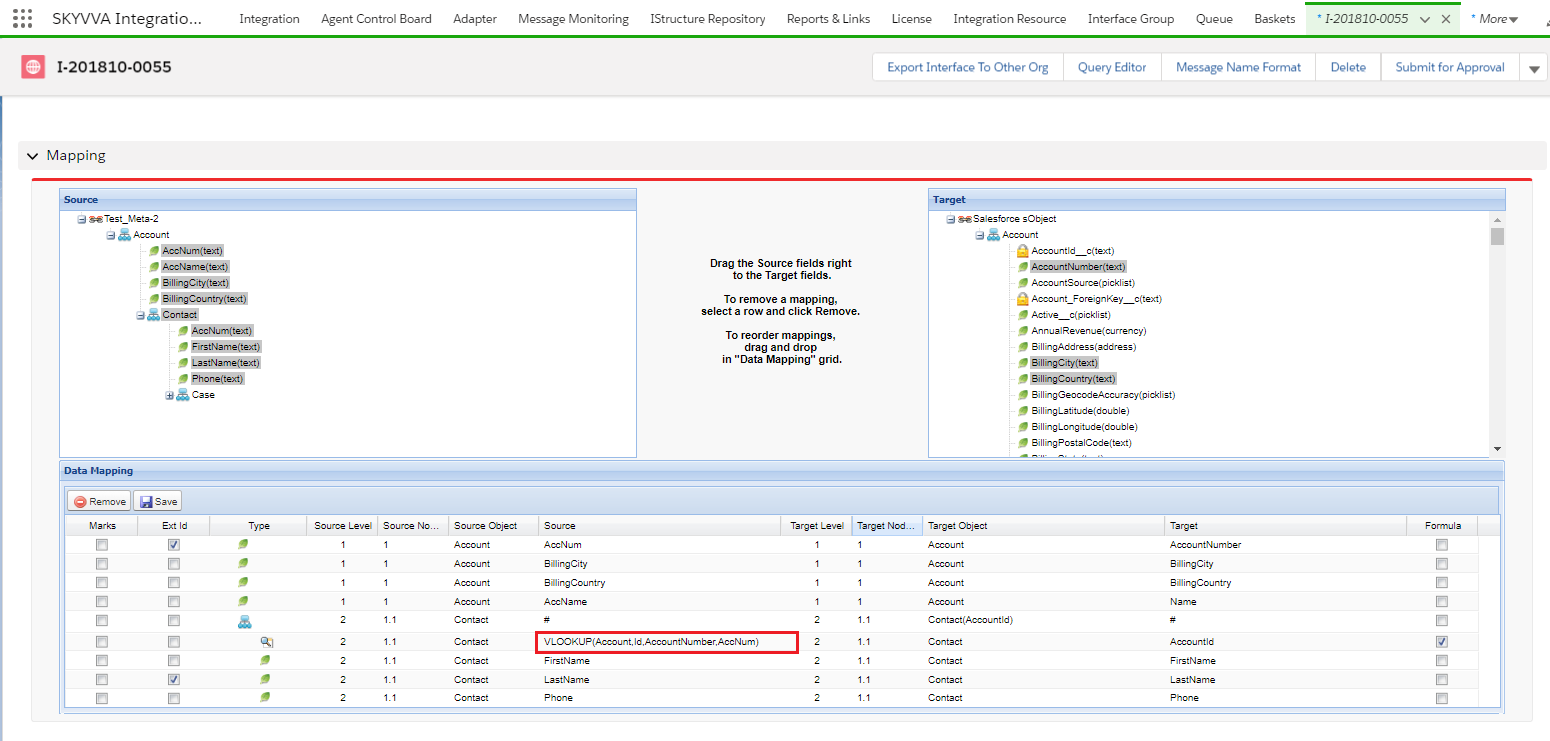
- The following screen display that the Interface is automatically chained with contact after done mapping and VLOOKUP.

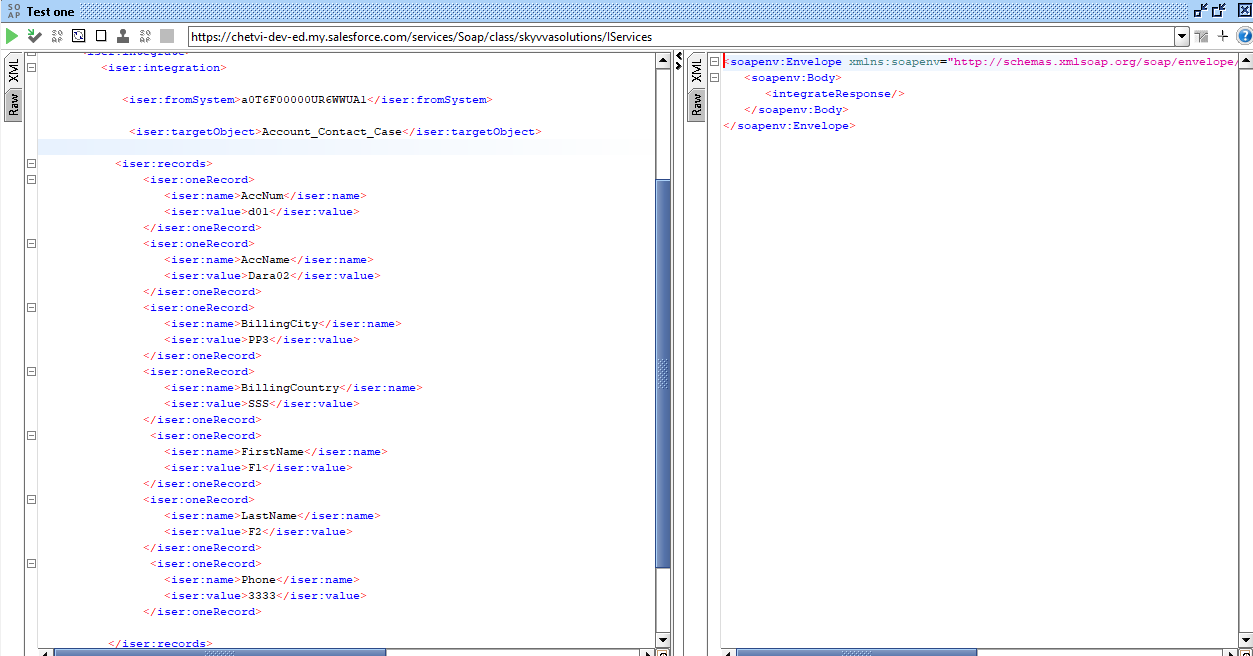
- Integrate the data to Salesforce
- Monitor the result in Message Monitoring Board

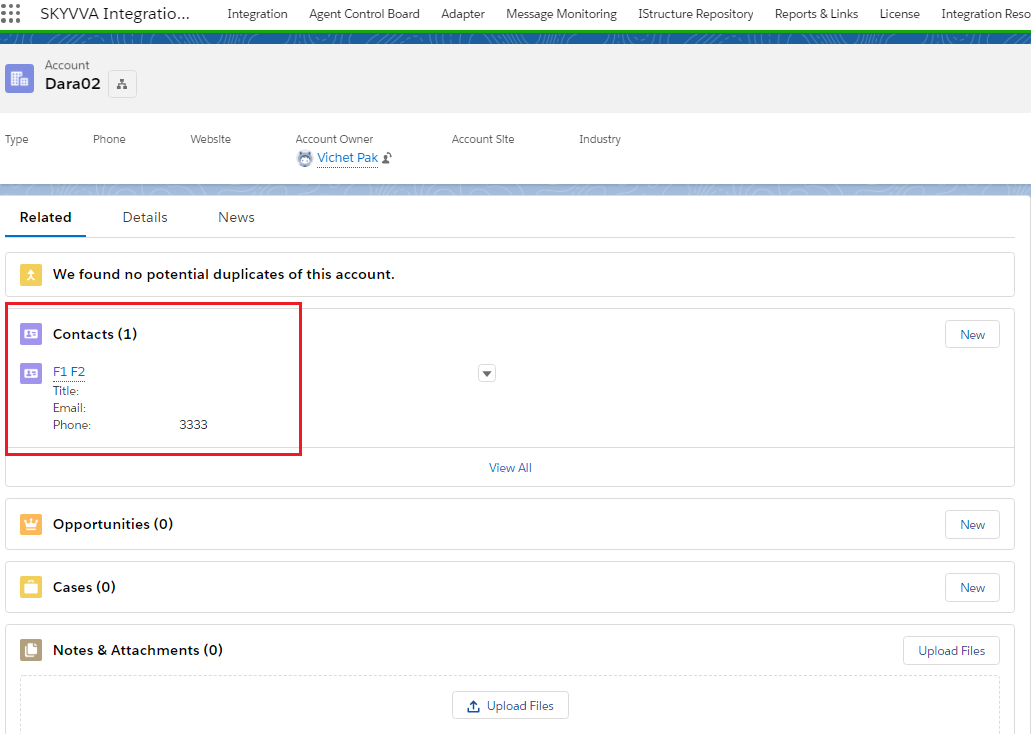
- And the below screenshot shows a result in detail of Account.
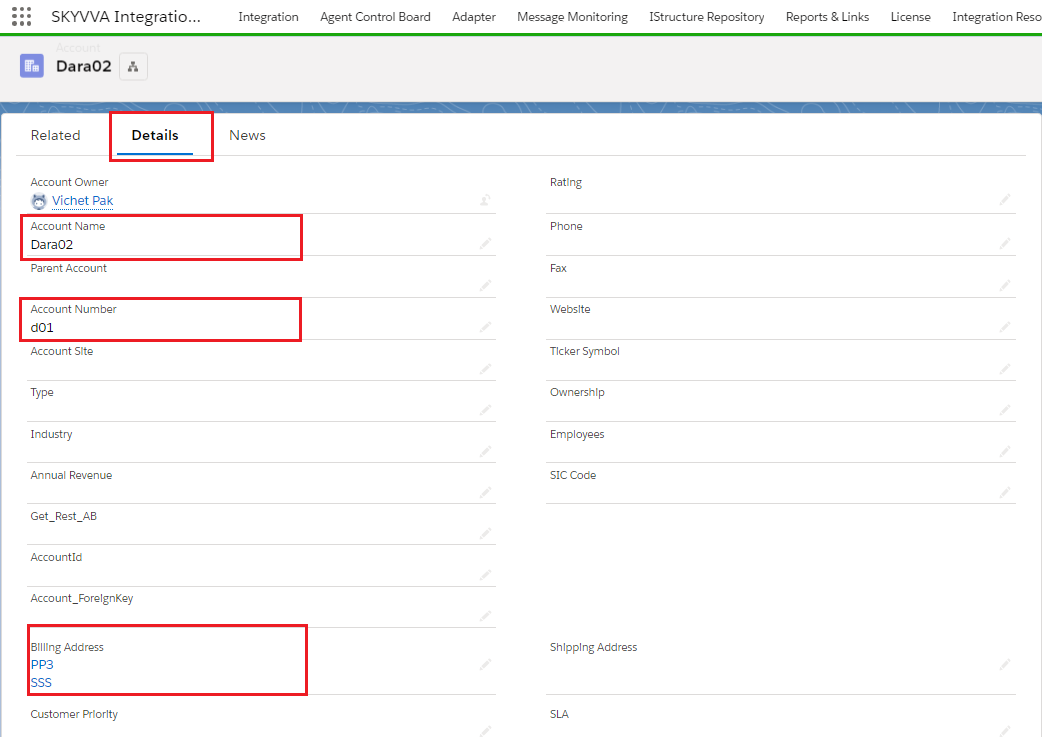
External Mapping:
- In Skyvva, external mapping means that you use the Salesforce field name.
- When you select External mapping, in this case no mapping required. It means mapping and business logic is managed by an external system.
- We just do processing for this we need sObject name. The posting we need sObject field name.
- The client can send us a salesforce data structure, the sender can be a client application, SAP-PO, SOAP, etc.
The client will use our Rest API to call v3 integrate when they pass the salesforce data structure i.e, sObject structure. We don't need to do mapping because they do mapping on their side.
- They transfer there side the internal data into the salesforce structure. They send a salesforce structure then we don't need to do mapping again.
- Therefore when you have the data you can map to the salesforce structure, we are exporting message Type. And that exported file we can map on the middleware side. In this situation middleware conduct all the data then they can send all the data and we do the processing immediately without using the skyvva mapping again and this is external mapping.
Below we can check the use case of "External Mapping" in which we will create an inbound interface using SKYVVA Bulk query mode in SAP PI/PO with a new SKYVVA V3 connector module.
How to use it?
Pre-Requisite:-
- Create Integration.
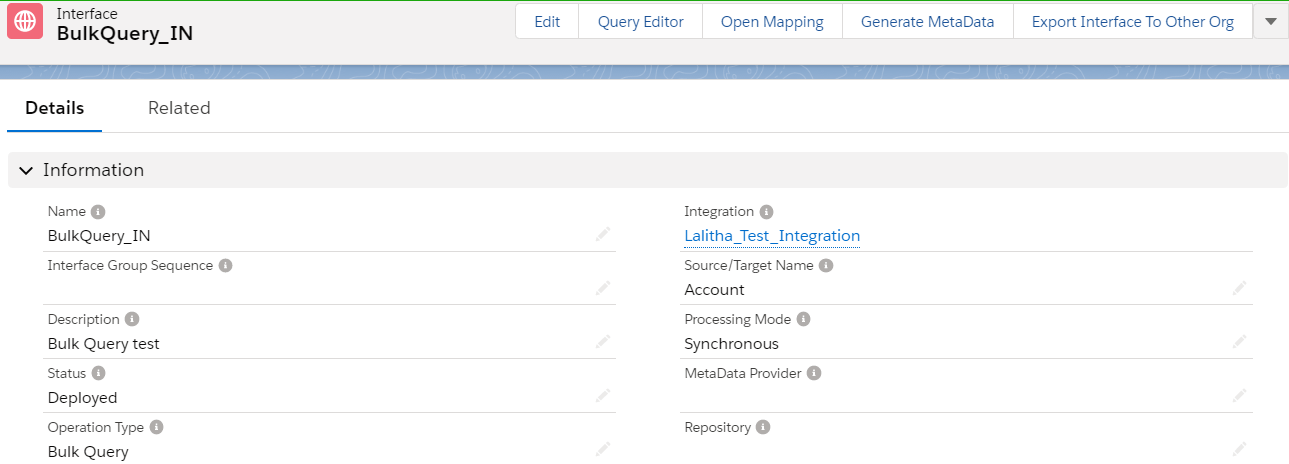
- Create an inbound interface.
- Select the Operation type as Bulk Query". As shown below.
- Check the External mapping field.
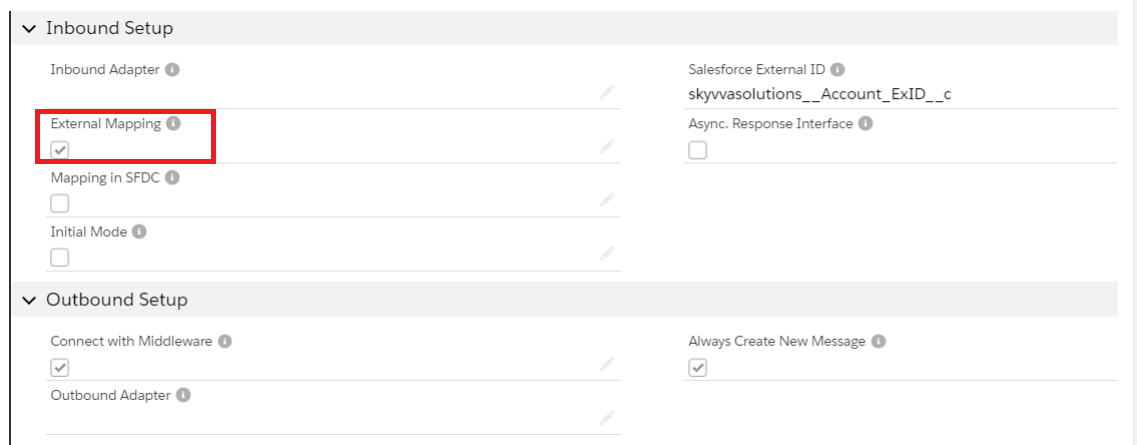
- In this example, we are going to put the SQL statement in the SAP PO Mapping.
- Now save the interface and download the WSDL from the Lightening mode.
- For new V3 we are going to use the new way WSDL.
- Generating the WSDL from Lightening as shown below.
- Go to Integration in that user have to select the "Generate Metadata"
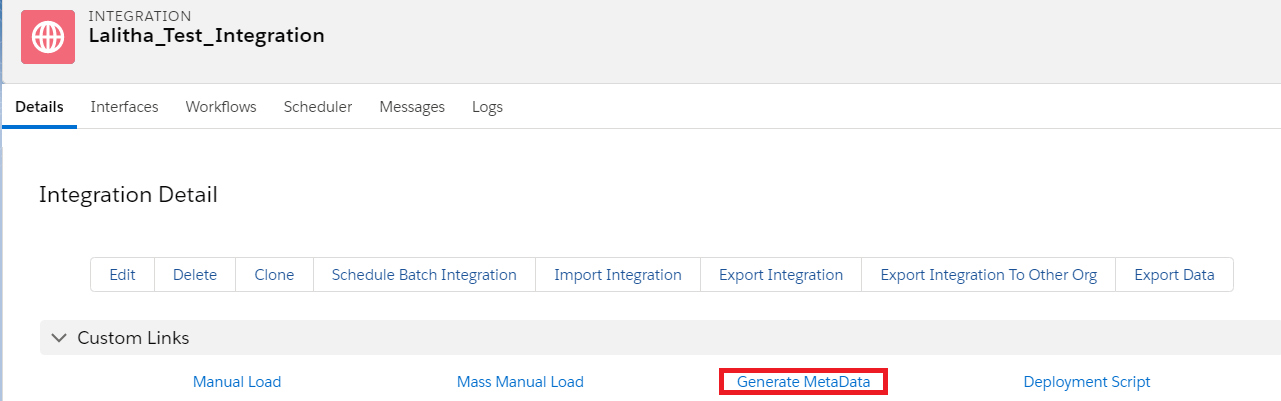
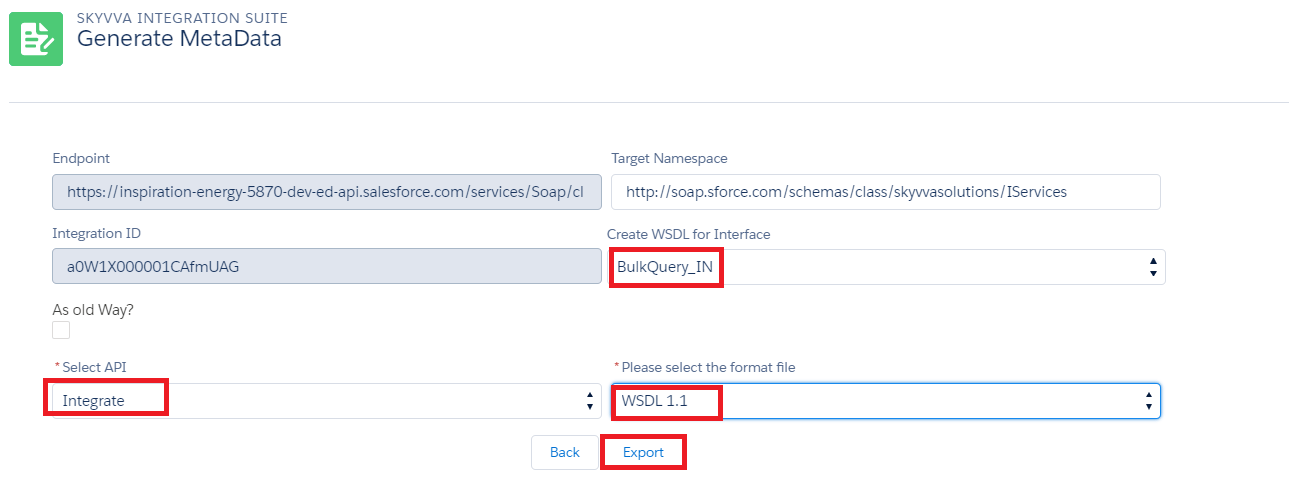
- Provide all the required details and click on export to generate the file.

- Now click on View to download the generated WSDL file.
- In this example, we are going to use only one interface for both request and response.
- Import WSDL into ESR
Test the Inbound Interface.
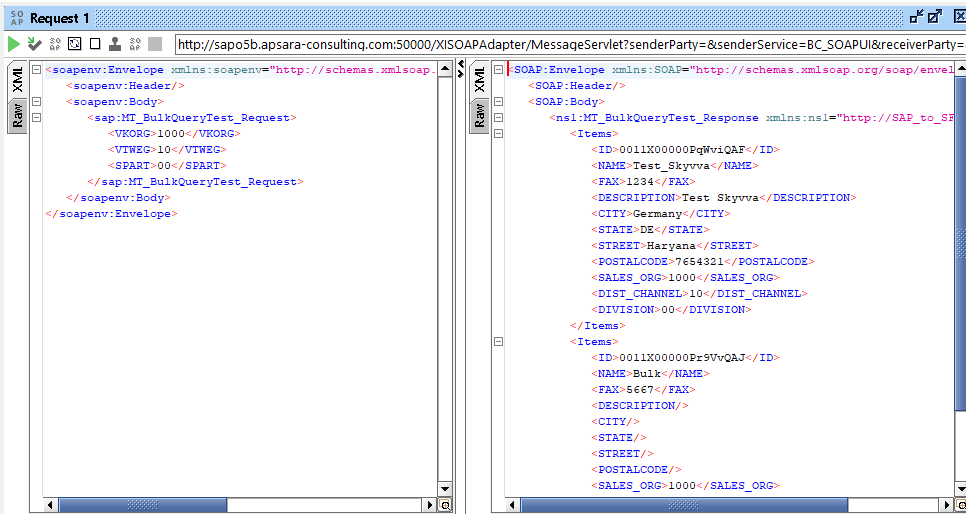
- Triggering the data from the Source system.
- Here is the result from Salesforce.
Hybrid Mapping:
- Hybrid mapping is a combination of Internal and External mapping.
- When we get data in sobject structure we only need to do the external mapping. But when we get a structure which senders give is not understandable to salesforce or for example to SAP PO, then we need to use both External and Internal mapping.
- We can have a 99% data map on the SAP PO side but some data we can't. For 1%, we need our mapping tool, where we use Formula like VLOOKUP.
- Our solution can be used to map the incoming data stream in SFDC. Currently for example in the case of SAP-PO users can map in SAP PO and thus no need to map again in SFDC. Therefore we set the flag “External Mapping”.
- When we check the Flag ‘Mapping in SFDC‘ this means that the incoming data will be map again. But in this case, we need to do the whole mapping again.
- In this new version, we have enabled the Hybrid mapping or merge the mapping from an external system and SFDC.
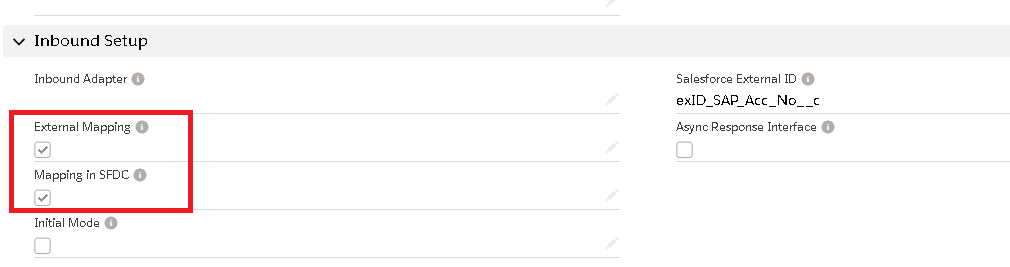
- For Hybrid Mapping, we need to check both "Mapping in SFDC" and "External Mapping" as shown below.
- Whenever we are not able to handle the mapping logic in SAP PI/PO in those cases we try to use the mapping logics in SFDC.
- For example in the Account inbound interface, If we want to send the data based upon the RecordType Id. In such cases, we have to use VLOOKUP formulae in Skyvva.
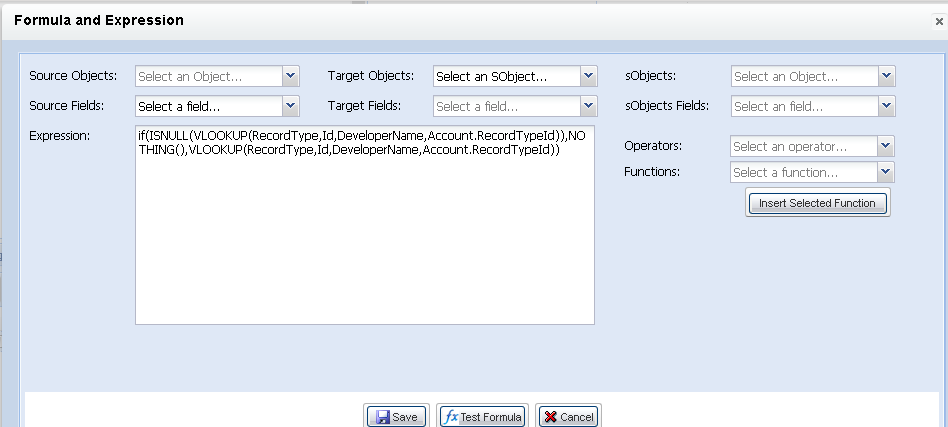
"if(ISNULL(VLOOKUP(RecordType,Id,DeveloperName,Account.RecordTypeId)),NOTHING(),VLOOKUP(RecordType,Id,DeveloperName,Account.RecordTypeId))".
- Here the VLOOKUP will compare Account.RecordTypeId with DeveloperName, then in Account.RecordTypeId there will be developer name which will be mapped as constant to RecordTypeId in SAP PO as shown below.
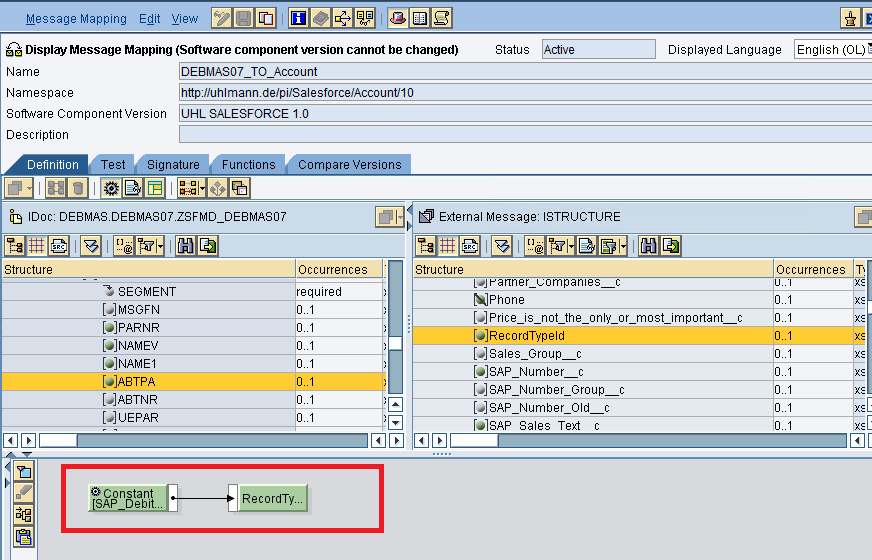
- Then this vlookup first compares that name with the existing developer name in salesforce. if the developer name matched it returns Id of that record type. If the developer name doesn't match then it will do nothing.
- In Salesforce, "Record Types" are a way to arrange and classify data in an object. An example of how Record Types can be particularly helpful is when you want to assign different sets of data to different groups of sales teams.
- So, the above one is an example of Hybrid mapping where we can handle both in SAP PI/PO and in Skyvva.