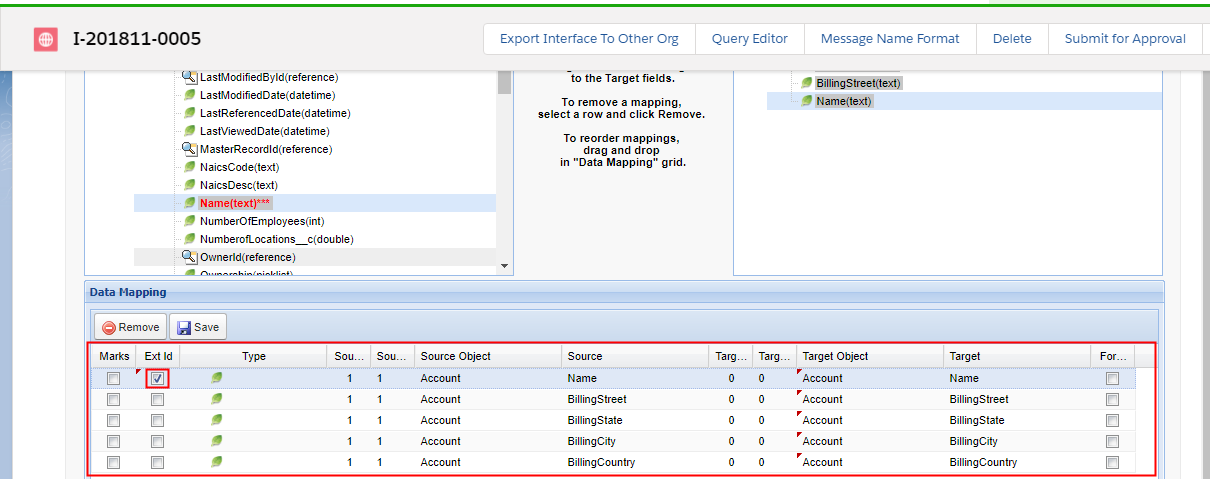
1. What is an external Id and how to use it to handle correct data update with an interface?
Learning Objectives:- This unit describes:-
- What is External Id?
- How to use it?
Introduction:-
This tutorial will explain more in detail about external Id and will demonstrate how and where you can set it. You have to remember that external Id could be one field or combined fields in the sObject. Specified more external fields (even mapping in salesforce) which means combine key, the integration will find the record in salesforce based on those fields. The following contents will show how and where to set the external Id.
What is an External Id?
- External Id is a unique key or primary key that is different from salesforce Id. It is slightly created by the user in order to insert, upsert, delete and update records in Salesforce.
- External Id cannot be duplicated.
- You can select fields of a sObject e.g Account which as an external Id to be used as a composite key in an interface.
How and where to set the external Id?
Pre-requisite:-
- Create Integration.
- Create Interface Inbound and outbound.
The demonstration is mainly about how to set an external Id. You can set an external Id in two ways:-
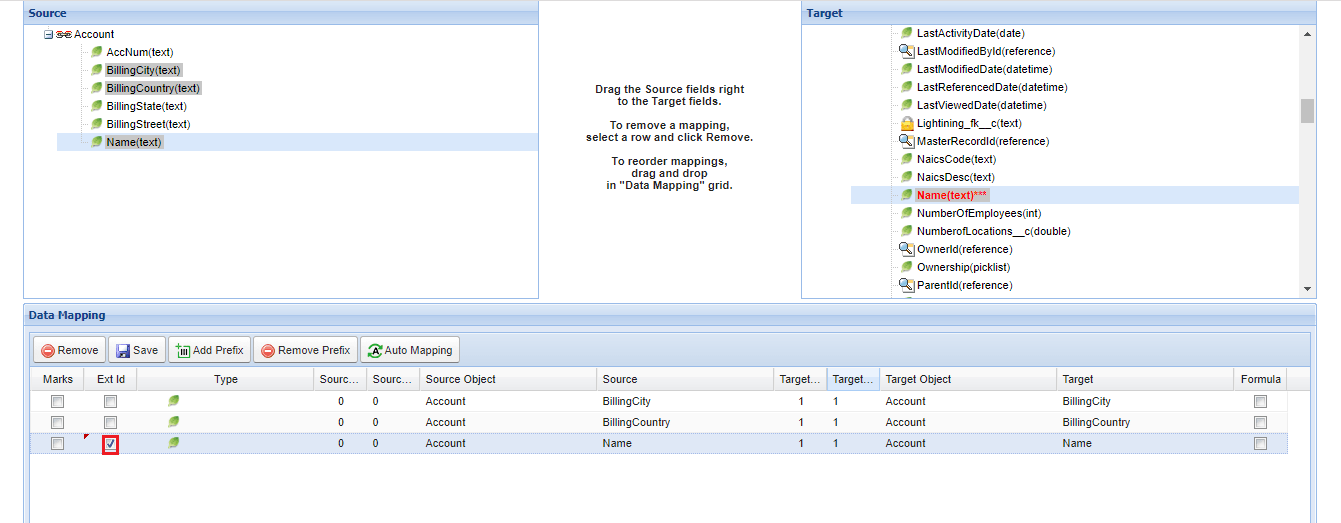
- Set the checkbox “Ext Id” in Mapping Tool.
- Choosing or inputting external Id in field “Salesforce External Id”.
We will check both the ways in Inbound Interface and in Outbound Interface. Inbound interface:-
- To set an external Id in the Mapping Section follow the steps given below:-
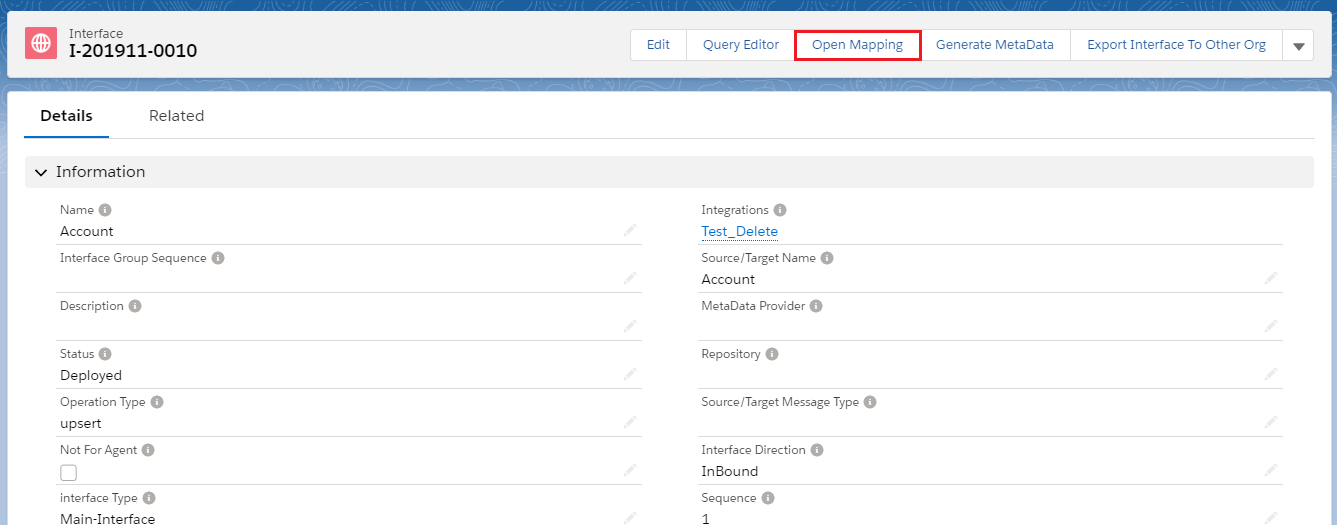
- Enter in Interface detail page.
- Click on "Open Mapping" as shown below.
- Check the Ext Id box.
- To choose or input external Id in field “Salesforce External Id”.
- Enter the interface detail page and scroll down to section “Inbound Setup”.
Outbound interface:-
For an outbound interface, you can set external Id in Mapping Editor like inbound interface. However, you can choose or input an external Id in field “Salesforce External Id”. The steps to set external Id is similar to the inbound interface. To set external Id in Mapping Editor
- Enter Interface page detail
- Scroll down to “Mapping” section then you will see the Data Mapping editor
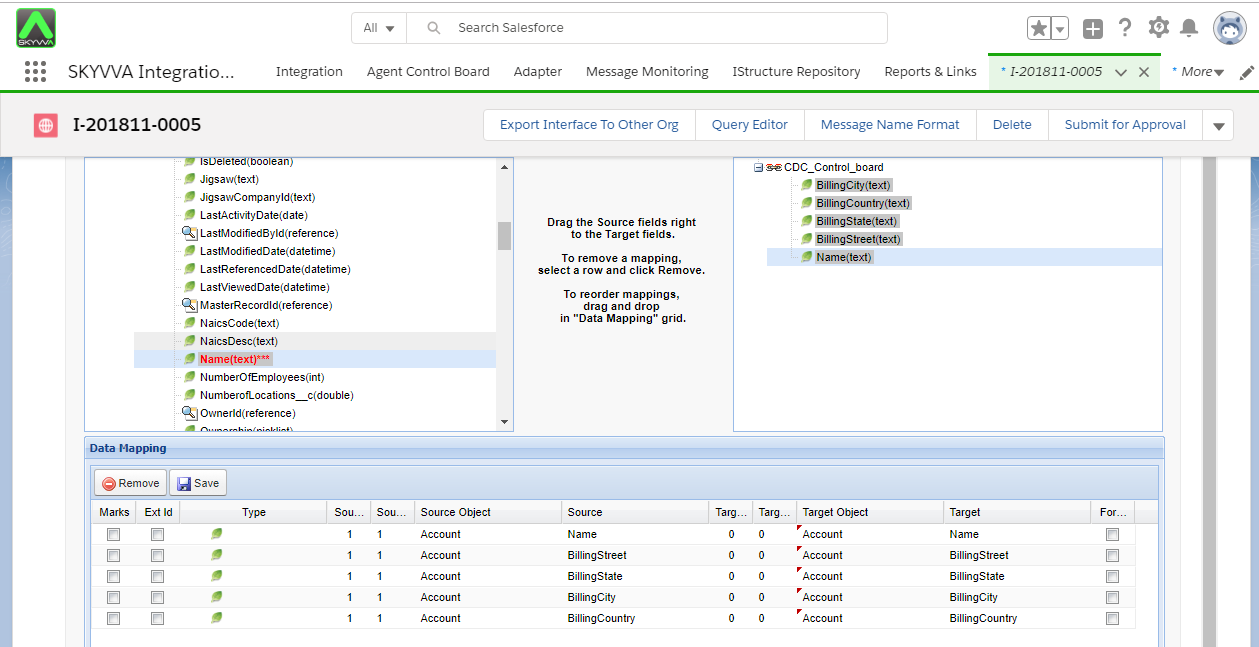
- The checkbox on Ext Id