1. What is CDC and how to configure it?
Learning Objectives :- After completing this unit, you’ll be able to:
- Explain CDC feature.
- Comfortably use CDC for outbound processing.
Introduction
This tutorial will exhibit how can we utilize Change Data Control (CDC) for handling data change in Salesforce. We can customize the data changes of any sObject and sent out to the client. It fortifies an asynchronous mode to accumulate transmuted data which we call the change pointer and sent out to the client. The main difference to the streaming API of Salesforce is that data can be bulk as extremely large data. Furthermore customer can liberatingly schedule when the data will be sent e.g. every 5 minutes, 30 minutes etc... With this feature customer don't require to develop such an app to amass data change and sent out to the client. Just use SKYVVA CDC.
What is Change Data Control (CDC)?
With CDC we provide an ability to record all data changes you create on any business object. It will be automatically push to your external system at any time you scheduled. In comparison to the streaming API, you can overcome the limit of sending changes record by record. Here we can bulk and collect changes to be callout in packages meaning that you leverage the best usage of your Salesforce resources. Don't disturb your online business user while operation hours. Use CDC Scheduler to schedule data changes to be send out at a time. CDC is made up of two components, the CDD and the CDT. CDC is stand for Change Data Detection and CDT is stand for Change Data Transfer. These two components has different functionality. CDD is a scheduler which is running to call batch Apex in order to collect data change and save all those data into Change Pointer Object. CDT is another scheduler which is running to collect the records from the Change Pointer Object and sent to the external System such as SAP … etc. The Schedule will executes callout as parallel of future, queueable, batch based on priority, integration resource and interface group type (EO/EOIO).


Terms you should know:
- Use SKYVVVA Outbound Scheduler: This flag use for CDC Processing. When you check this flag, it’s mean that you activate the CDC. It activates both CDD and CDT.
- CDC Mode Only: This field is used for separating the process of CDD and CDT follow flag Use SKYVVA Outbound Scheduler. Select CDD to run only CDD for interface or select CDT to run only CDT. Select None to run both CDD and CDT at the same time.
- Interface Control Runtimes: Interface Control Runtime could be used for another purpose. for CDD, it is used where the user can set LastRun DateTime that CDD finds the record change which is record’s LastModifiedDate>that date.
Configuration
CDC is used for outbound processing only. It is done by:
- Using Adapter
- Using Agent
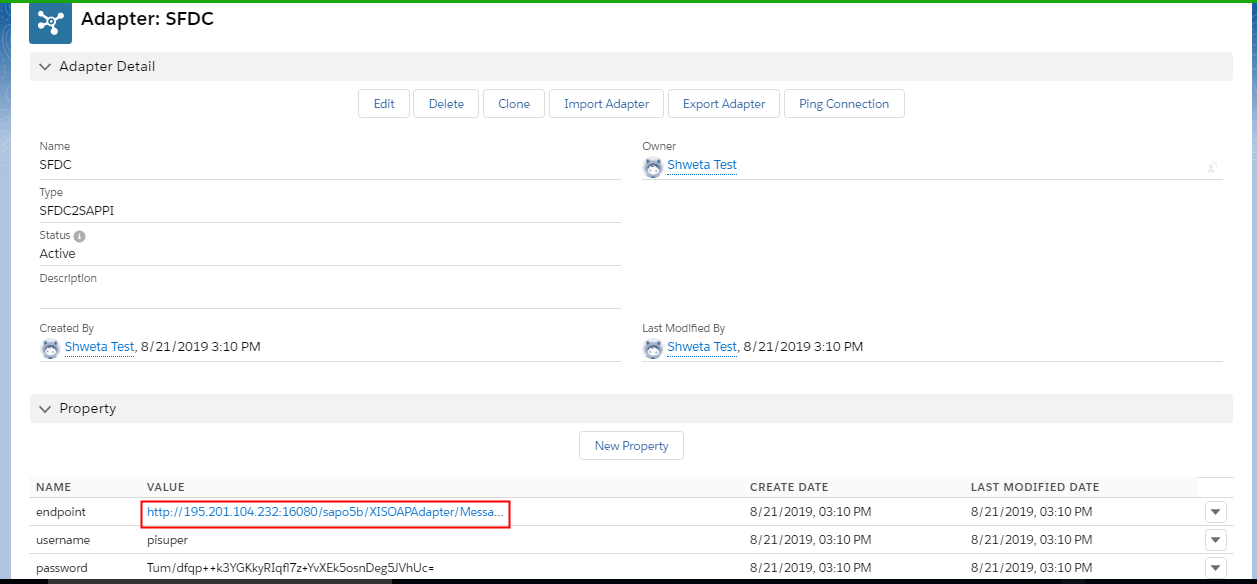
1. Adapter An outbound interface can be processed with the different adapters to configure CDC. For example, we use SFDC2SAPPI adapter, Rest Adapter, Soap adapter. Follow the given step to process the outbound interface using the adapter. We are using SFDC2SAPPI adapter as an example, you can follow the given steps:. Follow the given step to process outbound interface using adapter: Step1: Create Adapter We are using SFDC2SAPPI adapter. To create SFDC2SAPPI adapter follow the given steps:
- Go to Adapter tab.
- Click on New Button.
- Fill the username, endpoint and password
Step2: Create Remote Sites
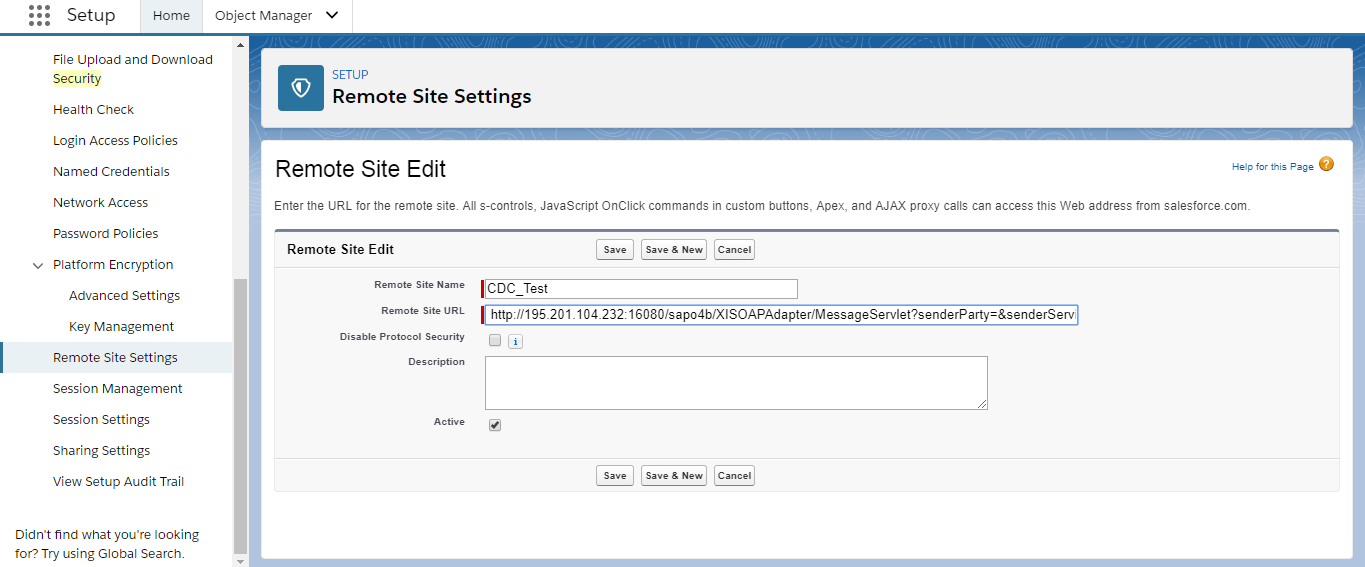
- From Setup, enter Remote Site Settings in the Quick Find box, then select Remote Site Settings.
- Click New Remote Site.
- Enter a descriptive term for the Remote Site Name.
- Enter the URL for the remote site.
- Optionally, enter a description of the site.
- Click Save.

Note: Remote Site URL: Paste the same link as in the Property Value that you have just created a moment ago.
Step3: Create Interface
- Create Integration.
- Create Outbound Interface -Adapter:SFDC2SAPPI
- We have to configure CDC For an Interface.
- In order to configure CDC for an Interface We have to open and edit Interface.
- Check “Use Skyvva Outbound Scheduler” checkbox.
- Go to Interface and Click on Related tab -> scroll down the page to Interface Control Runtimes
- Specify the parameters:
LastRun is the date from where we define the changed data to be collected. [su_box title="Note" box_color="#2a8af0" title_color="#000000"] “Use Skyvva Outbound Scheduler”: When this flag is checked it means CDC is activated . This flag is used to activate both CDC and CDD.[/su_box] Step4: Scheduled CDD
- Open Integration Details Tab
- Go to custom Link section and click on CDC Control board
- Go to Scheduler tab.
- Start the scheduler on an outbound section and set the time as you prefer.
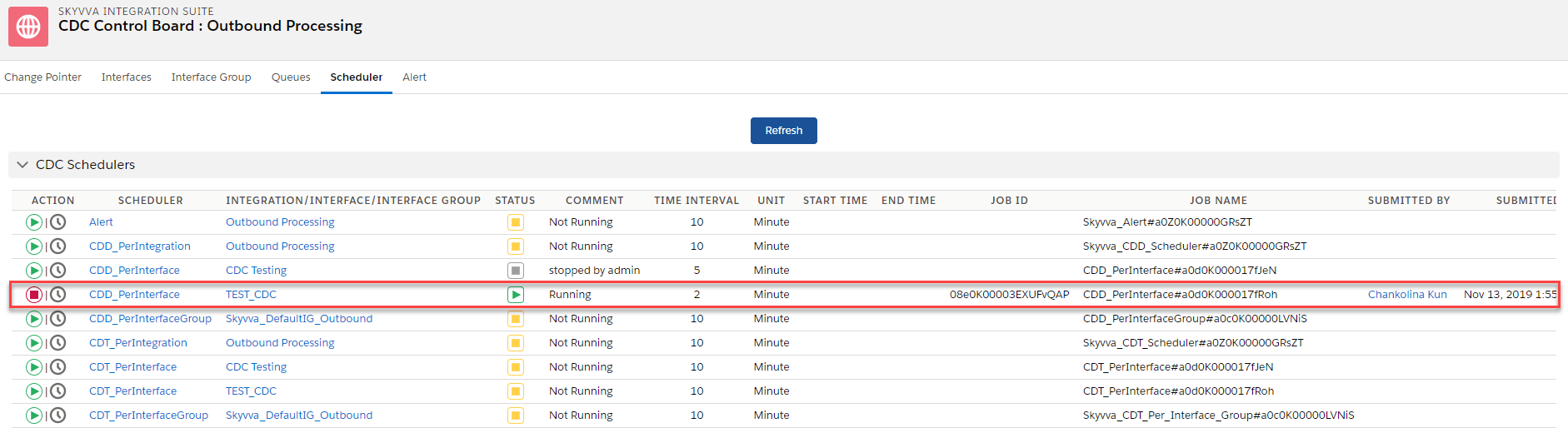
Step5: Monitoring CDD
- Enter Integration Details Tab
- CDC Control board Tab and apply filter on:
->Integration name -> Interface Name -> Status -> Search

Step 6: Schedule CDT
- Go Integration Details Tab
- Go to Scheduler Tab
- Start the Schedule and set the minute as you wish
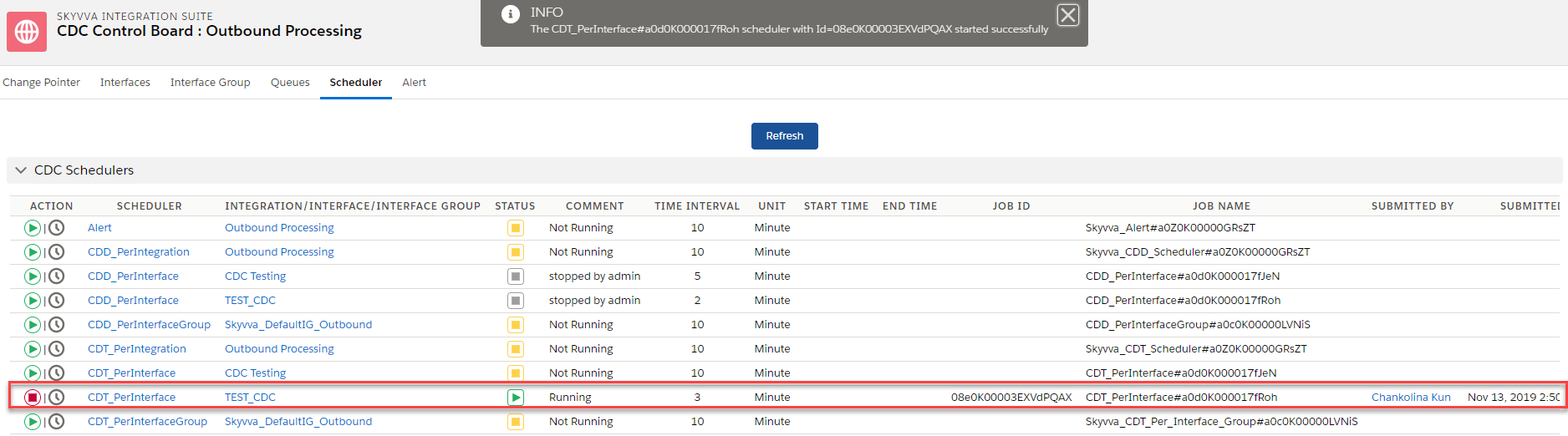
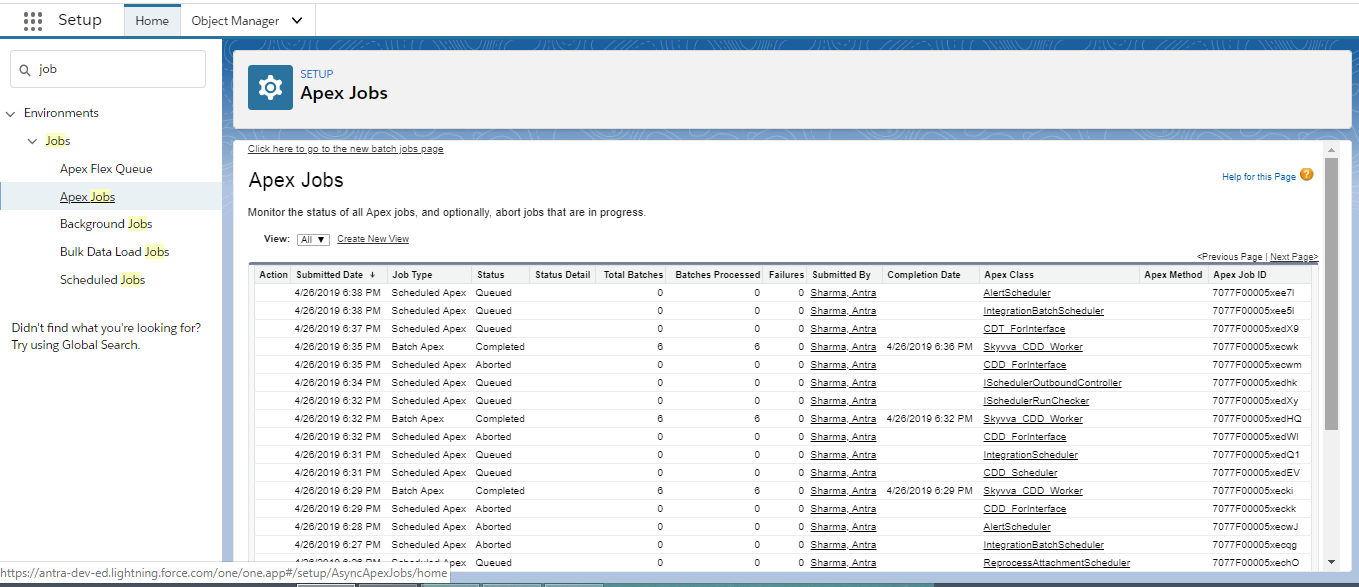
Step7:Monitor CDT:
- Clicks on Setup -> Jobs -> Apex Jobs
- Enter Apex Jobs Monitoring to see CDT workers:
- Future/Queueable process
- Worker (Batch) Process
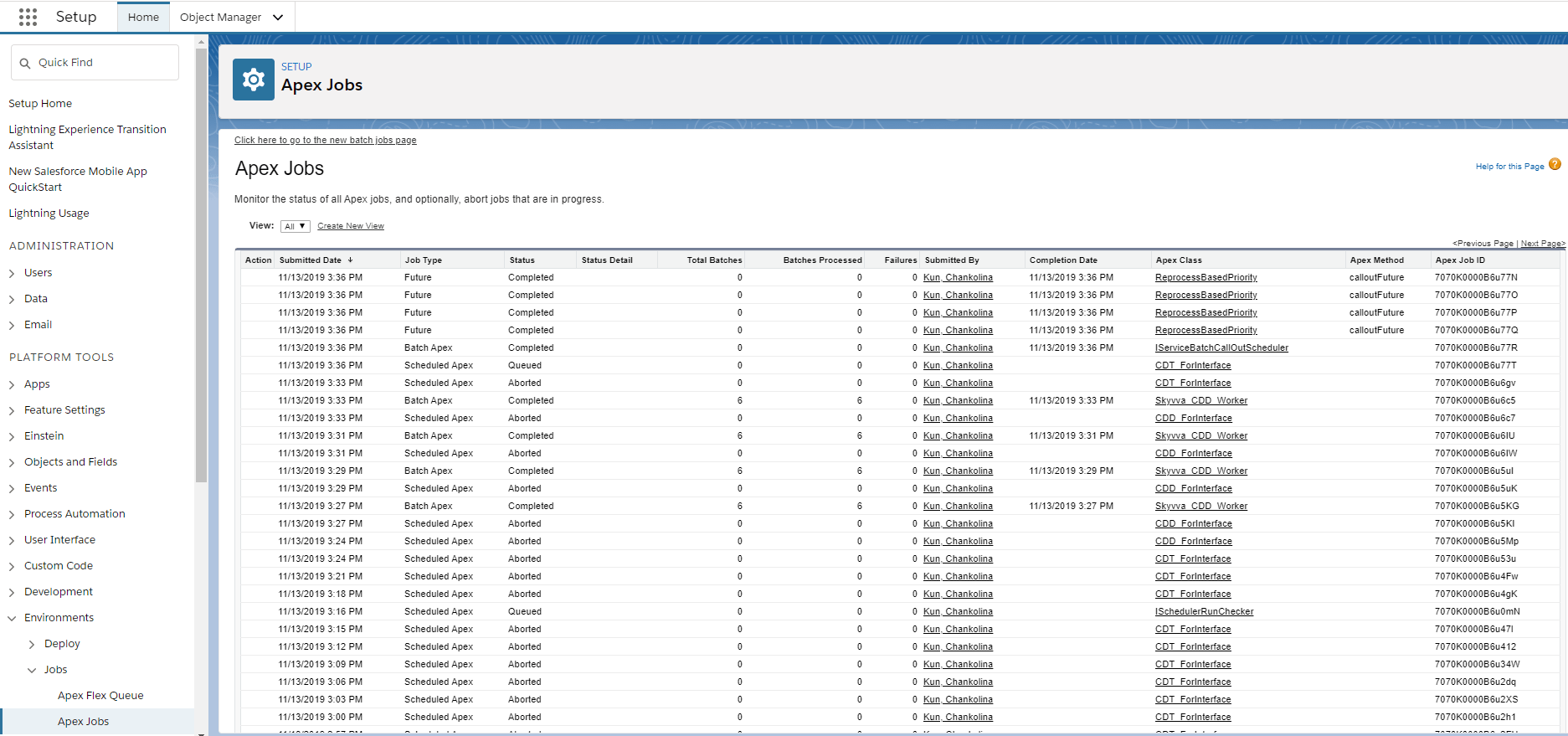
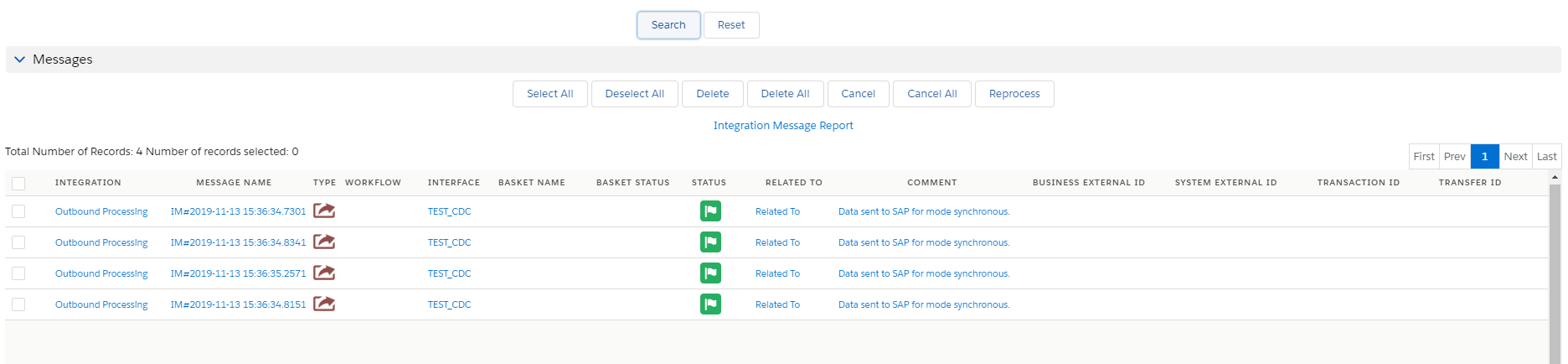
Step8: Check result on message monitoring Board
- Go to Integration
- Click on Messages