1. What is the different posting behavior for the inbound interface?
Learning Objective: After completing this unit, you’ll be able to:
- Describe What is the mode By-pass the message layer.
- Comfortably use By-pass the message layer mode.
Introduction
“Inbound Interface” when data is sent from SAP to Salesforce. So, the reference point is set to Salesforce.
Prerequisite for creating an inbound interface
- The Skyvva solution framework has to be installed into your Salesforce instance.
- An integration instance has been created
- SAP-PO has been installed and set up correctly
- Your workstation needs an internet browser IE or Firefox of the new release.
Step 1. Creating an inbound interface(Salesforce) Login to the Salesforce org and then select Skyvva Integration Cloud. Go to Integration Tab and create New Integration under that go to the interfaces tab and then create New interface as shown below. Now we have to fill the following fields:
- Name
- Source Name
- Status
- Sequence
- Operation Type
- Connect with Middleware
- External Mapping
- Interface Mode
Then click on button “Save” to save your interface. Now we have to specify some required fields and other optional fields for defining the inbound interface. Following all fields related to creating an inbound interface for connecting to Salesforce are described. Note that there are also fields in the screen which is not needed for the SAP-PI coupling but needed for other couplings e.g. the SAP direct coupling. Following are the posting behaviour for the inbound interface –
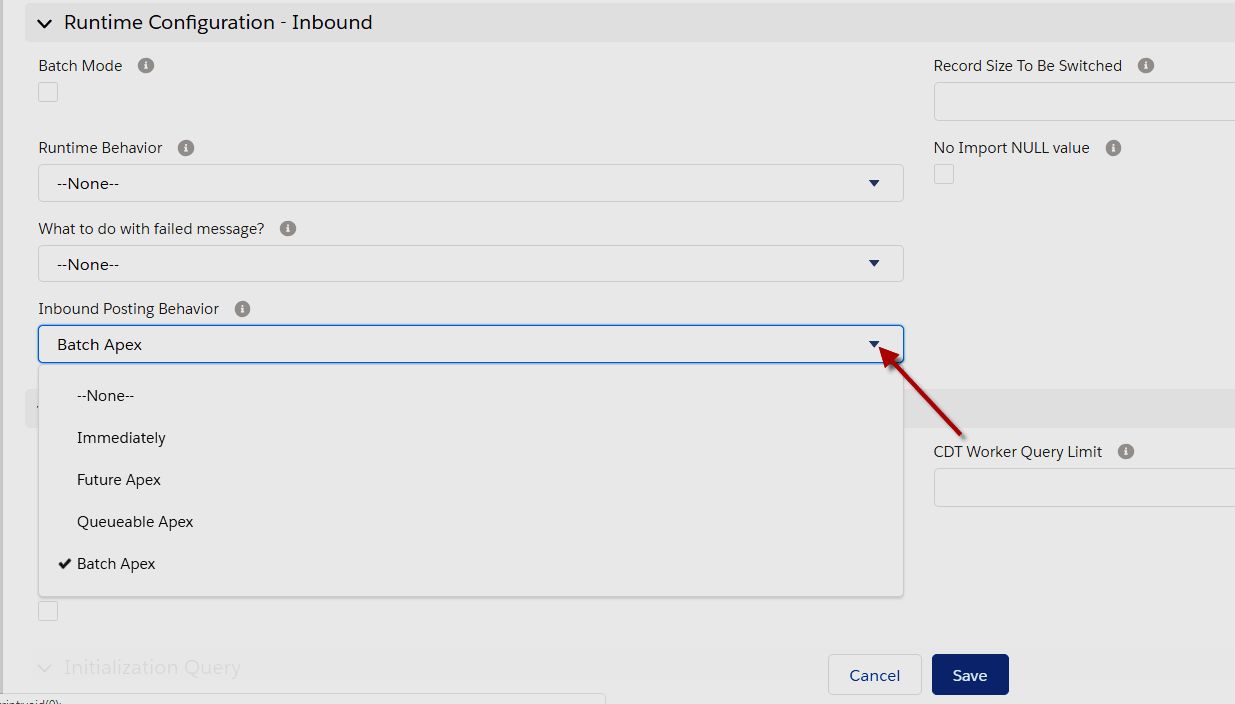
An asynchronous process is a process or function that executes a task "in the background" without the user having to wait for the task to finish. Asynchronous Apex is used for callouts to external systems, operations that require higher limits, and code that needs to run at a certain time. Future Apex
- Methods with the future annotation must be static methods, and can only return a void type.
- The specified parameters must be primitive data types, arrays of primitive data types, or collections of primitive data types; future methods can’t take objects as arguments.
- Future methods won’t necessarily execute in the same order they are called. In addition, it’s possible that two future methods could run concurrently, which could result in record locking if the two methods were updating the same record.
- Future methods can’t be used in Visualforce controllers in getMethodName(), setMethodName(), nor in the constructor.
- You can’t call a future method from a future method. Nor can you invoke a trigger that calls a future method while running a future method. See the link in the Resources for preventing recursive future method calls.
- The getContent() and getContentAsPDF() methods can’t be used in methods with the future annotation.
- You’re limited to 50 future calls per Apex invocation, and there’s an additional limit on the number of calls in a 24-hour period.
Future Apex is used to run processes in a separate thread, at a later time when system resources become available. When using synchronous processing, all method calls are made from the same thread that is executing the Apex code, and no additional processing can occur until the process is complete. Future methods can be used for any operations asynchronously in its own thread. This provides the benefits of not blocking the user from performing other operations and providing higher governor and execution limits for the process. Future methods are typically used for:
- Callouts to external Web services. If you are making callouts from a trigger or after performing a DML operation, you must use a future or queueable method. A callout in a trigger would hold the database connection open for the lifetime of the callout and that is a "no-no" in a multitenant environment.
- Operations you want to run in their own thread, when time permits such as some sort of resource-intensive calculation or processing of records.
- Isolating DML operations on different sObject types to prevent the mixed DML error. This is somewhat of an edge-case but you may occasionally run across this issue.
Future methods must be static methods, and can only return a void type. The specified parameters must be primitive data types, arrays of primitive data types, or collections of primitive data types. [aux_code language="javascript" theme="tomorrow" title="" extra_classes=""] global class SomeClass { @future public static void someFutureMethod(List
To make a Web service callout to an external service or API, you create an Apex class with a future method that is marked with (callout=true). The class below has methods for making the callout both synchronously and asynchronously where callouts are not permitted. [aux_code language="javascript" theme="tomorrow" title="" extra_classes=""] public class SMSUtils { // Call async from triggers, etc, where callouts are not permitted. @future(callout=true) public static void sendSMSAsync(String fromNbr, String toNbr, String m) { String results = sendSMS(fromNbr, toNbr, m); System.debug(results); } // Call from controllers, etc, for immediate processing public static String sendSMS(String fromNbr, String toNbr, String m) { // Calling 'send' will result in a callout String results = SmsMessage.send(fromNbr, toNbr, m); insert new SMS_Log__c(to__c=toNbr, from__c=fromNbr, msg__c=results); return results; } }[/aux_code]
To test future methods, enclose your test code between the startTest and stopTest test methods. The system collects all asynchronous calls made after the startTest. WhenstopTest is executed, all these collected asynchronous processes are then run synchronously. You can then assert that the asynchronous call operated properly.

Batch Apex
Batch Apex is used to run large jobs for example, data cleansing or archiving. Using Batch Apex, you can process records asynchronously in batches. Each time a batch class is invoked, the job is placed on the Apex job queue and is executed as a discrete transaction. Batch Apex has two awesome advantages:
- Every transaction starts with a new set of governor limits, making it easier to ensure that your code stays within the governor execution limits.
- If one batch fails to process successfully, all other successful batch transactions aren’t rolled back.
For writing batch class you need to implement the Database.Batchable interface and include the following three methods: Start, execute and finish. To ensure fast execution of batch jobs, minimize Web service callout times and tune queries used in your batch Apex code. The longer the batch job executes, the more likely other queued jobs are delayed when many jobs are in the queue. Best practices include:
- Only use Batch Apex if you have more than one batch of records. If you don't have enough records to run more than one batch, you are probably better off using Queueable Apex.
- Tune any SOQL query to gather the records to execute as quickly as possible.
- Minimize the number of asynchronous requests created to minimize the chance of delays.
- Use extreme care if you are planning to invoke a batch job from a trigger. You must be able to guarantee that the trigger won’t add more batch jobs than the limit.
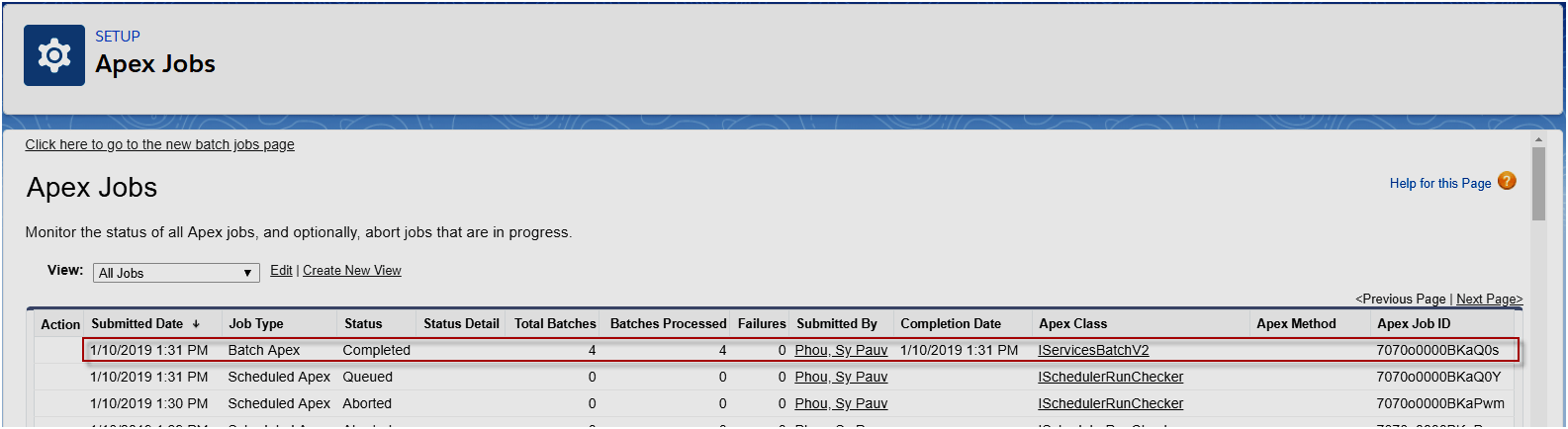
Queueable Apex - Similar to future methods, but provide additional job chaining and allow more complex data types to be used. It gives you a class structure that the platform serializes for you, a simplified interface without start and finish methods and even allows you to utilize more than just primitive arguments! It is called by a simple System.enqueueJob() method, which returns a job ID that you can monitor.
Queueable Apex allows you to submit jobs for asynchronous processing similar to future methods with the following additional benefits:
- Non-primitive types: Your Queueable class can contain member variables of non-primitive data types, such as sObjects or custom Apex types. Those objects can be accessed when the job executes.
- Monitoring: When you submit your job by invoking the System.enqueueJob method, the method returns the ID of the AsyncApexJob record. You can use this ID to identify your job and monitor its progress, either through the Salesforce user interface in the Apex Jobs page, or programmatically by querying your record from AsyncApexJob.
- Chaining jobs: You can chain one job to another job by starting a second job from a running job. Chaining jobs is useful if you need to do some sequential processing.
Queueable Syntax
To use Queueable Apex, simply implement the Queueable interface. public class SomeClass implements Queueable { public void execute(QueueableContext context) { // awesome code here }}
One of the best features of Queueable Apex is job chaining.
In Queueable Apex following needs to be taken care –
- The execution of a queued job counts once against the shared limit for asynchronous Apex method executions.
- You can add up to 50 jobs to the queue with System.enqueueJob in a single transaction.
- When chaining jobs, you can add only one job from an executing job with System.enqueueJob, which means that only one child job can exist for each parent queueable job. Starting multiple child jobs from the same queueable job is a no-no.
- No limit is enforced on the depth of chained jobs, which means that you can chain one job to another job and repeat this process with each new child job to link it to a new child job. However, for Developer Edition and Trial orgs, the maximum stack depth for chained jobs is 5, which means that you can chain jobs four times and the maximum number of jobs in the chain is 5, including the initial parent queueable job.