1. What is the InterfaceExecution Scheduler and when to use it?
**Learning Objectives:- **
This unit describes:-
- What is the Interface execution scheduler?
- When to use it?
Introduction:-
In this chapter, you will learn about the "Interface execution scheduler". The new scheduler "Interface Execution Scheduler" is only used with the outbound interface and is generated automatically for any outbound interface inside an integration. The scheduler uses the method invokeCallout2() to execute the outbound interface.
Interface Execution Scheduler?
This scheduler is only used with the outbound interface and is generated automatically for any outbound interface inside an integration. It uses the SOQL in the field "SOQL Query for filter sObject". In this field, the user can write the SOQL statement which filter sObject to be passed on the method invokeCallout2(). The scheduler uses the method invokeCallout2() to execute the outbound interface. If the SOQL is not powerful enough to solve the requirement of a customer then they can use apex class to write their own logic for data selection. Then the flag "Use Apex Class" has to be set and in the field "Apex Class for Filter sObject" an apex class has to be specified.
How to use it?
We can see 2 Cases:- Case 1:- Callout data to SAP with SOQL Query to filter sObject by using InterfaceExecution schedule processing. Case 2:- CallOut data by using apex class for filter sObject.
Configuration for Interface Execution Scheduler:-
Pre-Requisite:-
- Create Integration.
- Create SFDC2SAPPI Adapter.
- Create a Remote Site setting.
Configuration For Case 1:-
Create Inbound Interface:-
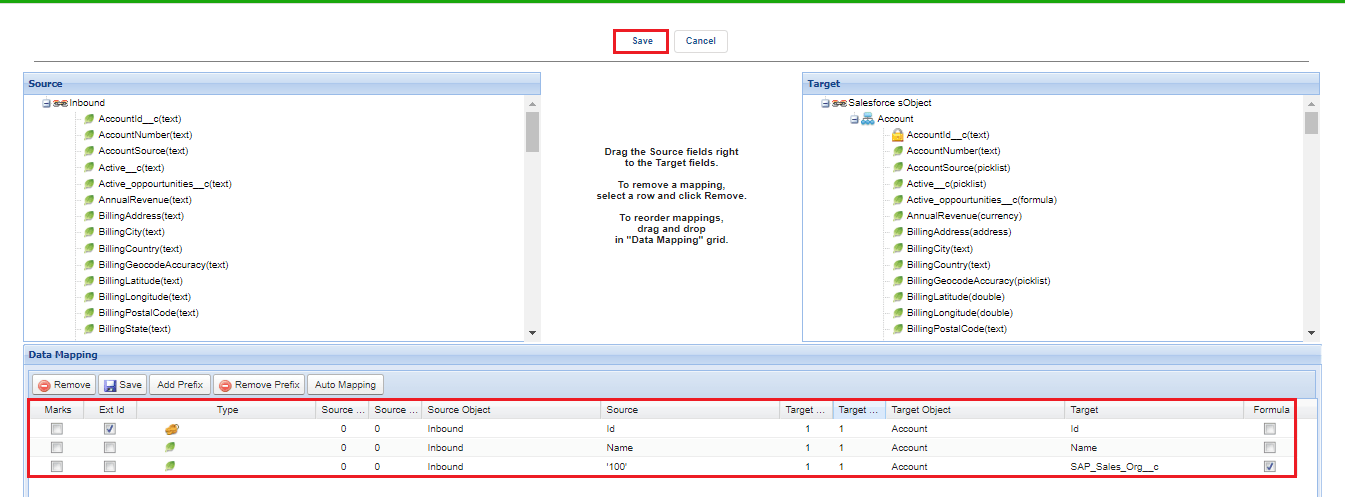
- Do Mapping as shown below and save it.
- In this inbound interface, we need to use the Id as the external Id. This Id is needed to update
Create Outbound Interface:-
- Select Operation type- Query/ PullQuery.
- Processing mode- Asynchronous.
- Select Outbound Adapter.
- In Section "SOQL Query for filter sObject"
- Filter Query:- SELECT Id FROM Account WHERE BillingCity = 'PhnomPenh' AND SAP_Sales_Org__c = "
- Interface to change condition:- Enter Inbound Interface ID.
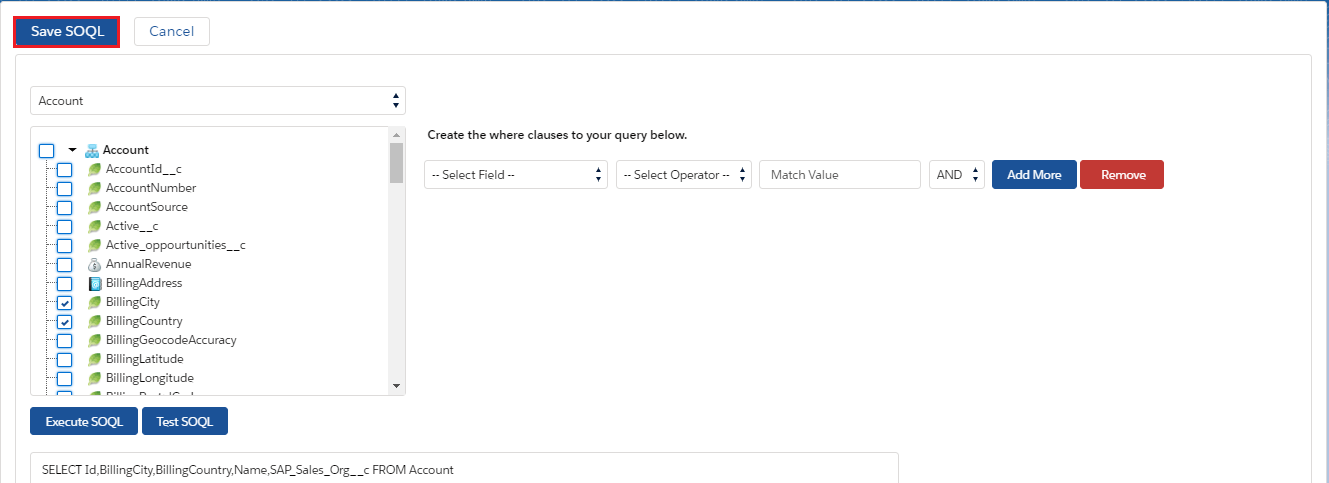
- In section "SOQL Query to select sObject data" or by using "Query Editor" we can write the query:-
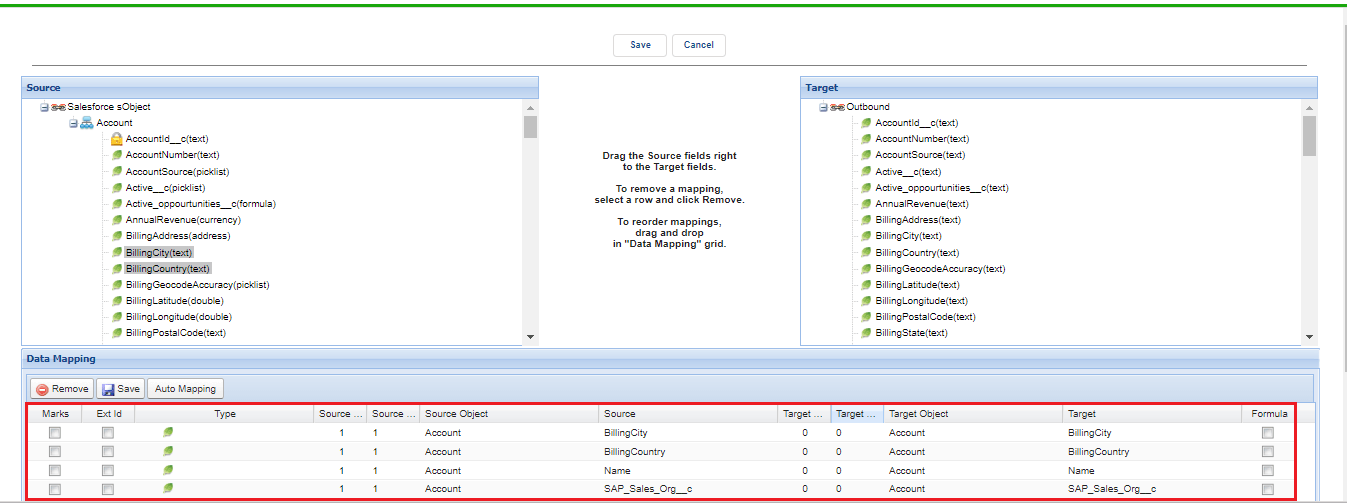
- Do Mapping as shown below.
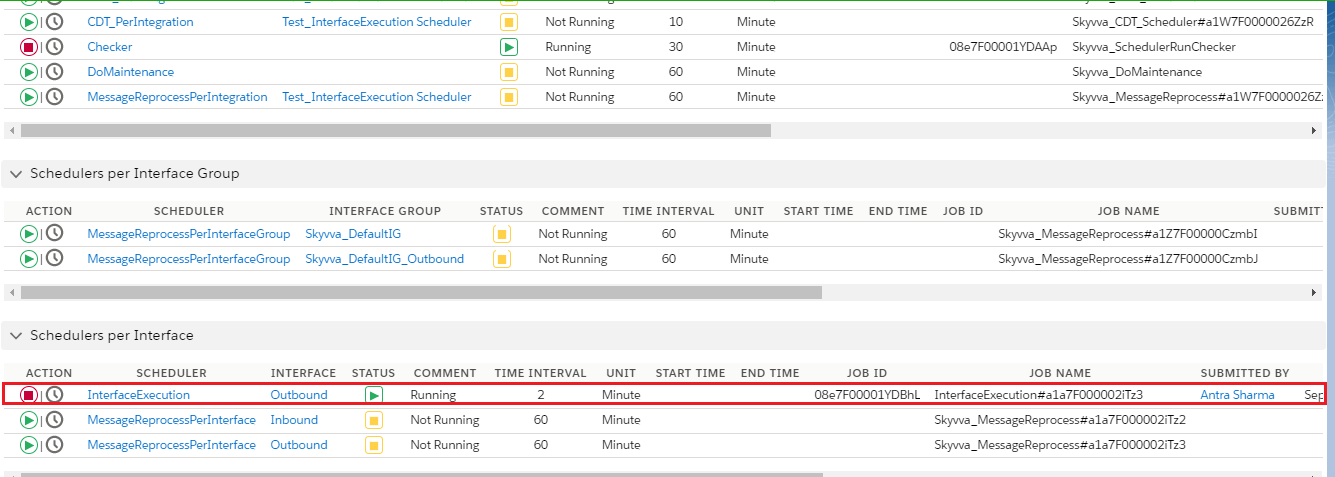
- On the Integration, page Select the "Scheduler" tab.
- Check the section "Scheduler Per interface".
- Run the "Interface execution Scheduler" as shown in the given picture below.
Check Result on Message Monitoring For Case 1 once InterfaceExecution scheduler processed:-
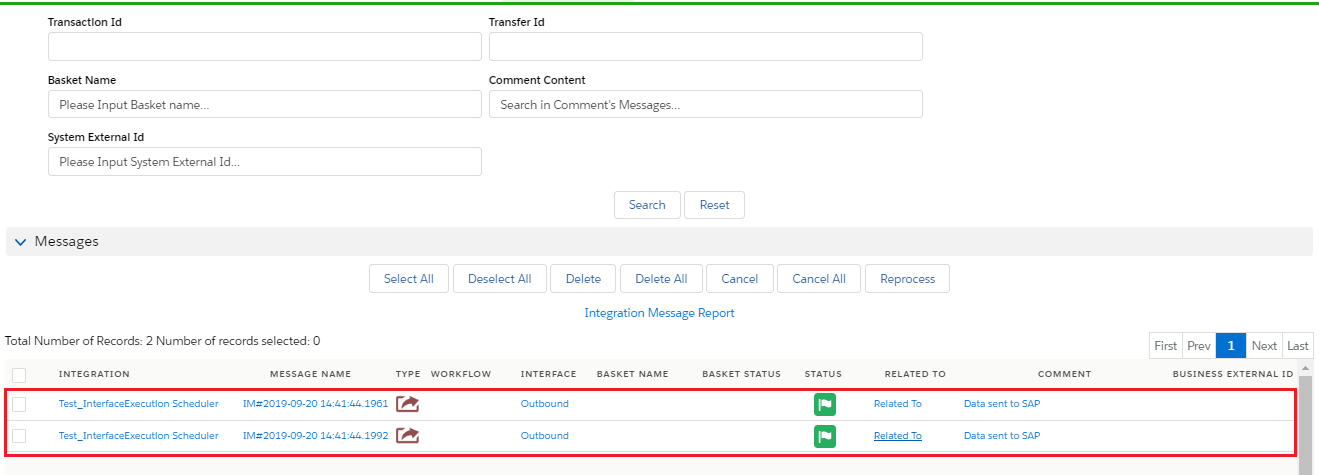
Configuration For Case 2:-
- Configuration for the inbound interface will be the same as case 1.
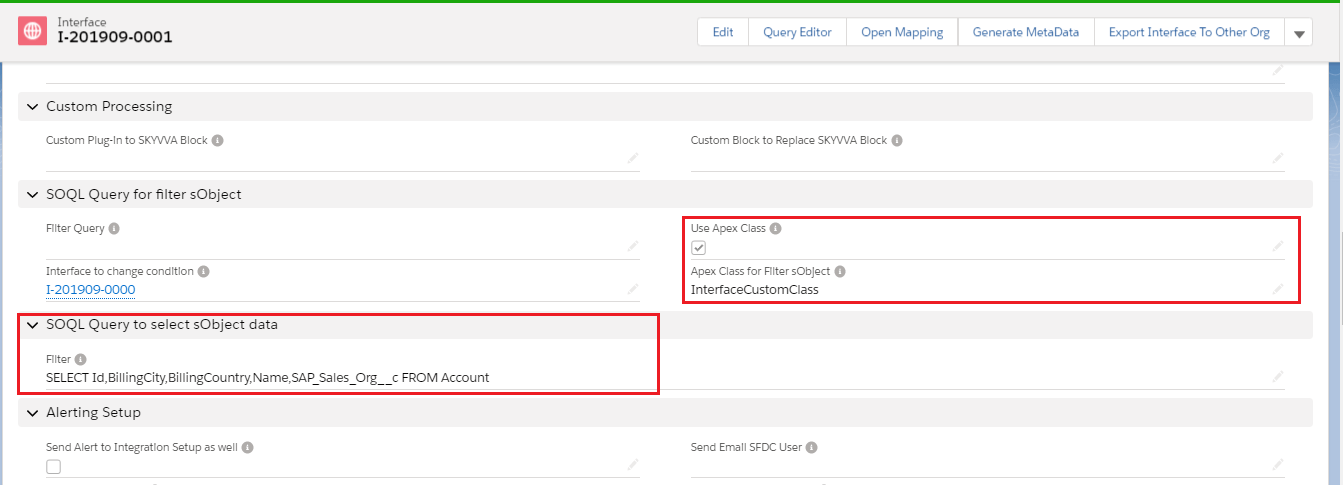
- Configuration for the outbound interface is given below.
- Section "SOQL Query for filter sObject" will automatically generate by mapping.
- Check the box of Use the apex class.
- Interface to change condition:- Enter Inbound Interface ID.
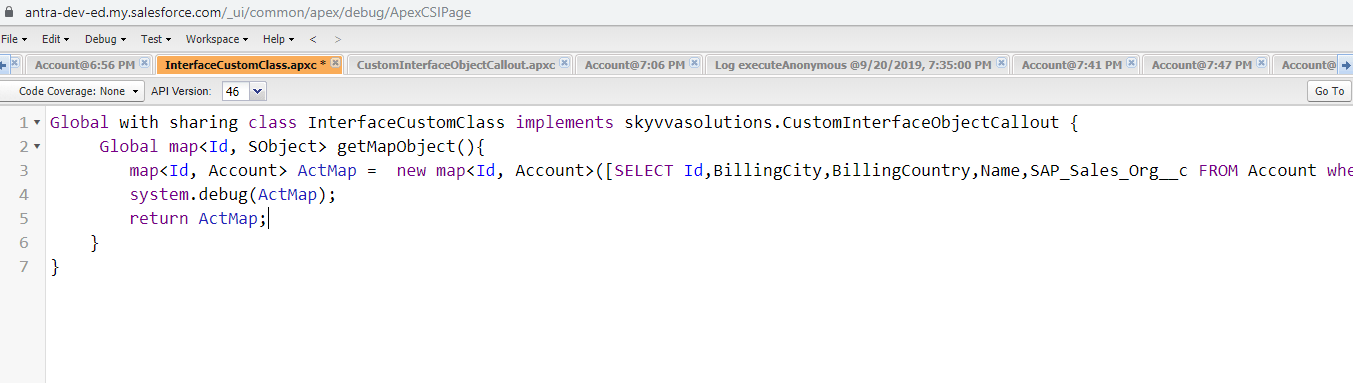
- Create a custom apex class with the code given below:-
[aux_code language="javascript" theme="tomorrow" title="" extra_classes=""]Global with sharing class InterfaceCustomClass implements skyvvasolutions.CustomInterfaceObjectCallout { Global map
- Fill the details as shown below in the picture.
Run the scheduler:-
Check Result on Message Monitoring For Case 2 once InterfaceExecution scheduler processed:-
