What is the new Data Loader?
Introduction
SKYVVA´s Free Dataloader is part of the SKYVVA´s Integration Cloud App and is a ]\native force.com App. As a true Cloud Service data can be uploaded over the Web without the need to install any software or hardware. SKYVVA´s Free Dataloader is perfectly suited for a business analyst and administrator to manage the import of critical business information such as accounts, contacts, assets products, leads, or orders on time without being reliant on limited IT resources. Based on an intuitive (Salesforce Look & Feel) Web interface SKYVVA´s Free Dataloader is very easy to configure (No Coding) and maintain. The Free Dataloader is installed as a tab ‘Integration’ directly in the Salesforce menu bar. Fields are mapped by a visual editor, data are transformed using a formula editor. All operations are executed in the familiar Salesforce Look & Feel. Business analysts or administrators get alerted about failures in the service and are enabled to resolute data transforming or process logic without IT help via a message board.
You can use Data Loader in two different ways:
- User interface—When you use the user interface, you work interactively to specify the configuration parameters, CSV files used for import and export, and the field mappings that map the field names in your import file with the field names in Salesforce.
- Command line (Windows only)—When you use the command line, you specify the configuration, data sources, mappings, and actions in files. This enables you to set up Data Loader for automated processing.
Data Loader offers the following key features:
- An easy-to-use wizard interface for interactive use
- An alternate command-line interface for automated batch operations (Windows only)
- Support for large files with up to 5 million records
- Drag-and-drop field mapping
- Support for all objects, including custom objects
- Can be used to process data in both Salesforce and Database.com
- Detailed success and error log files in CSV format
- A built-in CSV file viewer
- Support for Windows and Mac
Pre-requisite
Why do we need to open the firewall or make the local IP become a public IP?
- For the run-time e.g. when the agent process the file user doesn't need to access from Salesforce to the agent. The problem with why user still needs to open the firewall or make their PC have a public IP is because users need to push the cache down to the agent.
- This action is triggered from Salesforce and thus the public IP is needed. But why not read the catch from the agent before processing an interface? This is in fact possible but when the user wants to run the interface using our manual process function from the agent control board again we need to call an API from the agent to execute the interface because the interface is an inbound interface and also we have to execute the interface from the agent.
- But the user is sitting in Salesforce and triggers the action from the agent control board UI. Because of this function user need the public IP address of the agent to be able to execute the inbound interface e.g. call an API to start the interface execution from the agent to Salesforce.
Salesforce Data loader
SKYVVA App Data loader
Need to download on local machine separately No need to download it comes along with SKYVVA App
Simple Import Free is your cloud-based, user-friendly spreadsheet data loader solution.
Salesforce Data loader supports flat CSV file format only Import/Export Free is your cloud-based, user-friendly spreadsheet SKYVVA App data loader solution.
SKYVVA App Data loader supports flat/hierarchical both with CSV, and XML. JSON formats.
Simple Import Free allows both Administrators & non-Administrator users to quickly and easily import CSV into Salesforce all for FREE. Import/Export Free allows both Administrators & non-Administrator users to quickly and easily import/Export CSV, and XML. JSON formats into Salesforce all for FREE.
[su_box title="Note" box_color="#2a8af0" title_color="#000000"]
- Currently we are supporting
- Protocol: Local
- Integration Mode: SFDCBulkV2
- File Type: CSV, JSON, XML
- License key: not required
- Direction: Inbound
- Processing: Manually
Please hit these link
Users can run the agent on Windows and Linux.
[/su_box]
Since our Data Loader is a Salesforce App that runs inside Salesforce we build the UI in Salesforce. But to support the Salesforce bulk mode we have to run a client application similar to the Salesforce data loader. Therefore we use the agent as the external client application and use the Salesforce bulk API (we use only version 2 of the bulk API at run time from the Agent) to load millions of records to Salesforce.
But the users need to do is to create the interface at the design/configuration time with Skyvva and then use the agent control board to execute the interface. This UI is enough to do this work. Therefore we don't need a separate UI from the old agent.
Objectives
This document describes administrative tasks required to manage the data integration from your system to salesforce.
Scope and Advantage
Currently, our data loader import the file and the user needs to wait until the import process finishes. Sometimes for big-size files, it takes too long and they should have the option to choose the mode e.g. online import or using our batch mode. In batch mode, we will create the file and store the record for processing with our batch scheduler.
Architecture Overview
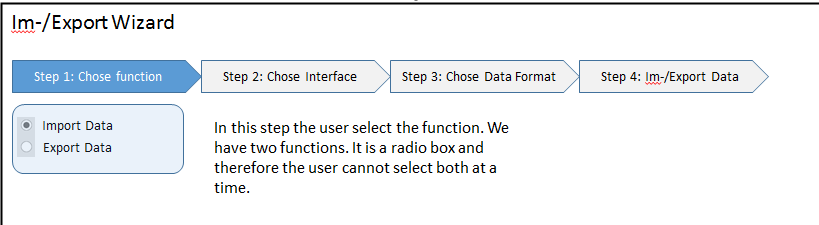
SKYVVA´s Dataloader is a native Salesforce App and is designed to integrate data supporting CSV/XML format via a manual file upload. It is simple, intuitive, and powerful to build integration in minutes. It is a Config&Click graphical mapping tool. Skyvva data loader is used to upsert, insert, update, delete, or export Salesforce records. Data Loader is running in Bulk mode. If we want to send data to email, we can check the flag batch mode. But to use this mode we need to make sure that we have the library SKYVVA__Workspace. If not go to create it.
Where do you find the Dataloader?
"Dataloader" is located on the integration level in the form of a custom link.
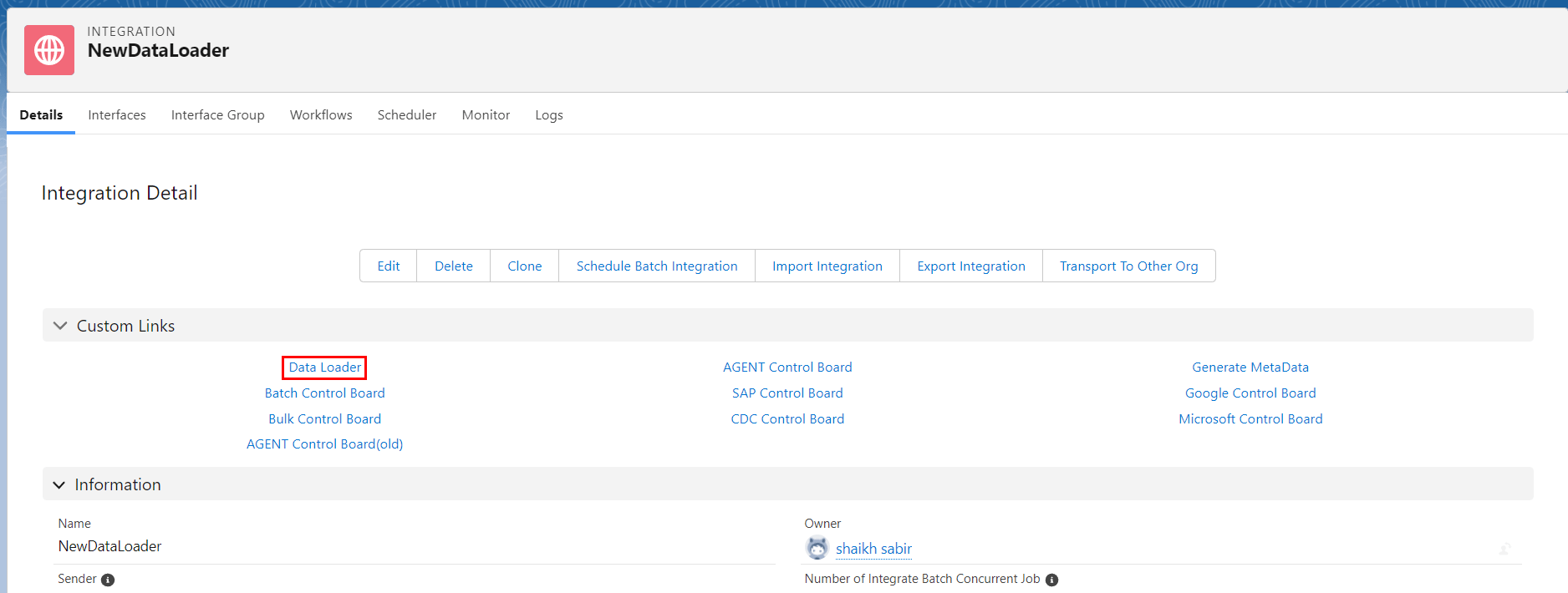
This Custom link to the Data loader dashboard.
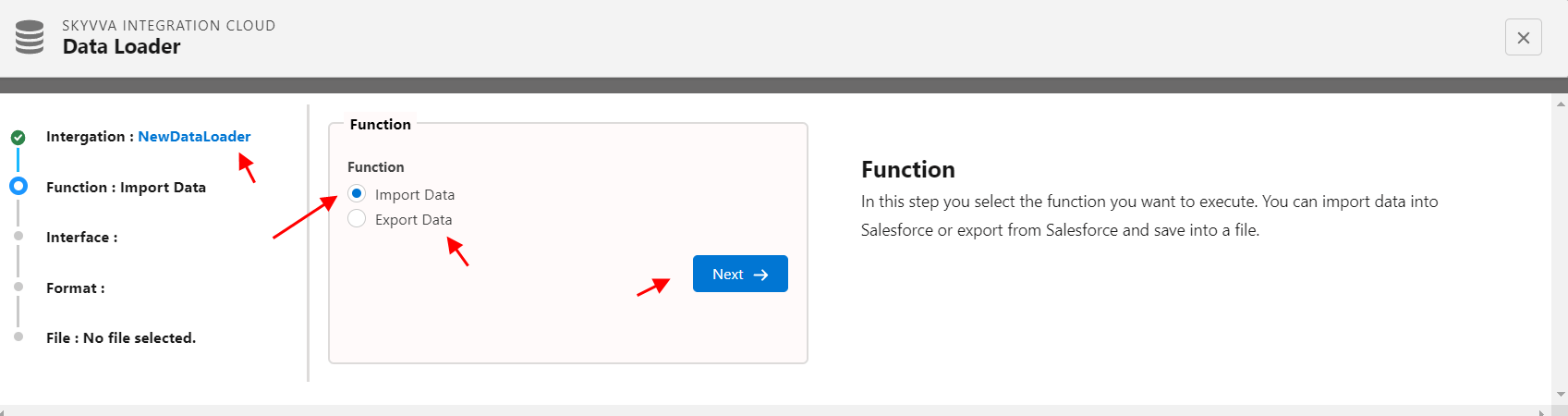
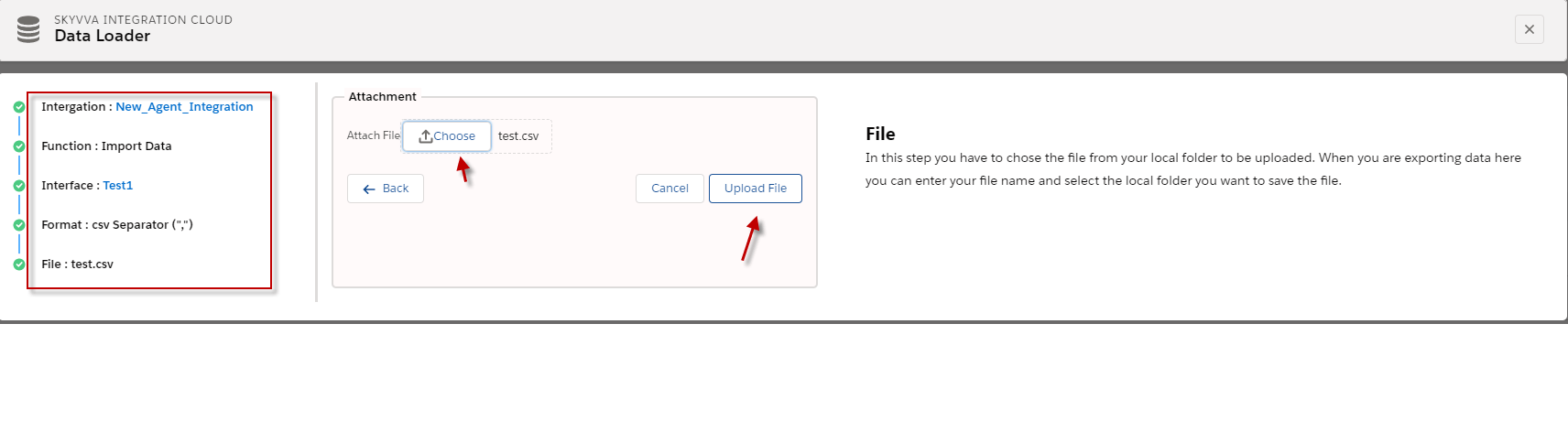
On this first tab, we can select a function that we want to execute. Either you can Import data or export from salesforce.
- Import Data: The DataLoader is mainly used for importing data from files in CSV, XML, or JSON format. We can do import Starting from the inbound interface.
- Export function: Like the import function, Dataloader is used for exporting data in files in CSV, XML, or JSON format. We can do Export Starting from outbound interface
the first screen of data loader:
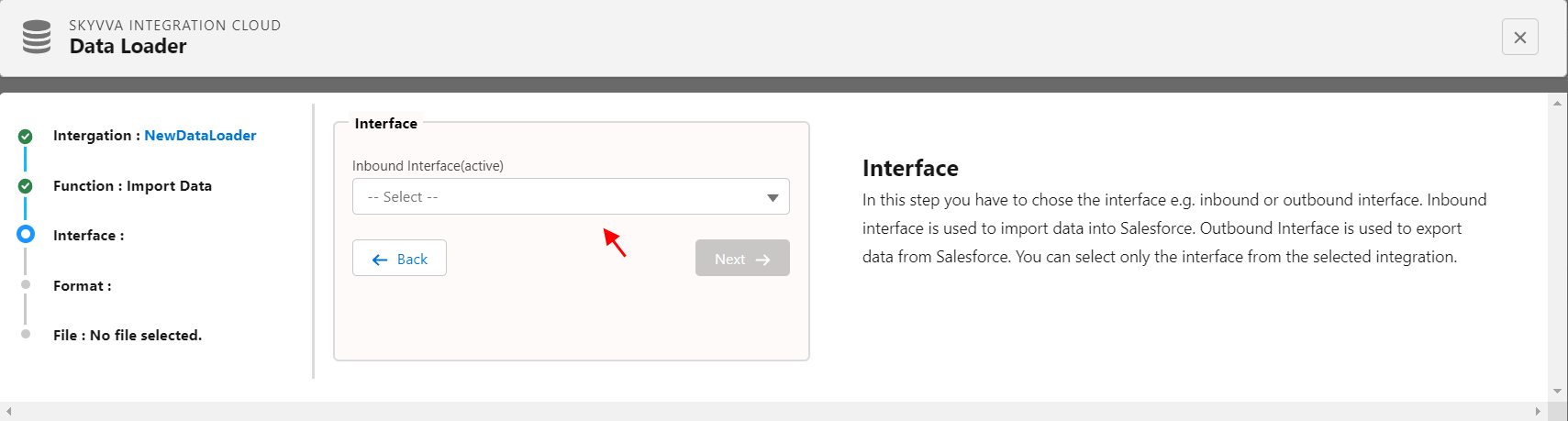
Select the Interface name and click Next
Summary
Data Loader is a client application for the bulk import or export of data. Use it to insert, update, delete, or export Salesforce records.
When importing data, Data Loader reads, extracts, and loads data from comma-separated values (CSV) files or from a database connection. When exporting data, it outputs CSV files. In the chapter also classified the difference between Salesforce Data Loader and Skyvva App Data Loader.